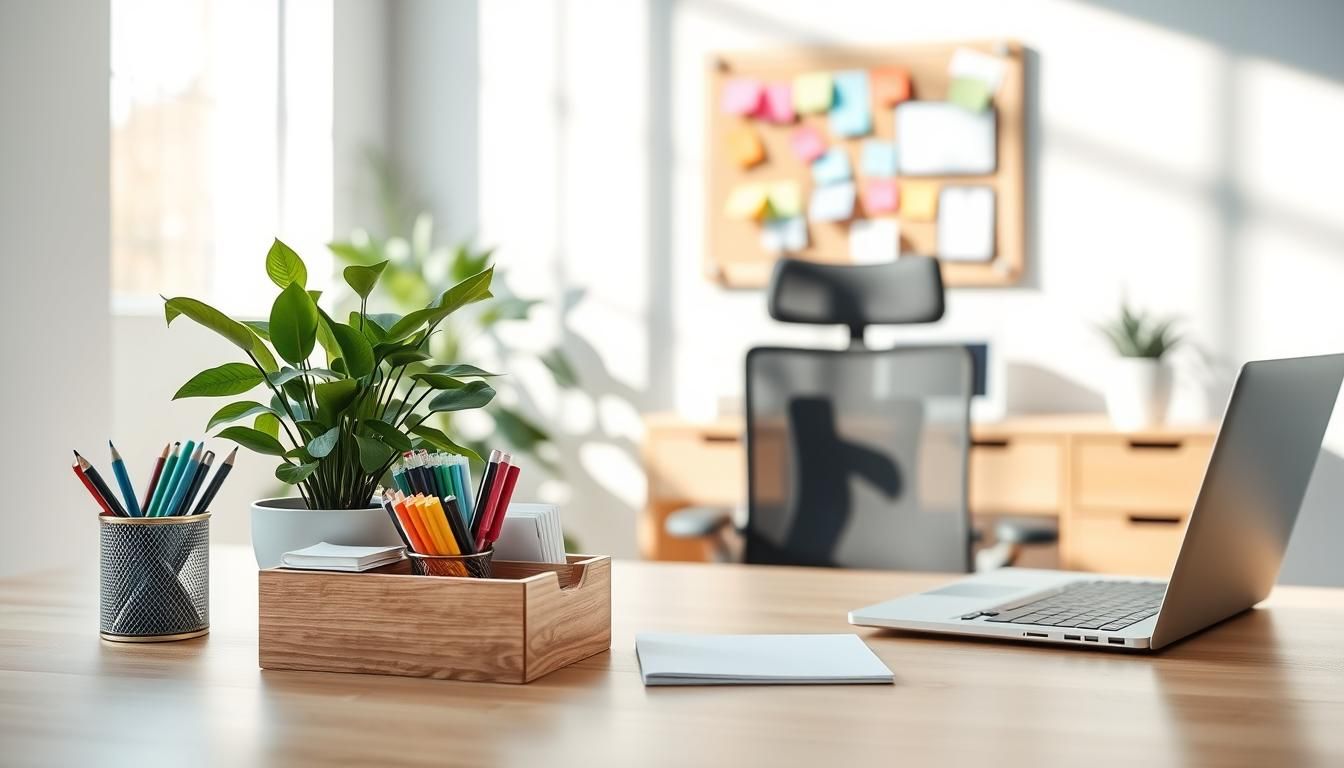

Surprisingly, people spend nearly 60% of their workday on “work about work,” leaving less time for focused tasks and strategy. That gap shows how much a cluttered or poorly designed workspace can steal both time and energy.
Poor setups cause back pain, constant distractions, and lower performance. Start small: swap your chair, add a lamp, or clear one drawer. Health-first furniture from brands like EFFYDESK in Vancouver proves that small changesstanding desks or an ergonomic chairadd comfort and boost motivation.
Workspace organization is more than neatness; it’s a strategy. Align your desk and room to match how you workfocus, collaborate, learn, or rechargeto get better results and improve well-being. Organizations that treat space as a tool see gains in productivity, collaboration, and talent attraction.
Use a simple, repeatable process: take everything out, declutter, group like items, corral essentials in containers, label, refill, and train your habits. Tackle one small area at a time and be strict about what stays. For practical methods and quick wins on organizing your desk and effective office organization, check this guide from Asana get organized.
Key Takeaways
- Small changeschair, light, or one drawercan dramatically improve comfort and focus.
- Match your space to work modes (focus, collaborate, recharge) for better outcomes.
- Use a simple declutter routine: remove, sort, contain, label, and maintain.
- Invest in ergonomic furniture to reduce pain and raise productivity.
- Apply workspace organization tips gradually for lasting, effective office organization.
Find Your Perfect Spot for a Home Office
Picking the right place to work at home shapes focus and habits. A small, dedicated corner can be powerful. It signals boundaries and helps you switch into work mode without needing a whole room.
Choosing a quiet, dedicated corner
Look for a low-traffic area away from the kitchen and television. A snug corner in a bedroom or a compact table in the living room often works well.
Keep the spot for work only. This separation supports routines and makes it easier to follow beginner workspace guide steps for daily focus.
Prioritizing natural light and power access
Natural light boosts mood and reduces eye strain. Place your desk near a window when possible, but avoid harsh glare on screens.
Check that a power outlet sits within reach. One good outlet saves you from tripping over cords and keeps devices charged for long sessions.
Why avoiding beds and couches improves productivity
Beds and sofas are cues for rest. Working there blurs the line between work and relaxation and can hurt posture over time.
Choose a firm chair and flat surface for your computer. These simple choices follow practical workspace organization tips and lower daily friction.
When starting, focus on one manageable area. Break larger setups into steps so you can set up gradually. This approach fits the beginner workspace guide and keeps the project from feeling overwhelming.
Set Up Your Desk Just Right
Where you place your desk shapes how you work. Face a wall when deep focus matters to cut visual noise. Turn toward a window when a view and natural light help creativity. Test both and note which boosts your output.
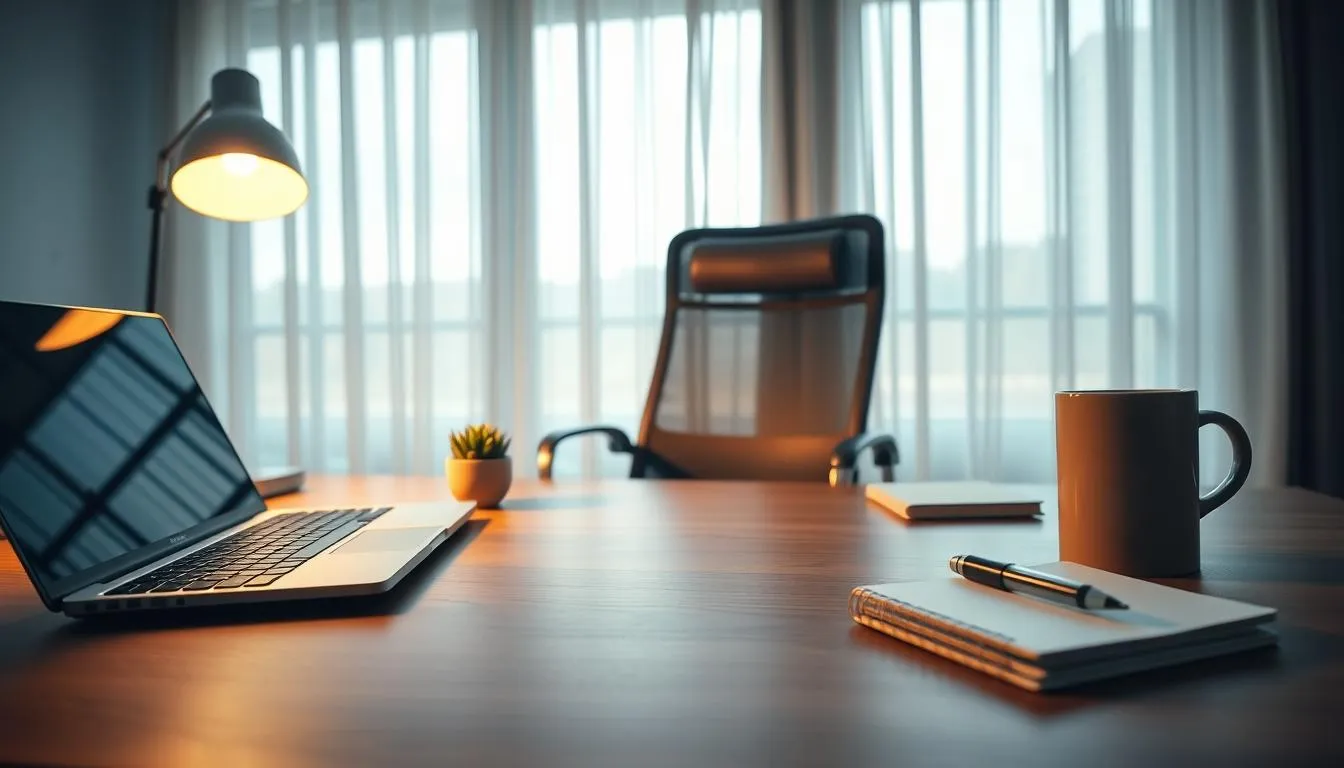
Keeping essentials close saves seconds that add up. Keep a notebook, pens, and charger within arm’s reach so interruptions are minimal. Put reference items and less-used supplies in nearby drawers to support rhythm without clutter.
Ergonomics ties in with flow and focus. Position your monitor at eye level and at a comfortable distance. Angle your keyboard and mouse so your wrists stay neutral. A small change in layout can cut fatigue and reduce fidgeting.
Design the desk layout around the work you do. If you need long stretches of concentration, clear the surface and group like items. If collaboration is common, leave room for notes and shared tools. Observe how you actually move through tasks and refine placement over a few days.
Here are quick setup steps to start organizing your desk for effective office organization:
- Clear the surface and sort items by use frequency.
- Place most-used tools within arms reach.
- Keep cables tidy and out of the work zone.
- Reserve one small area for personal items to avoid distraction.
Use the table below to compare simple desk arrangements and pick the best fit for your habits.
| Layout | Best For | Key Setup Moves |
|---|---|---|
| --- | --- | --- |
| Wall-facing | Deep focus, writing, coding | Minimal decor, monitor centered, essentials at arm’s reach |
| Window-facing | Creative tasks, mood boost | Adjust for glare, use blinds, keep notepads ready |
| Corner or L-shape | Multitasking, multiple devices | Designate zones, elevate monitors, route cables under desk |
| Shared or collaborative | Meetings, pair work | Clear central space, keep portable tools, use storage for personal gear |
Many jobs demand more than a laptop. Plan a layout that leaves dedicated space for extra screens, external drives, a microphone, and a docking station. Thoughtful tech organization reduces friction during work sessions and keeps essential tools within reach.
Designing space for multiple screens and peripherals
Place a primary monitor at eye level and reserve a clear deck area for a secondary screen or tablet. If you use printers, audio gear, or a NAS, map a footprint for each device before buying a desk. Leaving 46 inches of breathing room around equipment helps with airflow and quick access.
Monitor stands and dual-monitor mounts for better posture
Use adjustable monitor stands or VESA mounts to lift screens to eye height. Brands like Ergotron and AmazonBasics offer affordable mounts that free up surface area. Raising monitors cuts neck strain and improves posture during long stretches of focused work.
Simple cable clips, boxes, and routing strategies
Sort cables by function: power, data, and charging. Use labeled zip pouches or small bins to store adapters and extra cords. For daily drivers, install adhesive cable clips along the desk edge and route power leads into an under-desk tray to keep floors clear.
When decluttering, audit every cord and accessory. Toss or recycle duplicates, then group similar items together. A tidy approach to cable management supports cleaner surfaces and reduces distractions, which is one of the most practical workspace organization tips you can apply today.
Choose Furniture That Supports Your Body
Picking the right pieces for your workspace starts with comfort and function. Thoughtful choices in ergonomic furniture make daily work easier and help prevent strain. Use this beginner workspace guide to prioritize support, adjustability, and fit when you shop or reorganize.
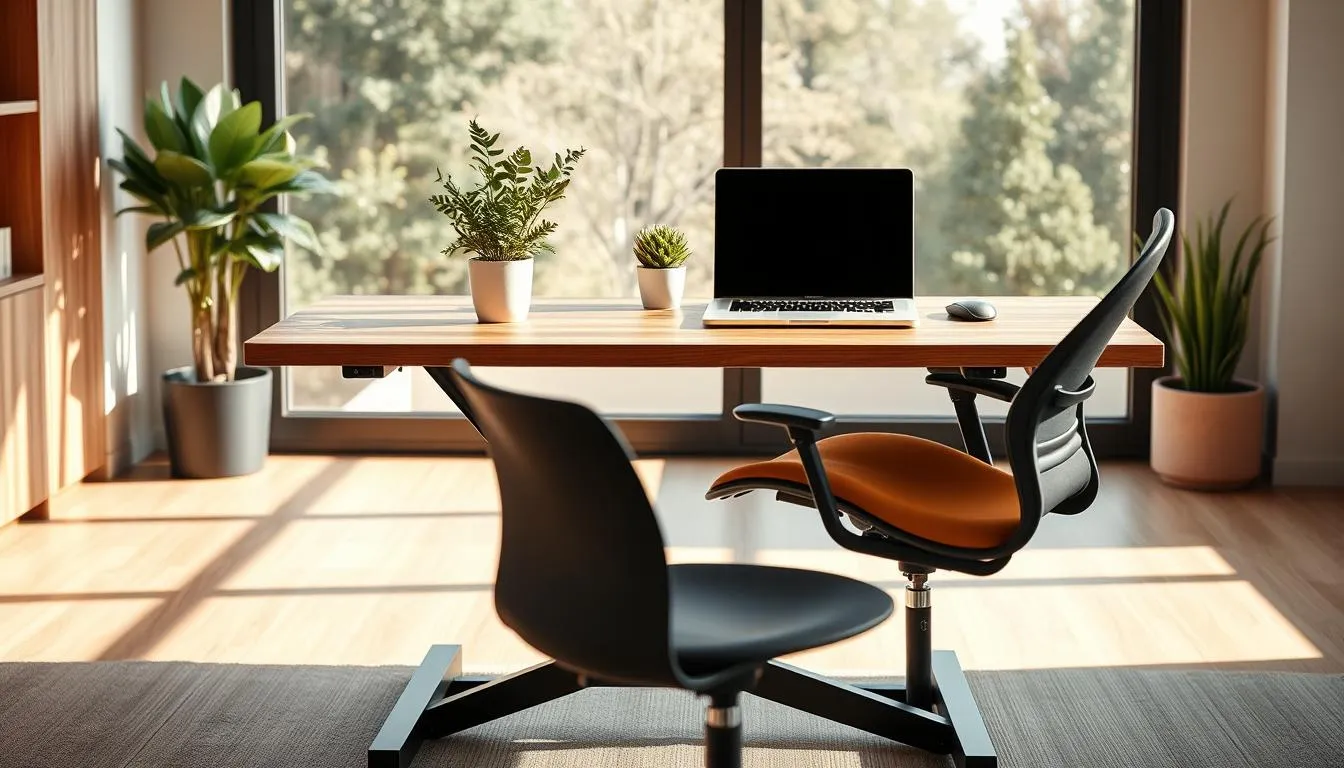
- Adjustable lumbar support that follows the curve of your lower back.
- Seat depth and tilt that let your feet rest flat on the floor.
- Armrests that position your forearms near a 90-degree angle for typing.
- Durable casters and a stable base for easy movement without tipping.
Why height-adjustable desks matter:
- Desks that move between sitting and standing encourage micro-movements and better circulation.
- Standing options often raise alertness and reduce mid-day fatigue.
- Easy transitions let you match posture to the task, from focused writing to collaborative calls.
Setting chair and desk heights for comfort:
- Desk height should allow elbows to sit at about a right angle while typing.
- Chair height should let your knees bend at roughly 90 degrees with feet flat or on a footrest.
- Use monitor arms or stands to keep the top of the screen near eye level to protect the neck.
Practical planning supports effective office organization. Measure your reach zones, then place keyboard trays, footrests, and frequently used tools where they reduce stretch. If a chair or desk causes discomfort, treat it as a priority for replacement. For design tips and an expert perspective, visit a workspace resource like support for every body, which covers space planning and furniture selection.
Companies such as Herman Miller and Steelcase offer proven ergonomic designs that suit varied body types and work styles. Investing in the right pieces can lower injury risk, raise morale, and strengthen long-term retention. Use this beginner workspace guide to balance comfort, function, and budget while building a setup that helps you do your best work.
Get the Light Right to Reduce Eye Strain
Good lighting makes work easier and protects your eyes. Place your desk near a window for daytime tasks and keep blinds handy to cut harsh midday glare. Plan lighting as part of organizing your desk so task areas get bright, even illumination when you need it.
Using natural light effectively
Natural light boosts energy and supports focus. Sit perpendicular to a window to avoid direct reflections on screens. Rotate seating or adjust blinds through the day to keep light soft and consistent. When rearranging, include lighting placement in your workspace organization tips to ensure frequently used zones stay well lit.
Selecting desk lamps and avoiding screen glare
Choose a lamp with adjustable arm and color temperature control. Warm light works for late afternoons, neutral white helps with precise tasks. Angle lamps so they illuminate paperwork without reflecting on monitors. Keep glossy surfaces to a minimum to reduce glare while organizing your desk layout.
Lighting tips for video calls and evening work
Face a light source during video calls to avoid shadows on your face. Use a soft front lamp or ring light at eye level and push your camera to match that height. For evening work, swap harsh overhead bulbs for layered lighting: a dimmable desk lamp plus low ambient light helps you switch from focused work to rest.
| Task | Recommended Light | Placement |
|---|---|---|
| --- | --- | --- |
| Focused reading or drafting | Neutral white task lamp (4000K) | Adjustable arm, 1218 inches above work surface |
| Computer work | Soft ambient plus angled task light | Window to the side, lamp angled to avoid monitor reflection |
| Video calls | Soft front-facing light or ring light | At eye level, centered behind camera |
| Evening winding down | Warm dimmable lamp (2700K) | Low ambient, desk lamp on low setting |
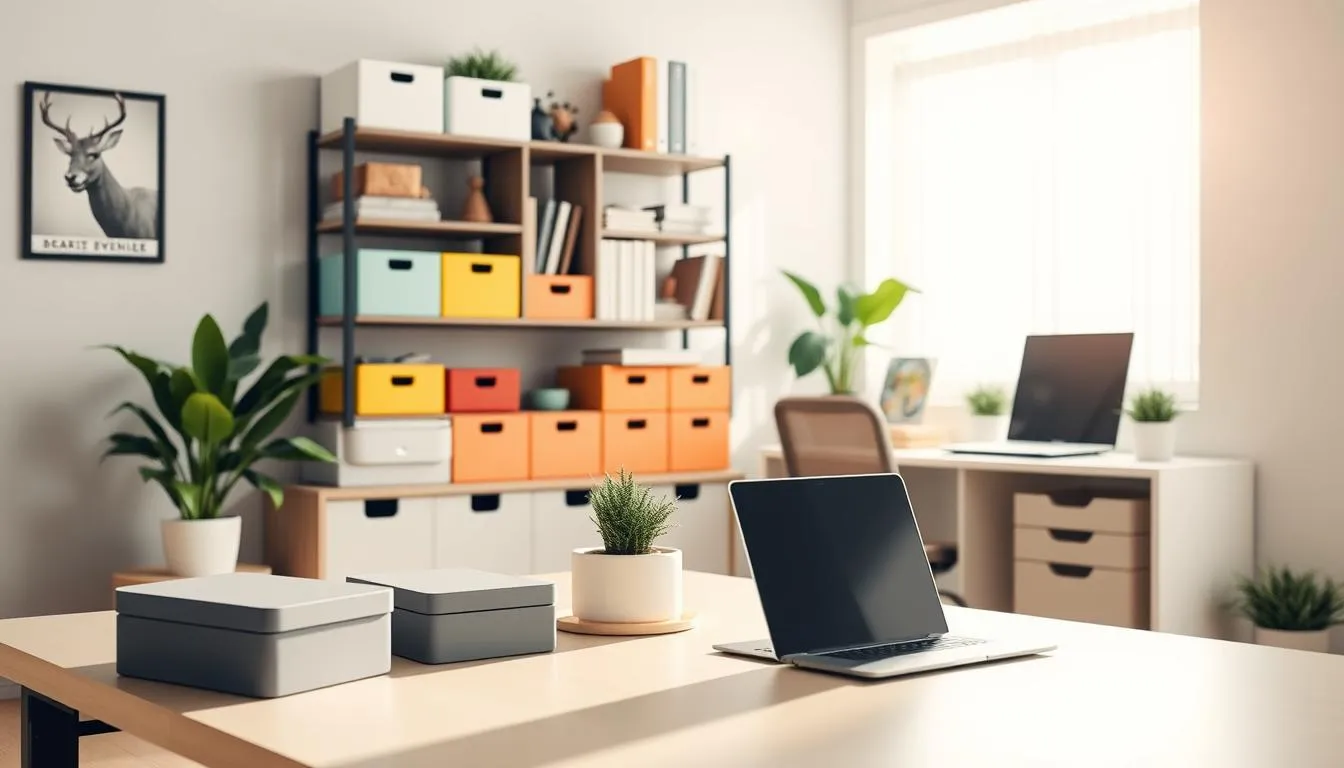
A tidy desk starts with a plan. Use small drawer units for papers, desktop organizers for pens and sticky notes, and boxes for cables to make organizing your desk simple and reliable. Pick storage that supports how you work so you spend less time searching and more time focused.
Declutter by sorting items into three groups: keep, toss, relocate. Place most-used tools within arms reach and less-used items in labeled bins. A five-minute end-of-day tidy keeps surfaces clear and makes mornings easier.
Make cable management part of your storage plan. Use cord organizers, clips, and under-desk trays to hide power strips and cables. Neat cords improve safety and create a cleaner, more professional look for video calls.
Choose double-duty accessories like monitor risers with built-in drawers or magnetic organizers that free up surface area. Vertical solutions such as wall shelves and pegboards work well in small rooms and maximize usable space.
For step-by-step guidance, consult practical resources and proven methods that show how to take everything out, group like items, label bins, and return essentials to easy-to-reach spots. These workspace organization tips help maintain a functional setup over time.
Keep a short daily routine: wipe the surface, return items to labeled homes, and check cable routes. Over weeks, smart storage and small habits turn an unruly desk into a productive, calm workspace.
Keep It Simple and Clean with Minimal Design
Busy desks raise mental load and slow decision-making. Start by choosing durable surfaces and a neutral palette that calm the eye. A white desk, a small pothos plant, and a single notebook can signal order without stripping function.
Minimal setups should help you work, not just look good. Use pragmatic storage that fits daily routines. Replace pretty but impractical containers with labeled bins that keep essentials within reach.
How minimalism reduces cognitive load
Remove visual clutter so your brain has fewer choices to process. When only core tools remain, focus improves and task switching drops. This approach aligns with effective office organization that supports deep work.
Choosing calming colors and surfaces
Pick soft tones like warm white, light gray, or muted greens for walls and desk surfaces. Matte finishes cut glare during video calls and reduce eye fatigue. Small accents in natural wood add warmth without distraction.
Removing nonessential items to preserve focus
Audit your desk weekly. Keep two or three items on the surface that you use every day. Store reference papers in labeled folders and archive what you rarely consult. These simple moves form lasting workspace organization tips that keep the area tidy.
| Action | Why it helps | Quick step |
|---|---|---|
| --- | --- | --- |
| Limit surface items | Reduces visual noise and decision fatigue | Keep only daily tools on the desk |
| Use neutral palettes | Calms attention and eases video presence | Choose whites, grays, or soft greens |
| Adopt labeled storage | Makes retrieval fast and routine simple | Corral items in clear, labeled bins |
| Iterate systems | Keeps solutions practical and sustainable | Swap ineffective organizers after one week |
| Balance function and aesthetics | Supports brand clarity and employee wellbeing | Choose pieces that serve daily tasks |
Small, well-chosen items can change how you feel and perform at your desk. Start with basic productivity tools, a clear plan for where each item lives, and habits that make those tools easy to use.
Timers, task boards, and habit-supporting tools
Use a simple kitchen timer or an app like Pomodoro timers to break work into focused sprints. Visual task boards, such as a small whiteboard or Kanban pads, keep priorities visible without clutter.
Place a daily checklist where you can see it. This beginner workspace guide tip encourages momentum and makes routines stick.
Small ergonomic accessories: footrests and anti-fatigue mats
Footrests improve circulation for seated work and reduce lower-back strain. Anti-fatigue mats help if you use a standing desk part of the day.
Store these accessories near your desk so switching postures is effortless. That simple act supports comfort and longer focus sessions.
Noise control: headphones and soft furnishings
Noise-canceling headphones work well in busy homes or shared rooms. Add rugs, curtains, or cushions to absorb sound and make calls clearer.
Combine headphones with subtle routines that signal focus time to others. These workspace organization tips cut distractions and protect attention.
| Tool | Primary Benefit | Best For |
|---|---|---|
| --- | --- | --- |
| Pomodoro timer | Improves focus with timed intervals | Solo deep work, study sessions |
| Small whiteboard / Kanban pad | Keeps tasks visible and flexible | Daily planning, quick pivots |
| Footrest | Enhances circulation and posture | Extended sitting periods |
| Anti-fatigue mat | Reduces leg and foot fatigue | Standing desk users |
| Noise-canceling headphones | Blocks background noise for clear focus | Shared spaces, noisy environments |
| Water bottle | Supports hydration and cognitive function | All-day desk use |
Small, thoughtful items can make a workspace feel like your own without stealing your focus. Pick a few meaningful objects that fit the room and the work you do. This keeps personal workspace touches fresh and motivating while you stay productive.
Selecting low-distraction decor like small plants
Choose compact plants such as pothos, succulents, or a small snake plant. They add color and improve air quality. Place them where they wont block your monitor or crowd your surface when organizing your desk.
Balancing personalization with simplicity
Limit visible personal items to three or four pieces. A photo, a favorite mug, a small print, and one plant keep the desk from feeling cluttered. This approach blends comfort with workspace organization tips that support focus.
How meaningful items support wellbeing and focus
Curate items that prompt positive emotions or quick breaks, like a tactile object for short pauses. Keep those items in designated spots so they enhance wellbeing without disrupting workflow. If a piece becomes distracting, move it or swap it out.
| Item | Why it helps | Placement tip |
|---|---|---|
| --- | --- | --- |
| Small plant (pothos, succulent) | Boosts mood and air quality | Left or right corner of desk, away from cords |
| Personal photo in a slim frame | Provides a quick emotional lift | Set behind monitor or on a shelf, not the primary surface |
| Favorite mug or small artwork | Adds personality, signals ownership | Keep near peripherals or on a riser to avoid crowding |
| Tactile object (stress ball, smooth stone) | Offers brief, mindful breaks | Store in a small tray or drawer for easy access |
| Minimal desk calendar or note card | Supports routine without visual noise | Place at the corner of primary work area |
Start with one change that gives quick relief. Replace a worn chair or add better lighting to feel the difference by the end of the day. Small wins build momentum and make high-impact organizing habits easier to adopt.
Use a simple routine you can repeat. Spend five minutes clearing your desktop each evening. Keep a single stash spot like a wire basket for items you need to sort later. This keeps organizing your desk quick and painless.
High-impact, beginner-friendly habits to start today
Pick three actions: fix posture with an ergonomic chair, set a five-minute tidy at days end, and create one multi-section inbox. Multi-section inboxes with labels such as Read, File, Send, and This Week work like a mini mailroom on your desk.
Adopt visible cues to train new habits. A labeled tray for pens and a hexagon tray with small containers helps tame loose items. Use behavior observation to refine what actually helps your flow.
Step-by-step declutter method adapted for desks
Follow a clear order to keep the process fast and decisive. Start by removing everything from the surface. If that feels too big, divide the desk into zones and work one zone at a time.
- Take everything off the desk or clear one zone.
- Discard broken or unused items without guilt.
- Group like items: pens, cables, papers.
- Corral groups into containers and label them.
- Return only the most-used items to the most-accessible spots.
- Create a single stash spot for temporary overflow.
- Iterate systems that dont stick; small tweaks matter.
For templates and ideas, consult practical guides like this 9-step approach to adapt shelf and drawer solutions to your needs.
Maintenance plan: daily, weekly, and monthly actions
Daily: a five-minute tidy clear papers into Read/File/Send sections, wipe the surface, and return items to their homes.
Weekly: restock supplies, purge any accumulating paper, and check cable routing. Store rarely used tools in stacked boxes on shelves to free drawer space while keeping them nearby.
Monthly: reassess what you use and what you dont. Move containers, relabel trays, and test a different zone layout until the system matches how you work.
| Action | Time | Benefit |
|---|---|---|
| --- | --- | --- |
| Five-minute evening tidy | Daily | Prepares the desk for faster mornings and reduces clutter buildup |
| Weekly restock and purge | Weekly | Prevents supply shortages and removes papers that no longer matter |
| Monthly reassessment | Monthly | Refines systems, aligns storage with work habits, improves long-term focus |
| One-stash spot rule | Ongoing | Stops scattered clutter and makes later filing fast |
| Zone-first declutter | One session | Makes large cleans manageable and prevents overwhelm |
Start by thinking of your room as a set of purpose-built areas. Breaking a workspace into zones makes tasks easier and reduces decision fatigue. Focus zones, reference zones, and storage zones each serve a clear role that supports effective office organization.
Surface zones: primary work area, reference area, and storage
Place your computer and daily tools on the primary surface so they stay within reach. Keep reference materials to the side in a clear reference area. Use drawer units and small boxes for papers and supplies you dont need every day.
When organizing your desk, remove excess items, group like things, and label containers. That habit saves time and keeps the primary area uncluttered for deep focus.
Under-desk and vertical storage solutions
Under-desk drawers and rolling cabinets free up tabletop space while keeping essentials close. For small rooms, install wall-mounted shelves or vertical organizers to use height instead of floor space.
Deep pull-out shelving simplifies access to stored items. Combine that with under-desk trays for keyboards or paperwork to maintain flow and support effective office organization.
Adapting systems for small spaces and shared rooms
In compact or shared rooms, clearly mark zones and assign specific containers for each person. Foldable desks and compact shelving let you scale a zone up or down as needs change.
Use labels and color-coded bins to prevent cross-use. Iterate the layout if access or usability issues appear to keep organizing your desk efficient and predictable.
Create a Workplace Strategy for Long-Term Success
Crafting a workplace strategy starts with clear goals for focus, collaboration, and recovery. Small, focused changes give fast wins. Begin with a supportive chair or improved lighting, then expand to storage and layout shifts that match daily tasks.
Align space with how you work
Place zones for concentrated work, team collaboration, and short breaks where they make sense for your routine. A quiet corner with good light helps deep focus. A nearby table or soft seating encourages quick huddles. Balance ergonomics with easy access to tools.
Use data and observation to refine setup
Track what gets used and when. Note peak times for meetings and quiet work. Measure surface use, storage access, and foot traffic to spot friction points. Reorganize zones where items sit unused, then test changes for two weeks to see impact.
How strategy boosts productivity and wellbeing
A thoughtful workplace strategy ties physical layout to employee experience and business goals. Teams report fewer interruptions, faster handoffs, and less fatigue when spaces match tasks. Improved office flow supports creativity, retention, and better use of square footage.
| Action | Why it helps | Quick wins |
|---|---|---|
| --- | --- | --- |
| Define zones (focus, meet, recharge) | Reduces context switching and time lost moving between tasks | Move a plant to mark recharge area; add a task lamp at focus desk |
| Measure use patterns | Reveals wasted space and storage pain points | Log 1 week of item use; relocate seldom-used gear |
| Start with ergonomics | Quickly reduces discomfort and absenteeism | Upgrade to an adjustable chair and set monitor height |
| Iterate on feedback | Keeps the plan aligned with real needs and culture | Run monthly check-ins and adjust layouts as needed |
Start with a simple promise: one clear area at a time. A practical decluttering system beats perfection. Break the job into a drawer, a desktop, or a single shelf. Small wins build momentum and lower resistance to change.
Take everything out and assess what you actually use
Pull items out so you can see what you have. Hold each object for a second and ask if you used it in the last three months. If not, toss, donate, or relocate it. Removing nonessential items frees mental space and reduces decision fatigue.
Group like items and corral them with accessible containers
Sort into categories: papers, cables, pens, chargers, and tools. Use bins, drawer trays, or repurposed jars to corral similar things. Put most-used items nearest your main work zone to support flow when organizing your desk.
Labeling, retraining habits, and iterating systems that dont work
Label containers clearly so returning items becomes automatic. Create a ten-minute tidy routine at days end to reset the surface. If a bin or layout feels clumsy, change it. The best workspace organization tips come from trial and small adjustments.
Use a donation box to remove items permanently and move it to your car once full. Pair tidying with a small reward like a cup of tea. These rituals make the decluttering system stick without requiring huge bursts of willpower.
Follow an eight-step flow: empty the space, cut what you dont use, group, corral, label, refill with top items, practice returning things, then reassess. When you need ideas or gentle reminders, check practical routines at everyday routines for a clutter-free workspace.
- Deal with one item a day to build momentum.
- Keep a catch-all basket and empty it each evening.
- Choose function over aesthetics; the workspace should work for you.
Conclusion
A thoughtful home office supports health, clarity, and productivity. Start small: swap in a supportive chair or improve lighting, then build from there. These workspace organization tips help you make steady improvements without overwhelming change.
Long-term success comes from aligning space with how you work. Use simple datawhen you focus best, where meetings happen, and which zones need storageto guide effective office organization. Design choices like EFFYDESKs Vancouver-designed standing desks can support posture and energy while reinforcing a sustainable setup.
Use a proven organizing process: remove, declutter, group, corral, label, refill, train habits, and iterate. Small routinesa daily tidy, a weekly review, and a monthly reassessmentkeep systems working. If you follow this beginner workspace guide and pick one area to start today, momentum will grow and your space will serve your work and wellbeing.
FAQ
What is a good first step for a beginner setting up an effective home workspace?
Start small: pick one high-impact change such as a supportive chair or better lighting. Clear a manageable area, remove nonessential items, and place your most-used tools within easy reach. Repeat short routinesa five-minute end-of-day tidy and weekly restockto build lasting habits.
How do I choose the best spot for a home office if I dont have a spare room?
Look for a quiet corner with natural light, at least one power outlet, and enough surface for your computer and basic supplies. A bedroom corner or a small table in the living room can workavoid beds and couches to maintain posture and mental boundaries between work and rest.
Should my desk face a wall or a window to maximize focus?
Face a wall or a calm window view to reduce distractions from busy household traffic. Positioning that minimizes visual movement helps deep focus. For video calls, place a light source in front of you and elevate your camera to eye level.
What items should I keep within arms reach on my desk?
Keep your notebook, pens, phone charger, frequently used hard drives, and a water bottle within arms reach. Store reference materials and less-used tools off to the side or in drawers to reduce clutter and cognitive load.
How can I plan my desk layout for ergonomic efficiency?
Set monitor(s) so the top of the screen is at eye level, keep the keyboard and mouse close with elbows at right angles, and ensure feet rest flat on the floor. Place most-used items centrally, less-used items to the periphery, and leave open surface area for writing or planning.
How do I design space for multiple screens and peripherals?
Use monitor stands or dual-monitor mounts to lift screens to eye level and free desk surface. Allocate side space or a shelf for docks, external drives, printers, and audio gear. Plan cable routes and power access before final placement to avoid constant rearranging.
What are simple cable management strategies that actually work?
Group like cables, use clips, adhesive cable channels, under-desk trays, and labeled boxes for adapters. Route power strips under the desk and secure loose cords with Velcro ties. Keep a small drawer or box for spare cables to avoid visual clutter.
What should I look for when choosing an ergonomic chair?
Choose a chair that supports the lower back, allows feet to rest flat on the floor, and lets your arms bend at roughly right angles when typing. Adjustable lumbar support, seat height, and armrests are key for long-term comfort and reduced back pain.
Are standing desks worth the investment?
Yes. Height-adjustable or standing desks let you switch between sitting and standing, improving circulation and alertness. They support longer comfort and can reduce back pain when paired with ergonomic chairs and anti-fatigue mats.
How do I set proper chair and desk height?
With elbows at roughly a 90-degree angle, forearms parallel to the desk, and feet flat on the floor. Adjust monitor height so the top of the screen is at or just below eye level. Use monitor stands, footrests, or cushions if needed to reach ergonomic posture.
How can I use natural light without causing screen glare?
Sit near a window but avoid placing your monitor directly in front of or behind bright sunlight. Use sheer curtains to diffuse harsh light and position monitors perpendicular to windows. In the evening, switch to warm task lighting to reduce eye strain.
What desk lamps and lighting choices reduce eye strain and glare?
Choose a warm, even task lamp with adjustable angle and brightness. Avoid overhead bulbs that cast harsh reflections. Position lamps so they illuminate your work surface without reflecting on screens. Use ambient lighting to reduce contrast between screen and room.
How should I light myself for video calls?
Face a window or place a soft lamp in front of you to light your face evenly. Elevate your camera to eye level and avoid strong backlighting that creates silhouettes. A small ring light or adjustable desk lamp can help achieve flattering, clear illumination.
What storage solutions work best for small desks?
Use small drawer units, desktop organizers, cups for pens, shallow trays for papers, and labeled boxes for cables. Vertical organizers, wall-mounted shelves, and under-desk drawers maximize space. Choose storage that matches how you work, not just how it looks.
How often should I declutter and whats a simple routine?
Do a five-minute tidy every evening, a weekly restock and purge, and a monthly reassessment. The nightly habit keeps surfaces usable; weekly checks prevent supply shortages; monthly reviews let you iterate storage systems that arent working.
Does minimal design really help productivity?
Yes. Minimal, calming setups reduce cognitive load by limiting visual distractions. Keep only daily-use items on your desk, choose neutral surfaces, and add a single small plant or notebook to keep the space functional and calming.
What small tools improve focus and comfort?
Timers for breaks, noise-canceling headphones, small whiteboards or task boards, footrests, and anti-fatigue mats for standing. A filled water bottle encourages hydration. Use tools that match your work modefocus aids for deep work and collaborative tools when needed.
How much personalization is appropriate for a workspace?
Limit personalization to a few meaningful, low-distraction items like a small plant, one photo, or a piece of artwork. These boost motivation and wellbeing without increasing clutter. If a personal item becomes distracting, relocate it to a less visible spot.
What is the step-by-step declutter method for desks?
Take everything off the desk (or split into manageable parts), declutter ruthlessly, group like items, corral them into containers, label bins, refill with most-used items in the easiest-to-reach spots, train yourself to return items, and iterate systems that fail.
How do I adapt organization for a very small or shared space?
Prioritize a single spot that reduces daily friction and use vertical storage, foldable desks, and deep pull-out shelving. Clearly mark and label zones in shared rooms and use lockable or personal containers to keep belongings separate. Set short incremental projects instead of tackling everything at once.
What maintenance plan keeps a workspace organized long-term?
Daily five-minute tidy, weekly restock and purge, and monthly reassessment and iteration. Measure what you use, observe patterns, and adjust storage or layout based on actual needs. Small, consistent actions sustain order and reduce big overhauls.
How does a workplace strategy help individual home office setup?
A strategy aligns your space with how you workfocus, collaborate, learn, socialize, rechargeso each zone supports its intended activity. Use observation and simple data (what you use most, where distractions occur) to refine layout, furniture, and storage for better performance and wellbeing.
Which inexpensive changes give the biggest benefits quickly?
Upgrading lighting, improving chair support (even with lumbar cushions), adding a monitor stand, and implementing five-minute tidy routines. These small moves reduce discomfort, improve posture and focus, and increase motivation without major expense.
How should I organize cables and tech accessories during decluttering?
Assess and discard unused chargers, group like cables, place frequently used adapters in labeled boxes, and use under-desk trays and cable clips for routing. Keep spare cables in a single labeled container and maintain a simple cable map if you have multiple devices.
When should I replace furniture versus rearranging what I have?
Replace if a chair or desk causes discomfort that hampers work or health. Before replacing, try ergonomic tweaksadjust heights, add supports, use stands. If pain or poor workflow persists, prioritize a better chair or a height-adjustable desk as a high-impact investment.
How do I measure whether my setup is actually improving productivity and wellbeing?
Track simple metrics: comfort levels (pain, fatigue), time spent searching for items, number of uninterrupted deep-work blocks, and subjective energy or mood at days end. Use short observation notes to guide small changes and iterate based on results.
What are quick wins for organizing paper and reference materials?
Move most papers to shallow trays or labeled folders off to the side, digitize what you can, and keep active reference materials in a single, clearly labeled spot. Use small drawer units for current projects and archive older files in boxes or cloud storage.
How do I prevent my nice-looking system from becoming impractical?
Test the system for a few weeksif items arent returned or you waste time searching, adjust container sizes, relabel, or change locations. Practicality wins over aesthetics: choose storage that supports daily behavior and iterate until it fits your workflow.