
Workers in some offices perform up to 20% worse simply because their desks are dimmer than recommended; that gap is often traced to remodeling choices that favored layout over light. This surprising result highlights why analyzing lighting impact is not a niche audit task but a core workplace concern.
Field research, including the Mbeya University of Science and Technology study, links low desk illuminance, poor uniformity, and high glare to eyestrain, headaches, fatigue, and reduced concentration. Those findings show clear lighting productivity effects: when horizontal illuminance falls below recommended CIBSE and CIE values, error rates climb and satisfaction drops.
Color temperature and spectral content also matter. Work by University of Greenwich and coverage in MBA@UNC show blue-enriched, higher-CCT light boosts alertness and mood, while warm light aids relaxation. The role of ipRGC photoreceptors (melanopsin, peak ~480 nm) explains how light affects sleep hormones and daytime vigilance.
Practical workspace lighting analysis combines measurements and occupant feedback: lux meters on a tripod at 0.85 m, illuminance grids, and simple surveys reveal where illuminance, uniformity, glare, or flicker need fixing. For focus-intensive tasks, the best lighting for focus balances around recommended illuminance (≈500 lx on the working plane) with good uniformity and low flicker.
Key Takeaways
- Poor illuminance and uniformity reduce productivity and increase health complaints.
- Blue-enriched light raises alertness; warm light supports relaxation and recovery.
- Measuring with a lux meter and illuminance grid is essential for accurate workspace lighting analysis.
- Reducing glare and flicker improves concentration and wellbeing.
- Occupant control over lighting boosts satisfaction, motivation, and vigilance.
Why workspace lighting matters for productivity and wellbeing
Good lighting shapes how people see, think, and feel at work. A careful workspace lighting analysis reveals both clear visual effects and deeper biological responses. Understanding these links helps managers and designers create spaces that support focus, comfort, and long-term health.
Overview of visual and nonvisual effects of light
Visually, poor illuminance, uneven light, glare, and flicker strain the eyes. Workers report headaches, blurred vision, and more mistakes when light is inadequate. Simple fixes cut errors and reduce fatigue.
Nonvisual pathways act through intrinsically photosensitive retinal ganglion cells. These ipRGCs respond best near 480 nm and affect circadian timing, melatonin suppression, and daytime alertness. Disrupting those signals can harm sleep, mood, and metabolic health.
How lighting quality influences performance, mood, and health
Blue-enriched, cooler light tends to boost alertness and cognitive speed during the day. Warm tones help relaxation and social comfort in meeting or break areas. Tunable LED systems let offices shift color and intensity over a workday to match tasks and biology.
Natural daylight gives full-spectrum cues that support serotonin production and circadian entrainment. When daylight is limited, artificial strategies such as high-quality LEDs and targeted task lamps recreate beneficial spectra and reduce lighting productivity effects that come from poor design.
Brief summary of evidence from office studies and field surveys
Field surveys at universities and corporate offices often show low occupant satisfaction with lighting. Respondents link dim or flickering fixtures to reduced efficiency and physical complaints. Controlled studies find measurable performance gains with improved illuminance, uniformity, and appropriate color temperatures.
| Factor | Typical Problem | Productivity or Health Impact |
|---|---|---|
| Illuminance | Too low at task plane | More reading errors, slower task completion |
| Uniformity | Patches of bright and dark | Visual fatigue, shifting focus, reduced accuracy |
| Glare and Flicker | Direct glare or rapid modulation | Headaches, eye strain, interrupted concentration |
| Color Temperature | Wrong tone for task or time of day | Low alertness or poor relaxation, altered mood |
| Daylight Access | Limited windows or obstructed views | Poor circadian cues, lower wellbeing scores |
analyzing lighting impact: key research findings and case studies
This section brings together controlled studies and real-world upgrades to show how light shapes workdays. Brief summaries follow to support practical workspace lighting analysis and to highlight common patterns when measuring lighting productivity effects.
Case study — four offices. A field audit using lux meters and illuminance grids found average desk illuminance and uniformity below recommended CIBSE and CIE targets. Magnetic-ballast fluorescent fixtures were widespread. Occupants reported dissatisfaction and health symptoms after structural remodels created several windowless rooms. Recommended horizontal illuminance levels used for comparison were 500 lx for reading and typing, 300 lx for surrounding spaces, and 200 lx for other areas, with a uniformity ratio target of 0.8 calculated as Eh_min/Eh_avg.
Summary of the Mbeya University study on illuminance and worker satisfaction
The Mbeya University work assessed how measured light levels relate to reported comfort and task ease. Researchers combined lux-grid data with occupant surveys to link low average illuminance and poor uniformity to reduced satisfaction. This research offers a template for workspace lighting analysis so designers can prioritize horizontal illuminance and evenness.
Findings from workplace research on daylight, CCT, and productivity
Controlled trials and field studies show that blue-enriched, higher correlated color temperature lighting often raises subjective alertness and happiness during daytime hours. A study summarized by MBA@UNC and related experiments at the University of Greenwich documented improved self-reported alertness and less eye strain after prolonged exposure to blue-enriched light. These outcomes are useful when evaluating lighting productivity effects alongside physical measurements.
Real-world examples of improved outcomes after lighting upgrades
Practical upgrades reported by manufacturers and lighting blogs include switches to LED drivers with high-frequency ballasts and tunable white systems. Organizations that deployed daylighting strategies, such as larger glazing and better distribution of natural light, recorded gains in occupant mood and perceived performance. Light therapy devices and blue-enriched LEDs in offices and home workspaces have shown reductions in seasonal affective symptoms and boosts in subjective wellbeing.
For further methodological context on dynamic lighting trials and sleep-related outcomes, see the living-lab study available at this published report, which documents detailed measurement methods and outcome measures used in longer-term field research.
How illuminance levels and uniformity affect task performance
Proper illuminance and even light distribution shape how well people see, stay alert, and perform tasks. A focused workspace lighting analysis starts with clear targets for horizontal illuminance and uniformity. Meeting these targets helps reduce visual strain and supports sustained attention during reading, typing, and detailed work.

Recommended illuminance values and standards (CIBSE, EN 12464, CIE)
Accepted standards guide practical design. EN 12464 and CIBSE advise roughly 500 lx on task surfaces for reading and typing, with at least 300 lx within 0.5 m of the work plane and 200 lx in surrounding areas. The CIE offers complementary guidance on measurement geometry and evaluation.
Uniformity matters as much as average lux. Use the uniformity ratio UR = Eh_min / Eh_avg. CIBSE recommends a minimum UR of 0.8 for many office tasks to avoid distracting bright and dark patches on the desk.
Effects of low average desk illuminance and poor uniformity on fatigue and errors
Low average desk illuminance often causes squinting, eye pain, and headaches. Poor uniformity leads to local glare, extra eye movements, and more frequent refocusing. These factors increase daytime sleepiness and can raise error rates on accuracy-sensitive tasks.
Cooler, higher illuminance and blue-enriched light boost alertness and cognitive performance during the day. While color and spectrum play roles, keeping recommended lux levels and even distribution remains central to the best lighting for focus.
Measuring illuminance and uniformity: practical tips for offices
Run a workspace lighting analysis using a calibrated digital lux meter mounted on a tripod at 0.85 m above the floor. Lay out an illuminance grid with points spaced by room dimensions to capture average and minimum readings.
Record values, compute average and minimum, then calculate UR. Check for glare and flicker while surveying. Use a laser distance meter to verify geometry and fixture positions before making adjustments.
Task lighting is useful to raise local lux without over-illuminating the whole room. Combine targeted fixtures with ambient layers to create conditions aligned with analyzing lighting impact and providing the best lighting for focus.
Color temperature, circadian rhythms, and cognitive alertness
Light color shapes how people feel and think at work. Correlated color temperature (CCT) affects visual satisfaction, mood, and cognitive performance. When managers are analyzing lighting impact, they note that mid and cool whites tend to support task engagement while warm tones encourage relaxation.
Role of correlated color temperature
CCT ranges give practical cues for design. Warm light (≤3000 K) feels calming. Mid-range light (3100–4600 K) reads as neutral and is versatile. Cool/daylight (≥4600 K) brings a blue-white cast that many staff report as energizing. These distinctions influence lighting productivity effects across different activities.
Blue-enriched light and melanopsin sensitivity
Special retinal cells, the intrinsically photosensitive retinal ganglion cells, respond strongly to short wavelengths near 480 nm. That melanopsin-driven pathway boosts daytime alertness and can lower melatonin production. Trials at universities and in workplace pilots show blue-enriched light can reduce eye strain and lift mood during focused work.
Designing schedules of light color
Adopt a timed approach to color temperature to match human biology. Use cooler, higher-CCT settings in the morning and during peak focus periods. Shift to mid and warm CCTs in late afternoon to ease the transition toward evening. Tunable white fixtures and programmable controls make it simple to test lighting productivity effects across a typical workday.
For managers seeking the best lighting for focus, pair cooler light during concentrated tasks with adjustable task lamps for individual preference. Small experiments, repeatable measurements, and staff feedback help when analyzing lighting impact in real settings.
Natural light vs artificial light: benefits and limitations
Natural daylight brings a broad spectrum with strong blue wavelengths that help set the body clock and lift mood. When architects add generous windows, occupants report higher satisfaction and fewer complaints about fatigue. A careful workspace lighting analysis shows that access to daylight often links to better perceived wellbeing and task focus.
Remodeled buildings that created interior, windowless rooms tended to increase reliance on electric light and lower occupant satisfaction. That trend matters when analyzing lighting impact across a whole office. Even shortfalls in daylight can change how people feel at work and how they rate their environment.
Full-spectrum daylight advantages for circadian entrainment and mood
Daylight supports circadian entrainment by delivering blue-rich spectral power in the morning. This strengthens alertness and helps align sleep-wake cycles. In open-plan offices with good glazing, employees often report improved mood and fewer mid-afternoon energy dips.
When daylight is not available: artificial light strategies
Artificial light can reproduce some daylight benefits. Blue-enriched LEDs and full-spectrum lamps raise alertness and can mimic daytime light quality. Light therapy devices, including wearable morning light glasses, offer about 20–30 minutes of simulated daylight to jump-start circadian cues.
Programmable tunable-white systems replicate daylight progression through the day. Those systems let facilities tune correlated color temperature and intensity to match tasks and schedules. A structured approach to lighting productivity effects combines timing, spectrum, and intensity for better daytime performance.
Practical ways to maximize natural light in existing spaces
Small design moves often yield big gains. Swap heavy drapes for translucent curtains, add interior glazing or glass partitions, and use light-colored finishes to reflect daylight deeper into rooms. Mirrors and reflective furniture surfaces help without heavy renovation.
Reposition workstations closer to windows and use task lighting to control screen glare. Where structural change is possible, increase glazing or reconfigure layouts to open sightlines. These steps improve visual comfort while keeping energy use and costs in check when conducting a workspace lighting analysis or analyzing lighting impact in real settings.
Glare, flicker, and other lighting problems that reduce productivity

Poor lighting can frustrate workers and disrupt tasks. A short workspace lighting analysis helps spot glare, flicker, and uneven illumination before they harm performance. Practical checks save time and reduce complaints.
Types of glare and their impacts
Disability glare blocks vision and forces extra effort to see details. Van Bommel defined glare as excess light in the line of sight or reflected off surfaces. This type of glare can cause mental and physical tiredness that lowers accuracy.
Discomfort glare does not blind users but causes annoyance and distraction. Office workers who use screens feel this most. Discomfort glare reduces concentration and increases task switching, which weakens lighting productivity effects.
Flicker sources and health effects
Flicker occurs when light output fluctuates rapidly. Magnetic ballasts in older fluorescent T8 fixtures produce visible and invisible flicker that can trigger headaches and eye strain.
Research by Wilkens and studies from Küller and Laike show that high-frequency electronic ballasts or modern LED drivers cut flicker and reduce brain stress. Lower flicker correlates with fewer headaches and improved focus in controlled trials.
Control measures: shielding, fixtures, and placement
Start with a targeted lighting walkthrough and a checklist to document problem areas. Use task-level testing during your workspace lighting analysis to record where glare and flicker occur.
Choose fixtures with diffusers or shields and specify a low flicker index for ballasts or drivers. Position luminaires to avoid veiling reflections on screens and orient workstations to reduce direct sun in the field of view. Task lights with cut-off shields help precision work without raising ambient glare.
Phased upgrades let managers prioritize critical zones. Train supervisors to notice glare-related complaints and link incidents, such as slips or near-misses, to visual conditions. Use established guidance and standards during planning, and consult resources like workplace lighting for checklists and recommendations.
| Issue | Cause | Immediate effect | Control options |
|---|---|---|---|
| Disability glare | High contrast, direct light in sightline | Lost detail, visual fatigue | Shielding, reposition fixtures, diffuse glazing |
| Discomfort glare | Bright sources in peripheral vision | Annoyance, reduced concentration | Task lamps with dimming, louvered fixtures |
| Flicker | Magnetic ballasts, poor LED drivers | Headaches, eye strain, reduced focus | Electronic/high-frequency ballasts, low-flicker LED drivers |
| Veiling reflections | Screen reflections from overhead lights or windows | Screen readability issues, posture strain | Adjust monitor angles, change fixture placement, use antiglare screens |
| Uneven illuminance | Poor layout, wrong fixture spacing | Shadowing, task errors | Rebalance lighting, add task lighting, follow illuminance guidelines |
Good color rendering shapes how people see materials, screens, and print. Designers and inspectors rely on accurate color to judge quality. When planning lighting, consider both Color Rendering Index (CRI) and correlated color temperature (CCT) to support specific tasks without causing eye strain.
Importance of Color Rendering Index for accurate visual tasks
CRI measures how faithfully a light source reveals colors compared with a reference. For color-critical work, aim for CRI values of 90 or higher. High CRI helps painters, graphic designers, and quality-control staff make precise decisions. Low CRI can distort hues and slow work, undermining the best lighting for focus.
Selecting luminaires for reading, design work, and screens
Task demands dictate fixture choice. For reading and concentrated desk work, cool white fixtures in the 4000–5000 K range boost alertness and clarity. Screen-heavy roles need glare control, matte diffusers, and adjustable task lamps to balance contrast. Tunable luminaires let occupants adapt light for reporting, sketching, or long screen sessions while analyzing lighting impact on comfort.
Examples of CRI and CCT choices for different workplace zones
Use practical zone-based rules to match light to activity. Design studios benefit from CRI ≥90 and CCT 4000–5000 K to preserve color fidelity. Open-plan offices perform well with CRI ≥80 and CCT between 3500–4000 K for a mix of focus and comfort. Break areas work best with CRI ≥80 and warmer CCTs of 2700–3000 K to reduce stimulation.
Below is a compact comparison you can use when specifying fixtures.
| Workplace Zone | Recommended CRI | Recommended CCT (K) | Primary Benefit |
|---|---|---|---|
| Design studio | ≥90 | 4000–5000 | True color rendering for critical decisions |
| Open-plan office | ≥80 | 3500–4000 | Balanced alertness and comfort |
| Reading/desk tasks | ≥80–90 | 4000–5000 | Improved clarity and the best lighting for focus |
| Screen-heavy roles | ≥80 | 3500–4500 | Reduced glare, optimized contrast |
| Break and relaxation areas | ≥80 | 2700–3000 | Calm, restorative atmosphere |
User control and personalization: boosting satisfaction and focus
Allowing people to shape their own lighting makes a workspace feel more comfortable and less stressful. Research cited by CIBSE finds that occupant autonomy to adjust lighting raises satisfaction, motivation, vigilance, and visual comfort. Personal control often links to fewer complaints and higher work satisfaction, a clear point when performing a workspace lighting analysis.
Evidence that occupant control improves comfort and productivity
Studies show simple adjustments—dimming, raising task lamps, or changing color temperature—lead to measurable gains in perceived comfort and task focus. When teams can shape light for their activities, complaints drop and engagement rises. For researchers analyzing lighting impact, these outcomes underline the behavioral benefits of giving users control.
Types of user controls: dimming, task lighting, and tunable white systems
Local dimming switches and individual task lamps let workers tune intensity quickly. Tunable-white fixtures permit shifts in correlated color temperature to match time of day. Glare shields and angle-adjustable fixtures reduce discomfort from fixed luminaires. Programmable schedules extend these features, enabling broader circadian strategies across an office.
Designing occupant-adjustable solutions for shared workspaces
Practical designs blend personal and shared controls. Provide desk-level task lights, zone-level ambient controls, and presets for meeting rooms. Include manual overrides so small teams can fine-tune scenes for collaboration or quiet focus. Recommender systems and data-driven routines can assist personalization while respecting privacy, as explored in recent work that uses household and usage logs to create scene suggestions; see this study for context: context-aware light recommendations.
When designing for the best lighting for focus, balance usability with simplicity. Offer clear labels, tactile controls, and minimal steps to change settings. Combine presets with touch or app-based overrides so users feel in charge without being overwhelmed.
- Local control: task lamps, dimmers, and angle adjustment.
- Shared control: zoned ambient settings and team presets.
- Smart features: schedules, scene recommendations, and manual overrides.
Workplace audits that include occupant feedback must pair physical measures with subjective reports. This integrated approach to analyzing lighting impact gives facilities teams the evidence they need to prioritize changes that improve comfort and support sustained attention.
Measuring and auditing workspace lighting: tools and methods
Careful measuring and auditing create the foundation for understanding lighting productivity effects in any office. A practical audit pairs simple handheld tools with structured occupant feedback to form a clear picture of current conditions. This approach supports targeted upgrades and makes it easier to justify investments.
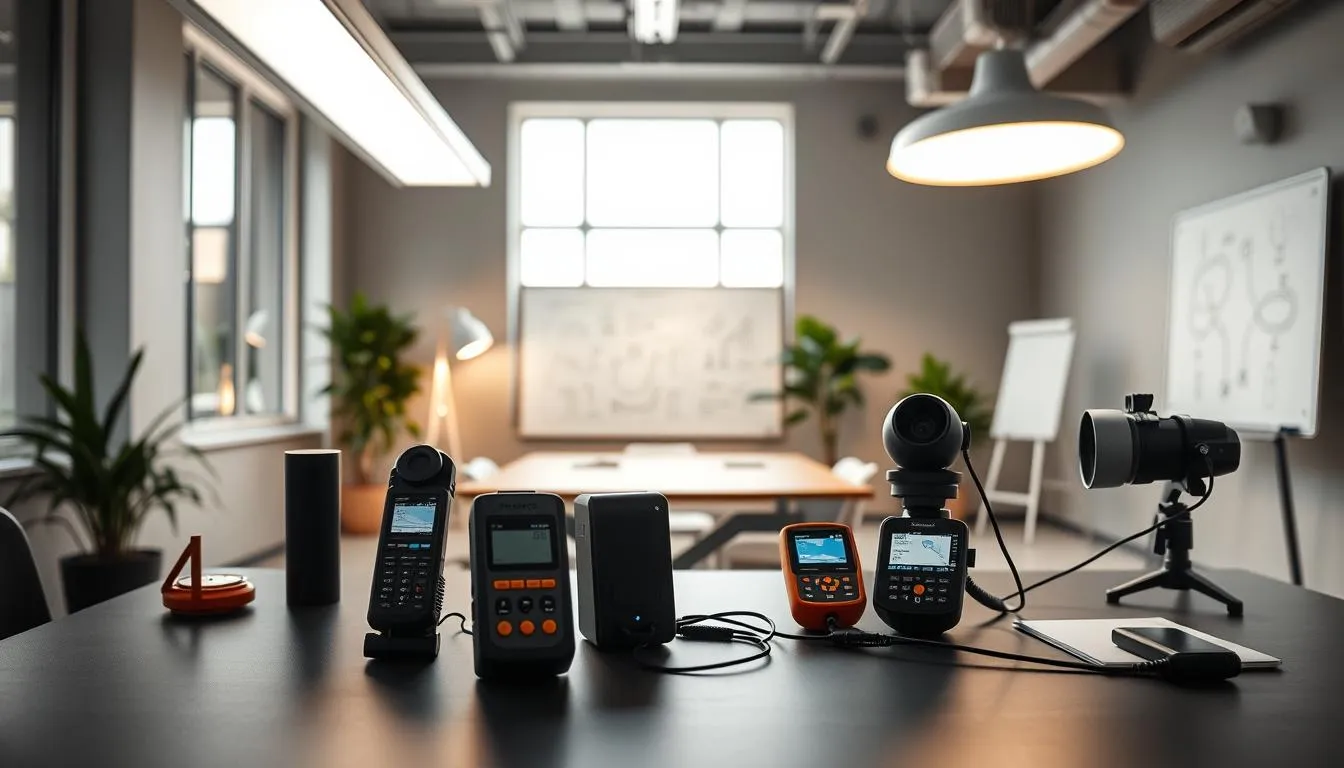
Start with calibrated lux meters for point readings at workplane height. Use a digital lux meter mounted at about 0.85 m and map an illuminance grid based on room geometry. Record average and minimum desk illuminance, then calculate uniformity ratios (UR = Eh_min / Eh_avg). A laser distance meter helps confirm room dimensions so grid points remain consistent.
Collect spectral data when possible. Measure correlated color temperature and CRI, log flicker index, and capture melanopic/photopic ratios to expand a basic lux-based audit into a richer workspace lighting analysis. These objective metrics reveal issues that simple lux readings might miss.
Use short, repeatable occupant questionnaires to link conditions to experience. Ask about perceived glare, eye strain, sleep changes, and task efficiency. University of Greenwich trials and similar studies show repeated self-report measures detect mood and eye-strain trends after interventions.
Combine survey responses with physical data for actionable insights. Cross-tabulate illuminance, uniformity, CCT, and flicker values against reported satisfaction and productivity. This mixed-methods approach strengthens claims about analyzing lighting impact and helps prioritize fixes that will most improve occupant outcomes.
Run pre/post measurements around upgrades. Document baseline lux and spectral readings, implement changes, then repeat the same measurements and questionnaires. Use the differences to quantify lighting productivity effects for stakeholders and to refine future interventions.
Maintain a compact audit checklist for routine monitoring. Include meter calibration, grid point spacing, environmental logs for temperature and humidity, and a short occupant survey. A consistent protocol improves comparability across rooms and over time.
Lighting strategies to reduce health risks and support shifts
Work schedules and lighting interact to shape sleep, mood, and long-term health. Careful workspace lighting analysis helps managers spot where light exposure may disrupt circadian rhythms. That analysis guides choices that protect workers while keeping operations safe.
Night-shift teams face unique risks when short-wavelength light hits the eyes at the wrong times. Suppressed melatonin, shifted biological rhythms, and reduced sleep quality can raise risks for metabolic and cardiovascular problems. Recent reviews highlight links between circadian disruption and outcomes such as breast cancer, weight gain, and cognitive decline; users can read expanded evidence in a review on PubMed Central with practical examples and study parameters via this review.
Mitigation starts with design and policy. Employers should limit prolonged blue-rich illumination during late-night periods. When teams must be alert, targeted brief exposures to higher illuminance work well. Portable light boxes, timed overhead boosts, and task lamps can provide short-duration stimulus without long melanopic load.
After shifts, protective measures matter. Blue-blocking glasses, amber filters, and app-controlled screen tints lower short-wavelength exposure and help daytime sleep. Pair those with guidance on sleep hygiene and scheduled naps to reduce cumulative fatigue.
Safety remains essential. Maintain adequate illuminance for safe movement and critical tasks while avoiding continuous high melanopic stimulation. Tunable luminaires and zoned lighting allow higher light where needed and dimmer, warmer light elsewhere. This balances lighting productivity effects with health protections.
Workplace policies should embed lighting into occupational health programs. Offer training on healthy light habits, provide access to daylight when possible, and include adjustable personal lighting in shared areas. Periodic workspace lighting analysis and monitoring for long-term shift workers helps detect trends before harm accumulates.
Practical steps for employers include:
- Schedule lighting to boost daytime high-melanopic stimulus and reduce evening short-wavelength exposure.
- Use timed, targeted bright light for alertness instead of long continuous exposure.
- Provide blue-blocking tools and education to support recovery after shifts.
- Include lighting metrics in routine health surveillance for night-shift staff.
These measures reduce health risks linked to circadian disruption while preserving performance. Ongoing analyzing lighting impact will refine approaches and reveal how lighting productivity effects vary by setting and task.
Design principles for creating productive lighting schemes
Good lighting design starts with clear goals: support tasks, reduce strain, and shape mood. A layered approach balances ambient, task, and accent lighting to give eyes the right cues without over-lighting the whole room. This section offers practical principles to guide fixture choice, placement, surface reflectance, and the integration of daylight with electric light and controls.
Layered lighting: ambient, task, and accent for balanced environments
Begin with ambient light that delivers even, comfortable illuminance. Add task lights at workstations to raise local light levels where precision matters. Accent lights help define zones and reduce visual monotony.
Use task lighting to provide the best lighting for focus without forcing the whole space to meet high illuminance levels. This cuts glare and energy use while improving perceived control.
Fixture selection, placement, and reflectance considerations
Choose luminaires with low-flicker drivers and good shielding to limit discomfort and disability glare. Opt for beam distributions that match the task plane to keep illuminance uniform where it matters.
Mounting height and spacing set uniformity and luminance. Light-colored ceilings and walls boost distribution and reduce the need for higher lamp output. Test placement with a lux meter to refine results.
Integrating daylighting, electric light, and controls into a cohesive plan
Combine daylight strategies—glazing, light shelves, and interior layout—with dimmable electric lighting and occupancy sensors. Tunable white systems let you shift spectral output to align with task needs and circadian timing.
Program controls to respond to daylight and occupancy. Use schedules that support work rhythms while saving energy. Regular workspace lighting analysis helps fine-tune scenes and maintain performance over time.
| Design Element | Objective | Practical Tip |
|---|---|---|
| Ambient lighting | Provide even baseline illuminance | Use indirect or diffused luminaires; target uniformity ratios per standards |
| Task lighting | Deliver localized illuminance for precision work | Install adjustable desk luminaires with cutoff optics to reduce glare |
| Accent lighting | Define zones and reduce visual fatigue | Use narrow-beam fixtures for focal points and to add contrast |
| Fixture selection | Limit flicker and glare, ensure good beam control | Choose LED drivers with low percent flicker and appropriate diffusers |
| Surface reflectance | Enhance distribution and perceived brightness | Specify light-colored ceilings (ρ > 70%) and mid-tone walls |
| Controls and integration | Optimize comfort, circadian support, and energy use | Deploy dimming, occupancy sensors, and tunable white with timed scenes |
| Evaluation | Validate design against user needs | Perform workspace lighting analysis and user feedback surveys after install |
Smart lighting now blends tunable whites, dimming, and networked controls to shape work environments. Designers and facilities teams focus on systems that let occupants and managers schedule scenes, adjust correlated color temperature, and collect usage data for ongoing optimization. This approach supports analyzing lighting impact across tasks and spaces.
Benefits of tunable whites
Tunable white fixtures let you shift color temperature through the day to support alertness and winding down. Systems from Ketra, Lutron, and Signify offer presets and app control so users set the mood for lobbies, offices, or focus zones. Reduced flicker from modern LED drivers and high-frequency ballasts improves reliability and comfort while highlighting lighting productivity effects in pilot studies.
Programmable schedules and IoT integration
Programmable schedules enable circadian-friendly lighting strategies that raise blue-enriched light during daytime and warm tones near evening. IoT sensors add occupancy, daylight, and environmental data to refine those schedules. Use pilot deployments and dashboards such as Enterprise Vue to gather metrics for assessing lighting productivity effects and space utilization.
Implementation, cost, and payback considerations
LED fixtures with onboard controls carry upfront costs that often pay back through energy savings and measured gains in task accuracy and reduced absenteeism. Phased rollouts and pilot studies help quantify returns. Frame business cases around energy savings, user satisfaction, and empirical productivity metrics when analyzing lighting impact for stakeholders.
For technical advances in controls and fixture features, review current industry summaries on lighting system advances for controls and fixtures at lighting system advances. That resource details sensor bundles, tunable products, and integration options that facilities teams use to deliver the best lighting for focus and operational flexibility.
Optimizing lighting for specific activities: focus, collaboration, and relaxation
Good lighting shapes how people work, meet, and rest. A practical workspace lighting analysis starts with the task at hand, then aligns illuminance, color temperature, and control options to support that activity. Small changes can improve comfort and reduce strain while keeping energy use sensible.
Focus-intensive tasks and screen work
For reading, typing, and detailed visual tasks, aim for steady horizontal illuminance near 500 lx with even distribution and low glare. Cool-to-neutral color temperatures between 4000–5000 K boost alertness without feeling harsh. When using monitors, control reflections and contrast with adjustable task lamps and anti-glare screens to cut eye strain.
Collaborative spaces and meeting rooms
Design layered lighting with flexible scenes for teamwork. Cooler light helps energize brainstorming sessions while mid-range CCT around 3500–4000 K balances focus and comfort for formal meetings. Programmable controls let teams switch between presentation, discussion, and workshop modes quickly.
Relaxation and break areas
Lower overall illuminance and warmer tones from 2700–3000 K send a clear cue to rest. High-CRI fixtures keep colors natural and reduce visual fatigue. Dimmable fixtures, soft accent lights, and indirect illumination create a calming atmosphere for short restorative breaks.
| Activity | Recommended Illuminance | CCT Range (K) | Key Controls |
|---|---|---|---|
| Focus tasks (reading, drafting) | ≈500 lx | 4000–5000 | Adjustable task lamps, glare shields, dimming |
| Screen-intensive work | 300–500 lx with controlled reflections | 4000–4500 | Anti-glare finishes, contrast management, local dimming |
| Collaborative/brainstorming | 300–500 lx layered | 4000–5000 (cooler for ideation) | Scene presets, tunable white, zoning |
| Meeting rooms | 200–500 lx depending on use | 3500–4000 | Programmable scenes, dimming, projector-friendly modes |
| Break and relaxation areas | 100–300 lx | 2700–3000 | Warm dimming, accent lighting, indirect fixtures |
Cost-benefit and organizational impact of lighting upgrades
Upgrading lighting can change workplace dynamics in measurable ways. Small pilots let facilities teams test lighting productivity effects, collect absence and satisfaction data, and refine plans before larger rollouts.
Productivity gains often come from reduced visual strain and improved alertness. Field studies and office trials report fewer complaints, higher self-rated focus, and lower turnover when standards are met. When analyzing lighting impact, include both direct measures, like task speed, and indirect metrics, such as employee satisfaction surveys.
Energy efficiency gains are a key driver of payback calculations. LEDs paired with controls—dimming, occupancy sensors, and daylight harvesting—cut consumption versus older fluorescent or metal-halide systems. Use a full workspace lighting analysis to quantify kWh savings, maintenance reductions, and rebate opportunities.
Build a business case with a three-part approach:
- Estimate annual energy and maintenance savings from LED upgrades and controls.
- Project productivity benefits and reduced absenteeism using pilot data and literature estimates on lighting productivity effects.
- Factor in rebates, incentives, and certification requirements, then compute payback and ROI.
Utilities and vendors can supply rebate figures and technical specs. For a practical methodology on calculating returns and incentives, consult an ROI guide such as the one from US LED for detailed steps and sample math on payback calculations.
| Item | Assumption | Annual Impact |
|---|---|---|
| Energy savings | LED retrofit replacing 400W with 150W; 3,744 hrs/yr | 93,600 kWh saved |
| Energy cost reduction | Rate $0.13/kWh | $12,168/year |
| Maintenance savings | 10 fewer replacements per fixture; $100 each | $100,000 over lifespan |
| Rebates | $125 per fixture | $12,500 one-time |
| System cost | Installed LED system | $50,000 gross; $37,500 net after rebates |
| Annual combined savings | Energy + prorated maintenance | $14,668/year |
| Payback period | Net investment ÷ annual savings | Approx. 2.56 years |
| First-year ROI | Annual savings ÷ net investment | About 39.1% |
Conclusion
This review shows that analyzing lighting impact goes beyond brightness alone. Adequate illuminance and good uniformity, combined with appropriate CCT and high CRI, reduce errors and fatigue. Controlling glare and flicker and improving access to daylight also shape mood and long-term health.
Design must address nonvisual pathways: ipRGC-driven melanopsin sensitivity near 480 nm means timing and spectral content matter for circadian support. Practical steps include auditing with lux meters and occupant surveys, following CIBSE and EN guidance, and upgrading to low-flicker LEDs and tunable white systems where useful.
Simple interventions—task lighting, personal controls, daylighting improvements, and programmable schedules—deliver measurable lighting productivity effects. Pilot data help build a business case by showing gains in focus, fewer health complaints, and energy savings.
For teams that value performance, choosing the best lighting for focus requires evidence-led choices and ongoing evaluation. By combining standards, technology, and occupant input, organizations can create healthier, more productive workplaces.
FAQ
What is the connection between lighting and productivity?
Good lighting supports clear vision and drives nonvisual biology that affects alertness, mood, and sleep. Adequate illuminance, even luminance distribution, the right color temperature, low glare and flicker, and access to daylight all combine to reduce eye strain, headaches, fatigue and errors—so workers focus better and perform more efficiently.
What visual and nonvisual effects of light should I consider for a workspace?
Visually, illuminance, uniformity, luminance distribution, glare and CRI determine comfort and task performance. Nonvisually, ipRGC photoreceptors (melanopsin peak ≈480 nm) mediate circadian entrainment, alertness and hormone regulation (melatonin/cortisol). Both sets of effects influence cognition, mood, and long‑term health.
What did field studies like the Mbeya University study find about office lighting?
The Mbeya University of Science and Technology field study recorded average desk illuminance and uniformity below CIBSE/CIE recommendations. Many offices were remodeled into windowless spaces with magnetic‑ballast fluorescents causing flicker. Occupants reported dissatisfaction, eyestrain, headaches and reduced work efficiency—linking poor lighting to lower wellbeing and productivity.
How bright should a workspace be for reading and focused tasks?
Standards such as CIBSE and EN 12464 recommend about 500 lx on the working plane for reading/typing, 300 lx within 0.5 m around the task, and 200 lx for remaining areas. Aim for a uniformity ratio (UR = Eh_min / Eh_avg) near 0.8 to avoid distracting contrasts.
What happens when desk illuminance or uniformity is too low?
Low average illuminance and poor uniformity cause visual fatigue, increased errors, longer task times, headaches and reduced concentration. Uneven lighting creates distracting shadows and glare that impair reading and screen work, raising cognitive load and lowering accuracy.
How should I measure illuminance and uniformity in an office?
Use a calibrated lux meter on a tripod at the working plane height (commonly 0.85 m), map an illuminance grid across the desk/room, record minimum and average lux, then compute UR = Eh_min / Eh_avg. Laser distance meters and room geometry help place grid points correctly. Combine objective readings with occupant surveys for context.
How does color temperature (CCT) affect mood and thinking?
Cooler, blue‑enriched light (higher CCT, ~4000–5500 K and above) increases alertness, mental acuity and vitality—useful for focused work and brainstorming. Warm tones (≤3000 K) promote comfort and relaxation. Tunable white systems let you shift CCT across the day to match task and circadian needs.
Is blue light always bad because it suppresses melatonin?
No. Short‑wavelength (blue) light strongly stimulates melanopsin and suppresses melatonin—beneficial during daytime to boost alertness and performance. But evening/night exposure can disrupt sleep and increase health risks for shift workers. Use higher melanopic stimulus in daytime and reduce blue light in late afternoon/evening.
When natural daylight is available, is it better than artificial light?
Natural daylight is superior for circadian entrainment, mood and full‑spectrum benefits (including vitamin D from sun exposure). It provides broadband spectral cues that support alertness and wellbeing. However, daylight must be managed to avoid glare and excessive contrast; combine with electric lighting for consistent task illuminance.
What if my workspace has little or no daylight?
Artificial strategies include higher‑quality LEDs with appropriate CCT and CRI, tunable‑white systems, and time‑scheduled lighting that boosts blue‑enriched light in the morning and reduces it in the evening. Light therapy devices (e.g., wearable or desk units) can provide short morning exposures where daylight is unavailable.
How do glare and flicker affect workers?
Disability glare directly reduces visibility; discomfort glare distracts and lowers concentration—both increase errors and mental fatigue. Flicker, especially from magnetic‑ballast fluorescents, causes headaches, visual fatigue and reduced wellbeing. High‑frequency ballasts or modern LED drivers with low flicker index materially improve comfort and performance.
What control measures reduce glare and flicker?
Use luminaires with good shielding, diffusers and appropriate beam control; choose low‑flicker drivers or high‑frequency electronic ballasts; orient fixtures and workstations to minimize screen veiling reflections; provide adjustable task lighting and blinds or shading to manage direct sun glare.
How important is Color Rendering Index (CRI) in the office?
CRI affects color fidelity and visual comfort. For general offices CRI ≥80 is typically acceptable. For design studios, print inspection or color‑critical work, specify CRI ≥90. High CRI helps reduce visual strain and improves accurate color perception where required.
What CCT and CRI should I choose for different zones?
For focus‑intensive desk work and reading: cool‑neutral CCT (~4000–5000 K) and CRI ≥80–90. Open‑plan general office: 3500–4000 K, CRI ≥80. Collaborative brainstorming: cooler (higher CCT) to energize. Break and relaxation areas: warm CCT (2700–3000 K) with dimming to signal rest.
Does giving employees control over lighting matter?
Yes. Occupant autonomy (dimming, task lamps, CCT adjustment) consistently increases satisfaction, motivation, vigilance and reduces complaints. Personal controls help individuals tailor local conditions to their tasks and preferences, improving overall productivity.
What user controls are most effective in shared spaces?
Effective solutions include desk‑level dimmers and task lamps, zoned ambient controls, tunable white presets, and manual overrides. Combine programmable scenes with local adjustments so teams can choose lighting for meetings, focus or relaxation while retaining individual comfort.
What tools are recommended for a lighting audit?
Essential tools: a calibrated lux meter for illuminance grids, laser distance meter for room geometry, measurement tripod at working plane height, and instruments or software to record CCT, CRI and flicker index if available. Pair measurements with structured occupant questionnaires to correlate physical data with perceived effects.
How should organizations protect night‑shift workers from circadian disruption?
Minimize blue‑rich light exposure during late‑night hours except for short, targeted bright light interventions when alertness is needed. Use warm, low‑melanopic lighting for routine tasks, provide post‑shift blue‑blocking eyewear, schedule strategic bright exposures and offer education on light hygiene to support daytime sleep.
What design principles create productive lighting schemes?
Use layered lighting—ambient + task + accent—to deliver required local illuminance without overlighting. Control luminance distribution and uniformity, minimize glare and flicker, select low‑flicker drivers and appropriate CRI/CCT, maximize daylight penetration with shading controls, and integrate tunable systems and occupancy/daylight sensors for schedules and energy savings.
Are tunable and programmable lighting systems worth the cost?
Tunable white and programmable controls have higher upfront cost but offer measurable benefits: improved alertness, reduced complaints, potential productivity gains, and energy savings through dimming and daylight harvesting. Pilot trials and pre/post measurements help quantify payback from reduced errors, absenteeism and energy use.
What is the best lighting for focus and screen work?
Provide ~500 lx on the work plane with good uniformity, cool‑neutral CCT (~4000–5000 K) for alertness, high CRI where needed, and localized task lighting to reduce contrast between screen and surroundings. Prioritize glare control and positioning to avoid veiling reflections on displays.
How can I make a business case for lighting upgrades?
Combine expected energy savings from LED retrofits and controls with projected productivity gains from literature and pilot data (fewer errors, lower absenteeism, higher satisfaction). Use a phased pilot to measure local impacts, then calculate payback including health and performance benefits alongside energy ROI.
Which keywords relate to workspace lighting and productivity I should know?
Useful terms include lighting productivity effects, workspace lighting analysis, best lighting for focus, illuminance uniformity, CCT, CRI, melanopic stimulus, glare control, flicker index, daylighting strategies, tunable white, and occupant lighting control.