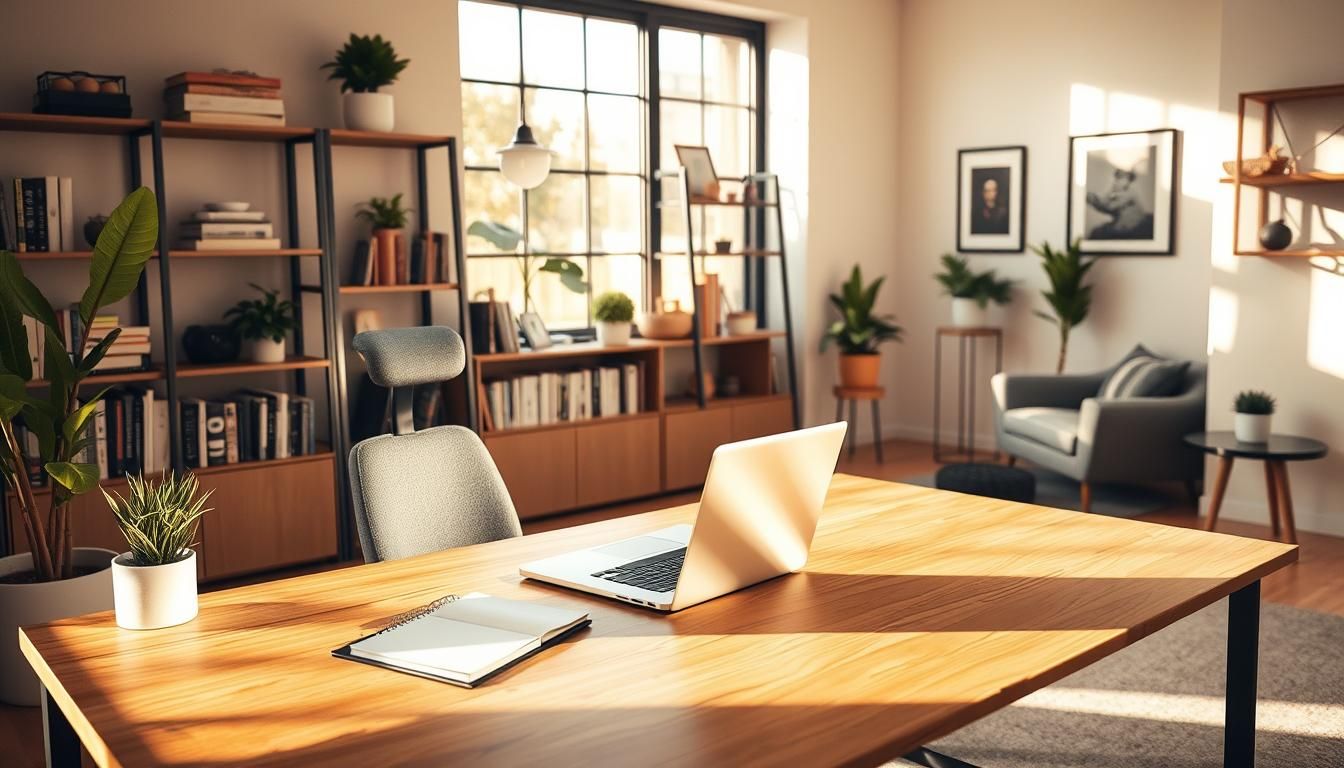

Nearly one in three U.S. workers reported doing some or all of their work from home by 2020 — a shift that turned spare corners and kitchen tables into full-time work zones almost overnight.
As remote work became permanent for many, expectations for best home office designs changed too. No longer is a small desk enough; homeowners now want a functional workspace layout that supports long days, video calls, and creative thinking.
Designers in 2026 favor modern home office ideas that mix bold color and character with smart ergonomics. The goal is simple: boost home office productivity while creating a space that feels personal and professional.
Key Takeaways
- Remote work growth transformed home office needs from ad-hoc desks to dedicated rooms.
- Functional workspace layout is essential for comfort, focus, and efficient workflows.
- Modern home office ideas blend personality with practical elements like lighting and storage.
- Ergonomics and tech integration are core to sustained home office productivity.
- Design trends now favor color and character alongside timeless functional solutions.
Why thoughtful home office design matters for productivity and well-being
A well-planned home office supports clearer thinking and steadier work rhythms. When a room serves one purpose, household interruptions drop and focus rises. Simple choices about layout, light, and sound shape how long you can work comfortably and how creative you feel.
Purpose-built workspaces deliver measurable productivity benefits. A functional workspace layout that separates work from home life limits distractions and speeds task completion. Teams at companies such as Microsoft and Google report higher output when people use dedicated areas for concentrated tasks and video calls.
Ergonomics and focus play a central role in comfort and endurance. An adjustable chair, sit-stand desk, correct monitor height, and task lighting reduce eye and neck strain. These changes cut fatigue and keep days productive without adding pain or injuries.
Acoustics matter for clear calls and deep work. Soft furnishings, rugs, and acoustic panels absorb ambient noise. Positioning your desk away from high-traffic zones creates a calmer soundscape that supports uninterrupted work and better client conversations.
Natural light home office setups boost mood and clarity. Research shows many people favor soft daylight for focus, so placing work surfaces near windows makes sense. Add sheer curtains or adjustable blinds to control glare while keeping the benefits of daylight.
Biophilia and subtle personalization enhance well-being. Bringing plants, wood tones, or nature-inspired colors into a room lowers stress and sparks creativity. When a space reflects personality, people tend to spend long hours there with more satisfaction and better output.
For practical home office design tips, start with a compact checklist: define a dedicated zone, plan a functional workspace layout, set ergonomic standards, layer lighting, and add sound-absorbing elements. Small investments in these areas yield lasting gains in comfort and productivity.
History and evolution of remote work and home office spaces
The story of home workspaces spans simple kitchen tables to purpose-built rooms. Early experiments in telecommuting followed technology advances and shifting social needs. Researchers at California State University, Chico helped trace telecommuting origins while businesses tested remote options to respond to power and transit crises.
Early telecommuting influences and social events that shifted work patterns
In the 1990s companies began to ask staff to work from home during extreme weather and energy shortages. A deadly Midwest heatwave in 1995 pushed employers to limit commuting and reduce power use, showing that remote setups could keep operations running.
Those experiments nudged homes toward accommodating serious day-to-day work. Small desks and shared family spaces gave way to dedicated rooms with better lighting, storage, and tech. This shift ties directly to the history of home offices and to the remote work evolution seen over decades.
1990s catalysts: heatwave responses and Atlanta Olympics traffic measures
Local events amplified interest in flexible work. During the 1996 Atlanta Olympics the city asked organizations to stagger commutes and embrace remote days to ease traffic. Employers that obliged found productivity stayed steady.
That practical test helped normalize working offsite. The result was growing demand for reliable home setups. People began to consider home office design tips like ergonomics, daylight, and secure connectivity as real needs, not luxuries.
How the 2020 pandemic accelerated demand for dedicated home workspaces
The COVID-19 pandemic created a rapid, widespread move to home work. Millions shifted from offices to homes almost overnight. Schools moved online, which raised the priority for clear work and study zones inside houses.
Post-2020, many organizations adopted hybrid models. Homes became lasting hubs for daily work and collaboration. That change fed a new chapter in the remote work evolution and reshaped expectations around the history of home offices.
| Period | Trigger | Workspace shift | Design focus |
|---|---|---|---|
| Early 1990s | Telecommuting research at universities | Trial remote days, small desks | Basic tech access, quiet corners |
| 1995–1996 | Midwest heatwave; Atlanta Olympics | Short-term remote work; policy tests | Reliability, connectivity, privacy |
| 2000s | Coworking rise and broadband spread | Hybrid options; coworking alternatives | Community, flexibility, shared amenities |
| 2020 | COVID-19 pandemic | Mass remote transition; long-term hybrid | Ergonomics, lighting, storage, tech |
| 2020s–2030s | Remote-first policies and sustainability goals | Dedicated home offices; flexible zones | Adaptive layouts, green materials, IoT |
Designers and homeowners now use practical home office design tips to create spaces that support long stretches of focused work. Light, storage, and ergonomics remain essential as remote work evolution continues to shape how houses function as workplaces.
Location: choosing the right spot in your home for an office
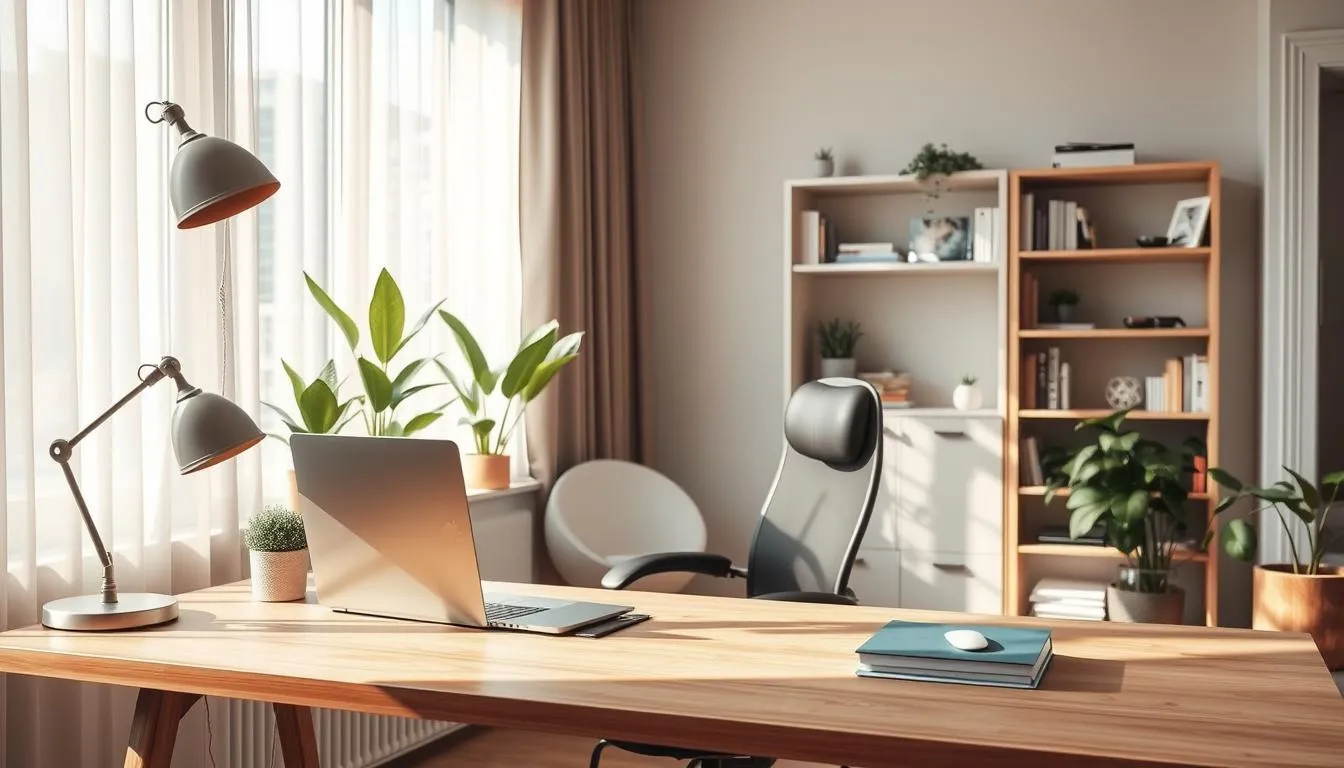
Picking a good location for home office work starts with clear priorities. Think about how much visual and acoustic privacy you need, how much natural light you want, and how the space will flow with daily life. A thoughtful choice makes a functional workspace layout that supports focus and comfort.
Balancing visual and acoustic privacy with household flow
Assess noise sources like laundry rooms, kitchens, and TV areas. If calls and deep work matter, place the room away from high-traffic zones. Designers often ask clients about privacy in home office to match solutions to real routines.
For homes where supervision is needed, situate the office near family hubs so parents can keep an eye on children without losing control of their day. For client meetings, create clear visual buffers so visitors do not pass through private family spaces.
Advantages of exterior walls and window placement for daylight
An exterior wall gives you window placement for daylight that lifts mood and keeps energy up. Position desks to benefit from views and indirect light. Use sheer curtains, blinds, or anti-glare film to manage brightness without losing daylight.
Natural light pairs well with a smart functional workspace layout. It reduces eye strain and makes long workdays feel less tiring. Consider how sun paths change by season when planning desk locations.
Proximity to family hubs versus secluded quiet zones
Decide whether you want easy access to the kitchen and living room or a tucked-away retreat. Offices near family hubs work well for parents and multiuse households. Secluded quiet zones suit writers, developers, and anyone needing uninterrupted focus.
When you cannot relocate, design buffers: bookcases, half-walls, or a short vestibule create transition zones that improve privacy in home office setups. These simple moves keep the home connected while protecting focused work time.
Home office design tips
- Map daily noise and light patterns before settling on a spot.
- Prioritize exterior walls for window placement for daylight and view benefits.
- Use furniture and soft surfaces to improve acoustic privacy without isolating the room.
- Plan a functional workspace layout that fits your work style and household flow.
Adjacencies and circulation: positioning your office within the floor plan
Choosing where to place a home office starts with privacy needs and household flow. Think about home office circulation to keep foot traffic away from deep focus zones. Small shifts in placement change how a room feels and how work gets done.
Designing for supervision of children versus concentrated work
For supervision and concentration, place the workspace near family hubs when you need visibility. A desk adjacent to the kitchen or play area lets you watch kids while handling quick tasks. If you need deep work, move the office farther from busy corridors and add sightline and sound buffers like a half wall or bookcase.
Creating buffers and transition zones for client-facing offices
Client meetings require a different approach to adjacencies in floor plan. Position the room near an exterior door so visitors can enter without crossing private spaces. Add a foyer, bench, or plant screen to give a clear transition between public and private areas. This strategy supports a functional workspace layout that feels professional and welcoming.
Cloffice and nook conversions: when a small adjacency makes sense
Closet-to-office and alcove workstations offer big benefits in small homes. A cloffice conversion with modular shelving and integrated lighting turns unused space into a tidy, functional workspace layout. Use bold color and curated decor to make a nook feel intentional rather than leftover.
Balance adjacency choices with circulation patterns so movement through the house stays smooth. Plan pathways at least 36 inches wide near an office and keep common routes clear. Thoughtful placement improves daily routines and supports better focus and family interaction.
Size, shape, and flexibility: planning square footage that works
Square footage means more than a number on a listing. Light, window placement, ceiling height, and where the door sits change how a room functions. Two rooms the same size can feel very different once you place desks, storage, and seating.
Not all square footage is equal
Windows that sit low to the floor give daylight to seated workstations. High windows help wall storage without glare problems. An entry that opens into the desk zone creates traffic interruptions. Consider these details when doing home office size planning.
Designing for transitional needs
Plan for change. Technology shrank towers into laptops and then grew again with multi-monitor setups. Build flexibility with modular shelving and moveable desks to keep the room useful over time. Flexible workspace design reduces costly renovations later.
Estimating space needs
Start by listing equipment and storage. A laptop-only user with cloud storage needs less depth than someone with multiple monitors and filing cabinets. For two people, allow clear circulation and privacy. A smart dual workstation layout gives each person ergonomic space while sharing lighting and outlets.
Use a simple rule of thumb: allocate workspace for equipment, a minimum circulation zone, and dedicated storage. This approach to home office size planning supports both current needs and future shifts.
Practical home office design tips include choosing furniture that packs down, creating zones for focused work and meetings, and adding layered lighting. These choices support a flexible workspace design that adapts as work and household needs evolve.
Work surfaces and storage solutions for an efficient workspace
Good work surfaces for home office use start with scale and finish. A desk should fit your laptop, a monitor, and a clear work zone without crowding. Choose surfaces that resist scratches and hide fingerprints so the space stays tidy between sessions.
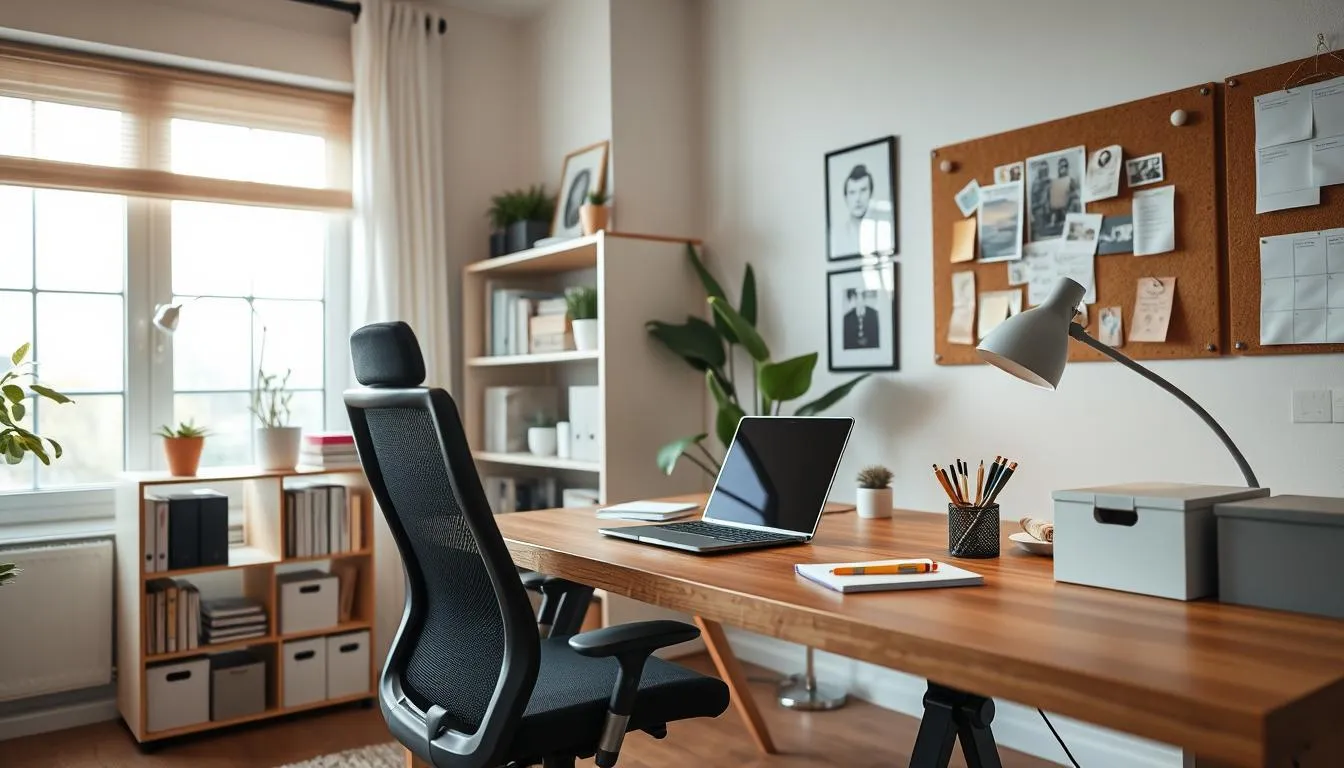
Well-planned storage keeps focus steady. Think of a layered approach that mixes closed drawers with open shelves for display and quick access. This blend helps maintain a calm visual field while keeping essentials within reach.
Custom built-ins vs freestanding pieces is a common decision. Built-ins tailor storage to your room, follow ergonomic rules, and often outlast trends. Freestanding furniture adds flexibility and is easier to replace when needs change.
Modular cabinetry and wall-mounted shelving support growth. Vertical storage ideas free desktop space by stacking storage up the wall. Under-desk mobile pedestals provide hidden storage for supplies and lockable drawers for sensitive items.
For paperless office organization, set a single digital workflow and a consistent scanning habit. Pair that habit with cable management and a small inbox tray for short-term paper handling. Minimal surface storage reduces distraction and speeds clean-up.
Hybrid systems need clear zones. Use labeled closed cabinets for reference files and open shelving for frequently used binders and books. Woven baskets or drawer organizers soften the look while concealing clutter.
Practical home office design tips include sizing drawers for common file formats, leaving a shallow shelf for a printer, and planning outlets near work surfaces. These small moves save time and make the workspace feel intentional.
When possible, mix built-ins with a select freestanding piece like a comfortable task chair or a rolling credenza. That combination gives permanence where it helps most and flexibility where life demands change.
Ergonomics and tech setup for long-term comfort and productivity
A smart workstation pairs human-centered ergonomics with tidy tech. Start by planning for changing gear and varied postures. Small choices add up to big gains in comfort, focus, and durability.
Choosing an adjustable chair and sit-stand desk
Invest in an adjustable chair with lumbar support and adjustable armrests. Set the seat so your knees are at a 90-degree angle and your feet rest flat on the floor.
Sit-stand desks let you alternate positions through the day. Use sit-stand desks to change posture every 30 to 60 minutes. Keep forearms parallel to the floor when typing to reduce wrist and shoulder strain.
Monitor placement, keyboard height, and reach zones
Place the monitor at eye level and about an arm’s length away for proper monitor placement. Tilt the screen slightly upward so your gaze falls on the top third of the display. This reduces neck and eye strain.
Set keyboard height so wrists are straight and elbows form a 90-degree angle. Keep frequently used items—phone, notepad, mouse—within a comfortable reach zone to avoid twisting or overreaching.
Cable management, monitor arms, and minimal tech integration tips
Use monitor arms or wall mounts to free desk space and improve sightlines. Under-desk trays, cable channels, and minimalist cable trays conceal wiring and prevent tangles.
Design flexible storage rather than fixed cavities sized for old tower PCs. Hidden storage and coordinated finishes keep tech clutter low and make future upgrades simple.
| Element | Best practice | Expected benefit |
|---|---|---|
| Chair | Adjustable lumbar support, seat height, armrests | Reduced lower-back pain, improved posture |
| Desk | Electric sit-stand desks with memory presets | Less sedentary time, higher energy and focus |
| Monitor setup | Eye-level monitor placement, arm’s length distance, monitor arms | Lower neck strain, clearer screen visibility |
| Keyboard & reach | Keyboard at elbow height, items within 18 inches | Reduced wrist strain, efficient workflow |
| Cable management | Under-desk trays, cable channels, labeled cords | Cleaner surfaces, easier maintenance |
| Storage design | Flexible compartments, avoid fixed cavities | Future-proofed layout, less dust buildup |
Lighting strategies: natural light, task lighting, and smart controls
Good lighting lifts mood and sharpens focus in a home office. Place your desk by an exterior wall to maximize daylight without creating glare. Use sheer curtains or Venetian blinds to soften sun and keep monitors readable.
Maximizing daylight while minimizing glare
Position work surfaces perpendicular to windows so light falls across the desk. If direct sun hits screens, add anti-glare films or adjustable blinds. Houseplants near windows can break harsh light while keeping views pleasant.
Layered lighting: ambient, task, and accent sources
Plan multiple light sources to match changing tasks and daylight. Start with an ambient ceiling fixture on a dimmer for overall brightness. Add focused task lighting for reading and screen work.
Adjustable LED desk lamps work well for concentrated tasks. Accent lights like wall sconces or under-cabinet strips add depth and reduce eye strain during long hours.
Smart bulbs, dimmers, and color temperature for focus
Smart lighting controls let you change intensity and color temperature through the day. Cooler tones boost alertness in the morning. Warmer tones soothe the eyes in late afternoon.
Combine smart bulbs with dimmers and motion sensors for energy efficiency. Popular brands like Philips Hue and Lutron make setup simple and integrate with calendars and voice assistants.
These home office design tips balance natural light, task lighting, and smart controls so your space stays flexible and productive.
Acoustics and privacy solutions for clear calls and concentration
Good acoustics for home office work start with small, practical moves that change how sound behaves. Treating reflection points and adding soft layers improves call clarity and lowers the mental load of background noise.
Acoustic panels, rugs, and soft furnishings that dampen noise
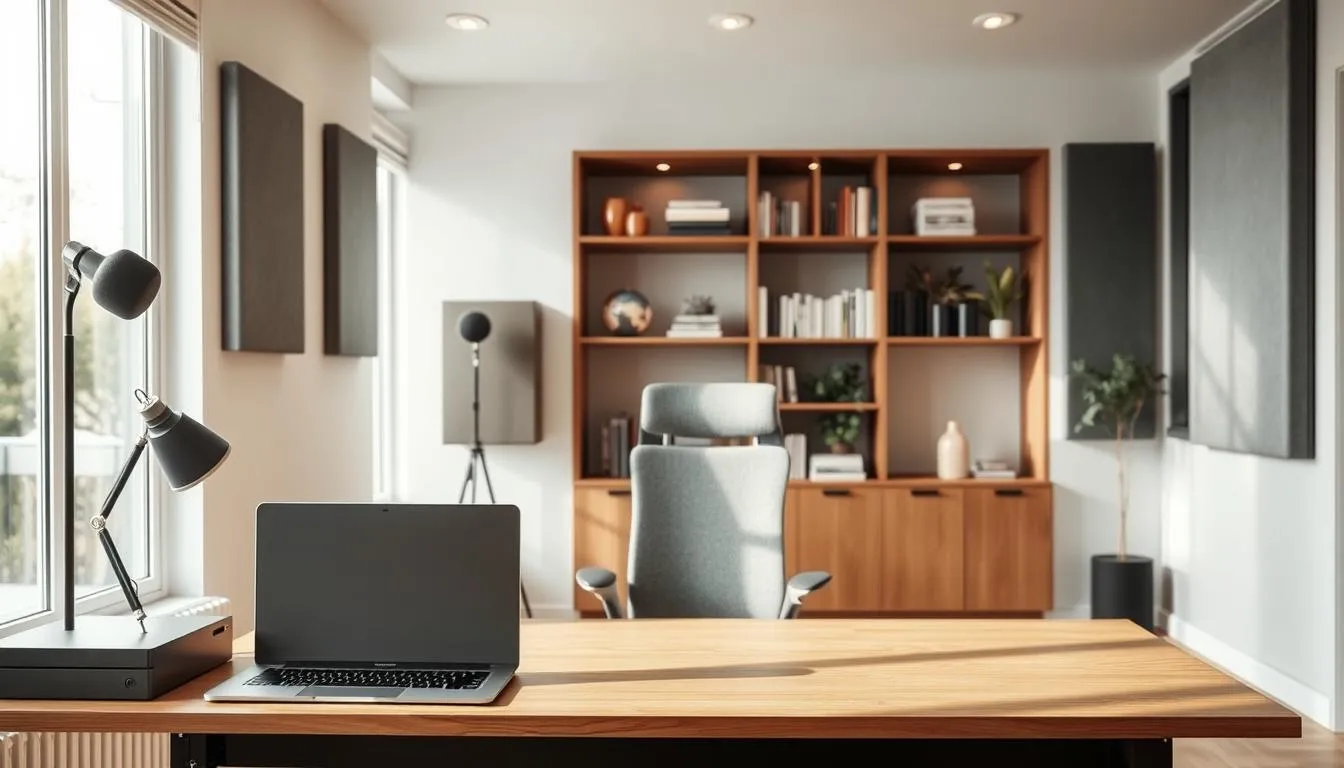
Begin by finding first-reflection points with the mirror trick: sit at your desk while someone moves a handheld mirror along the walls to mark spots that reflect sound back to you. Place canvas art or acoustic panels at those marks. Aim to treat roughly 20–35% of wall area with broadband absorbers for balanced results.
A dense area rug that covers at least 60% of the open floor between desk and opposite wall cuts floor reflections. Layer heavy curtains over windows and add an upholstered chair or small loveseat to further reduce reverberation. Bookshelves with unevenly filled shelves act as natural diffusers, scattering mid and high frequencies without deadening the room.
Doors, vestibules, and spatial buffers for meeting privacy
Visual and acoustic privacy depend on placement and transitions. A solid door, a short vestibule, or a hallway buffer keeps household noise from leaking into client calls. If a full door is not possible, use a room divider plus thick drapes to create a quick privacy zone that improves both sightlines and sound control.
Prioritize treating side-wall reflections and the wall behind your monitors, not only behind the microphone. This order gives the biggest perceived improvement in speech clarity during meetings.
Tech options: noise-cancelling headsets and mic positioning
Combine physical treatments with tech. Noise-cancelling headsets from brands like Bose or Sony are effective at reducing ambient distraction for the listener and the speaker. For microphones, place the capsule 30–60 cm (1–2 ft) from major reflective surfaces and consider a small portable reflection filter behind the mic to cut hard reflections.
A desk mat made of felt or leather lessens desktop reflections that can color your voice. Small changes such as mic angle and a foam pop shield make remote calls sound far more professional.
DIY noise dampening checklist
- Mark first-reflection points with the mirror method and treat them.
- Cover 60%+ of open floor with a thick rug.
- Hang heavy curtains and canvas or fabric art at reflection spots.
- Use bookshelves and decor to diffuse sound.
- Create buffers: doors, vestibules, or temporary drape partitions.
- Use a desk mat and move the mic away from reflective surfaces.
- Invest in noise-cancelling headsets for consistent call quality.
These home office design tips balance style with function so your workspace looks good while staying sonically comfortable. For step-by-step DIY guidance and product suggestions, see this practical guide on reducing echo in a home workspace: reduce echo at home.
Color, materials, and aesthetic choices for inspiring workspaces
Choose a palette that supports the tasks you do every day. A color psychology home office strategy uses cool blues to steady focus and muted greens to calm the mind. Small yellow accents can spark creativity while red or orange appear as brief energy pops in a chair or lamp.
Match those hues to tactile choices. Select materials for workspace surfaces that bring warmth and balance, such as oak or walnut for desks and cork or natural stone for shelving accents. Pair smooth metal or glass with textured rugs and woven cushions to add depth and help with room acoustics.
Decide if you want a restrained look or a layered one. Minimal setups favor clean lines and uncluttered surfaces, useful for focused, distraction-free days. maximalist home office ideas invite pattern, wallpapered millwork, and curated vintage finds to build personality without chaos when the palette stays limited.
Think about how light changes color and texture. Use ambient fixtures and a bright task lamp so modern home office ideas look their best at any hour. Natural light makes greens and blues read truer, while warm artificial light brings out grain in wood and the softness of textiles.
Practical home office design tips include grounding the room with a dominant neutral, adding one strong color in varying shades, and choosing durable finishes where you touch most. Storage that hides clutter keeps bold materials from feeling overwhelming and preserves visual calm.
For inspiration and practical how-tos, consult a short design primer like the one at this guide to refine palette choices and material pairings for your layout.
| Design Goal | Recommended Colors | Materials & Textures |
|---|---|---|
| Focus & calm | Soft to steel blues | Matte wood desk, low-pile rug, linen blinds |
| Well-being & concentration | Sage and olive greens | Cork pinboard, potted plants, woven chair upholstery |
| Creativity zones | Pale yellow accents | Textured wallpaper, velvet cushions, brass lamp |
| Energy boosts | Small red or orange accents | Accent chair, ceramic lamp, glossy metal accessory |
| Balanced neutral base | Warm whites, soft greys, beiges | Stone shelves, painted millwork, mixed metal trims |
A well-styled workspace boosts focus and comfort. Start by choosing a few meaningful objects that bring joy, then place them where they can be seen without crowding your desk. Use closed storage to hide supplies that interrupt the visual calm during video calls.
Curating shelves, art, and meaningful objects without clutter
Curate shelves with intention. Group books by color or theme, add a single vase or sculpture, and leave breathing room between items. Baskets on lower shelves add texture while concealing cables and loose papers.
Rotate artwork so each piece feels fresh. Pick frames that share a tone to keep the display cohesive. Keep a clear work zone by storing bulky reference materials in closed cabinetry.
Using vintage finds and character pieces to add personality
Introduce vintage home office furniture like a mid-century desk or an industrial filing cabinet to anchor the room. A characterful chair or lamp creates a focal point that reads well on camera and in person.
Mix modern storage with vintage pieces for balance. Vintage desks pair nicely with contemporary task lighting. Curated vignettes on a credenza add charm without distracting from work.
Slow decorating: evolving the space over time
Slow decorating lets personality develop naturally. Collect items over months or years rather than buying everything at once. This approach avoids clutter and produces a more authentic room.
Test styling tips in small steps: add a plant, swap a rug, then change a shelf arrangement. Over time the space will reflect your routines and tastes while staying functional for work.
Home office design tips like blending biophilic elements, motivational cues, and hidden storage help you personalize home office spaces that inspire creativity and stay camera-ready.
Designing for multiple users and multi-function spaces
A well-planned multi-user home office balances privacy and shared access. Start by mapping daily routines to define quiet zones, collaboration spots, and storage needs. Small interventions let the room shift from focused work to group tasks with minimal effort.
Layouts that support two people working simultaneously
Create distinct workstations using desks with returns or facing desks separated by low shelving. Floating a desk toward a window can make the room feel larger while keeping sightlines clear for supervision or partnership tasks. Use glazing, open shelving, or a slim partition to divide space without cutting light.
Design circulation so each person has clear legroom and access to outlets. Include guest stools and varied seating to adapt to quick calls or longer sessions. For layout examples, review practical photos and spacing ideas at home office galleries.
Flex spaces: homework zones, craft rooms, and study halls
Flex space ideas turn one room into many. Add a fold-down work surface or movable cart to host homework or crafts. Labelled bins and open shelving keep supplies visible and easy for kids to reach.
Place the homework zone design near family areas when supervision is needed. Shift the same spot to a quiet corner when independent focus is required. Modular furniture helps the space evolve with household needs.
Furniture and storage strategies for shared use
Built-ins and modular systems maximize storage in a small footprint. Combine shared vertical storage with personal drawers so users keep private items separate. Multifunctional furniture—like a combo desk/bench or storage ottoman—adds seating and stow space.
Adopt smart labeling, clear bins, and a mix of closed and open storage to reduce visual clutter. These home office design tips make the room easier to maintain while supporting diverse activities.
- Two desks + return: promotes parallel work and shared counter space.
- Divide with shelving: separates tasks yet preserves light.
- Accessible storage: supports homework, crafts, and daily office needs.
Modern home office ideas that blend style and practicality
Designers are pushing workspaces beyond bland desks. Smart choices make rooms feel intentional and livable. This section covers trends that mix strong visuals with everyday function so you can work well and enjoy the space.
Maximalist color-drenched rooms and when to use them
Maximalist home office ideas favor bold millwork, saturated wallpaper, and statement cabinetry to create a cozy, inspiring cocoon. Use a limited palette of two to three strong colors to prevent visual overload.
Reserve a color-drenched approach for rooms where creativity matters more than constant video meetings. Pair bold finishes with restrained shelving and simple desk surfaces to keep the space practical.
Biophilic touches: plants, natural light, and nature-inspired palettes
A biophilic home office brings elements of nature inside to calm the mind and boost focus. Incorporate plants, warm wood tones, and large windows to increase daylight and fresh air.
Choose durable natural materials like oak or cork for work surfaces and flooring. Small planters, a living wall, or a grouping of potted philodendrons add texture without cluttering the desk.
Integrated technology and clean-lined modern fittings
Integrated tech keeps the workspace tidy and efficient. Think monitor arms, under-desk power trays, built-in charging drawers, and cabinetry that hides routers and printers.
Combine these elements with layered lighting and acoustic panels to make a polished room that functions across tasks. Clean-lined storage and cable management let strong design choices stand out.
| Design Move | When to Use | Practical Benefit |
|---|---|---|
| Color-drenched millwork | Creative studios, private offices | Boosts inspiration, defines the room |
| Limited bold palette | Small spaces, shared rooms | Prevents chaos, keeps focus |
| Living plants and daylight | All-day workspaces | Improves mood, reduces stress |
| Warm wood and natural materials | Rooms needing grounding | Adds texture, hides wear |
| Under-desk power trays and charging drawers | High-tech setups | Removes visible cords, speeds access |
| Built-in cabinetry with concealed gear | Client-facing spaces | Polished look, easy maintenance |
| Layered lighting and acoustic panels | Open-plan or noisy homes | Better calls, improved concentration |
home office design tips
Designing a productive home workspace starts with a clear plan. Use simple goals: daylight access, ergonomic support, and clutter control. This short guide pairs a practical checklist with quick home office wins and durable recommendations to help you shape one of the best home office designs for daily focus and long-term use.
Checklist for planning and building your office
- Choose location for privacy and daylight; prefer exterior walls near windows.
- Measure available square footage and plan flexibility for future needs.
- Plan adjacencies: keep family traffic in mind when you need supervision or seclusion.
- Include built-in or vertical storage to reduce visible clutter and save floor space.
- Specify layered lighting: ambient plus task lights and dimmers for control.
- Set up ergonomics: adjustable chair, sit-stand desk, correct monitor height and an arm if needed.
- Implement cable management and anti-glare measures for clean, calm work surfaces.
Top quick wins
Start with changes you can make in a day. Declutter the desktop and tuck cords away to free your work zone. Add a focused task lamp near your main workspace to reduce eye strain while keeping ambient light soft.
Adjust your chair so knees are at a 90-degree angle and the top of the monitor sits at eye level. Personalize with one or two meaningful objects or a single dominant color to make the area inviting without distraction. These quick home office wins often yield immediate comfort and focus improvements.
Long-term investments that pay off
Invest in a high-quality ergonomic chair from brands like Herman Miller or Steelcase for daily comfort and spinal support. Pair it with durable, adjustable desks and quality layered lighting systems that include dimmers and warm-to-cool options.
Built-in storage and well-planned shelving add resale value and keep the space adaptable. Treat these long-term office investments as infrastructure: they cost more up front, yet they reduce upgrades and disruption later and help create some of the best home office designs homeowners appreciate for years.
Conclusion
Great workdays begin with thoughtful choices. From the 1995 heatwave and the 1996 Atlanta Olympics traffic shifts to the 2020 pandemic, the case for a dedicated home office has only grown. Future homes will more often include spaces designed to adapt, so plan for flexibility and a functional workspace layout that can change with technology and family needs.
Combine natural light, ergonomic furniture, smart storage, and sound control to make one of the best home office designs for your life. Small, intentional upgrades—better task lighting, a quality chair, or a sit-stand desk—yield big gains in focus and comfort. Use modern home office ideas like biophilic touches and layered lighting to keep the room both productive and characterful.
Think of styling as iterative: curate pieces slowly so the room gains personality without clutter. For practical guidance and specific upgrades that deliver fast results, explore iMovR’s recommendations on home office design tips for a better remote workspace through this resource: home office design tips. A mindful, evolving approach produces a workspace that supports productivity, well-being, and creativity over the long term.
FAQ
Why does thoughtful home office design matter for productivity and well-being?
A purpose-built workspace reduces household interruptions, supports sustained focus, and improves physical comfort. Natural light, ergonomics, and acoustic control directly affect concentration and energy. Biophilic elements like plants and nature-inspired palettes lower stress and boost creativity. Thoughtful design also signals a professional mindset, which improves confidence during client calls and long workdays.
How do lighting, ergonomics, and acoustics affect my ability to focus?
Soft, natural light supports alertness and mood; 42% of people prefer it for productivity. Ergonomics—an adjustable chair, sit‑stand desk, and proper monitor height—reduce strain and can improve efficiency up to about 35%. Acoustics matter for calls and deep work: rugs, drapes, upholstered furniture, and acoustic panels dampen noise and improve clarity.
What historical events shaped the rise of dedicated home offices?
Telecommuting evolved as technology advanced and social events drove remote work. In the 1990s, a deadly 1995 Midwest heatwave and traffic mitigation around the 1996 Atlanta Olympics prompted businesses to send staff home. The 2020 COVID‑19 pandemic accelerated the shift, making dedicated home workspaces a long‑term planning priority.
Why is locating an office on an exterior wall often recommended?
Exterior walls usually allow for windows, which maximize daylight and views—key to comfort and productivity. Windows improve mood and provide visual relief during focused work. Designers still balance daylight with glare control using sheer curtains, blinds, or anti‑glare films.
Should my home office be close to family areas or tucked away for quiet?
It depends on needs. If supervising children or staying connected to household activity is essential, locate the office near central hubs like the kitchen or great room. For concentration and confidential meetings, choose a quieter area away from traffic and design visual and acoustic buffers. Client‑facing offices often work best near an exterior entry with a transitional buffer.
Can a small nook or closet become a functional home office?
Yes. Cloffice and alcove conversions are viable when planned intentionally. Use modular storage, integrated lighting, and curated styling to make small adjacencies feel purposeful. Even maximalist treatments—bold color, vintage pieces, curated shelves—can work in tight spaces if storage and ergonomics are respected.
How much space do I really need for a home office?
Square footage is only part of the story. Room shape, window size and location, entry placement, and circulation affect usability. Laptop‑only, paperless users need far less space than multi‑monitor setups with filing and reference materials. Plan modular solutions so the room can evolve with changing tech and work needs.
What are the pros and cons of custom built‑ins versus freestanding furniture?
Built‑ins maximize efficiency, tailor storage to needs, and can age well when designed flexibly. They keep sightlines clean and fit ergonomics. Freestanding pieces offer mobility and easier updates. A hybrid approach often works best: thoughtful built‑ins for core storage with freestanding accents for future adaptability.
How do I organize for a paperless workflow versus hybrid paper systems?
For paperless setups, prioritize cable management, hidden charging drawers, and minimal surface storage. For hybrid systems, include labeled closed storage for reference files and open shelving for frequently used materials. Modular cabinetry, wall shelving, and mobile pedestals help keep clutter under control.
What ergonomic basics should I implement right away?
Invest in an adjustable chair with lumbar support and a sit‑stand desk. Keep forearms parallel to the floor when typing, position monitors at eye level about an arm’s length away, and place frequently used items within reach. Monitor arms, keyboard trays, and anti‑glare measures improve comfort and free desk space.
How can I manage cables and tech clutter effectively?
Use under‑desk cable trays, power channels, built‑in charging drawers, and coordinated finishes to conceal wiring. Monitor arms and wall mounts free surface area. Designate closed compartments for routers and hubs to keep the visual field tidy.
What lighting strategy creates the best working environment?
Layer lighting: ambient overhead with dimmers, adjustable task lamps for close work, and accent lighting for depth. Maximize daylight by positioning desks near windows but control glare with sheer curtains, blinds, or anti‑glare films. Smart bulbs and dimmers let you tune intensity and color temperature to match tasks and time of day.
How do I improve acoustics for calls and deep focus?
Soft furnishings, rugs, drapes, and upholstered seating absorb sound. Acoustic panels and bookshelves filled with objects act as diffusers. For meeting privacy, include doors, vestibules, or transitional buffers. Tech tools—noise‑cancelling headsets and directional microphones—help when structural changes aren’t possible.
What colors and materials best support focus and creativity?
Color psychology guides choices: blues promote focus and calm, greens support well‑being, pale yellows can stimulate creativity, and reds/oranges should be used sparingly as energetic accents. Mix warm woods, cork, and natural stone with textured fabrics and rugs for a grounded, comfortable room. Maximalist approaches—color‑drenched millwork or wallpaper—work when palettes are controlled and storage is prioritized.
How do I personalize my office without creating distracting clutter?
Curate meaningful objects and artwork, but balance displays with closed storage to hide functional or messy items. Use baskets and labeled bins for texture and concealment. Slow decorating—adding pieces over time—yields authentic spaces that reflect personality while staying organized and professional for video calls.
How can a home office support two people or multiple household uses?
Design separate workstations or divide zones with shelving or glazed partitions. Shared vertical storage and clear work/collaboration zones help. For homework or craft areas, provide flexible surfaces, accessible labeled bins, and varied seating. The Levee Rules approach—two desks, guest seating, layered lighting, and mixed closed/open storage—illustrates effective multi‑user planning.
What are quick improvements I can make right now to improve my workspace?
Declutter surfaces, add an adjustable task lamp, and optimize chair height so your feet rest flat and forearms are parallel to the floor. Position your monitor at eye level, use a plant for a biophilic boost, and add a rug or curtain to soften acoustics. These small changes yield immediate comfort and clarity.
Which long‑term investments are worth prioritizing?
A high‑quality ergonomic chair, layered lighting with dimmers, and well‑planned built‑in or modular storage pay dividends over time. Invest in flexible furniture—sit‑stand desks and mobile pedestals—and integrated tech solutions like monitor arms and under‑desk power to future‑proof the space.
How do I design an office that will adapt as technology and household needs change?
Favor transitional design over niche built‑ins. Use adjustable shelving, modular cabinetry, and mixed storage so compartments aren’t sized for obsolete gear. Plan flexible power access and avoid fixed cavities that could become dust traps. Designing for adaptability keeps the room useful as work habits evolve.
Are maximalist home office ideas practical for everyday work?
Yes—when balanced with function. Maximalist offices add color, personality, and visual warmth that can boost creativity and happiness. The key is intentionality: limit the palette, include ample hidden storage, and maintain clear work zones so style enhances rather than hinders productivity.