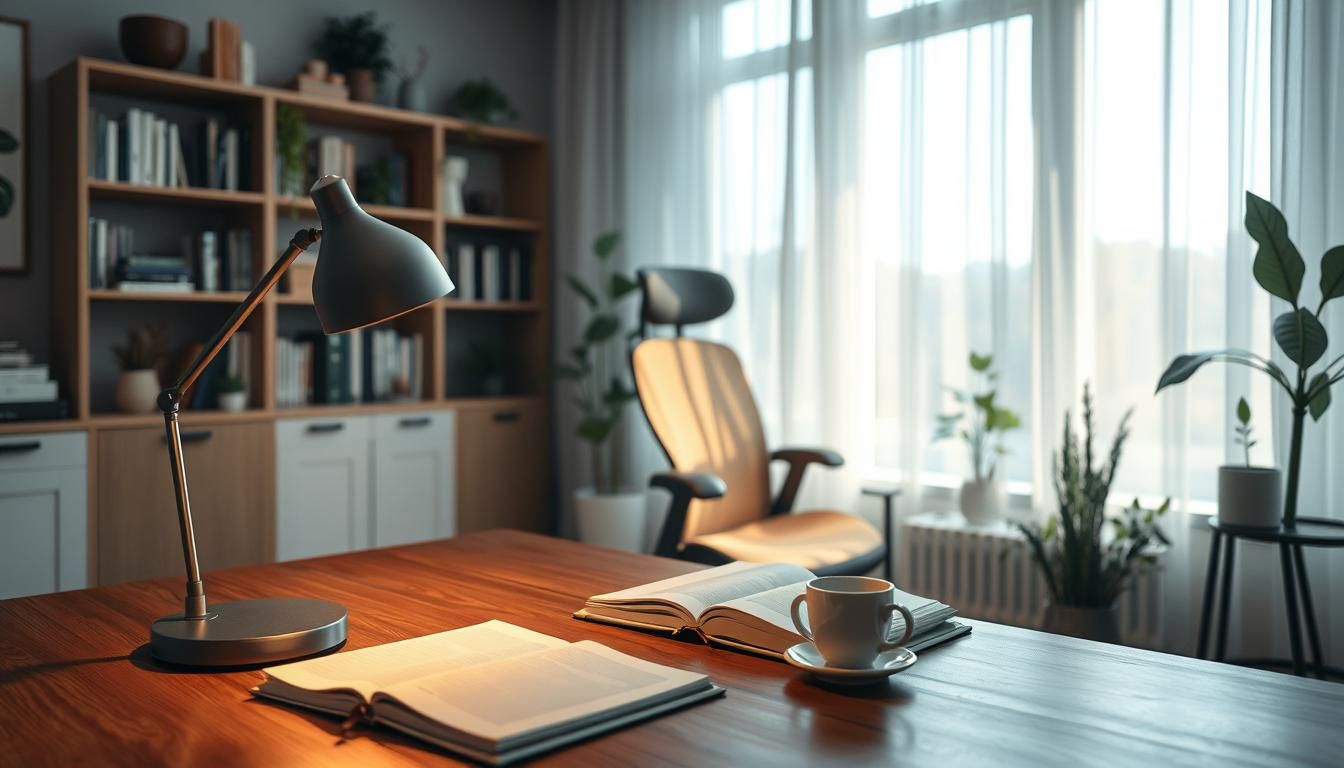

Surprising but true: workers with access to natural light report up to a 40% increase in productivity, yet many home offices rely on a single dim overhead bulb or the harsh glow of a monitor.
Poor lighting is more than annoying. It causes eye strain, headaches, neck pain, and mental fatigue. OSHA and ergonomic experts note that bad light leads to squinting, craning, and awkward postures that create musculoskeletal problems. Treating lighting as part of your ergonomic setup—alongside your chair and keyboard—is a quick win for comfort and performance.
Think in layers: ambient light for even room brightness, an adjustable task lamp at your desk, and subtle accent or bias lighting behind the monitor to reduce contrast. These layered solutions are the backbone of how to improve office lighting and the best lighting solutions for sustained focus.
Where to start? Run a short audit: check for glare from windows, a single harsh ceiling fixture, and the monitor’s isolated glow in a dark room. Use that checklist to prioritize fixes that remove direct glare and balance brightness across the space.
Key Takeaways
- Natural light greatly boosts focus; supplement it when needed with tunable LEDs.
- Layered lighting—ambient, task, and accent—is essential for lighting for productivity.
- Fix glare, add an adjustable desk lamp, and use bias lighting behind the monitor.
- Small audits and simple changes often deliver the fastest improvements.
- Explore practical home office lighting tips and products from trusted brands via this guide: home office lighting tips.
Why lighting matters for home office productivity and well-being
Good lighting affects more than visibility. It shapes focus, mood, and the body’s circadian rhythm. Cooler, blue-toned light raises alertness during the day. Warmer light helps the body wind down in the evening. Thoughtful choices make long workdays less tiring and help sustain concentration.
Lighting’s impact on focus, mood, and circadian rhythm
Natural daylight improves mood and reduces stress. Mixing daylight with energy-efficient bulbs keeps brightness steady through changing weather. Tunable LEDs let you shift color temperature to support alertness in the morning and relaxation after work. These shifts are core home office lighting tips that boost performance and comfort.
Common physical symptoms of poor lighting: eye strain, headaches, neck pain
Poor lighting shows up as gritty eyes, frequent headaches, and a habit of leaning forward to see. Glare on glossy monitors forces awkward postures and increases neck pain. Low or uneven illumination causes visual fatigue and lowers productivity. Simple adjustments often stop these symptoms quickly.
Research and ergonomic guidance from OSHA, HSE, and Cornell
OSHA notes that inadequate lighting creates ergonomic hazards that lead to compensatory postures. The U.K.’s HSE recommends controlling screen reflections during DSE assessments to reduce visual strain. Cornell’s Ergonomics Web advises including lighting in workstation design to support comfort and task performance. For a practical primer on balancing natural and artificial light, see this guide for home office lighting tips: home office lighting tips.
how to improve office lighting
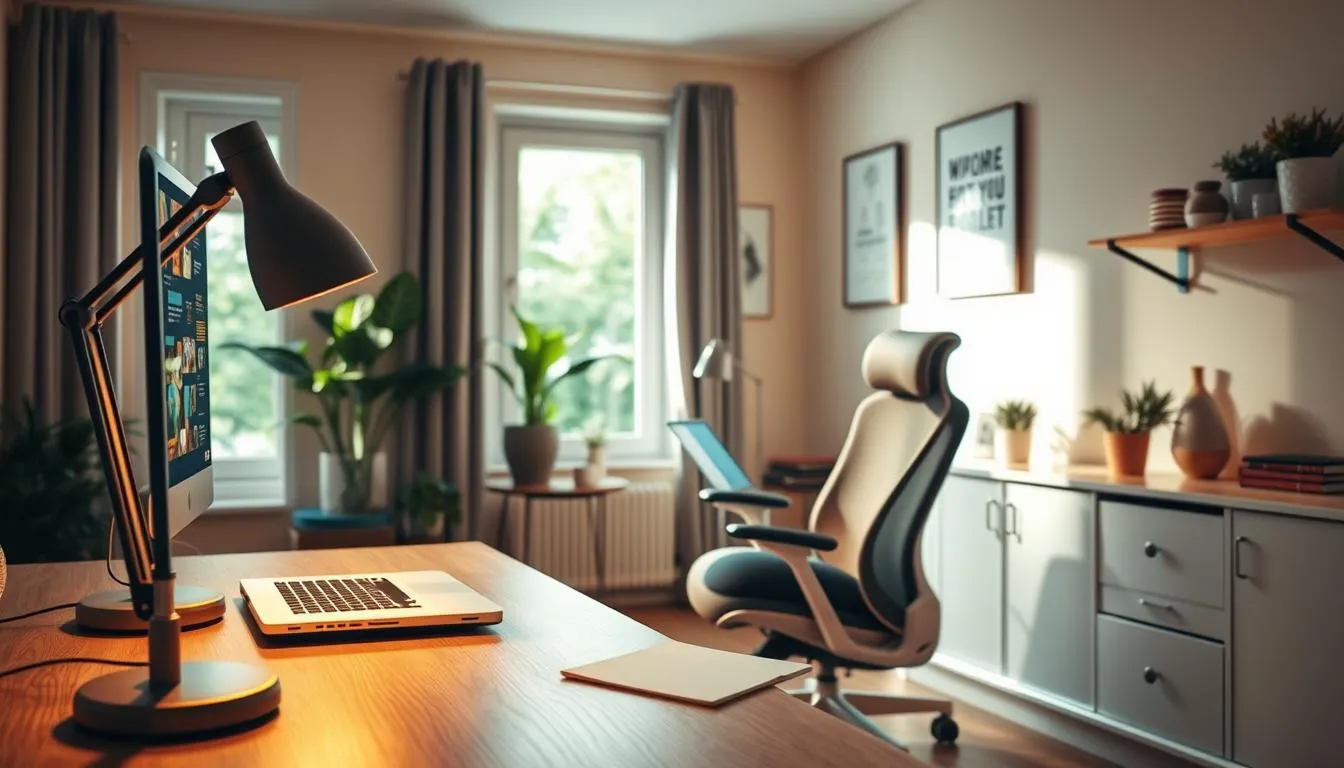
Start by taking a quiet walk through your space during work hours. Stand in the center and note where light feels even and where it falls short. Look for bright spots, dark corners, and areas of direct glare. This simple audit sets the stage for practical changes that boost lighting for productivity.
Start with an audit: observing ambient light, glare, and contrast
Begin with three quick checks. First, assess ambient light evenness by moving around the room. Second, identify glare sources from windows and fixtures. Third, check contrast at work surfaces and screens. These observations reveal whether you need redistributing light or targeted task lamps.
Simple checklist to identify problem sources
- Windows: is direct sun hitting your desk or monitor at peak hours?
- Overhead fixtures: do diffusers scatter light or create hot spots?
- Monitor reflections: can you see objects reflected on the screen?
- Task zones: do reading, writing, and screen work share the same light?
- Shadows: do tools, shelves, or plants cast distracting shadows?
Prioritize changes that remove glare and reduce visual strain
Address glare before buying new fittings. Reposition the desk so the window sits perpendicular to the work surface when possible. Tilt or raise the monitor to cut reflections. Use blinds or sheer curtains to soften direct sunlight.
Next, add targeted task lighting where you need it most. Choose a dimmable LED task lamp with an adjustable arm. Position the lamp to illuminate paperwork without shining into the screen. These home office lighting tips reduce eye fatigue and improve comfort quickly.
When artificial light is required for longer hours, favor layered solutions. Combine soft ambient light with focused task illumination. Use tunable LEDs if you want control over color and intensity across the day. Thoughtful, small changes deliver the biggest gains in how to improve office lighting and how lighting for productivity actually performs.
Layered lighting: building ambient, task, and accent light
Good lighting blends three layers so your home office feels clear and calm. Ambient light gives even room illumination. Task light focuses where you read or type. Accent and bias lighting soften contrast and add visual depth. Use these elements together for the best lighting solutions that support comfort and productivity.
Ambient lighting provides the base. Think recessed fixtures, a frosted ceiling lamp, or daylight from windows with diffusing curtains. Aim for soft, even coverage that avoids bright hot spots. Lampshades, upward floor lamps, and diffusers scatter light so the whole room reads as uniform. This reduces eye strain and makes it easier to layer task and accent lights.
Task lighting targets your work surface. Choose an adjustable desk lamp with an articulating arm and dimmer for precise control. Position the lamp 16–24 inches above the desk and at a 30–45° angle to cut shadows on paper and prevent monitor glare. For multiple work zones, assign a task light to each spot. These practical home office lighting tips keep your workspace crisp without overlighting the room.
Accent and bias lighting add depth and reduce contrast between a bright screen and a darker background. A soft backlight behind your monitor or LED strips under shelves eases eye transitions and improves perceived contrast. Use warm or neutral tones to complement cooler task lighting during daytime. Accent fixtures such as wall sconces or picture lights create a layered look that doubles as design.
Mixing layers makes it simpler to adapt lighting to the task and time of day. Combine ceiling fixtures, a quality task lamp from brands like Philips or Ikea, and small bias-light strips for a versatile setup. Tunable LEDs let you shift color temperature across the day so you can find how to improve office lighting for focus in the morning and a gentler palette in the evening.
Choosing the right color temperature for focus and circadian health
Picking the proper color temperature helps your brain stay alert during work and wind down when the day ends. Use natural daylight when possible and match artificial light to tasks. These home office lighting tips make it easier to balance energy, comfort, and visual clarity throughout a long workday.
Kelvin ranges guide your choices. Warm light (2700–3000K) feels cozy and suits evening relaxation. Neutral light (3500–4100K) fits all-day tasks and reading. Cool light (4200–5000K) boosts alertness for detailed work and focused sessions. Values above 5000K suit niche, high-accuracy tasks but can feel harsh for general use.
Use cooler, blue-toned light in the daytime to improve wakefulness and concentration. Shift to warmer tones near bedtime to support melatonin production and sleep readiness. For many rooms, the best lighting solutions fall between 3000–5000K since that range covers most needs from focus to comfort.
Tunable or color-adjustable LEDs let you change Kelvin through the day. Brands such as Philips Hue and LIFX offer bulbs and fixtures that toggle from warm to cool. These products rank among the practical lighting for productivity because they let you set a brighter, cooler scene for focused tasks and a warmer scene for wind-down periods.
When you choose fixtures, favor models with clear Kelvin ratings and adjustable settings. A mix of neutral ambient light and a cool task lamp helps prevent eye strain while keeping contrast balanced. Use the best lighting solutions to pair wall colors, desk finishes, and screen bias lighting so the whole room supports visual comfort.
Simple home office lighting tips: start daytime with neutral-to-cool light, switch to warm after sunset, and use tunable LEDs when possible. These steps help maintain alertness, reduce fatigue, and keep your circadian rhythm aligned with natural light cycles.
Optimal brightness levels and measuring light with lux
Getting brightness right makes a big difference for comfort and focus. Aim for task lighting around 300–500 lux on work surfaces and ambient lighting near 150–300 lux across the room. These ranges help reduce eye strain while keeping contrast low between your screen and surroundings.
Use a smartphone light meter app for quick readings. Place the phone flat on your desk to measure task lux, then move it around the room to capture ambient levels. Expect app variance of about ±10–20 percent, so treat results as a practical guide rather than a lab measurement.
Match total room lumens to room size. For many home workspaces, 3,000–4,000 total lumens works well when combined with dimmable fixtures. Dimming gives flexibility to tweak brightness through the day, a key home office lighting tip for adapting to natural light shifts.
Balance desk and room illuminance to avoid large differences that force constant pupil adjustment. If the desk sits far above ambient levels, your eyes will fatigue faster. Supplement overhead light with a focused task lamp to bring localized lux into the recommended task range without blasting the whole room.
Practical steps to check and adjust lux:
- Measure task area with phone on the surface; record several spots across the desk.
- Measure ambient by standing center-room and rotating to check corners.
- Use dimmable LEDs or layered fixtures until desk reads 300–500 lux while ambient stays 150–300 lux.
Simple lamp choices and placement count among the best lighting solutions. Position task lamps to minimize shadows and glare for your dominant hand side. Pick LED models rated for dimming and low flicker to keep output consistent and comfortable.
For more on setting up ideal workplace light, see a practical guide from lighting specialists that explains recommended lux values and layered strategies in detail: optimal lighting at the workplace.
Follow these home office lighting tips to measure, balance, and tune brightness. Small adjustments to lux and fixture type deliver clearer vision, less fatigue, and a workspace that supports focused work.
Eliminating glare and reflections from windows and screens
Glare and reflections steal focus and cause eye strain. Use practical home office lighting tips to tame bright windows and shiny displays. Small moves can boost comfort and lighting for productivity without a full redesign.
Desk placement and window strategy
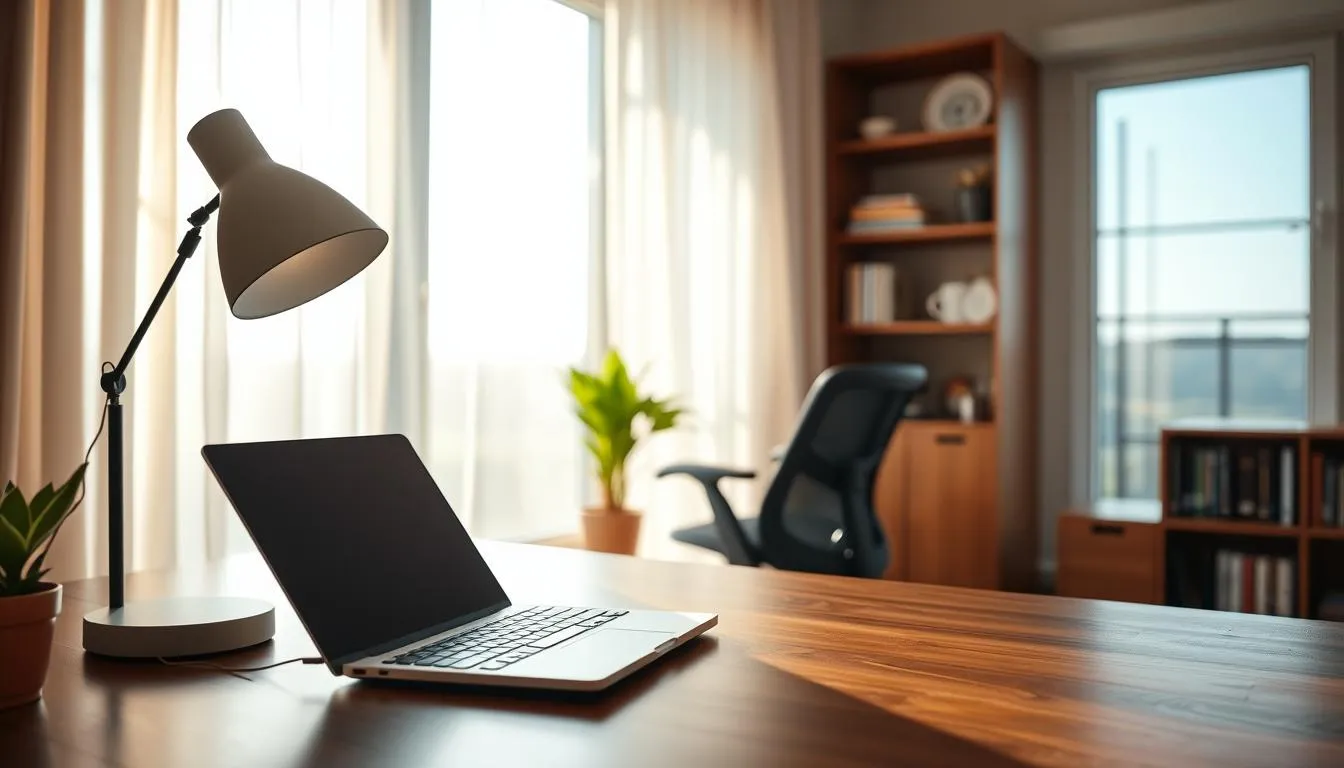
Position your desk perpendicular to windows so light falls across the workspace, not directly into the monitor. Never place a screen directly facing or backed to a window. This one change often fixes early glare problems and shows how to improve office lighting with minimal effort.
Practical fixes for screen reflections
Install blinds or sheer curtains to soften intense daylight. Use a matte monitor filter or a low-reflective screen finish to cut mirror-like reflections. Tilt the monitor slightly downward and lower brightness and contrast until the display reads comfortably. These simple steps are key home office lighting tips that protect your eyes.
Task lamp placement and lighting control
Aim task lamps so they illuminate paperwork without flashing onto the screen. Choose diffused bulbs and swivel arms that let you redirect light. Brands such as BenQ and Philips offer task lamps with adjustable beams that make it easier to manage glare and improve lighting for productivity.
Dark-screen mirror test to find trouble spots
Turn the monitor off and hold a small mirror at the screen angle. Move it until you see the light source reflected. The mirror test reveals hidden reflections from lamps, windows, or glossy surfaces. Once located, reposition the offending light or apply a filter to that zone.
Quick checklist to implement now
- Reorient desk so windows sit to the side.
- Fit blinds or sheer curtains to diffuse sunlight.
- Use matte filters and tilt monitors slightly down.
- Place task lamps out of the screen’s sightline.
- Run the dark-screen mirror test to target fixes.
Following these steps improves visual comfort and shows practical how to improve office lighting techniques. Thoughtful control of reflections reinforces lighting for productivity and supports longer, more focused work sessions.
Task lamp selection and placement for ergonomic performance
Good task lighting makes reading, typing, and video calls easier. Pick a lamp that gives control over reach, angle, and brightness so you can shape light for each task. These home office lighting tips focus on comfort, clarity, and reduced eye strain.
Look for adjustable lamps with long reach and multiple joints. A dimming control helps tune output for documents, screens, or ambient balance. Choose models with a flicker-free driver and a quality LED driver to avoid headaches and fatigue.
Place the lamp 16–24 inches (45–60 cm) above the desk. Aim the beam at a 30–45° angle from your line of sight to light work without hitting the monitor. Set the lamp on the side opposite your dominant hand to prevent shadows on paper; right-handed people usually place the lamp at left, left-handed people place it at right.
Favor heads with swivel and tilt so you direct light onto the keyboard or paperwork without glare on the screen. Beam spread should form a focused pool of light that avoids harsh edges. A neutral white (around 3500–4100K) or a lamp with Kelvin control supports sustained focus and matches common ambient fixtures.
When selecting from the best lighting solutions, compare arm reach, articulation, lumen output, and color control. If you share a workspace or have multiple stations, use more than one task lamp to prevent long shadows and uneven illumination.
Simple changes like an articulated LED with dimming and a flicker-free driver show how to improve office lighting quickly. These home office lighting tips give practical steps that improve comfort and productivity without major renovation.
Bias lighting behind monitors to reduce eye fatigue
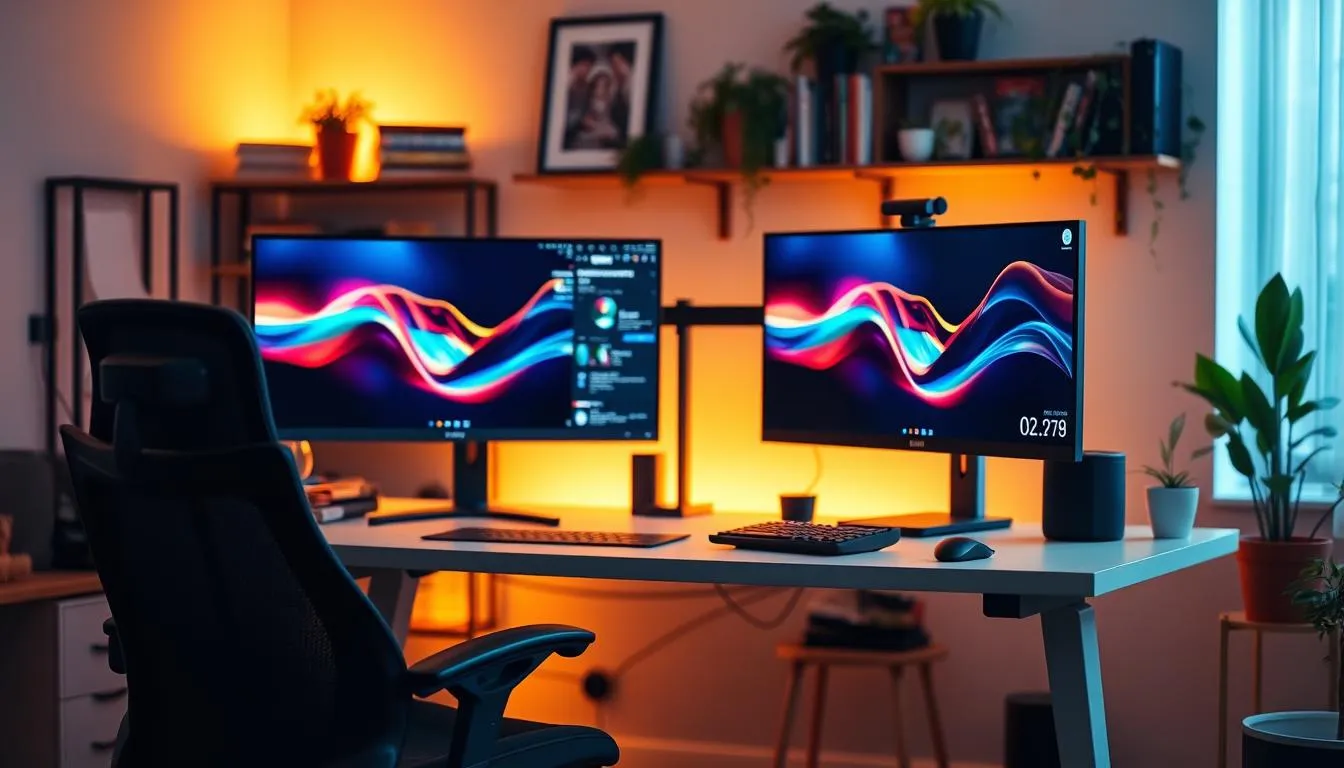
Bias lighting is soft, neutral light placed just behind your monitor to shrink the contrast between a bright screen and a dim room. This small change eases pupil adjustment and lowers eye strain, making long work sessions less tiring and supporting lighting for productivity.
What it does:
Bias lighting raises the ambient luminance around the display so the eyes do not have to jump between a bright screen and deep shadows. Use a neutral white near 6500K to avoid color shifts. These home office lighting tips help create a stable visual field without altering on-screen color accuracy.
Placement and brightness:
Stick LED strips near the top and sides at the rear edge of the monitor, or mount a slim bar above the screen. Aim for bias light that equals roughly 10–20% of the monitor’s peak brightness. That ratio keeps the glow subtle while reducing contrast and perceived glare.
Color and tunability:
Neutral white is best for steady daytime work. For flexible setups, choose tunable options so you can shift Kelvin through the day to match circadian needs. Tunable kits fit well with other best lighting solutions for a full workspace strategy.
DIY and prebuilt kits:
Simple LED strip solutions from Philips Hue, LIFX, or Govee offer adhesive backing and app control. Budget strips with a good diffuser work fine if you ensure even light and no visible hotspots. Many commercial bias-light kits include dimming and color control that simplify installation.
Practical tips:
- Diffuse the LEDs so bulbs are not visible from your chair.
- Set the bias light brightness lower than your screen peak to avoid competing light sources.
- Combine bias lighting with task lamps and room ambient layers for balanced lighting for productivity.
Applying these home office lighting tips turns a single monitor into a more comfortable, consistent visual environment. Good bias lighting ranks among the best lighting solutions for reducing fatigue and improving focus during long workdays.
Addressing flicker and electrical noise in LED and fluorescent lighting
Flicker and electrical noise hide in cheap LEDs and some fluorescent fixtures. These invisible effects can trigger headaches, eye strain, and general fatigue. Use targeted checks and spec reading to choose the best lighting solutions for a comfortable workspace.
What invisible flicker does: Pulse-width modulation (PWM) drivers and poor ballast designs produce rapid light variations you may not notice. Over time, invisible flicker can worsen migraines and reduce focus. These issues make home office lighting tips about quality and specs especially important.
Spec language to look for: Buy bulbs and fixtures labeled flicker-free, low stroboscopic effect, or continuous current driver. Reputable brands such as Philips, GE Lighting, and Cree publish flicker numbers and test results. Choosing documented products ranks among the most effective how to improve office lighting tactics.
Quick test with your phone: Use slow-motion video or a standard camera to scan a lamp or tube while it’s on. Rolling bands, strobing, or striping on playback indicate visible flicker. This simple check helps you spot poor performers before you invest in a whole-room solution.
Reducing electrical noise: Select fixtures with proper drivers and good shielding to cut interference that affects dimmers and smart controls. Pair dimmable, flicker-free LEDs with compatible dimmers to avoid hum and instability. These choices are central when weighing the best lighting solutions for flexible setups.
Practical shopping tips: Favor high-quality LED bulbs and fixtures from manufacturers that publish flicker specs. Look for CRI and flicker metrics together, since color accuracy and stability work hand in hand. Applying these home office lighting tips will yield a quieter, healthier lighting environment.
Lighting solutions for sit-stand and adjustable-height desks
Sit-stand desks change head angle and task plane as you move. That vertical shift creates new shadows and alters glare on screens. Use home office lighting tips that account for a 24–32 inch (60–80 cm) range so illumination stays consistent whether seated or standing.
Clamp-mounted task lamps solve most of the movement problems. A desk-clamp task light travels with the surface, keeping the beam at the recommended 16–24 inch height and aimed at a 30–45° angle. Choose fixtures with long reach, multiple articulation points, and easy dimming for instant adjustment.
Challenges of vertical movement: shadows and changing angles
Raising the desk can cast shadows from paperwork, keyboards, and monitors. Fixed overheads may leave parts of the workspace underlit. Plan for layered lighting so shadows drop away as you switch positions.
Best lamp mounting: desk-clamp task lights that move with the surface
Clamp mounts keep task lighting aligned to the work surface. Look for models from Philips, BenQ, or TaoTronics with adjustable color temperature and glare control. Tunable LEDs let you tailor scenes for sitting or standing, which is helpful when you want to optimize lighting for productivity.
Combining fixed ambient fixtures with adjustable task lighting for flexibility
Pair a steady ambient ceiling fixture with a movable task lamp to balance the room. Ambient light fills the space so contrast with the monitor is lower. The task lamp supplies focused intensity where you need it most.
When refining your setup, follow simple steps for how to improve office lighting: place the clamp so it does not block monitor movement, set the color temperature to match the time of day, and use a dimmer to reduce glare during long sessions. For practical guidance on sit-stand lighting and ergonomic placement, consult this resource on lighting for standing desks via lighting for standing desks.
Small upgrades make a big difference for lighting for productivity. Invest in a flicker-free driver, aim lamps to the side of the monitor to avoid reflections, and keep adjustability high so your light works with every posture change.
Smart lighting and dimmable controls for dynamic workdays
Smart lighting puts control in your hands so you can match light to the work at hand. Use dimmers and tunable white bulbs to shift from cool, bright tones for focused tasks to warmer, dimmed light for late-afternoon wind-down. These adjustments improve comfort and support lighting for productivity without constant manual tweaks.
Set schedules and scenes to automate changes through the day. Create a “Focus” scene with higher lumens and a cooler Kelvin for concentrated work. Make a “Call” scene that reduces contrast and softens shadows for video meetings. Program an “Evening” scene with lower brightness and warmer tones to help your circadian rhythm.
Integration matters when you adopt smart bulbs, switches, or dimmers. Many products work with Amazon Alexa, Google Home, and Apple HomeKit so voice or app control is simple. Manufacturers such as Philips Hue, LIFX, and Sengled offer compatible options that pair well with layered lighting strategies and follow common home office lighting tips.
Practical routines keep adjustments consistent. Start the day with bright, cool light for alertness, drop brightness mid-afternoon if you need less glare, and shift to warm hues after sunset. Occupancy sensors and motion triggers can reduce wasted power while maintaining the room’s feel, giving you some of the best lighting solutions for a productive, energy-smart setup.
Below is a simple comparison to help choose components for common needs.
| Use Case | Recommended Component | Key Benefit |
|---|---|---|
| Focused work | Tunable white LED bulb + dimmable desk lamp | High lux and cool temperature for alertness |
| Video calls | Soft overhead + bias lighting | Reduced shadows and better on-camera appearance |
| Evening wind-down | Warm tunable scene + low-level ambient | Supports circadian rhythm and better sleep readiness |
| Energy savings | Smart dimmers + occupancy sensors | Lower consumption and automated control |
Product selection guide: bulbs, fixtures, and must-have features
The right gear makes a big difference when you want the best lighting solutions for a productive home workspace. Start with LEDs for energy savings, long life, and low heat. Pick bulbs with a high CRI, clear lumen ratings, and explicit flicker-free claims to reduce eye strain and keep colors true.
Match Kelvin to task needs. Choose cool or neutral whites for focus and tunable or warmer options for evening wind-down. Look for dimmable drivers and manufacturer transparency on flicker specs. These features show up in premium fixtures from Philips, GE, and LIFX, yet simple LED A19 bulbs from trusted brands can deliver fast gains.
Consider fixture type next. Diffused ambient fixtures and strip retrofits give even room light. Task lamps with articulated arms, full-range dimming, and flicker-free drivers provide precise control at the desk. For practical guidance on LED retrofits, see this overview from TCP that highlights performance upgrades and retrofit ease: LED options from TCP.
Use a short checklist to decide when to upgrade further: prioritize CRI 90+, tunable Kelvin, true lumen output, and verified flicker ratings. Spend more on items that affect health and performance, such as tunable overheads and premium desk lamps. Budget buys like quality LED bulbs, blinds to cut glare, and a reliable task lamp will improve lighting quickly and affordably.
For a balanced approach, invest in durable fixtures where reliability and color accuracy matter. Fill remaining gaps with targeted, low-cost upgrades. Following these home office lighting tips helps you know how to improve office lighting without overpaying, while achieving a workspace that supports focus and comfort.
Design and aesthetic tips that support function
A well-designed home office boosts comfort and makes lighting work harder for you. Thoughtful choices in finishes, paint, and surfaces change how light behaves. Use design to support ergonomics and lighting for productivity without sacrificing style.
How finishes, wall colors, and desk surfaces affect perceived brightness
Light walls in off-white, pale gray, or soft beige reflect more illumination and let you use lower lamp output. Matte or satin paints scatter light and cut glare that glossy finishes create.
Choose desks with matte surfaces to minimize reflections on monitors. A medium-toned wood or soft laminate balances contrast between the screen and surroundings. This reduces eye strain and supports lighting for productivity.
Using accent and decorative lighting to create a pleasant, motivating space
Accent fixtures like pendants, wall sconces, and LED strips add visual interest and mood. Place LED strips behind shelves or under cabinets to highlight books or art and to lift the room’s atmosphere.
Statement fixtures from brands like Philips Hue can serve as focal points while providing useful ambient light. These choices are among the best lighting solutions when you want both form and function.
Balancing style and ergonomics for a productive home office
Mix ambient light with adjustable task lamps to avoid harsh overhead glare. Use diffusers or upward-facing floor lamps to soften shadows and create even illumination across the workspace.
Prioritize fixtures with dimming and tunable-white options so you can match light to the task. These home office lighting tips help you blend aesthetic preferences with ergonomics, creating an inviting, efficient workspace.
Conclusion
Improving home office lighting is an ergonomic and productivity investment that pays off in comfort, focus, and reduced fatigue. Use a layered approach—ambient, task, and bias lighting—along with glare control and proper desk placement to tackle the most common complaints like eye strain, headaches, and neck pain.
Choose color temperatures to match your schedule: cooler, bluish light for high-focus daytime work and warmer tones for evening wind-down. Measure illuminance where it matters (300–500 lux for tasks, 150–300 lux ambient) and prefer flicker-free, dimmable LED solutions to support consistent lighting for productivity.
Maximize natural light, supplement with quality fixtures, and create lighting-designated zones so spaces can switch between concentrated work and relaxed collaboration. For practical inspiration and the latest technologies shaping workplace lighting, explore resources such as the Canada Light Expo coverage at lighting and workplace well-being.
Simple home office lighting tips—adjustable task lamps, blinds or sheer curtains, bias lighting behind screens, and smart controls—often make the biggest difference. With a few targeted changes you can improve lighting for productivity and build a healthier, more pleasant space for daily work.
FAQ
How does lighting affect focus, mood, and circadian rhythm?
Proper lighting influences alertness, concentration, and mood. Natural daylight helps regulate circadian rhythms and boosts energy and mood. Artificial lighting that mimics daylight (neutral to cool color temperatures) supports daytime focus, while warmer light in the evening helps with wind-down and sleep readiness. Tunable LEDs let you shift color temperature through the day to match tasks and biological needs.
What physical symptoms indicate my home office lighting is poor?
Common signs include gritty or dry eyes, frequent headaches, neck or shoulder pain from leaning forward, frequent squinting, and mental fatigue. Harsh glare on screens, a single dim overhead light, or working in a dark room with only the monitor lit are typical causes that lead to these symptoms.
What guidance do OSHA, HSE, and ergonomic experts give about home office lighting?
Ergonomic authorities warn that poor lighting causes compensatory postures (craning, squinting, leaning) that lead to musculoskeletal issues. They recommend layered lighting, glare control, and assessing lighting as part of workstation design. Controlling reflections on screens is a common recommendation in DSE assessments.
How do I start an audit to improve my home office lighting?
Stand in the room center to assess evenness of ambient light, identify bright spots and dark corners, note direct sunlight and glare sources, and check monitor reflections using the dark-screen mirror test. Use a checklist: desk placement relative to windows, quality of overhead fixtures (diffusers, multiple bulbs), and visible monitor reflections. Prioritize fixes that remove glare before buying new fixtures.
What simple checklist items should I use to identify problem lighting sources?
Check window orientation and direct sun paths, inspect overhead fixtures for harsh glare or single-point lights, look for glossy surfaces that reflect, test monitor reflections with the screen-off mirror test, and compare desk versus room brightness. Also note any flicker or strobing from bulbs.
What should I prioritize first to reduce visual strain?
First remove direct glare and harsh contrasts: reposition lamps, close or diffuse blinds, tilt or move the monitor, add bias lighting behind the screen, and use matte filters if needed. These steps often solve most eye-strain complaints without immediate fixture replacement.
What is layered lighting and why is it important?
Layered lighting combines ambient (even room illumination), task (focused light for work areas), and accent/bias lighting (backlight or decorative sources). This approach prevents single-source shadows and high contrast, improves comfort and aesthetics, and lets you adapt illumination to different tasks.
How should ambient lighting be designed for a home office?
Aim for diffused, even ambient light using ceiling fixtures with diffusers, upward floor lamps, or layered recessed lights. Avoid a single bright overhead that casts shadows or creates glare. Ambient levels should reduce contrast with task areas and help maintain consistent pupil response.
What are task lighting best practices for focused work?
Use an adjustable desk lamp positioned 16–24 inches (45–60 cm) above the work surface at a 30–45° angle from your line of sight. Place the lamp on the opposite side of your dominant hand to avoid shadows. Choose lamps with good reach, articulation, dimming, and flicker-free drivers.
What is bias lighting and how does it reduce eye fatigue?
Bias lighting is a soft, neutral backlight placed behind the monitor to reduce the contrast between a bright screen and a darker room. It eases pupil adjustments and reduces eye strain. Target about 10–20% of the screen’s peak brightness and use neutral white to avoid color distortion.
Which color temperatures (Kelvin) should I use for work and evening?
Use cooler, blue-toned light (4200–5000K) for alertness and detailed tasks during the day. Neutral ranges (3500–4100K) work well for all-day use. In the evening, warm light (2700–3000K) supports relaxation and sleep readiness. Tunable LEDs let you switch Kelvin throughout the day.
What illuminance levels (lux) are recommended for a home office?
Recommended levels are roughly 300–500 lux on task surfaces for computer work and reading, and 150–300 lux for general ambient lighting. Large differences between desk and room brightness can cause constant pupil adjustment and contribute to strain.
How can I measure lux quickly with a smartphone?
Use a light meter app and place the phone flat on your desk to read task lux. Move it around the room to assess ambient levels. Expect smartphone measurements to vary by about ±10–20%, but they’re useful for spotting large imbalances between desk and room.
How should I position my desk relative to windows to avoid glare?
Position the desk perpendicular to windows whenever possible. Never place the monitor directly in front of or behind a bright window. Use sheer curtains or blinds to diffuse strong sunlight and close them during peak glare times. Repositioning and tilting the monitor often resolves many reflection issues.
What practical fixes reduce screen reflections and window glare?
Use blinds or sheer curtains, tilt or move the monitor, add a matte screen filter, reposition task lamps so they don’t shine on the screen, and adjust overhead lighting to be diffused. The dark-screen mirror test helps locate offending reflections so you can target those sources.
What features matter when choosing a task lamp?
Look for long reach and articulation, dimming control, a flicker-free driver, and adjustable color temperature if possible. Choose a beam spread that provides a focused pool of light without harsh shadows. For sit-stand setups, select clamp-mounted lamps that move with the desk surface.
How do I place a task lamp for the best ergonomic performance?
Place the lamp 16–24 inches above the desk at a 30–45° angle from the line of sight. Put it on the opposite side of your dominant hand to minimize shadows. Adjust head position so light illuminates documents or keyboard without directly hitting the monitor.
How bright and what color should bias lighting be behind a monitor?
Aim for bias lighting around 10–20% of the screen’s peak brightness and use a neutral white to avoid color shifts. Many LED strip kits offer tunable options; diffused strips mounted behind the monitor work best so the light isn’t visible as a direct source.
How can I detect and avoid flicker from LEDs and fluorescents?
Invisible PWM flicker can cause headaches and eye strain. Choose products labeled “flicker-free,” “low stroboscopic effect,” or those with continuous current drivers. Use a phone camera or slow-motion video—visible bands or strobing indicate flicker.
What lighting challenges do sit-stand desks create and how do I solve them?
Vertical movement changes angles and can cast shadows if lamps are fixed. Use clamp-mounted task lights that move with the desk or lamps with sufficient reach and articulation to maintain the recommended 16–24 inch height and 30–45° angle in both sit and stand positions. Combine with consistent ambient lighting for flexibility.
What are the benefits of dimmers, tunable white, and smart lighting?
Dimmers and tunable white let you match brightness and color temperature to task and time of day—cooler and brighter for focused work, warmer and dimmer for evening. Smart controls let you schedule scenes (Focus, Video Call, Evening) and integrate with ecosystems like Amazon Alexa, Google Home, and Apple HomeKit for simple adjustments.
What specs should I prioritize when buying bulbs and fixtures?
Prioritize CRI (aim for 90+ for accurate color), Kelvin (appropriate color temperature or tunable), lumens (brightness), flicker rating/flicker-free claims, and dimmability. Choose reputable brands that publish driver and flicker specs. LEDs offer energy efficiency, longevity, and low heat.
When should I invest in higher-end fixtures versus budget upgrades?
Start with high-impact, low-cost fixes—add a quality task lamp, bias lighting, blinds, and LED bulbs. If you need precise color rendering, flicker-free performance, or integrated smart scenes, invest in higher-end fixtures. For sit-stand setups and long hours of work, spending more on flicker-free, tunable lighting is justified.
How do wall colors and finishes affect perceived brightness?
Lighter, matte walls and desk surfaces reflect and diffuse light, making a room feel brighter and reducing the need for excessive brightness. Glossy surfaces increase glare and reflections, so choose matte or satin finishes in work zones to improve comfort.
How can accent and decorative lighting improve my workspace?
Accent lighting (sconces, LED strips, pendants) adds depth, highlights shelving or artwork, and improves mood and motivation. Decorative fixtures can serve as focal points while contributing to ambient illumination. Balance style with ergonomic needs—avoid lights that create direct glare or distracting reflections.