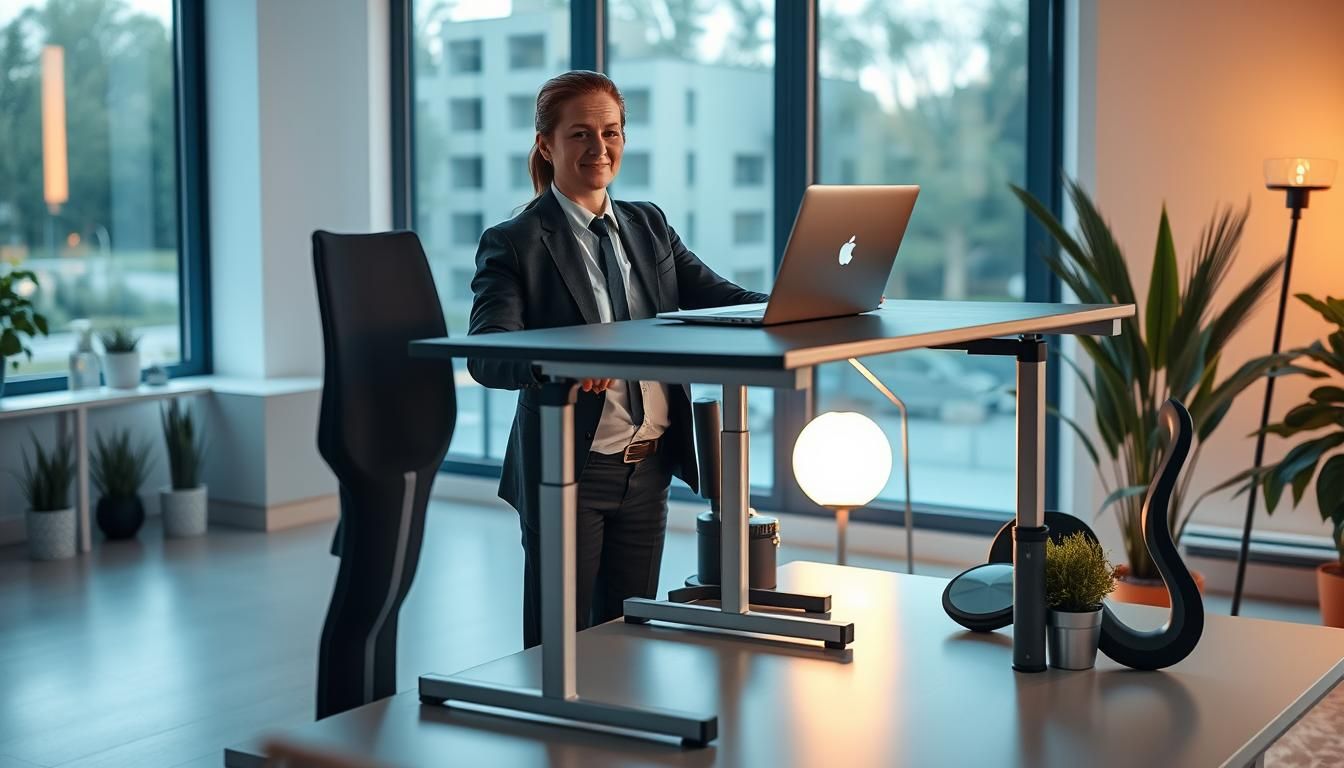

OSHA estimates that work-related musculoskeletal disorders (MSDs) account for 34% of all workdays lost to occupational injuries—an eye-opening figure that shows how much is at stake when workplace ergonomics are ignored.
Ergonomics means designing the workplace around worker capabilities and limits. When done well, it reduces muscle fatigue, lowers injury risk, and supports ergonomic well-being across jobs from office work to healthcare and warehousing.
Four practical strategies drive the largest gains: adjustable workstations like chairs and monitor stands, proper use of ergonomic keyboards and mice, regular breaks for movement and stretching, and ongoing training that encourages early symptom reporting.
Research and guidance from OSHA, NIOSH, and the Mayo Clinic link these actions to measurable ergonomics health advantages, including less pain during and after work and notable productivity improvements. Investing in ergonomic workspace benefits is both a health and business choice.
Key Takeaways
- Work-related MSDs cause a large share of lost work time—ergonomic solutions reduce that risk.
- Ergonomic well-being depends on adjustable equipment, movement, and employee education.
- Simple fixes—monitor height, chair adjustments, external keyboards—yield major health benefits.
- Workplace ergonomics improves comfort, lowers fatigue, and can boost productivity.
- Ongoing evaluation and worker involvement make ergonomic programs effective long term.
What is ergonomics and why it matters for workplace health
Ergonomics studies how work fits the person. It focuses on designing tasks, tools, and environments so people can work safely and comfortably. Clear principles include adjustable workstations, supportive equipment, scheduled breaks, and targeted training. These basics create ergonomics health advantages by reducing strain and improving day-to-day comfort.
Definition and core principles of ergonomics
Ergonomics means fitting a job to a person. That involves selecting chairs, desks, keyboards, and mice that let workers hold neutral postures. Adjustable components let different body sizes and shapes work without awkward reaches or sustained force. Simple changes lower muscle fatigue and support the health benefits ergonomic workspace offers.
How ergonomics fits into occupational safety and health programs
Workplace safety programs succeed when ergonomics is part of the plan. Management support, worker involvement, and training form the foundation. Hazard identification, early symptom reporting, solution testing, and ongoing evaluation keep efforts practical and measurable. OSHA and NIOSH guidance can help shape effective policies that strengthen workplace safety ergonomics for whole teams.
Link between ergonomics and prevention of musculoskeletal disorders (MSDs)
Poor ergonomics raises the risk of MSDs that affect muscles, nerves, blood vessels, ligaments, and tendons. Proper setup and movement policies reduce contact stress and prolonged static postures. That lowers incidence of conditions like carpal tunnel and low back pain, showing why ergonomics delivers real health benefits ergonomic workspace claims promise.
| Principle | Practical Action | Expected Benefit |
|---|---|---|
| Adjustability | Height-adjustable desks and chairs with lumbar support | Better spinal alignment and less lower back pain |
| Neutral posture | Monitor at eye level; keyboard/mouse within easy reach | Reduced neck and shoulder strain |
| Movement | Scheduled microbreaks and sit-stand transitions | Lower muscle fatigue and improved circulation |
| Training and reporting | Worker education and early symptom reporting systems | Faster fixes, fewer severe injuries, and ongoing improvement |

An ergonomic workspace delivers clear, practical gains for workers and employers. Small changes to chairs, desks, and input devices can cut strain and boost comfort. These improvements drive ergonomic workspace benefits that matter to daily health and long-term function.
Reduced risk of MSDs like carpal tunnel, tendinitis, and low back pain
Ergonomic interventions lower exposure to repetition, awkward postures, and forceful exertions. That reduces the chance of carpal tunnel syndrome, tendinitis, rotator cuff injuries, epicondylitis, trigger finger, and low back injuries.
OSHA and NIOSH offer guidance showing how targeted adjustments in high-risk jobs prevent injuries. Practical steps include adjustable monitor height, wrist support, and task rotation. These steps support MSD prevention ergonomics across industries.
Lower muscle fatigue and decreased pain during and after work
Better workstation setup eases muscle load and limits fatigue. Studies find ergonomic changes can cut muscle fatigue by up to 60%. Workers report less soreness during shifts and quicker recovery after work.
Using an adjustable chair and an ergonomic keyboard reduces sustained muscle tension. Encouraging short breaks and gentle stretches helps maintain comfort and sustain performance.
Evidence and statistics from OSHA, NIOSH, and workplace studies
Data link poor ergonomics to a large share of lost work time due to musculoskeletal disorders. Productivity can climb as much as 25% when ergonomic principles are applied. Employers who invest in ergonomics see fewer injuries, lower absenteeism, and reduced healthcare costs.
For practical examples and program ideas, consult workplace guidance and summaries like the one found at embracing ergonomics for a healthier workplace. That resource outlines actionable steps and industry trends that support ergonomics health advantages and reinforce MSD prevention ergonomics.
- Workstation design: adjustable chairs, desks, and monitor stands to promote neutral posture.
- Proper equipment use: ergonomic keyboards, mice, and wrist rests to reduce contact stress.
- Frequent breaks: scheduled microbreaks and movement to limit repetitive strain.
- Training and education: instruction on setup, posture, and early symptom reporting.
Improved posture and spinal health with proper workstation design
A carefully arranged workstation makes a clear difference in spine comfort and long-term spinal health. Small adjustments to seating, desk height, and monitor placement support posture ergonomics and deliver measurable ergonomic workspace benefits for daily users. Training staff to use these adjustments helps turn equipment into effective prevention tools.
Chair selection and lumbar support
Choose an adjustable chair that offers firm lumbar support and a contoured backrest. An adjustable seat height lets users place feet flat on the floor. If feet do not reach the floor, a footrest restores proper thigh alignment.
Desk height, legroom, and neutral sitting positions
Set desk height so forearms sit roughly parallel to the floor while typing. Adequate under-desk clearance prevents cramped legs and allows natural hip angle. If a desk is fixed, raise the chair and add a footrest to keep thighs parallel and promote a neutral sitting position. These choices are central to a better health office setup.
Practical adjustments to reduce neck and shoulder strain
Position the top of the monitor at or just below eye level to avoid forward neck flexion. Use laptop stands or external monitors when needed. Keep armrests adjusted to support elbows close to the body so shoulders remain relaxed. Regularly check these settings to maintain ergonomic workspace benefits.
How ergonomic equipment supports joint and wrist health
Choosing the right gear makes a big difference for wrist, hand, and joint comfort. Small changes to keyboards, mice, and supports help keep wrists straight and reduce contact stress during long shifts at a desk. These choices are part of the health benefits ergonomic workspace delivers when paired with thoughtful setup and habits.
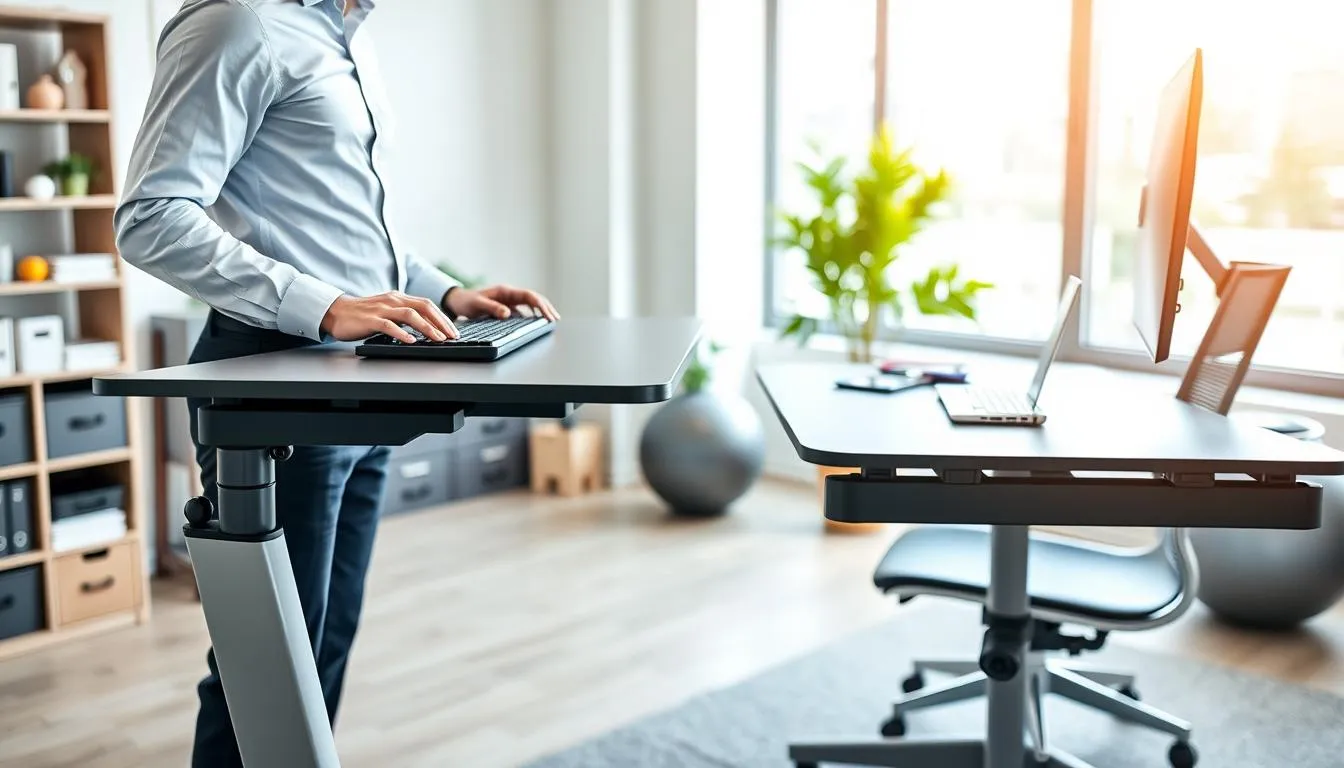
Ergonomic keyboards, mice, and wrist rests to prevent contact stress
Split and tented keyboards from brands like Microsoft and Logitech let the hands rest in a more natural position. That lowers the load on tendons and reduces pressure on carpal tunnels. Vertical and trackball mice cut wrist rotation and keep forearms aligned. A soft wrist rest or gel pad can prevent hard desk edges from pressing into the palm, cutting contact stress during pauses.
Role of tool and peripheral selection in preventing repetitive strain
Tool choice extends beyond input devices. Adjustable monitor arms and keyboard trays position peripherals so shoulders stay relaxed. Selecting a full‑size mouse, a compact travel mouse, or a stylus depends on the task and the user’s hand size. NIOSH and OSHA guidance emphasizes choosing hand tools and peripherals that reduce force and awkward postures to lower repetitive strain risk.
When to choose alternative input devices or assistive tools
Some people benefit from alternatives such as touchpads, trackballs, foot switches, or voice recognition software. Those with early symptoms of tendinitis or carpal tunnel often find relief after switching to an alternative device and making sensitivity adjustments. For laptop users, an external keyboard and mouse paired with a laptop stand restores a neutral wrist angle and improves ergonomics health advantages.
| Issue | Recommended Device or Adjustment | Expected Benefit |
|---|---|---|
| Wrist flexion from flat keyboard | Split or tented keyboard; adjustable tilt | Maintains neutral wrist, reduces tendon load |
| Forearm pronation with standard mouse | Vertical mouse or trackball; adjust pointer speed | Less forearm rotation, lower muscle strain |
| Contact stress at palm and wrist edge | Gel wrist rest; soften desk edge | Distributes pressure, prevents nerve compression |
| Repetitive clicking and pointing | High‑DPI mouse; programmable buttons; voice input for commands | Fewer movements, reduced repetitive strain |
| Laptop ergonomics limiting wrist posture | External keyboard and mouse; laptop stand | Improves wrist alignment and overall ergonomics health advantages |
Small changes to a desk, chair, or workflow can cut physical strain and lift mood. Reduced discomfort often means lower stress and clearer thinking. These ergonomic workspace benefits show up as calmer teams and fewer complaints about aches during the day.
Reduced discomfort leading to lower stress and better mood
When pain drops, employees report less anxiety and better sleep. Studies link ergonomic programs to big cuts in musculoskeletal problems, which in turn ease chronic stress. Employers who invest in adjustable chairs, monitor risers, and keyboard supports see improved emotional resilience across staff.
Improved job satisfaction and engagement through supportive setups
Giving workers tools that fit them raises engagement and loyalty. Participatory ergonomics that involve staff in decisions increase buy-in and reduce worry about injury. Training, early symptom reporting, and periodic reassessments build trust and psychological safety on the job.
How movement and break policies reduce cognitive fatigue
Regular position changes, short walks, and targeted stretches ease both body and mind. Standing briefly, using a headset for phone calls, or following micro-break routines helps maintain focus. These practical approaches echo guidance from major health organizations and reinforce ergonomics health advantages.
Below is a compact comparison of outcomes tied to ergonomic actions and simple programs.
| Action | Typical Effect | Impact on Well-Being |
|---|---|---|
| Adjustable chair and lumbar support | Reduces low back pain | Higher comfort, lower stress |
| Ergonomic keyboard and mouse | Lowers wrist strain | Fewer breaks for pain, steadier focus |
| Movement and micro-break policy | Reduces cognitive fatigue | Better concentration, improved mood |
| Participatory assessments and training | Greater adoption of solutions | Increased job satisfaction, reduced anxiety |
The productivity and economic advantages of ergonomic interventions
Investing in ergonomics produces measurable gains for businesses and workers. Firms that adopt ergonomic programs report higher output, fewer interruptions from pain, and lower absenteeism. These improvements reflect ergonomics health advantages and the clear health benefits ergonomic workspace changes bring.

Data on productivity increases and reduced absenteeism
Workplace studies show ergonomic investments can raise productivity by up to 25% while cutting muscle fatigue by large margins. OSHA and NIOSH note fewer and less severe musculoskeletal disorders when ergonomic processes are used. This translates into reduced sick days and steadier staff presence.
Return on investment: lower healthcare and lost-time costs
Lower injury rates produce direct savings on medical bills and workers’ compensation. When companies add management support, worker participation, and training, they often see declines in lost-time claims. Practical fixes like better chairs and correct monitor placement are low-cost and prompt fast payback through fewer interruptions and faster task completion.
Examples of measurable business benefits from ergonomic programs
Case reports from manufacturers and corporate offices list shorter task times, improved quality, and higher employee morale after ergonomic upgrades. Small changes—ergonomic keyboards, monitor arms, or laptop peripherals—reduce discomfort and boost focus. These outcomes show the economic benefits ergonomics delivers beyond health gains.
| Measure | Typical Improvement | Primary Driver |
|---|---|---|
| Productivity | Up to 25% increase | Reduced fatigue and fewer task interruptions |
| Muscle fatigue | Up to 60% reduction | Ergonomic equipment and posture adjustments |
| Absenteeism | Significant reduction | Lower MSD incidence and faster recovery |
| Healthcare & claims | Notable cost savings | Fewer injuries and shorter treatment times |
| ROI timeline | Weeks to months | Low-cost upgrades and reduced lost time |
Designing a better health office setup: workstation layout tips
A smart workstation layout reduces strain and supports comfort across the workday. Small adjustments to desk height, chair support, and object placement deliver clear ergonomic workspace benefits. Start with an adjustable setup and fine-tune each element to your body and tasks.
Monitor placement, distance, and eye-level recommendations
Place the monitor directly in front of you to avoid neck twists. Keep the screen about an arm’s length away, roughly 20 to 40 inches. The top of the display should sit at or slightly below eye level; bifocal wearers may lower it another inch or two.
Use a monitor stand or adjustable arm so you can change height and tilt when needed. Training on proper adjustments helps maintain posture and reinforce monitor keyboard placement ergonomics for daily use. For more detailed guidance, consult resources like the Mayo Clinic on office ergonomics (office ergonomics).
Keyboard and mouse positioning to maintain neutral wrists and shoulders
Center the keyboard in front of the monitor so wrists and forearms stay aligned. Keep the mouse close on the same surface and within easy reach to avoid overreaching. Adjust chair height so hands rest at or slightly below elbow level while typing.
Choose a keyboard and mouse that match your hand size and work style. Set mouse sensitivity to require minimal movement. These habits reinforce monitor keyboard placement ergonomics and add to the overall ergonomic workspace benefits.
Organizing frequently used objects to minimize reaching and awkward postures
Keep phones, notepads, and staplers within arm’s reach to reduce forward bending and twisting. Store seldom-used items out of the primary work zone and never block under-desk legroom with boxes or equipment.
If you must reach for items frequently, stand up rather than stretch. Arrange tools so the most-used items sit closest to your dominant hand. These small changes support a better health office setup by cutting awkward postures and lowering strain.
- Quick checklist: monitor centered and 20–40 inches away
- Keyboard: centered, wrists straight, hands near elbow level
- Mouse: same surface, light-touch sensitivity
- Workspace: clear under-desk legroom, often-used items close
Standing desks, sit-stand options, and movement-friendly workspaces
Introducing sit-stand desks can reshape how people work. A movement-friendly workspace reduces long periods of static posture and encourages short, frequent shifts. These shifts support comfort, focus, and the broader health benefits ergonomic workspace designs aim to deliver.
Health advantages of alternating sitting and standing during the day
Alternating sitting and standing reduces prolonged loading on the spine and lowers the risk of musculoskeletal complaints. Clinical guidance from occupational health experts finds that switching postures helps reduce low back pain and neck strain.
Workers who vary posture report less stiffness, improved circulation, and clearer thinking. These gains add to documented health benefits ergonomic workspace changes can provide.
Guidelines for safe use of standing desks and transition timing
Begin transitions gradually. Start with 15–20 minutes standing every hour, then increase according to comfort. Employers should include training, task redesign, and follow-up when introducing sit-stand desks ergonomics to ensure safe use.
Set monitor height so the top of the screen sits at eye level. Keep elbows near a 90-degree angle whether sitting or standing. Management-supported programs and worker involvement improve adoption and reduce misuse.
Simple movement and stretching routines to complement sit-stand work
Short walks, calf raises, shoulder rolls, and wrist stretches break up repetitive motions. A routine of a two-minute march and gentle arm stretches every 30–45 minutes helps maintain mobility and reduces fatigue.
Pairing these moves with sit-stand patterns creates a practical movement-friendly workspace that supports both physical health and mental alertness.
| Focus | Practical tip | Timing |
|---|---|---|
| Start safely | Begin with 15–20 minutes standing each hour | Daily, first two weeks |
| Posture checkpoints | Top of monitor at eye level; elbows ~90° | On setup and weekly review |
| Movement breaks | 2-minute walk or march; wrist and shoulder stretches | Every 30–45 minutes |
| Training and support | Provide short demos, written guidance, and gather feedback | At rollout and quarterly |
| Evaluation | Track comfort, task fit, and participation rates | Monthly for first quarter |
Workplace musculoskeletal risks often start with routine tasks and poorly designed setups. Spotting common ergonomic risk factors early helps protect staff and supports the health benefits ergonomic workspace offers.
Common triggers to watch for
Look for repetitive tasks that strain the same muscles for long stretches. Check for forceful exertions such as heavy lifting, frequent pushing or pulling, and tool use that requires strong grips.
Awkward postures are another red flag. Overhead reaching, twisting while lifting, and sustained bending or kneeling increase injury risk. Exposure to vibration and cold can raise the chance of harm when combined with other triggers.
Basic self-assessment at a computer workstation
Start with chair height and lumbar support. Feet should rest flat on the floor, knees near hip level, and the lower back supported.
Screen center should sit at or slightly below eye level about an arm’s length away. Keyboard and mouse should allow wrists to stay straight and shoulders to remain relaxed.
Check legroom and reach zones. Frequently used items belong within easy reach to avoid extended reaching and awkward postures. For more guidance on identifying hazards, consult this OSHA overview on identifying problems: ergonomic problem identification.
When to call in professionals or request a workplace ergonomic assessment
If symptoms persist despite small adjustments, seek help from occupational health services, certified ergonomists, or safety professionals. Complex tasks, high injury rates, or jobs with heavy manual handling often need a formal workplace ergonomic assessment.
Involve workers in the process. Their early reports and task knowledge speed up fixes and improve acceptance of changes. Training on symptom reporting and simple adjustments reduces exposure and strengthens program success.
Training, education, and involving workers in ergonomic solutions
Practical training turns policy into habit. Workshops and hands-on sessions teach staff how to adjust chairs, monitors, keyboards, and mice. This makes ergonomic workspace benefits real every day.
A participatory approach invites employees to spot hazards, propose fixes, and test changes. Companies such as USF SafetyFlorida and Mayo Clinic recommend involving workers to increase buy-in. This collaboration highlights ergonomics health advantages while producing solutions that fit real tasks.
Essential topics for training include early symptom reporting, safe lifting and reach practices, and routine workstation adjustments. Teach use of footrests, headsets, laptop peripherals, and simple stretches. Clear, short demos help staff remember steps and practice them correctly.
Participatory ergonomics training builds ownership. When workers help evaluate controls, they adopt changes faster. Management support and assigned responsibilities keep the program active. Regular reviews and corrective action maintain momentum and improve results over time.
Ongoing education keeps ergonomic workspace benefits from slipping away. Short refresher sessions and quick reference guides reinforce good habits. Measured training outcomes show fewer complaints and more confident staff who understand ergonomics health advantages.
Ergonomic solutions for remote workers and home office setups
Remote work keeps growing. Good home office ergonomics cut discomfort and lower the chance of musculoskeletal problems. Small changes can bring clear ergonomic workspace benefits for people who spend long hours at a desk.
Low-cost adjustments make a big difference. Start with a supportive chair or add lumbar cushions from brands like Herman Miller or Steelcase if a new chair is not an option. Raise a laptop using a stack of books or an affordable stand so the screen sits near eye level.
Use an external keyboard and mouse to keep wrists neutral. That single change improves comfort and supports a better health office setup. Add a small footrest if your feet don’t sit flat. Keep frequently used items within easy reach to avoid twisting and overreaching.
Laptop-specific fixes reduce neck flexion and wrist strain. Pair any laptop with a USB or Bluetooth keyboard and an elevated monitor or laptop stand. Consider a portable monitor from LG or ASUS when larger screen space is needed. A compact docking station speeds transitions between work locations.
Encouraging movement lowers static load on muscles and joints. Set a timer to stand, stretch, or walk for a few minutes every 30 to 60 minutes. Alternate sitting and standing using a sit-stand converter from Varidesk or FlexiSpot to break long periods of sitting.
Simple routines preserve focus and comfort. Try short neck rolls, wrist stretches, and shoulder blade squeezes during breaks. Use a headset for long calls to avoid cradling the phone. Track symptoms and adjust the setup when pain or numbness appears.
| Problem | Low-cost fix | Benefit |
|---|---|---|
| Neck and upper back strain | Laptop stand or stack of books; external monitor | Reduces forward head posture; improves viewing angle |
| Wrist pain and contact stress | External keyboard and ergonomic mouse; wrist pad | Maintains neutral wrist position; lowers contact pressure |
| Lower back discomfort | Seat cushion or lumbar roll; adjust seat height | Improves lumbar support; promotes neutral spine |
| Leg circulation and fatigue | Footrest; ensure desk clearance for legs | Supports feet; reduces pressure on thighs |
| Prolonged static posture | Sit-stand converter; scheduled movement breaks | Alternates load on body; lowers fatigue and stiffness |
Start by defining clear goals tied to employee health and business outcomes. Use simple, repeatable measures so managers can track progress without heavy paperwork. Keep workers involved; their feedback gives context to numbers and highlights practical fixes.
Key metrics to monitor
Track injury rates, lost-time claims, and reported symptoms to capture safety trends. Monitor absenteeism and productivity to show business impact. Collect employee feedback on comfort and task ease to link outcomes to the health benefits ergonomic workspace delivers.
How to evaluate and act
Set a regular review cadence. Compare current data to past baselines and to your goals. Use corrective action when metrics drift, such as updating chairs, adjusting monitor height, or revising break schedules.
Benchmarks and case examples
Refer to OSHA NIOSH ergonomics benchmarks for industry-specific targets and comparison points. Many organizations find measurable improvements after adjustments: fewer injuries, lower healthcare costs, and better productivity. Present short case notes that show which changes produced which metric shifts.
Use a compact dashboard that mixes counts, rates, and sentiment. This keeps ergonomic program metrics actionable and visible to leaders. Regular reassessment of workstations, chairs, and input devices sustains gains and supports long-term success.
Common myths and misconceptions about ergonomic workspace benefits
Many people buy a single product and expect instant relief. Real ergonomic gains come from a process that blends equipment, behavior, and ongoing evaluation. Understanding common ergonomics misconceptions helps set realistic goals for health and productivity.
Debunking one-size-fits-all furniture and gadget promises
Chairs marketed as universal cures rarely fit every body. Adjustable solutions work better because people have different heights, spine shapes, and tasks. A quality program pairs a height-adjustable chair or desk with training and fit adjustments.
Resources such as the Bureau Plan roundup explain why ergonomics requires more than a single gadget. See practical guidance at trusted ergonomics guidance for real-world examples.
Clarifying expectations: ergonomics reduces risk but doesn’t eliminate all injuries
Ergonomics lowers exposure to risk factors for musculoskeletal disorders. That reduces fatigue and body pain while supporting mental focus and comfort. These ergonomics health advantages are measurable when programs include early reporting and follow-up.
Still, no setup can remove every risk. Continuous improvement, management commitment, and worker involvement keep outcomes reliable. Employers who treat ergonomics as ongoing work get better long-term returns.
How realistic, evidence-based ergonomics differs from marketing claims
Marketing often focuses on a single product feature. Evidence-based ergonomics blends adjustable hardware, proper lighting, movement breaks, and behavior change. Mayo Clinic tips stress that posture and breaks matter as much as a chair.
When evaluating offers, compare claims to OSHA and NIOSH guidance. Programs that track fatigue, absenteeism, and productivity show the true ergonomic workspace benefits. Clear expectations prevent disappointment and support lasting gains.
Conclusion
The health benefits ergonomic workspace offers are clear: adjustable workstations, the right equipment, scheduled breaks, and focused training cut muscle fatigue, reduce pain, and lift productivity. Studies from OSHA and NIOSH and market analyses show firms that invest in ergonomics see lower absenteeism, reduced healthcare costs, and measurable returns on investment. Practical, evidence-based steps bring results fast.
A better health office setup blends equipment changes with behavior. Simple actions—adjusting chair height, placing monitors at eye level, using external keyboards for laptops, and repositioning mice—cut neck, back, and wrist strain. Combining these with movement breaks and worker involvement creates durable ergonomic workspace benefits that teams notice in daily comfort and performance.
Successful programs are ongoing and integrated into safety management. Management support, clear training, early symptom reporting, and regular evaluation using OSHA and NIOSH guidance keep improvements on track. When organizations treat ergonomics as a continuous process, the cumulative health benefits ergonomic workspace delivers become a lasting business and wellbeing advantage.
FAQ
What is ergonomics and why does it matter for workplace health?
Ergonomics is the science of designing the workplace around worker capabilities and limitations to reduce strain and improve performance. It matters because poor ergonomics increases risk of musculoskeletal disorders (MSDs) — such as carpal tunnel, tendinitis, and low back pain — and contributes to lost work time. Effective ergonomics reduces injury risk, lowers muscle fatigue, and supports overall employee well-being.
What are the core principles of an ergonomic program?
Core principles include adjustable workstations (chairs, desks, monitor stands), proper equipment selection (ergonomic keyboards, mice, supportive chairs), regular breaks and movement, and ongoing training. Programs should include management support, worker involvement, hazard identification, early symptom reporting, solution implementation, and continuous evaluation.
How does ergonomics fit into occupational safety and health programs?
Ergonomics is integrated into safety management as an ongoing process rather than a one-off project. OSHA and NIOSH recommend incorporating ergonomics into daily operations, engaging workers in participatory assessments, tracking hazards and symptoms, and evaluating solutions to reduce MSDs across industries.
How does an ergonomic workspace prevent musculoskeletal disorders (MSDs)?
Ergonomic design reduces exposure to risk factors like repetitive motion, awkward postures, forceful exertion, and sustained static positions. Proper workstation setup and supportive equipment promote neutral postures, decrease contact stress, and lower cumulative strain, which cuts the number and severity of MSDs.
What specific MSDs can ergonomic changes help prevent?
Ergonomic interventions help prevent carpal tunnel syndrome, tendinitis, rotator cuff injuries, epicondylitis, trigger finger, muscle strains, and low back injuries by addressing repetitive tasks, awkward wrist or shoulder positions, heavy lifting mechanics, and prolonged sitting or standing.
How can a chair and lumbar support improve spinal health?
A properly selected chair supports the natural curves of the spine, offers adjustable seat height, and provides lumbar support. Adjust the chair so feet rest flat (or use a footrest), thighs are parallel to the floor, and armrests allow shoulders to relax. These settings reduce spinal loading and lower back pain.
What desk and legroom adjustments protect posture?
Ensure adequate under-desk clearance and avoid storing items that restrict leg movement. Desk height should allow elbows at roughly 90 degrees with forearms parallel to the floor. If desk height is fixed, raise the chair and use a footrest. These adjustments help maintain neutral sitting positions and reduce strain.
How should I position my monitor to reduce neck and eye strain?
Place the monitor straight ahead about 20–40 inches (arm’s length) from your eyes. The top of the screen should be at or slightly below eye level; lower the screen another 1–2 inches if you wear bifocals. Position multiple monitors so the primary screen is centered with minimal neck rotation.
What keyboard and mouse setups protect wrists and shoulders?
Center the keyboard in front of you, keep wrists straight, and place the mouse on the same surface within easy reach. Position hands at or slightly below elbow level with upper arms close to the body. Use ergonomic keyboards, vertical mice, or wrist rests as needed to reduce contact stress and repetitive strain.
When should someone use alternative input devices or assistive tools?
Consider alternative devices — vertical mice, trackballs, foot switches, speech recognition, or specialized keypads — when standard peripherals cause discomfort, when tasks are highly repetitive, or when a user has existing symptoms. Selection should match the task and be tested by the user to ensure comfort and effectiveness.
How do ergonomic changes affect mental health and workplace well‑being?
Reduced physical discomfort lowers stress and improves mood, which supports concentration and job satisfaction. Participatory ergonomic programs that involve workers enhance engagement and psychological safety. Regular movement and break policies reduce cognitive fatigue and maintain focus throughout the day.
What are the measurable productivity and economic advantages of ergonomic interventions?
Studies and guidance report productivity increases up to about 25% and muscle fatigue reductions up to 60% with proper ergonomics. Ergonomic programs can lower absenteeism, reduce healthcare and lost‑time costs, and improve return on investment. Tracking injury rates, lost-time claims, productivity, and employee feedback demonstrates impact.
What are practical layout tips for a healthier office setup?
Place the monitor at eye level and arm’s length, center the keyboard, keep the mouse within easy reach, and organize frequently used items close to avoid reaching. Ensure desk height and chair settings allow neutral wrist and shoulder positions, and maintain clear legroom under the desk.
Are standing desks beneficial, and how should they be used safely?
Sit-stand options can reduce sedentary time and lower some musculoskeletal strain when used properly. Alternate between sitting and standing throughout the day, start with short standing intervals, and transition gradually. Combine sit-stand use with movement breaks and proper posture to avoid new strain.
What simple movement and stretching routines help during the workday?
Short routines include standing or walking for a few minutes every 30–60 minutes, gentle neck and shoulder stretches, wrist and finger mobility exercises, and periodic torso twists or leg stretches. Frequent position changes and light activity reduce prolonged static loading and ease muscle fatigue.
What common risk factors should I look for in the workplace?
Watch for repetitive tasks, awkward postures, forceful exertions, heavy lifting, overhead reaching, and prolonged static positions. Also note contact stress from hard desk edges, poor monitor placement, and inadequate seating adjustments.
How can I perform a basic self-assessment at my computer workstation?
Check that feet rest flat or on a footrest, thighs are parallel to the floor, chair supports the lower back, monitor is centered and 20–40 inches away, keyboard and mouse are at or slightly below elbow level, wrists are straight, and frequently used items are within easy reach. Adjust equipment and posture until these conditions are met.
When should I involve ergonomics professionals or request a workplace assessment?
Seek professional assessment if symptoms persist despite basic adjustments, if job tasks are complex or high risk, or when an organizational ergonomic program is being planned. Many organizations and programs — including regional safety resources — offer on-site consultations and training.
What are the benefits of participatory ergonomic approaches?
Involving workers in problem identification and solution testing improves buy-in, yields practical fixes grounded in real tasks, and speeds adoption. Worker participation also supports early symptom reporting and continuous improvement of ergonomic solutions.
What essential training topics should be included in ergonomic education?
Training should cover how to adjust chairs and monitors, keyboard and mouse positioning, safe use of standing desks, use of footrests and laptop peripherals, early symptom reporting, simple movement/stretch routines, and job‑specific safe work practices.
How can remote workers improve home office ergonomics on a budget?
Use an external keyboard and mouse with a laptop stand or raised monitor to avoid neck flexion. Select a supportive chair if possible, add a footrest or stack of books for foot support, keep frequently used items within reach, and schedule regular breaks for movement and stretching.
What laptop-specific fixes help prevent neck and wrist strain?
Use an external keyboard and mouse and elevate the laptop screen with a stand so the top of the display is at or slightly below eye level. This keeps the neck neutral while allowing comfortable hand positioning. If external equipment isn’t available, raise the laptop and use an external input when possible.
Which metrics should organizations use to assess ergonomic program success?
Track injury and MSD rates, lost-time claims, absenteeism, self-reported symptoms, productivity measures, and employee satisfaction. Regular evaluations, benchmarking against industry guidance, and corrective actions help sustain program effectiveness.
How often should ergonomic solutions be evaluated and updated?
Regular evaluation should be scheduled — for example quarterly or annually — and sooner after any work‑process changes, new equipment purchases, or when symptoms are reported. Continuous monitoring and corrective actions keep ergonomics integrated into daily operations.
What are common myths about ergonomic workspace benefits?
Common myths include the idea that one chair or gadget fits all, that ergonomics will eliminate all injuries, or that ergonomics is a one-time purchase. In reality, ergonomics requires individualized adjustments, behavior changes, worker involvement, and ongoing program management to reduce risk and improve outcomes.
How realistic are expectations for ergonomics to eliminate discomfort or injury?
Ergonomics substantially reduces risk factors and can lower pain, fatigue, and injury rates, but it cannot guarantee zero injuries. Early symptom reporting, iterative solutions, and continuous training are essential to achieve the best results.
Where can employers find guidance and resources for building an ergonomic program?
OSHA and NIOSH offer practical publications and industry-specific guidance. Regional safety programs and university-based services often provide free on-site consultations, training, and resources. Use these resources to design a participatory, evidence-based ergonomic process.
What are realistic business outcomes from investing in ergonomics?
Realistic outcomes include reduced MSD incidence, lower absenteeism and healthcare costs, improved productivity (studies report gains up to 25%), reduced muscle fatigue (up to 60%), and higher employee engagement. Outcomes depend on program quality, proper equipment use, and worker participation.