
Comparing Different Types of Office Chairs
Explore the nuances in office chairs comparison to find your perfect match for comfort and productivity. Get the lowdown on top picks here.
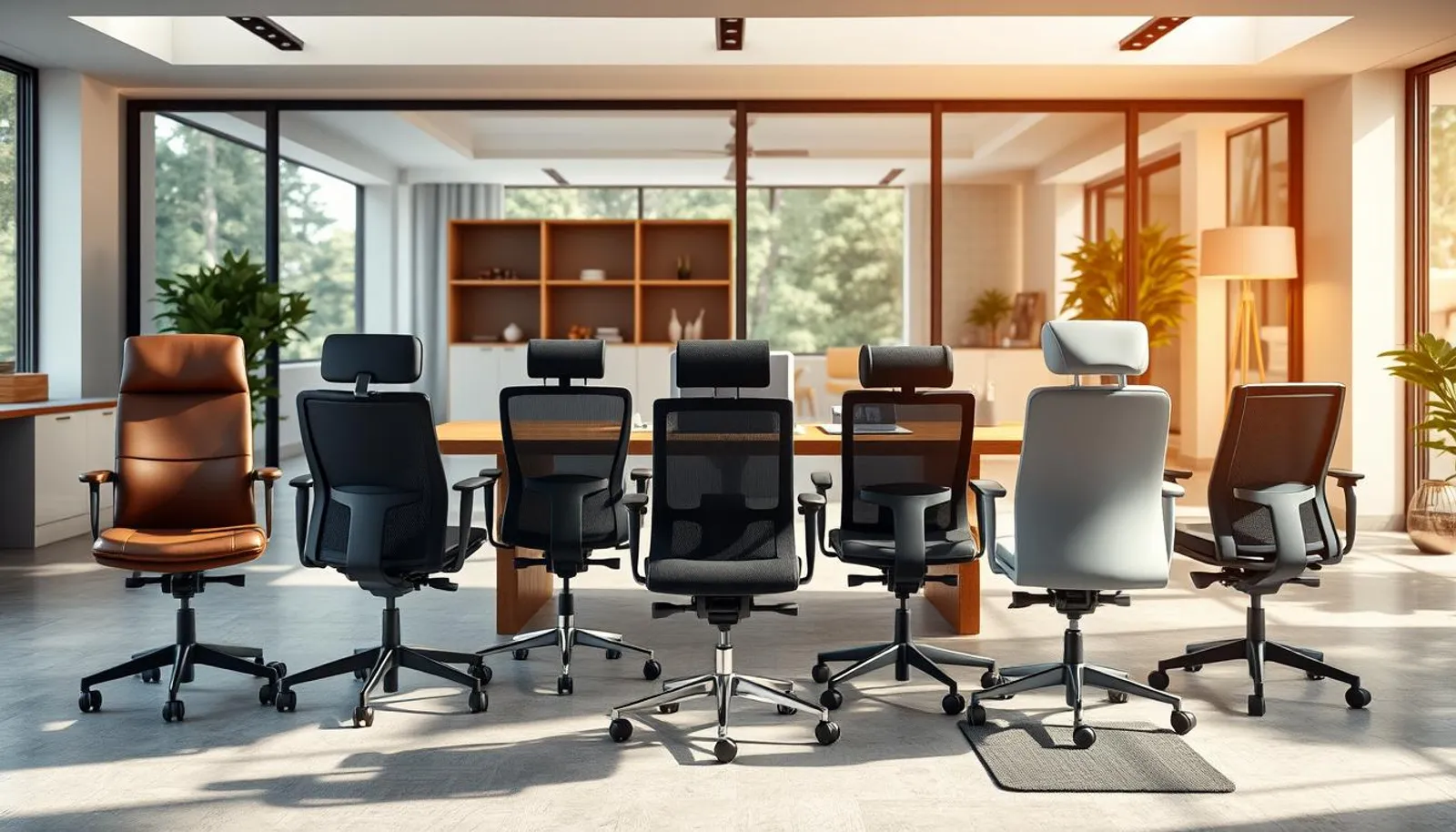

38 min read
Nearly 80% of American office workers say chair comfort affects their daily productivity — yet many still pick a chair by price or looks alone. That gap matters: choosing office chair wisely can reduce back pain, improve focus, and save money over time.
This office chairs comparison draws on hands-on tests and long-term reviews of more than 200 chairs since 2018, plus recent roundups from Wirecutter (2025) and 2026 buyer guides. We look at ergonomic chair types, construction, and real-world trade-offs so U.S. buyers can match models from Branch, Herman Miller, Steelcase, Haworth, IKEA, AmazonBasics, and others to job needs and body sizes.
Whether you’re comparing office chairs for a home desk, a conference room, or shift work, this section sets the stage for practical guidance on comfort, adjustability, warranty, and value. Read on to learn how model features translate into healthier sitting, better productivity, and fewer returns.
Key Takeaways
- Comfort and ergonomics directly affect productivity and long-term health.
- Real-world testing reveals differences not obvious from specs alone.
- Ergonomic chair types range from padded executives to mesh task chairs and specialty designs.
- Brand examples like Herman Miller, Steelcase, Branch, and IKEA appear across price tiers and use cases.
- Warranty, return policy, and fit matter as much as initial price when choosing office chair.
Understanding Office Chair Categories and Why Choice Matters
Picking the right seat shapes comfort at work and protects your body over years of use. A well-engineered chair cuts back pain, lowers risk of musculoskeletal issues, and keeps focus steady throughout the day. When choosing office chair models, pay attention to adjustable seat height, lumbar support, seat depth, and tilt mechanics.
Different ergonomic chair types suit different tasks. Task chairs like the Branch Task or AmazonBasics work well for standard desk work and short sessions. Executive chairs emphasize presence with tall backs and leather finishes, making them apt for meetings and private offices.
Drafting chairs and stools offer higher seat ranges and foot rings for elevated work at counters or drafting tables. Reception and conference seating usually provide simpler designs and fewer adjustments because they serve short-duration use.
Why the right chair affects comfort, health, and productivity
Ergonomic features influence posture and reduce fatigue. Chairs with full adjustment, such as the Steelcase Leap or Herman Miller Aeron, tend to deliver more sustained comfort in real-world testing. Better fit means fewer breaks for pain and fewer lost workdays.
Proper lumbar support and correct seat depth keep the spine aligned. Adjustable armrests and tilt controls let users match a chair to their workflow. This match helps maintain concentration and lowers the chance of repetitive strain.
How chair type relates to job tasks (tasking, conferencing, reception, drafting)
Match chair selection to daily duties. Task chairs fit desk-focused roles where mobility and moderate support are priorities. Executive models serve long meetings and managerial spaces where appearance matters.
Drafting chairs handle taller work surfaces and include foot rings for comfort. Reception and conference chairs prioritize simple comfort for guests who sit briefly. Use this basic mapping when doing an office chairs comparison before buying.
Key buying considerations for U.S. buyers: warranty, return policy, and fit
Warranty length and scope vary widely. Brands like Steelcase and Haworth commonly offer long warranties, sometimes up to 12 years. Mid-range models often cover five years. Budget chairs usually carry limited one-year coverage.
Return policies differ by seller. Many brands allow free 30-day returns, though some charge a fee or require return shipping. Check terms before you order to avoid surprises.
Fit matters more than price. Measure seat height, depth, and your workspace before you test chairs in person. If you need extra guidance, read a detailed guide on choosing office chair options and what to try during a trial.
| Chair Category | Best For | Key Feature |
|---|---|---|
| Task chairs | Desk work, short to medium sessions | Mobility, basic adjustability |
| Executive chairs | Long meetings, office presence | Tall backrests, luxury materials |
| Drafting chairs | Elevated workstations | High seat range, foot ring |
| Reception & conference | Short-duration seating | Simple comfort, limited adjustments |
office chairs comparison
Choosing a chair means weighing price vs. value, not just sticker cost. Below we compare common price tiers and show how features shift as you move from budget to premium. This office chairs comparison helps U.S. buyers spot real differences between inexpensive options and long-term investments.
Under $300
At this level you will find Ticova, AmazonBasics Mid-Back Mesh, and some discount promotional Branch models. These chairs hit basic needs with breathable mesh and simple tilt, yet often lack seat-depth adjustment and 4D arms. Warranties tend to be short, usually around one year. For petite or tall users the fit can be inconsistent, which affects comfort over a full workday.
$300–$700
Mid-range options include Branch Task, Haworth Assure, Eurotech Vera, and some Haworth Soji trims. Expect adjustable lumbar support, wider arm adjustability, thicker seat foam, and multi-year warranties. These models tend to deliver the best office chair features for most users without the steep premium of top-tier brands.
Over $700
Premium chairs like Steelcase Leap, Steelcase Karman, Herman Miller Embody, and Haworth Fern show up here. They justify cost with full-range adjustments, advanced knit or pixelated support, and long warranties often around 12 years. Materials and service options target sustained comfort and reduced downtime for high-use settings.
What features change across price points
Adjustability improves with each tier. Lower-cost models usually provide height and basic tilt. Mid-range chairs add adjustable lumbar, seat-depth, and multi-position tilt limiters. Luxury chairs introduce LiveLumbar-style systems, 4D arms, and refined tensioning for nuanced recline behavior.
Materials shift from basic mesh and low-density foam to higher-grade fabrics, advanced knits, and engineered foams. Warranty lengths and service options expand with price, which factors into long-term value and the price vs. value debate.
Real-world testing highlights
Short tests show cheaper chairs can be fine for a few hours. Extended trials reveal limits: lack of seat-depth adjustment often makes AmazonBasics and some IKEA models uncomfortable for certain body types. Mid-range chairs like Branch Task and Eurotech Vera commonly outperform cheaper models in lumbar support and tilt control.
Top-tier chairs such as Aeron, Leap, and Embody stand out for sustained comfort during long sessions. Differences among premium models can be subtle, though each brand emphasizes distinct adjustment systems that matter to specific users. This office chairs comparison should guide decisions where price vs. value and best office chair features align with your daily needs.
Ergonomic chair types and what they offer
Choosing the right seat starts with understanding core ergonomic chair types and how each design supports your body during long hours. Small choices in lumbar support, seat depth, and arm adjustability change comfort and reduce fatigue. Below are focused notes to guide choosing office chair options that meet daily demands.
Core features to look for
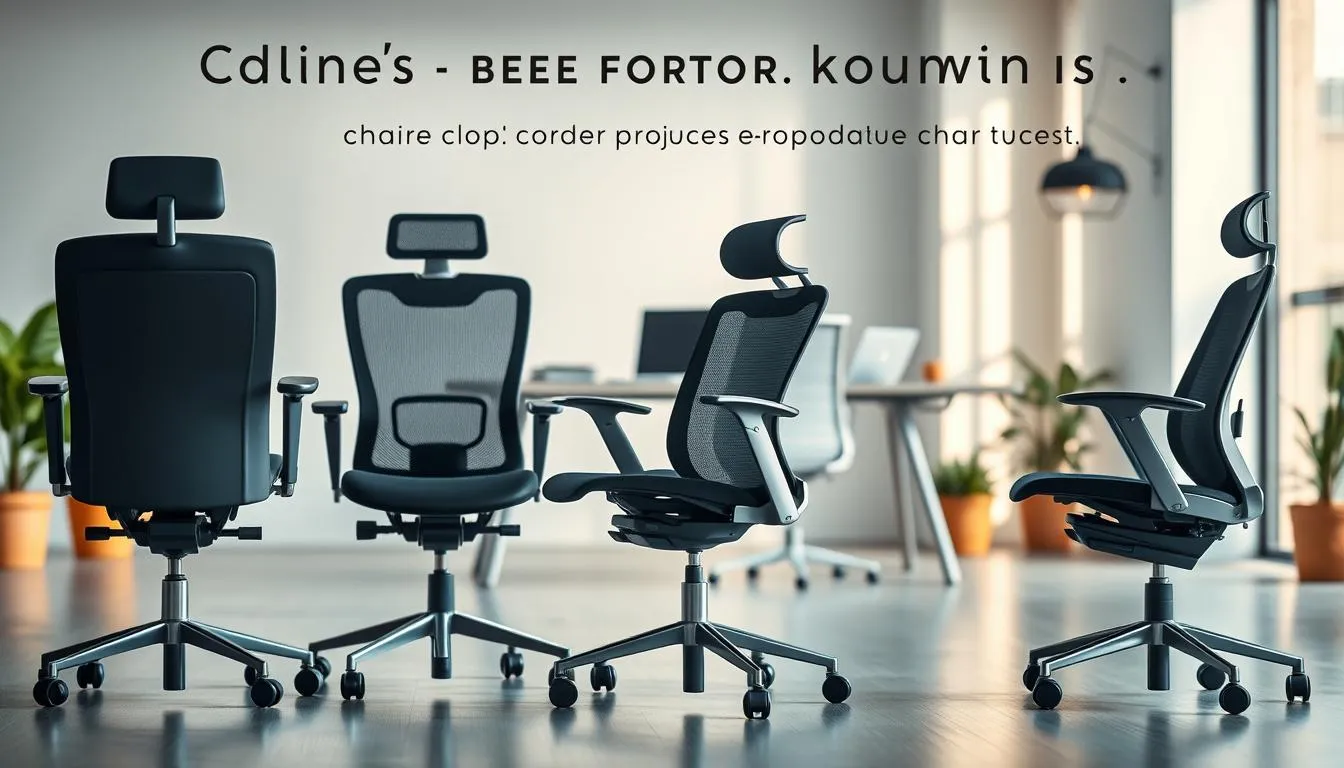
Adjustable lumbar support matters most. Look for height and firmness controls that match the curve of your lower back. Seat depth sliders let you fit the seat to thigh length. Arm adjustability should include height and width movement so shoulders relax. Tilt and tension controls let you set recline for focused work or relaxed reading. Weight capacity must match the user to keep adjustments effective and safe.
Specialized ergonomic designs
Mesh-backed chairs, such as the Herman Miller Aeron and Steelcase Karman, offer breathability and flexible support that contours with movement. Padded seats, found on Branch and many executive models, deliver cushioning that can be more comfortable at first. Pixelated support systems like the Herman Miller Embody and knit backs such as the Haworth Fern spread pressure and promote micro-movements for extended comfort.
Which designs suit long-duration use and shift work
For continuous use, 24-hour chairs are engineered with reinforced frames, thicker cushions, and higher-rated components. Steelcase and Haworth produce models built for shift environments that resist compression and wear. Prioritize durability, firm yet resilient padding, and long warranties when choosing office chair options for round-the-clock use.
Quick comparison of features
| Feature | Mesh Models | Padded Models | 24-hour/Shift Chairs |
|---|---|---|---|
| Breathability | High — Aeron, Karman | Moderate — Branch, Soji | Moderate — reinforced materials |
| Lumbar adjustability | Often height-adjustable | Common with adjustable inserts | Advanced, durable mechanisms |
| Seat cushioning | Firmer, pressure distributing | Softer, may compress over time | Thicker, designed to resist compression |
| Best office chair features included | Dynamic support, ventilation | Cushion comfort, premium finishes | Reinforced frame, long warranty |
| Recommended use | All-day office, warm climates | Executive, padded comfort seekers | 24/7 operations, security, care facilities |
Task and computer chairs: practical everyday choices
Task chairs make sense for focused desk work and frequent movement. They usually have a swivel base, casters, seat height adjustment, basic lumbar support, and tilt/tension. Many models come in mid-back or tall-back versions to fit different postures and tasks.
Typical features
Lightweight frames and a compact footprint let task chairs slide into smaller offices. Adjustable armrests and seat height help match desk planes. Casters let you reach shelves and move between monitors without standing up.
What testing shows
The Branch Task often appears as a top value pick in office chairs comparison write-ups. Testers praised its tall, wide backrest, 275 lb capacity, four-position tilt-lock and adjustable lumbar support. Critics noted a firm seat pad and limited color choices.
The AmazonBasics Mid-Back Mesh is a budget option that works for short sessions. It has fixed arms and a one-year warranty. Petite testers reported trouble getting full back support and found the recline limited.
IKEA Markus draws mixed reviews when choosing office chair alternatives. Testers point to non-adjustable arms and back height issues. Short users found it oversized. Taller users noted arm height felt too low.
Picking by stature and desk height
Match seat height range to your body. Short users may need a lower minimum seat height, since some budget chairs sit too high. Seat depth should leave 1–2 inches between the knee and seat edge for circulation.
Taller users benefit from a deeper seat and larger back height. The Branch Task’s taller back suits taller frames better than many budget models.
Read a detailed task vs. office chair to see how task chairs stack up in real-world use and to compare warranty, fit, and materials when choosing office chair models for your needs.
| Model | Key strengths | Common drawbacks |
|---|---|---|
| Branch Task | Tall/wide back, adjustable lumbar, 4-position tilt-lock, 275 lb capacity | Firm seat pad, limited color options |
| AmazonBasics Mid-Back Mesh | Very affordable, breathable mesh, lightweight | Fixed arms, limited recline, one-year warranty |
| IKEA Markus | High back profile, sturdy build, eye-catching price | Non-adjustable arms, back height issues for some users |
Executive chairs: style, statement, and comfort trade-offs
Executive chairs project authority through tall backs, rich upholstery, and refined trim. Genuine leather, deep tufting, and wood accents create a formal look that suits corner offices and boardrooms. Expect a strong visual presence that often becomes a focal point in a room.
Luxury materials and tall backs—what to expect
High-end executive chairs from Herman Miller, Steelcase, and Haworth use premium leather or top-grain hides. Tall backrests support the upper spine and shoulders. Decorative stitching and solid wood or polished-metal bases add weighty appeal. These choices raise cost and visual impact with moderate gains in long-term durability.
When appearance matters vs. when ergonomic function should lead the decision
If image drives the purchase, select an executive model that still offers core adjustments. Some designs favor style over function, limiting seat-depth adjustment or advanced lumbar systems. Pick models with at least height adjustment, tilt/tension control, and basic lumbar support to avoid discomfort during long meetings or workdays.
Best office chair features to prioritize if picking an executive model
Prioritize verified lumbar support, adjustable seat height, and a trustworthy recline mechanism. Check weight capacity and seat dimensions to ensure a proper fit. Warranty and service matter for high-end pieces; reputable manufacturers often back executive collections with solid coverage.
Quick office chairs comparison checklist
- Fit: measure seat width and depth against your body.
- Support: confirm lumbar presence and adjustability.
- Adjustments: ensure height and tilt/tension controls exist.
- Materials: weigh leather vs. breathable fabrics for comfort.
- Aftercare: read warranty and service terms carefully.
When choosing office chair models for an executive setting, balance presence with practical comfort. Use office chairs comparison notes to weigh looks against functional needs. Keep best office chair features front of mind during evaluation so a polished chair can also be a comfortable one for daily use.
Big and tall chairs and solutions for larger users

Choosing office chair models for larger users starts with structure. Look for heavy-duty frames, reinforced gas lifts, and wider seats that match listed weight capacity. Manufacturers often rate chairs from 300 to 550 pounds. Confirm the stated capacity and warranty before purchase.
Construction and weight capacity considerations
Frames made of steel or reinforced aluminum resist long-term flex. Reinforced casters and a premium cylinder reduce wobble and premature failure. Seat widths of 19–23 inches and deeper seat pans help distribute pressure. Confirm component warranties for casters, cylinder, and frame.
Examples and pros and cons from testing
Use a focused office chairs comparison when weighing options. The Herman Miller Aeron Size C fits taller users with added seat depth. Steelcase Amia and Leap offer robust build quality with strong lumbar systems. Secretlab Titan Evo XL and Red Barrel Carter are purpose-built for big-and-tall use, with wider seats and high weight ratings.
Some big & tall task chairs from HON and other makers exist, though intermittent assembly issues have appeared in tests. Always inspect shipments for missing parts and verify that heavy-duty components match the advertised specs. For an expert roundup and model-specific notes, see this Forbes roundup on best big-and-tall office chairs: best big-and-tall office chairs.
How to measure for a proper fit
Measure hip width and add two inches to find an ideal seat width. Seat depth should support the thigh without pressing the back of the knee. Check seat height range to ensure feet rest flat on the floor or that a footrest will work.
Test seating in person when possible. Bring your typical footwear and sit for at least ten minutes. Note lumbar support and armrest range. Use a careful choosing office chair approach to match body dimensions, task needs, and durability expectations.
| Model / Feature | Weight Capacity | Seat Width | Notable Adjustments |
|---|---|---|---|
| Herman Miller Aeron Size C | 300–350+ lbs | about 20–21” | lumbar depth, adjustable arms, deeper seat |
| Steelcase Amia | up to ~400 lbs (refurb specs) | ~20” | LiveLumbar vertical range, seat depth |
| Secretlab Titan Evo XL | ~395 lbs | 22.8” total | 6-direction arms, internal lumbar, tall back |
| Red Barrel Carter (big and tall) | 500 lbs | ~23” | 6” foam seat, reinforced base, faux leather |
| Sihoo M18 | ~330 lbs | ~20” | dual lumbar, headrest, steel frame |
Drafting chairs and stools for elevated workstations
Choosing office chair for elevated worktops calls for attention to height, foot support, and seat geometry. Drafting chairs are built with taller gas lifts or fixed higher seats and a foot-ring to keep legs comfortable while you work. Use this guide to weigh features and match a chair to your studio, lab, or tall counter.
Foot rings, higher seat ranges, and supportive backs
Drafting chairs usually offer a maximum height of about 640–890 mm (22–30 inches). Office chair maximums sit roughly at 470–610 mm (17–22 inches). The taller range keeps knees at a healthy angle when paired with drafting tables or elevated desks.
Foot-ring or footrest comfort matters as much as seat height. A well-placed footrest promotes circulation and reduces pressure under the thighs. Look for adjustable rings that rotate and lock in place.
When to choose a drafting chair versus a standing desk converter
Pick drafting chairs when you spend long stretches seated at an elevated surface. They provide stable support, broader height ranges, and built-in foot support. Choose a standing desk converter with a standard office chair if standing is occasional and you prefer a lower-seat chair.
Drafting chairs make sense for architects, illustrators, and lab technicians who switch between sitting and standing frequently. If your workflow favors short standing breaks, an adjustable converter can work with existing office chairs.
Best features to check: height range, foot support, tilt and recline behavior
Verify the max seat height matches your work surface before buying. Confirm the ideal height with your desk or drafting table in place.
Test the foot-ring for padding and adjustability. Ensure tilt and recline remain stable when the chair is extended to higher positions. Check back geometry for lumbar support that holds posture upright at elevated angles.
| Feature | Drafting chairs | Standard office chairs |
|---|---|---|
| Max seat height | 640–890 mm (22–30 in) | 470–610 mm (17–22 in) |
| Foot support | Foot-ring/footrest standard | Rarely included |
| Seat shape | Extended seat pan for elevated posture | Standard seat shape |
| Ergonomic adjustability | Extended height range, tilt, arm adjustability | Good adjustability at standard heights |
| Best use | Drafting tables, labs, adjustable-height desks | Standard desks, conference rooms, general office work |
When choosing office chair for tall workstations remember mobility and stability needs. Drafting chairs often give agile movement plus secure foot support. Use the metrics above when shopping to make a practical, comfortable selection.
Specialty ergonomic options: kneel chairs, saddle chairs, and 24-hour chairs
Specialty seating fills niches that regular desk chairs do not. This short guide looks at kneel chairs, saddle chairs, and heavy-duty 24-hour chairs. You will find practical notes on posture, durability, and which workplaces gain the most benefit from each option.
Health and posture benefits of kneel and saddle chairs
Kneel chairs shift some weight to the shins and open the hip angle. That reduces lumbar pressure and can ease lower-back strain for short sessions. Clinicians and physiotherapists sometimes recommend them for alternating with a standard chair.
Saddle chairs tilt the pelvis forward and support an upright spine. Users report improved core engagement and reduced slouching during focused tasks. These chairs suit artists, dentists, and anyone who needs a forward-leaning posture.
Both options strengthen postural muscles when used intermittently. They are not ideal for continuous eight-hour use for everyone. Trial periods reveal who adapts well and who needs a traditional ergonomic office chair instead.
24-hour chairs: durability, padding, and continuous-use engineering
24-hour chairs are built for nonstop duty. Manufacturers use reinforced frames, heavy-duty casters, and thicker padding. Upholstery choices favor durable vinyl or high-grade fabric that resists abrasion in high-traffic settings.
Look for tested components and long warranties when choosing a 24-hour model. These are key best office chair features for workplaces such as security hubs, control rooms, and emergency dispatch centers.
Padding density and gas-lift strength matter. Higher-density foams hold shape through long shifts. Steel or reinforced aluminum bases minimize wobble under continuous loads.
Which workplaces benefit most from these specialty types
Short-duration alternative seating like kneel and saddle chairs fits creative studios, physical therapy clinics, and task-focused labs. They work well as part of a rotation system that includes standard ergonomic chairs.
24-hour chairs fit call centers, hospital monitoring stations, transportation dispatch, and security desks. An office chairs comparison that includes durability and warranty will clearly favor these models for round-the-clock use.
When choosing, weigh posture gains against task demands. Combine specialty chairs with adjustable sit-stand solutions to cover diverse workflows and to maximize the best office chair features for your team.
Mesh vs. padded seats: comfort, breathability, and maintenance
Choosing between mesh and padded seats affects daily comfort and long-term upkeep. This short guide compares air flow, cushioning behavior, and cleaning needs so you can match ergonomic chair types to how you work.
Breathability and long-term comfort trade-offs
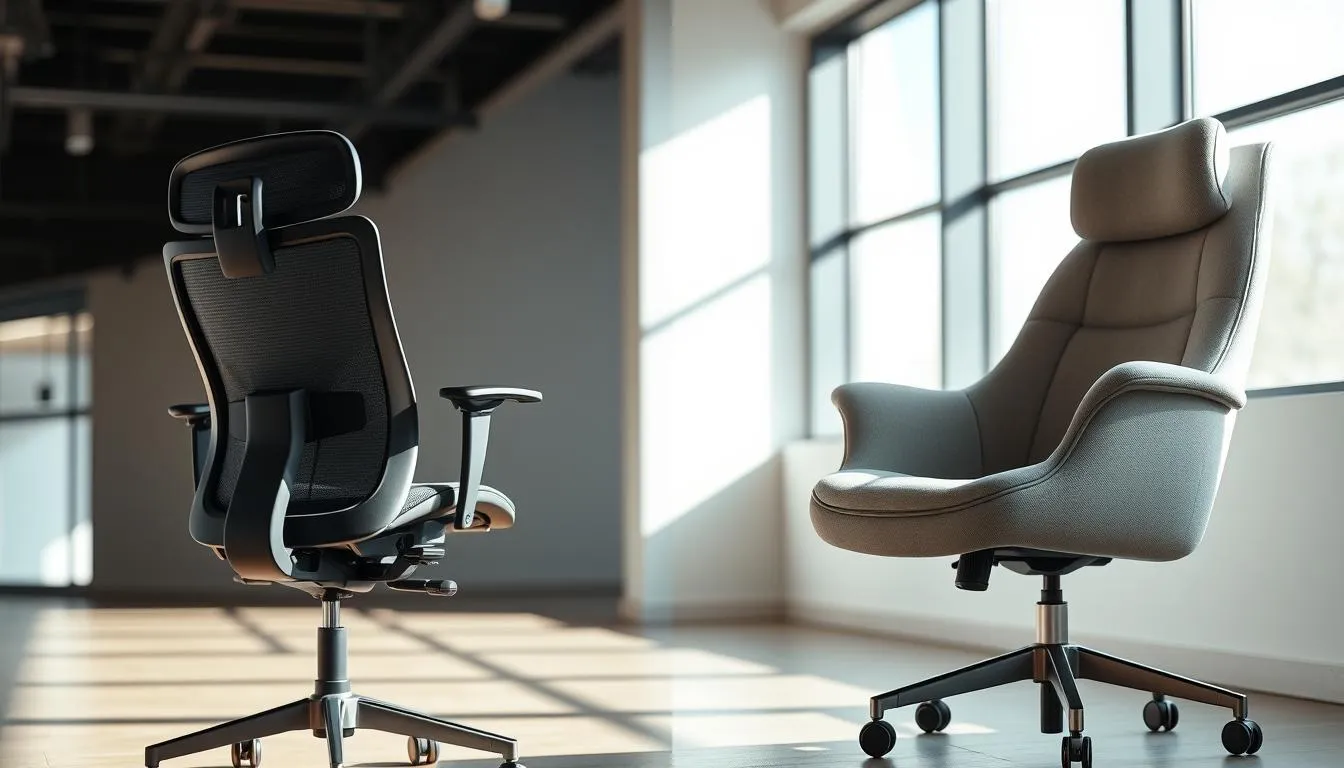
Mesh shines for airflow. Models like the Herman Miller Aeron and Steelcase Karman use high-quality mesh to reduce heat buildup during long sessions. Karman layers mesh over a foam pad to give added tailbone support while keeping breathability.
Mesh contours to movement and tends to retain shape longer than thin foam cushions. When evaluating office chairs comparison reports, note that mesh backs lower sweat and help users stay comfortable during extended use.
Padded seats and cushioning longevity
Padded seats from brands such as Branch and Haworth Soji start out plush. Early comfort is clear and appealing for many buyers. Over months and years padding can compress; Branch seats often read as thin and firm, while Haworth Soji stays firmer but supportive.
When you read about best office chair features, look for high-density foam or zoned padding to slow compression. Padded designs suit users who prefer a firmer sit or need extra pressure relief at the hips.
Cleaning, fabric abrasion, and how mesh interacts with clothing
Mesh is easy to wipe and vacuum. Small stains lift well with a gentle cleaner. Note that some meshes can snag or abrade loosely woven clothing; Eurotech Vera was called out for rubbing fabric in user tests.
Fabric seats trap dust, lint and crumbs. IKEA Hattefjäll-style foam seats may raise dust concerns if not cleaned often. Leather demands special cleaners and conditioning to prevent cracking.
For shoppers comparing ergonomic chair types, balance breathability against cushioning needs and cleaning effort. Consider the best office chair features you value most and how each material will perform in your workspace.
Adjustability features that define the best office chair features
Choosing an office chair comes down to how well adjustments match your body and tasks. The right range of motion makes long hours easier and reduces strain. Use the following outline to compare key controls and their workplace impact.
Essential adjustments: height, armrests, seat depth, lumbar, tilt/tension
Seat height with a smooth gas lift lets your feet sit flat and keeps thighs parallel to the floor. This simple control wins or loses many setups.
Armrests should move up and down. Width or pivot adjustment prevents shoulder creep while typing. Fixed armrests often force poor shoulder posture.
A seat depth slider that creates a 2–3 inch gap behind the knee avoids pressure on hamstrings. Chairs without this feature were commonly eliminated in testing for fit problems.
Adjustable lumbar support that shifts up/down or in/out supports the spine’s natural curve. Fine-tuning lumbar firmness matters for varying lumbar needs across users.
Tilt tension and a reliable recline lock let you change posture during work. Locking options that hold multiple angles support focused tasks and video calls.
Advanced adjustments: 4D arms, LiveLumbar, multi-position tilt limiters
4D arms provide height, depth, pivot, and width moves. Models like Steelcase Leap and Haworth Soji show how multi-axis arms improve comfort for diverse users.
Systems branded as LiveLumbar or similar offer continuous, height-adjustable lumbar support. These let you fine-tune contact across reclining positions.
Multi-position tilt limiters lock the chair at several recline angles. That feature is helpful when shared workstations must suit different seated tasks without constant re‑setting.
How adjustability affects fit for different body sizes and workflows
Greater adjustability widens a chair’s usable range. A single chair can fit small, average, and tall users when height, depth, and arm range are broad.
Workflows that mix typing, reading, and video calls need dynamic support. Chairs with intuitive controls let users shift posture quickly and keep focus.
Complex mechanisms can overwhelm some people. Look for clear levers and durable parts. A sensible balance between features and usability wins in real-world office chairs comparison.
For a deeper look at how specific features stack up across models and price points, refer to this practical guide on best office chair features and choosing office chair options at office chairs comparison.
Price vs. value: when to invest and when to save
Deciding between saving money and investing more in a chair comes down to use, body size, and expected lifespan. A clear office chairs comparison helps buyers see which features matter for daily comfort and long-term health.
What you typically get under $300
Budget options often hit basic needs but trade off longer warranties and deep adjustability. Expect simpler tilt mechanisms, limited seat-depth adjustment, and shorter warranties, often around one year.
Ticova demonstrates how makers pack adjustments into a low price while accepting variable quality and limited support. AmazonBasics models can be durable for light use yet draw complaints about fixed arms and firm seats. When choosing office chair options at this level, match size and daily hours to avoid early discomfort.
Mid-range value picks and why they can outperform cheaper models
Mid-range chairs typically balance comfort, adjustability, and warranty without the premium price. Branch Task and Eurotech Vera illustrate the point well.
Branch Task offers a tall back and reliable tilt-lock features that suit many desk jobs. Eurotech Vera stands out for a “hammock-like” back, padded seat, lifetime components warranty, and a straightforward return window. These models often outperform cheaper chairs in durability and fit, making the price vs. value calculus lean toward mid-range for regular users.
High-end investments: what justifies the premium
Premium chairs from Steelcase, Herman Miller, and Haworth deliver refined adjustability, premium materials, and long warranties, commonly 12 years. Models such as Steelcase Leap, Herman Miller Aeron, and Haworth Fern show how incremental engineering improves long-day comfort and multi-user resilience.
Differences among high-end models can be subtle. For workplaces with extended daily use or shared seating, the extra cost often pays off through better ergonomics and longer service life. Use an office chairs comparison focused on adjustability, materials, and warranty to guide an informed choice when choosing office chair investments.
Brand highlights and notable models from testing and reviews
Here we summarize standout brands and specific models that appeared across lab testing and user reviews. The aim is to help readers cut through marketing and see how office chairs compare in real use. You will find budget picks, strong mid-priced contenders, and premium performers noted for particular strengths or quirks.
Budget and value brands to consider
Ticova offers an affordable package with an adjustable headrest and deep recline. Testers liked the recline range, though warranty length and build consistency vary. AmazonBasics Mid-Back Mesh is among the cheapest options. It fits many workstations but has fixed arms and a firm seat that can feel poor for petite users.
Strong mid-priced contenders
Branch Task delivers solid value near $299. It has a tall back, adjustable lumbar, and a 4-position tilt-lock. The five-year warranty helped it score well in durability checks. Eurotech Vera stands out for its curved mesh back and a comfortable padded seat, plus a lifetime component warranty. Short users may find the seat-height range less forgiving. Haworth Assure gives buyers a major-brand option at an entry-level price with reliable service and a five-year warranty.
Premium performers and tester notes
Herman Miller Aeron remains the reference for mesh comfort and back support. In many comparisons, Aeron edged the Cosm on overall comfort and tilt behavior. Cosm offers a springy, movement-friendly cradle for upper back motion. Embody brings a pixelated seat design and wide adjustability that appeals to users who need fine-tuned posture support.
Steelcase Leap and Leap v2 earned praise for fit versatility, LiveBack support, and four-way arm adjustments. Reviewers often cite Leap as one of their favorite chairs for long sessions. Steelcase Amia pairs LiveLumbar and four-way arms with a very comfortable seat. Its long warranty and refurbished availability add value for buyers on a budget.
Haworth Fern drew praise for high-back comfort from many testers. Some users reported fit issues with very tall or very short frames, creating mixed impressions. X-Chair X3 ATR packs features but drew critiques for lumbar slip and uneven massage function. Steelcase Series 1 received negative feedback in several reviews for a short seat and arms that felt too tall for some users.
| Category | Model | Noted Strength | Common Drawback |
|---|---|---|---|
| Budget | Ticova | Adjustable headrest, deep recline | Short warranty, variable build |
| Budget | AmazonBasics Mid-Back Mesh | Very low price, simple mesh seat | Fixed arms, firm seat; poor fit for petite users |
| Mid-priced | Branch Task | Adjustable lumbar, 4-position tilt-lock, 5-year warranty | Less premium materials than high-end models |
| Mid-priced | Eurotech Vera | Curved mesh back, lifetime component warranty | Seat-height may be high for short users |
| Mid-priced | Haworth Assure | Brand reliability, good service, 5-year warranty | Fewer advanced adjustments |
| Premium | Herman Miller Aeron | Benchmark mesh comfort and tilt support | High cost |
| Premium | Herman Miller Cosm | Springy seat, upper-back cradle | Less firm lumbar control than some models |
| Premium | Herman Miller Embody | Pixelated support, wide adjustability | Arms less adjustable than Gesture |
| Premium | Steelcase Leap / Leap v2 | Versatile fit, LiveBack, 4-way arms | Premium price |
| Premium | Steelcase Amia | LiveLumbar, great seat comfort, long warranty | Fewer ultra-fine adjustments than Leap |
| Premium | Haworth Fern | High-back comfort favored by many | Fit issues for some body shapes |
| Feature-rich | X-Chair X3 ATR | Many features and options | Lumbar slip, inconsistent massage |
| Value caution | Steelcase Series 1 | Entry to Steelcase design | Short seat, arms too tall for some |
Choosing office chair: a step-by-step fit and selection guide
Start by measuring yourself and your workspace before you shop. Record seated leg length, hip breadth, and back height. Measure desk clearance and keyboard reach. These simple numbers guide seat height range, seat depth, and backrest height when you compare models during an office chairs comparison.
Measure your body and workspace before you buy
Seat height should let your feet sit flat on the floor with knees near 90–100 degrees. Seat depth should leave about 1–2 inches between the seat edge and the back of your knees. Check seat width against hip breadth so movement is comfortable. Note monitor and desk heights so the chair and monitor align for neutral posture.
Test checklist for in-store or at-home trial
- Verify seat-height min and max match your measured leg length.
- Confirm seat-depth slider gives full thigh support without pressure behind knees.
- Check lumbar height and firmness adjustments; depth adjustment is a plus.
- Test armrests for height, width and pivot; 3D or 4D arms expand fit possibilities.
- Try tilt tension and multi-position locks across a recline range near 100–130 degrees.
- Sit for at least 15–30 minutes doing real tasks: typing, reading, small reaches.
- Watch for odd behaviors like slipping lumbar or unstable arm locks.
How warranty and return policy influence the buying decision
Prioritize longer warranties when you aim for long-term value. Brands such as Steelcase and Haworth often offer 12-year coverage on core components. Confirm return windows and whether free returns apply. For refurbished purchases, verify warranty coverage and condition disclosures before you commit.
When choosing office chair options, weigh the best office chair features—adjustability, lumbar fit, seat materials—against price and warranty. Use an organized checklist and the measurements you took to streamline comparisons. For a deeper buyer’s guide that covers adjustability standards and testing tips, see this ergonomic office chair buyers guide as you finalize your office chairs comparison.
Care, maintenance, and maximizing lifespan of your chair
Regular upkeep keeps a chair working well and extends its useful life. A little care prevents small issues from becoming big repairs. Follow simple cleaning routines and check fasteners now and then to protect your investment when comparing office chairs.
Cleaning mesh, leather, and fabric upholstery
For mesh, vacuum loose debris and spot-clean with a mild detergent solution. Be careful with abrasive mesh that can catch fibers and wear faster; Eurotech Vera-style mesh needs gentle handling.
Fabric seats benefit from regular vacuuming and occasional use of a foam upholstery cleaner. Test any product on a hidden patch before treating the whole surface.
Leather responds best to a leather cleaner and conditioner applied per manufacturer guidance. Clean spills quickly to avoid stains and keep the leather supple.
When to tighten, repair, or replace parts
Inspect screws, bolts, and arm pads every few months. Tighten loose fasteners to stop creaks and uneven wear.
Check casters for hair and debris that impede rolling. Replace worn casters rather than the whole chair when possible. Look for wobble or sinking from the gas lift; a failing cylinder often shows uneven height or sudden drops.
Common replaceable parts include casters, gas lift cylinder, arm pads, and tilt mechanism components. Replacing these parts conserves resources and keeps models with the best office chair features performing well.
How warranty length correlates with long-term value
Warranty length signals how much a maker trusts their product. Long warranties, such as 12 years offered by Steelcase and Haworth on select models, point to durable design and stronger long-term value.
Shorter warranties on budget chairs raise the chance of out-of-pocket repairs. When choosing office chair options, weigh warranty terms alongside parts availability and repairability.
| Issue | Quick Fix | When to Replace | Notes on Value |
|---|---|---|---|
| Loose bolts or creaks | Tighten fasteners with hex key | If threads are stripped, replace bolt or bracket | Simple fixes protect long-term comfort and preserve best office chair features |
| Sticky or noisy casters | Clean debris, lubricate, swap caster | Replace casters when bearing fails or wheel breaks | Standard casters are inexpensive; swapping refreshes chair mobility |
| Sinking seat or unstable height | Confirm mounting, test gas lift | Replace gas lift cylinder if sinking persists | Replacing cylinder often cheaper than a new chair; check warranty coverage |
| Worn arm pads | Clean or re-pad | Swap arm pads or arm assemblies | Arm replacements improve ergonomics and support choosing office chair comfort |
| Fabric stains or odor | Spot-clean, use upholstery cleaner | Reupholster seat or replace cushion if padding degraded | Maintenance extends life; reupholstery is costlier but sustainable |
Conclusion
Choosing the right chair comes down to matching ergonomic chair types to the job. For desk work, task and computer chairs deliver focused adjustability; drafting chairs suit elevated surfaces; executive models prioritize presence with some comfort trade-offs; 24-hour chairs handle continuous shift work. This office chairs comparison shows that fit and function beat style alone when comfort and health matter.
Balance budget with long-term value. Mid-range options like Branch Task and Eurotech Vera often outperform cheaper models on durability and support, while Steelcase Leap, Herman Miller Aeron/Embody/Cosm, and Haworth Fern/Soji justify a premium with advanced adjustments and longer warranties. Tight budgets can consider Ticova or AmazonBasics, but be aware of limits in adjustability and warranty.
Practical next steps: measure your body and workspace, test models when possible, and prioritize lumbar support, seat depth, and arm adjustability. Check return policies and warranty terms, and pick materials that suit your climate and clothing preferences—mesh for breathability, padded seats for cushioning. Use model-specific testing notes to narrow choices and make a confident, informed decision when choosing office chair.
FAQ
Why does choosing the right office chair matter for comfort, health, and productivity?
A properly matched chair supports neutral spine alignment, reduces strain on the lower back and neck, and lowers the risk of discomfort that causes lost workdays. Testing and long-term reviews (200+ chairs since 2018) show chairs with full adjustability—adjustable lumbar, seat depth, armrests, and multi-position tilt (examples: Steelcase Leap/Amia, Herman Miller Aeron/Embody)—deliver better sustained comfort and fewer posture-related complaints.
How do different chair categories relate to job tasks?
Task/computer chairs suit standard desk work and frequent movement (Branch Task, AmazonBasics). Executive chairs prioritize appearance and tall backs—good for leadership offices but sometimes trade advanced ergonomics for style. Drafting chairs and stools meet elevated workstations with higher seat ranges and foot rings. Reception and conference chairs focus on shorter-duration seating and often have fewer adjustments.
What key buying considerations should U.S. buyers check before purchasing?
Measure fit (seat height, seat depth, back height), verify warranty length and coverage, and confirm the return policy. Major brands often offer 12-year warranties (Steelcase, Haworth); mid-range warranties run ~5 years; budget models may have 1-year coverage (AmazonBasics, Ticova). Many brands provide 30-day free returns, but some charge return shipping or small fees.
How do price tiers compare: under $300, $300–$700, and over $700?
Under $300: budget options (Ticova, AmazonBasics) may lack seat-depth adjustment, have fixed armrests, and short warranties. $300–$700: mid-range (Branch Task, Eurotech Vera, Haworth Assure) add adjustable lumbar, better tilt mechanisms, thicker seats, and improved warranties. Over $700: premium chairs (Steelcase Leap, Herman Miller Embody/Fern) provide extensive adjustability, advanced materials, and long warranties (often 12 years).
What features typically improve as price increases?
Higher price points add fine-tuned adjustability (4D/4-way arms, multi-position tilt limiters, LiveLumbar), better upholstery and knit or pixelated support systems, more durable components, and longer warranties. These translate to better fit across body sizes and more consistent long-term comfort.
What did real-world testing reveal about differences between chairs?
Testers found many budget chairs lacked seat-depth adjustment and fit issues for petite users (AmazonBasics, IKEA Markus). Mid-range chairs like Branch Task and Eurotech Vera often outperform cheaper models in lumbar and tilt support. Premium models (Aeron, Leap, Embody) stand out for sustained comfort, though differences among premium chairs can be subtle depending on user preferences.
What core ergonomic features should I prioritize?
Prioritize adjustable lumbar height/firmness, seat depth slider, armrest height/width (4D where possible), tilt tension and multi-position recline, and adequate weight capacity. These adjustments create a better fit for varied statures and dynamic work.
How do mesh backs compare with padded seats? Which should I choose?
Mesh backs (Herman Miller Aeron, Steelcase Karman, Eurotech Vera) offer breathability and flexible support; they can be abrasive to loose clothing in some cases. Padded seats (Branch, Haworth Soji) give initial cushioning but may compress over time. Choose mesh for breathability and distributed support; choose padded seats for immediate comfort if you prefer softer cushioning.
Which chairs are best for long-duration or shift work?
Look for 24-hour-rated chairs with reinforced frames, thicker padding, durable upholstery, and heavy-duty components. Brands with long warranties (Steelcase, Haworth) and models specifically designed for continuous use are best for call centers, emergency dispatch, or medical stations.
What should I look for when selecting a task chair for my height and desk height?
Confirm seat-height min/max to ensure your feet rest flat (or plan for a footrest). Seat depth should leave 1–2 inches between the seat edge and the back of the knee. Taller users need deeper seats and taller backrests; shorter users need lower seat minima and sometimes smaller seat depths. Always check manufacturer dimensions and, when possible, try a 15–30 minute sit test.
How do executive chairs differ in ergonomics and what trade-offs exist?
Executive chairs emphasize premium materials (leather), tall backs, and aesthetic details. Some trade-offs include less seat-depth range or fewer advanced lumbar options compared with dedicated ergonomic chairs. If appearance matters, prioritize models that still offer essential adjustments—height, tilt, and lumbar—to prevent long-term discomfort.
What should larger or big-and-tall users pay attention to?
Check manufacturer-stated weight capacity and reinforced construction. Look for wider seat widths (19–22”+), deeper seat depths, and higher weight ratings (300–400+ lbs). Verify the chair ships complete and inspect for missing parts—some big-and-tall models in tests had quality-control issues (HON Ignition 2.0 example).
When should I choose a drafting chair vs. using a standing desk converter?
Choose a drafting chair when you frequently sit at elevated surfaces—its higher seat range and foot ring offer stable seated support. A standing desk converter with a standard chair can work for occasional standing. For prolonged elevated seating, drafting chairs provide better ergonomics and stability.
What are the benefits and limitations of kneel and saddle chairs?
Kneel chairs redistribute weight to the shins and open the hip angle, while saddle chairs tilt the pelvis forward to engage core muscles. Both promote upright posture and can reduce lower-back pressure for some users. They may be unsuitable for continuous long-duration use for others; try them short-term first to assess comfort and fit.
How should I maintain and clean different chair materials?
Mesh: vacuum and spot-clean with mild detergent; watch for abrasive meshes that catch loose fibers. Fabric: vacuum and use upholstery cleaner per manufacturer guidelines. Leather: clean and condition with leather-specific products. Regularly tighten fasteners, inspect casters and gas lift, and replace worn parts (casters, cylinders, arm pads) as needed.
How do warranties and return policies affect long-term value?
Longer warranties (12 years on many Steelcase, Herman Miller, and Haworth models) indicate manufacturer confidence and lower long-term repair costs. Short warranties increase risk of replacement expenses. Confirm the return window and any return-shipping fees before buying—many brands offer 30-day free returns but some charge small fees.
Which mid-range chairs offer the best value according to testing?
Branch Task ($299) and Eurotech Vera ($485) stood out in testing for blending adjustability, comfort, and reasonable warranties. Branch offers a tall back, adjustable lumbar, and 4-position tilt lock; Eurotech Vera pairs curved mesh support with a padded seat and strong component coverage.
Which premium chairs justify their higher cost?
Premium models from Steelcase (Leap, Amia), Herman Miller (Aeron, Embody, Cosm), and Haworth (Fern, Soji) justify price with nuanced adjustability, durable components, advanced back technologies (pixelated seats, Digital Knit), and long warranties—delivering better sustained comfort for heavy daily use.
What quick checklist should I follow when testing a chair in-store or at home?
Confirm seat-height range, seat-depth slider, lumbar height/firmness options, armrest adjustment range (ideally 4D), tilt tension and multi-position lock, and overall comfort during a 15–30 minute sit. Check for odd behaviors reported in tests (lumbar slipping, arms unlocking) and ask about warranty and return terms.
How many times can I repeat keywords like ‘ergonomic chair types’ or ‘best office chair features’ without overusing them?
Aim for natural usage aligned with content length. As a rough guide, keep keyword repeats below two percent of total words to avoid awkward repetition—this helps keep the writing clear while covering terms like ergonomic chair types, best office chair features, choosing office chair, mesh vs. padded seats, and seat-depth adjustment naturally throughout your research and comparisons.