
Comparing Desk Types: Adjustable Desks vs Fixed Desks
Explore the pros and cons of adjustable desks vs fixed desks to enhance your productivity and comfort in the workspace. Find your perfect fit today!

36 min read
Surprising but true: a standard fixed-height desk set at about 29 inches fits fewer people than you might think, and that one-size-fits-all approach helps explain why musculoskeletal complaints remain common in offices across the United States.
Choosing between an adjustable desk vs fixed desk is not just about style or price. Fixed desks are stable, simple, and economical, but they often force awkward postures that raise the risk of neck, shoulder, and back strain noted by OSHA. By contrast, adjustable-height desks let users tune desk height for a neutral posture and can cut sitting time by an hour or more a day, according to systematic reviews cited in ergonomics research.
This desk type comparison will walk through ergonomics, health outcomes, productivity, cost, and practical setup so you can decide the best desk for productivity and well-being in your space. For a clear primer on standing versus fixed desks and practical specs, see this ergonomics guide from Eureka Ergonomic.
Key Takeaways
- Fixed desks are affordable and sturdy but may lock users into prolonged sitting and poor posture.
- Adjustable desks enable neutral postures and reduce daily sitting time, with potential benefits for back pain and energy.
- The best desk for productivity depends on tasks, body size, workspace layout, and budget.
- Businesses should weigh upfront cost and maintenance of adjustable desks against long-term health and productivity gains.
- Practical setup and gradual adoption are essential to gain the benefits of a sit-stand routine.
Why Desk Choice Matters for Health and Productivity
Choosing the right desk affects daily comfort, long-term health, and work output. A clear desk type comparison helps workers pick the setup that reduces strain while supporting focus. Think of workspace desk options not as a single purchase but as an investment in posture, circulation, and sustained energy.
How desk type influences posture and musculoskeletal risk
Fixed-height desks often force non-neutral postures. Raised shoulders, bent wrists, and forward head position place pressure on spinal discs. OSHA notes awkward postures as a major risk for musculoskeletal disorders.
Adjustable desks let users set proper elbow and monitor heights. This reduces static loading on muscles and lowers the chance of tendonitis, carpal tunnel, and chronic back pain.
Impact of prolonged sitting on circulation and metabolic health
Long periods of sitting limit blood flow in the legs and increase swelling. The World Health Organization links extended sitting to higher risks of obesity, type 2 diabetes, and heart disease.
Using an adjustable desk to alternate positions breaks up uninterrupted sitting. Studies show standing workstations can reduce daily sitting time by 30 minutes to two hours, which helps circulation and metabolic markers.
Productivity links: discomfort, fatigue, and focus
Discomfort drains attention and shortens productive stretches. Static postures speed fatigue, which reduces mental clarity and slows complex tasks.
Alternating between sitting and standing engages different muscle groups and can lift energy and alertness. For practical guidance and a deeper desk type comparison, consult this resource on fixed and adjustable setups: fixed vs adjustable desk productivity.
When weighing adjustable desk vs fixed desk, match your daily tasks and health needs to the desk’s benefits. A smart choice among workspace desk options can reduce pain, boost circulation, and sustain focus across the workday.
Overview of Adjustable Desks: Types and Mechanisms
The adjustable desk market offers a range of mechanisms to suit different budgets and workflows. Choosing between electric models, manual crank units, and desktop converters affects ease of use, noise, and how often you change position. This brief primer helps with a clear desk type comparison before you shop.
Electric standing desks use motors and a push-button control for fast height changes. Dual-motor frames from brands such as Uplift and Fully give smoother lifts and higher weight capacity, which raises confidence when mounting multiple monitors or heavy equipment.
Manual crank and pneumatic desks cost less. Crank models need physical effort to raise and lower the surface. Pneumatic options tilt between positions with gas-assisted lifts. Desktop converters sit atop an existing desk and convert a fixed work surface into a sit-stand zone without replacing furniture.
Memory presets and quiet motors are key features to value. Memory presets let you save sitting and standing heights for quick transitions. Quiet, dual-motor systems reduce wobble at full extension, a common drawback of cheaper frames. Stability ratings show how well a desk resists sway when raised.
Warranty and durability matter for long-term value. Many quality electric desks carry five- to ten-year warranties on frames and motors, covering mechanical and electronic components. Check motor warranty, frame warranty, and any coverage for controls when comparing models.
Price varies widely across the product range. Desktop converters typically fall between $150 and $400. Manual adjustable desks often range from $300 to $600. Electric standing desks span roughly $400 to $1,500, with premium units exceeding $1,500 for advanced motors, higher load ratings, and refined finishes.
| Desk Type | Typical Price Range (USD) | Key Pros | Key Cons |
|---|---|---|---|
| --- | --- | --- | --- |
| Desktop Converter | $150$400 | Affordable, easy to add to existing desk, portable | Limited height range, smaller work surface, can be less stable |
| Manual (Crank/Pneumatic) | $300$600 | Lower cost than electric, reliable mechanics, no power needed | Requires effort to adjust, fewer presets, slower changes |
| Electric Standing Desk | $400$1,500+ | Smooth, fast height changes, memory presets, higher load capacity | Higher upfront cost, electronics can fail, heavier to move |
| Premium Electric Frames | $1,500+ | Superior stability, advanced motors, longer warranties | Steep price, overkill for simple home setups |
Overview of Fixed Desks: Styles and Uses
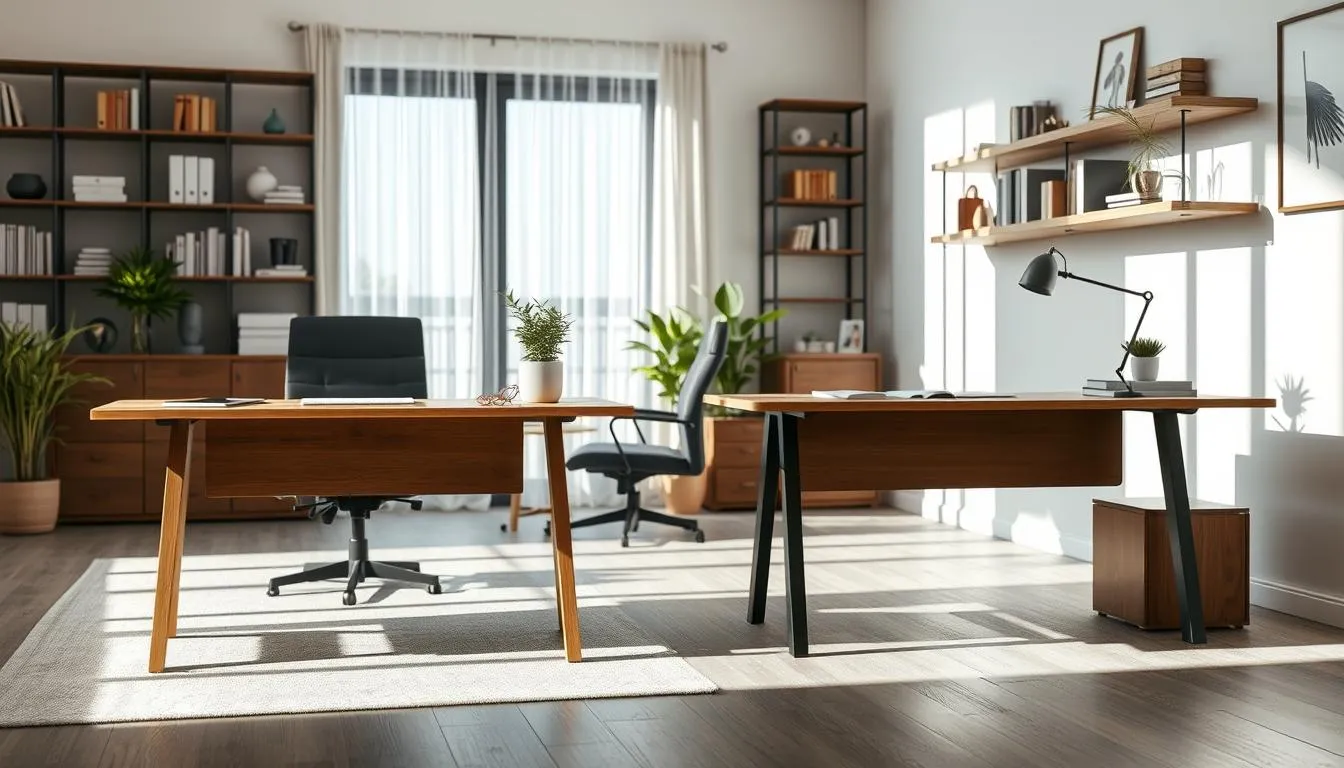
Fixed-height desks remain a core choice among workspace desk options. They offer a steady work surface, predictable ergonomics and straightforward setup. Height is static, commonly around 2830 inches, which simplifies installation and reduces maintenance needs.
Traditional office, executive, and compact models
Traditional office desks deliver broad work surfaces for monitors, paperwork and small equipment. Executive desks use larger footprints and premium materials such as solid wood or high-grade veneers to convey status and durability. Compact models fit tight footprints in studios and shared offices without sacrificing basic function.
Materials, stability, and integrated storage
Materials range from laminate and metal for budget lines to hardwood and veneered surfaces for premium pieces. Build quality shapes long-term durability and surface resilience. Fixed desks excel at stability, which helps with precision tasks and high-focus work.
Integrated storagedrawers, shelves and built-in cabinetskeeps essentials organized and reduces clutter. For offices that prioritize uniform workstations, these features support consistent setups across many users.
Cost spectrum and value
Price bands make fixed desks accessible across budgets. Entry-level options typically fall between $100 and $300. Mid-range models sit around $300 to $800. Premium fixed-height desks start above $800.
When doing a desk type comparison, fixed desks usually offer lower initial cost than adjustable alternatives. That makes them attractive for large-scale furnishing, schools and businesses with tight capital limits.
| Feature | Budget Fixed Desk | Mid-Range Fixed Desk | Premium Fixed Desk |
|---|---|---|---|
| --- | --- | --- | --- |
| Typical price | $100$300 | $300$800 | $800+ |
| Common materials | Laminate, metal | Engineered wood, veneered finishes | Solid wood, high-grade veneers |
| Storage options | Basic drawers, open shelves | Locking drawers, modest cabinetry | Integrated cabinets, file drawers |
| Stability for precision tasks | Good | Very good | Excellent |
| Maintenance | Low | Low to moderate | Moderate |
| Best use cases | Home offices, entry workstations | Corporate desks, small studios | Executive suites, design studios |
adjustable desk vs fixed desk
This section lays out a clear desk type comparison so you can weigh ergonomics, health effects, and day-to-day productivity. Use these points to match workspace goals with real user needs and business priorities.
Direct comparison of ergonomics and posture outcomes
Fixed desks offer a stable surface but are often one-size-fits-all. That can force nonneutral postures for many users and raise the chance of musculoskeletal strain.
Adjustable desks let users set a personalized height for sitting or standing. Studies show height-adjustable desks support neutral posture and reduce awkward reaches. For workplaces that prioritize reduced strain, this matters.
Health outcomes: sitting time, back pain, and circulation
Sit-stand options cut daily sitting by about 30 minutes to two hours in many trials. This shift can improve circulation and modestly boost calorie burn.
Systematic reviews report lower back discomfort declines with sit-stand use. Employers focused on injury prevention may see fewer musculoskeletal claims over time.
Productivity and user experience comparisons
Fixed desks work well for precision tasks that need a rigid surface. Some professionals prefer one stable setup for focused, detailed work.
Alternating positions with an adjustable desk often raises afternoon alertness and energy. A Texas A&M University study linked height-adjustable desks to higher productivity versus traditional fixed desks, though gains depend on task type.
| Feature | Fixed Desk | Adjustable Desk |
|---|---|---|
| --- | --- | --- |
| Posture flexibility | Limited; single height | Custom height; sit-stand options |
| Impact on sitting time | No change unless user moves more | Reduces sitting by 30120+ minutes/day |
| Back pain outcomes | Higher risk of low back discomfort over time | Associated with reduced low back pain in reviews |
| Productivity fit | Better for stable, precision work | Boosts alertness; best for varied tasks |
| Cost and ROI | Lower upfront cost; wide style range | Higher initial price; long-term savings via reduced injuries |
- Choose a fixed desk if budget, a uniform workspace, or a rigid surface for precision tasks is the priority.
- Choose an adjustable desk to support neutral posture, reduce sitting time, and increase flexibility for a diverse workforce.
Ergomics: How to Set Up Each Desk Type Correctly
Good setup beats gadget hype. Whether you compare adjustable desk vs fixed desk or scan workspace desk options, the goal stays the same: keep the body neutral and pain-free so work stays productive.
Seated setup for fixed desks
Start with a chair that offers reliable lumbar support and height adjustment. Set the seat so feet rest flat or on a footrest and knees form about a 90 angle.
Position the keyboard and mouse close enough to avoid reaching. Elbows should sit near 90 so forearms remain parallel to the floor. The top of the monitor belongs at or slightly below eye level, roughly an arms length away.
When a standard desk height feels wrong, try adjusting chair height, use a footrest, or raise the monitor. For more detail on risks from desks set too high, see this guide: desk height guidance.
Sitting and standing setup for adjustable desks
Use the elbow rule: keep elbows near 90 in both sitting and standing. Adjust the desk height so forearms stay parallel to the floor and wrists remain neutral while typing.
Place the monitor so the top of the screen aligns to eye level in both positions. If your monitor position changes when you switch, a monitor arm speeds adjustments and helps preserve a single neutral gaze.
Save preferred heights with memory presets if the desk offers them. That makes transitions fast and consistent, improving the benefits of sit-stand use and supporting why many consider an adjustable desk the best desk for productivity.
Essential accessories
An adjustable monitor arm keeps the display at the correct height across positions. A pull-out keyboard tray solves wrist reach when desk height cannot be ideal.
Anti-fatigue mats reduce pressure during standing and encourage micro-movements. A compact footrest or foot bar gives shifting support for long standing periods.
Use cable management or a mobile CPU cart to leave slack as the desk rises and lowers. This prevents cable strain and protects hardware when you choose workspace desk options that move.
| Setup Element | Fixed Desk Best Practice | Adjustable Desk Best Practice |
|---|---|---|
| --- | --- | --- |
| Chair | Adjust height and lumbar for neutral spine; feet flat or on footrest | Same as fixed; add quick-release or memory seating adjustments when shared |
| Keyboard & Mouse | Keep within easy reach; elbows ~90; consider keyboard tray | Maintain neutral wrists in both positions; use tray if desk height conflicts |
| Monitor | Top of screen at or slightly below eye level; arms length away | Use monitor arm to preserve height across sit/stand; top of screen aligned to eyes |
| Standing Comfort | N/A | Use anti-fatigue mat, alternate weight, avoid locked knees |
| Movement Strategy | Encourage breaks and posture checks every 3060 minutes | Alternate sitting and standing; save presets for repeatable posture |
| Cable & Hardware | Secure cables under desk; allow slack for movement | Use cable sleeves and mobile CPU carts to prevent tension during height changes |
| Common Mistakes to Avoid | Monitor too low, poor chair fit, reaching forward, slouching | Standing too long, incorrect heights, leaning on desk, locked knees |
Researchers have tested sit-stand and fixed desks across jobs, populations, and outcomes to map benefits and limits. Results focus on sitting time, low back discomfort, small metabolic changes, and workplace attitudes. The evidence helps when choosing between an adjustable desk vs fixed desk and when weighing desk type comparison for specific workspace desk options.
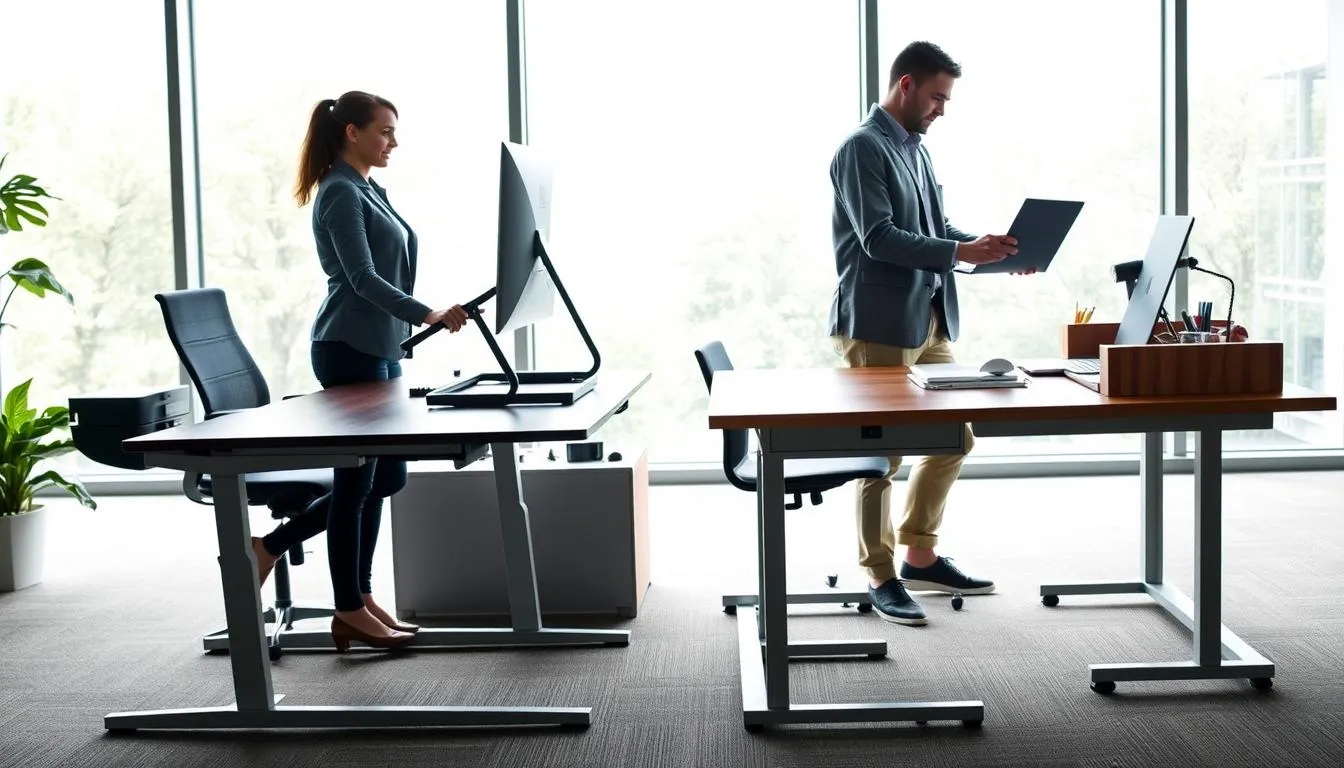 A 2018 Cochrane systematic review found sit-stand desks reduced daily sitting by about 84116 minutes. That change came from brief standing bouts during the workday rather than long continuous standing periods. The reduction in seated time is one of the clearest, most consistent outcomes across trials.
Impact on low back discomfort
Systematic reviews, including work by Agarwal and colleagues in 2018, report reductions in low back discomfort when workers use sit-stand workstations. Pain scores and self-reported discomfort improved for many participants, especially when desk use was paired with guidance on posture and transitions.
Metabolic and calorie effects
Studies show modest increases in energy expenditure from standing, on the order of 2050 kcal per hour. Standing after meals can blunt blood sugar spikes in some trials. Those effects add promise for metabolic health, but they stop short of producing large weight loss or major cardiovascular gains by themselves.
Workplace outcomes and business-level evidence
Employers who install adjustable desks often report better perceived well-being, higher employee satisfaction, and occasional productivity gains. Benefits depend on training, maintenance, and how staff adopt the new workspace desk options. The investment can pay off in morale when rollout is managed well.
Limits and gaps in the research
Standing desks are not a cure-all. Trials do not show large long-term effects on weight or fitness. Regular exercise remains essential for cardiovascular health. Individual responses vary, so a single desk type rarely fits every worker in desk type comparison studies.
Practical takeaway for buyers and planners
When weighing adjustable desk vs fixed desk, consider the strongest evidence: sit-stand desks reliably reduce sitting time and may ease low back discomfort. Expect modest metabolic benefits and workplace gains that hinge on implementation, maintenance, and user habits.
Productivity Considerations: Which Desk Supports Focus Best
Choosing the best desk for productivity depends on tasks, work style, and the environment. Some jobs need a fixed, steady surface. Other roles gain from switching positions through the day. A clear desk type comparison helps match the setup to the task.
Tasks that benefit from a stable fixed surface
Precision work such as graphic design, soldering, or detailed drafting often needs a rigid surface. Multiple monitor arrays and heavy equipment sit solidly on fixed desks. Users report fewer micro-movements and steadier keystrokes when the desk does not shift.
When alternating positions boosts creativity and alertness
Switching between sitting and standing can sharpen alertness and break afternoon slumps. Stand-up periods work well for brainstorming, phone calls, and short review sessions. Workers who alternate tend to report more energy and varied posture across the day.
Individual differences: matching desk type to work style
Some people concentrate best while seated for long stretches. Others gain focus when they stand and move. Hybrid workflows let users sit for focused detail and stand for ideation. Employers who weigh adjustable desk vs fixed desk offer options that suit diverse preferences.
| Work Need | Fixed Desk | Adjustable Desk |
|---|---|---|
| --- | --- | --- |
| Precision/manual tasks | High stability; ideal for heavy tools and multi-monitor rigs | Stable at working height but may shift if not high-quality |
| Creative ideation | Quiet, seated focus; less movement to reset ideas | Allows standing sessions that boost energy and fresh thinking |
| Varied task mix | Simple, consistent surface; cheaper upfront | Supports hybrid workflows; greater long-term adaptability |
| Shared or hot-desking | Uniform look and easy maintenance | Accommodates diverse heights and preferences; higher engagement |
| Best fit for long-term productivity | Strong where precision and stability matter most | Best where movement and energy shifts improve output |
Cost and Long-Term Value Analysis for Buyers
Choosing between an adjustable desk vs fixed desk often comes down to money now and value later. Upfront cost is clear. Long-term value depends on health, productivity, and maintenance.
Upfront costs
Fixed desks range from about $100 to $800 or more depending on materials and finish. Adjustable options vary more: desktop converters run $150$400, manual crank frames $300$600, and electric lift desks start around $400 and can exceed $1,500 for premium models.
Hidden costs and long-term value
Fixed desks may carry indirect costs tied to prolonged sitting. Employers could see higher rates of musculoskeletal discomfort and lost productivity over time. Adjustable desks often cost more up front. They can need motor or control repairs later, yet many quality frames offer 510 year warranties that protect that investment.
Budget-friendly alternatives and phased upgrades
Desktop converters let individuals test sit-stand habits before a full purchase. Businesses can pilot adjustable workstations with a small group to measure effects on absenteeism and output. Hybrid options combine fixed storage bases with adjustable tops to balance price and function.
Below is a compact desk type comparison to help buyers weigh choices by cost, upkeep, and likely benefits.
| Item | Typical Price Range (USD) | Maintenance & Warranty | Long-Term Value Notes |
|---|---|---|---|
| --- | --- | --- | --- |
| Budget fixed desk | $100$300 | Low maintenance; limited warranty | Good short-term value for basic use; limited adaptability |
| Premium fixed desk | $400$800+ | Durable materials; 35 year warranty common | High durability; less support for movement needs |
| Desktop converter | $150$400 | Minimal electronics; simpler repairs if needed | Low-cost trial of sit-stand; ideal phased upgrade |
| Manual adjustable desk (crank) | $300$600 | Mechanical parts; fewer electronics; 37 year warranty | Affordable adjustable option; reliable long-term with care |
| Electric adjustable desk | $400$1,500+ | Motors/electronics may need service; 510 year frames warranty | Best for adaptability and potential health/productivity gains |
| Hybrid units (fixed base, adjustable top) | $350$1,000 | Varies by design; mixed warranty items | Balanced option for storage and sit-stand flexibility |
Workspace Desk Options: Small Spaces and Shared Offices
Choosing the right setup affects how well a small office or shared space functions. This short guide looks at smart workspace desk options, weighing space, noise, and user turnover. Use these points when planning for tight footprints or hot-desking zones.
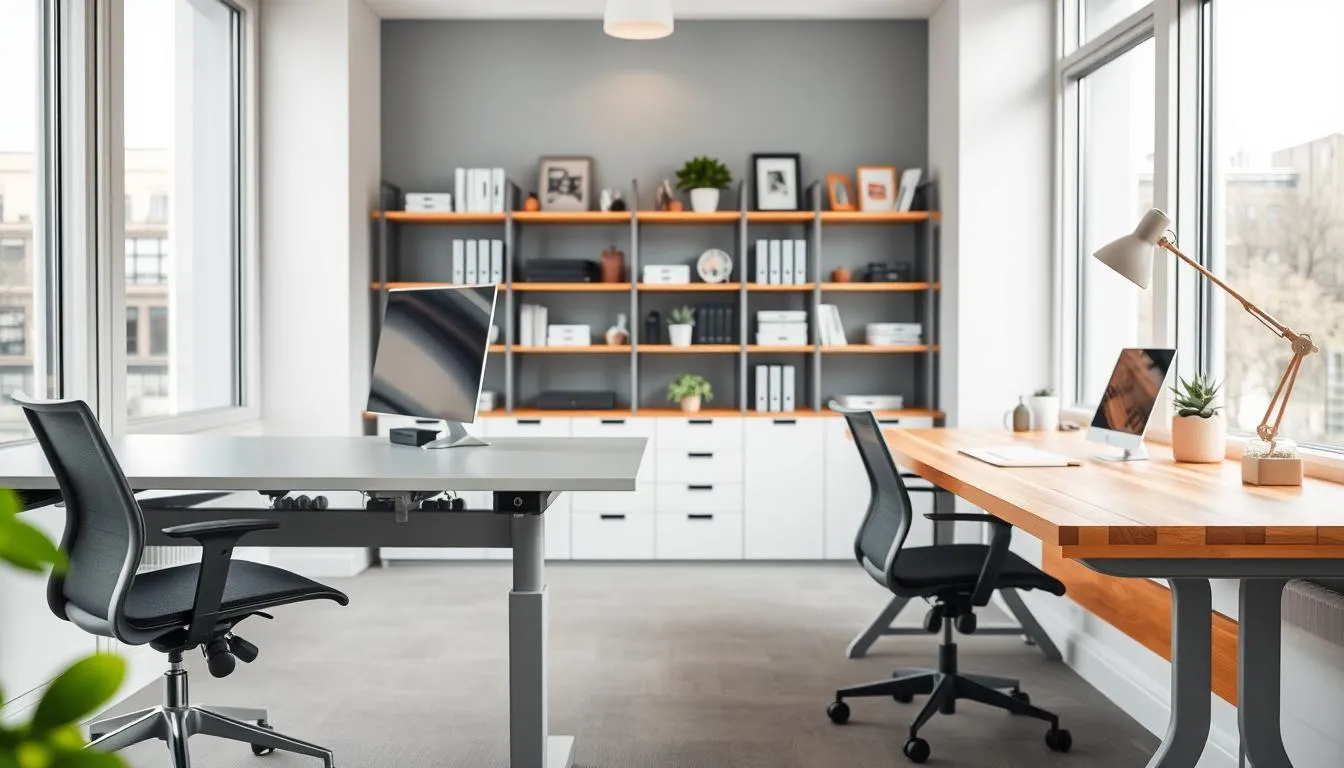
Space-saving fixed desks often include built-in drawers and cabinets that make the most of limited square footage. A compact fixed-height desk from a brand like HON or IKEA can tuck against a wall while offering storage for files, supplies, and a personal locker.
Desktop converters provide an alternative when replacing furniture is not possible. Converters sit on top of an existing surface and lift a monitor and keyboard into standing height. They work well for budget-conscious teams but need room above the desk for full travel.
Adjustable desks in shared settings let multiple users set preferred heights quickly. Electric models with memory presets from manufacturers such as Autonomous or Uplift reduce transition time between users. These desks support the adjustable desk vs fixed desk trade-offs when teams require flexibility in posture and reach.
Consider motor noise for quiet offices. Some electric lift systems are near-silent. Others produce noticeable hum that can distract in open-plan areas. Test units before purchase if sound level matters for your team.
Clearance planning is essential. Measure the desk type comparison for rise range so monitors, shelves, and overhead cabinets do not block motion. Leave room for cable slack and anti-tip safeguards when desks change height frequently.
Layout choices affect flow and social use. Rows of fixed desks maximize density. Clusters of adjustable desks promote movement and shared use. Hybrid approaches pair fixed storage desks along walls with a bank of adjustable workstations in the center.
When space is tight, prioritize durable surfaces and accessible storage. For hot-desking, pick adjustable units with simple controls and wipe-clean finishes. These small decisions shape daily comfort and the long-term success of your workspace desk options.
Ergonomic Mistakes to Avoid with Either Desk Type
Choosing between an adjustable desk vs fixed desk brings benefits and risks. Small setup errors can turn a smart workspace into a source of neck pain, arm strain, or hardware damage. Below are common problems for each desk style and practical fixes you can apply right away.
Monitor height too low causes forward neck bend and chronic pain. Raise the screen so the top third sits at eye level. A chair that is too high or too low puts pressure on thighs or leaves feet dangling. Adjust seat height so knees form a right angle and feet rest flat.
Reaching forward for the keyboard or mouse leads to shoulder strain. Slide the chair close and use a negative-tilt keyboard tray if needed. Lack of lumbar support encourages slouching; add a lumbar cushion or swap to a chair with adjustable lumbar support.
Adjustable desk mistakes
Standing without breaks can create fatigue and swollen feet. Use a 20-8-2 rhythm to vary posture. Setting the desk at wrong heights causes wrist and shoulder strain; set elbow height to 90 degrees when typing and match monitor height for each position.
Locking knees while standing stresses joints and balance. Keep a slight knee bend and shift weight often. Leaning on the desktop transfers load to the spine and can damage height mechanisms over time. Stand close to the surface instead of resting full weight on it.
Cable management and accessory mistakes
Insufficient cable slack for rise range leads to snagging, unplugging, or damaged ports. Route cables with service loops and use cable sleeves or retractable reels. Failing to secure the CPU or accessories causes tension on cords and hardware wear; use mobile CPU carts or anchored brackets.
Ignoring accessories reduces ergonomic gains. Anti-fatigue mats reduce standing discomfort. Monitor arms and keyboard trays keep sightlines and wrists aligned across positions. Save memory presets on electric frames so users return to tested heights quickly.
| Common Mistake | Fixed Desk Impact | Adjustable Desk Impact | Quick Fix |
|---|---|---|---|
| --- | --- | --- | --- |
| Wrong monitor height | Neck flexion, headaches | Misalignment when alternating postures | Use monitor arm and set top third at eye level |
| Incorrect chair height | Thigh pressure or dangling feet | Poor seated ergonomics during sit-stand use | Adjust seat so knees at 90 and feet flat |
| Standing too long | Not applicable | Fatigue, swollen feet, knee strain | Follow timed sitting/standing cycles and use mat |
| Leaning on desk | Pressure on forearms, slouching | Stress on lifting mechanism, reduced lifespan | Stand close; avoid bearing full weight |
| Poor cable routing | Trip hazards, tugging on ports | Snagging during height changes, component strain | Provide slack loops, secure CPU to cart or bracket |
| No accessory use | Missed ergonomic improvements | Reduced benefit from sit-stand capability | Add monitor arms, trays, anti-fatigue mats |
Accessibility and Inclusive Design Considerations
Designing workstations that serve everyone improves comfort, productivity, and legal compliance. When teams assess workspace desk options, attention to height range, control ease, and clear knee space makes a big difference for people of varying sizes and abilities.
Adjustable desks let users set precise heights for sitting or standing. This flexibility supports wheelchair users, people with short or tall stature, and those with temporary mobility limits after surgery or injury. Brands like Uplift and Fully offer wide height ranges and easy-to-reach controls that reduce barriers to use.
Using a single adjustable workstation can cut the need for multiple specialized desks. That simplifies shared spaces and supports inclusive policies in offices that favor adaptable workspace desk options.
When fixed desks must be adapted for accessibility
Fixed desks can meet needs with a few practical changes. Add adjustable keyboard trays, raise monitors on stable stands, or provide footrests to maintain correct posture. In some setups, chair lifts and mobile pedestals create the necessary clearance for wheelchair users.
Employers should avoid one-size-fits-all thinking. A thoughtful desk type comparison helps identify whether retrofits will work or if a switch to adjustable surfaces is more efficient.
Compliance and workplace accommodation best practices
Follow documented processes for accommodation requests. Conduct employee surveys to learn real needs. Pilot adjustable desks before wide purchases to test fit and acceptance. Keep records of reasonable adjustments and consult occupational health specialists when cases are complex.
Meeting ADA guidelines matters for legal compliance and fairness. A proactive approach to desk purchases and retrofits supports both daily function and broader inclusion goals in modern offices.
Maintenance, Durability, and Warranty Differences
Choosing between an adjustable desk vs fixed desk affects upkeep, longevity, and what warranties cover. This short guide lays out practical expectations so buyers can compare costs, care routines, and protection when evaluating workspace desk options.
Motors and electronics
Electric adjustable desks have motors, controllers, and wiring that rarely need service when you buy a quality unit from brands like Uplift or Fully. Expect occasional checks: tighten mounting bolts, inspect cables, and keep weight below the rated capacity to avoid strain on the system.
Common issues include motor failure or controller glitches. Simple troubleshooting often fixes them, but parts or technician visits may be needed if a warranty does not cover electronics.
Routine care for fixed desks
Fixed desks demand low maintenance. Clean surfaces with proper cleaners, tighten hardware once or twice a year, and protect finishes on wood or laminate. Solid wood and metal-frame desks usually show longer material longevity than cheaper particleboard pieces.
Small repairs such as replacing drawer slides or refinishing tops extend life. A well-built fixed desk can serve for decades with basic care.
Warranty items to check
When comparing desk type comparison and workspace desk options, focus on three warranty lines: frame, electronics, and parts. Standing desk frames often carry 510 year guarantees. Motors and controllers may have separate shorter warranties.
For fixed desks look for material and finish warranties and confirmation of weight capacity and stability guarantees. Verify customer support response times and whether on-site service or return shipping is included.
Practical tips to prolong lifespan
- Use cable management and CPU carts to prevent tension on cords and moving parts.
- Do not exceed weight limits; distribute heavy monitors and equipment evenly.
- Perform quick monthly checks on fasteners, control buttons, and leg stability.
| Item | Adjustable Desks | Fixed Desks |
|---|---|---|
| --- | --- | --- |
| Typical maintenance | Periodic bolt checks, cable inspection, occasional motor troubleshooting | Surface cleaning, hardware tightening, occasional refinishing |
| Durability factors | Frame strength, motor quality, build stability | Material quality (solid wood, metal), finish resilience |
| Common warranty items | Frame (510 years), motor/electronics (shorter), parts coverage | Material and finish, hardware, structural warranty periods vary |
| When to service | Unusual noise, slow lift, controller errors | Loose joints, surface damage, drawer or hardware failure |
Making the Decision: Assessing Your Needs and Work Style
Choosing between an adjustable desk vs fixed desk starts with honest questions about daily tasks, movement needs, and whether multiple people will use the same workstation. Think about precision tasks, shared use by people of varying heights, budget limits, and any current discomfort from long periods of sitting.
Questions to ask
- Do you need a rock-steady surface for drafting, video editing, or laboratory work?
- Will several users of different heights share this desk during a shift?
- Is upfront cost or long-term health value more important to your organization?
- Do employees report back pain, fatigue, or loss of focus that could respond to more movement?
- How much space is available and what is the tolerance for motor noise or maintenance?
When a traditional desk fits best
Choose a fixed-height desk when stability, integrated storage, and cost-effectiveness are priorities. A classic wood or steel fixed desk gives a steady surface for precision work and heavy equipment. Small offices that need compact footprints or consistent layouts often prefer fixed desks to maximize space.
Fixed workstations are easier to install and require little upkeep. Teams that value uniformity, want built-in drawers, or have strict budgets will find this desk type comparison favors fixed options.
When an adjustable desk is the smarter investment
Pick a height-adjustable desk when reducing sitting time, supporting employee well-being, or accommodating diverse body sizes matters. Sit-stand models help alleviate back pain and boost circulation. Organizations focused on wellness and productivity gains will often see adjustable desks as the best desk for productivity over time.
Consider piloting adjustable desks and collecting feedback before a full rollout. A phased approach balances budget and adoption, letting you measure health and performance effects before wider purchase. For a practical overview that compares trade-offs, read this desk type comparison.
| Decision Factor | Fixed Desk | Adjustable Desk |
|---|---|---|
| --- | --- | --- |
| Stability for precision tasks | High; minimal movement | Moderate; best models offer strong stability |
| Health and movement benefits | Low; single posture | High; supports sit-stand routines |
| Upfront cost | Lower; budget-friendly options | Higher; varies with motors and presets |
| Maintenance needs | Low; simple materials | Higher; mechanical parts may need service |
| Shared use flexibility | Poor; fixed height limits users | Excellent; adapts to different users |
| Impact on productivity | Strong for focused, stable tasks | Often the best desk for productivity for dynamic work styles |
Implementation Tips: Setting Up and Adopting Your New Desk
Start by finding the right heights for both sitting and standing. For seated work, sit with feet flat, back supported, and elbows near 90 degrees. Adjust the desk so the surface lightly meets the bottom of your forearms while keeping wrists straight. For standing, place feet shoulder-width, keep elbows at about 90 degrees, and relax your shoulders. Save these positions to memory presets when possible for quick, repeatable transitions.
Adopt a gradual plan to build tolerance. Begin with 1530 minute standing sessions and increase over several weeks. Use a rhythm like 20-8-2: for every 30 minutes of work, sit 20, stand 8, and move 2. This pattern reduces fatigue and lowers the chance of overdoing standing while keeping movement regular.
Choose accessories that support long-term use. An anti-fatigue mat eases pressure when standing. A monitor arm keeps the screen at eye level for both postures. A keyboard tray helps maintain neutral wrists if desk height varies between seated and standing setups. Consider a footrest or foot bar to shift weight, plus cable management or a CPU cart to protect hardware and tidy your space.
Use simple routines to lock in healthy habits. Set gentle alarms or use reminder apps to prompt position changes. Program presets on electric desks so one touch returns you to tested heights. Reposition monitor and input devices after each switch to preserve posture. Track comfort and minor aches; consult Cornell Ergonomics Web or OSHA guidance if problems persist.
Match choices to your needs when weighing adjustable desk vs fixed desk. Evaluate workspace desk options by testing presets, accessories, and how the desk fits daily tasks. Picking the best desk for productivity means balancing movement, stability, and tools that keep you comfortable and focused.
Conclusion
Choosing between an adjustable desk vs fixed desk is not an either-or decision. A clear desk type comparison shows fixed desks still win for stability, storage, and lower upfront cost, while adjustable desks deliver personalized ergonomics, reduced sitting time, and flexibility for shared workspaces.
Evidence from systematic reviews and Cochrane guidance links sit-stand options to less low back discomfort and roughly 84116 minutes less sitting per day. For organizations, consider pilot programs and phased rollouts so budget, office layout, and employee needs can guide whether to invest in adjustable models or optimize fixed setups with regular movement breaks.
For best desk for productivity, match the desk to tasks and people: choose adjustable desks when health, variety, and multiuser use matter; choose fixed desks when stability and cost-efficiency are priorities. Follow ergonomic setup steps, use accessories like monitor arms and anti-fatigue mats, and learn the 20-8-2 rhythm to keep movement and comfort consistent. Read a practical comparison here: adjustable vs fixed desk guide.
FAQ
What are the main ergonomic differences between adjustable (sitstand) desks and fixedheight desks?
Adjustable desks let users set sitting and standing heights so elbows sit around 90, wrists stay neutral, and feet are flat or supported. That promotes a neutral posture and reduces awkward positions linked to musculoskeletal disorders. Fixedheight desks are typically around 29 inches (73.5 cm) and follow a onesizefitsall approach, which can force raised shoulders, bent wrists, hunching, or forward head posture when the desk height doesnt match the userrisk factors OSHA identifies for MSDs.
Do sitstand desks actually improve health or reduce back pain?
Evidence shows sitstand desks can reduce daily sitting time (Cochrane 2018 reported about 84116 minutes/day) and lessen lowback discomfort in some workers (Agarwal et al., 2018). They also encourage circulation and micromovement. However, standing alone isnt a cureall: benefits are strongest when users alternate positions, use accessories like antifatigue mats, and follow graded adoption instead of standing all day.
How much sitting time can I expect to reduce with a standing desk?
Studies report a range: many users reduce sitting by about 30 minutes to 2 hours per day, with systematic reviews finding roughly 84116 minutes/day on average. Actual results depend on user habit, workplace culture, and whether presets or reminders are used to prompt position changes.
What types of adjustable desks are available and how do they differ?
Main types are electric (motorized) desks, manual crank or pneumatic models, fixedheight standing desks, and desktop converters that sit on an existing desk. Electric units offer smooth, quiet lifting and memory height presets; manual desks cost less but require physical effort; converters are the most budgetfriendly trial option but need overhead clearance.
What features should I look for in a quality electric standing desk?
Prioritize quiet dualmotor systems for smooth lifts and high weight capacity, strong frame stability ratings to prevent wobble at full extension, and memory presets for quick sit/stand transitions. Check warranty coverage for the frame, motors, and electronicsquality desks often include 510 year frame/motor warranties.
Are fixed desks still a good choice? When do they make sense?
Yes. Fixed desks are stable, costeffective, lowmaintenance, and often offer integrated storage (drawers, cabinets). Theyre ideal for precision tasks, heavy equipment, or when uniform, spaceefficient workstations are required. With good chair choice and regular movement breaks, fixed desks can support healthy work habits.
How do costs compare between fixed and adjustable desks?
Fixed desks range widely: entrylevel around $100$300, midrange $300$800, premium $800+. Adjustable desks vary: desktop converters $150$400, manual $300$600, electric $400$1,500+, with highend models above $1,500. Consider warranties and longterm value when comparing total cost of ownership.
What are hidden or longterm costs I should consider?
Fixed desks may carry hidden healthrelated costs from prolonged sitting (MSDs, lost productivity). Adjustable desks have higher upfront costs and potential maintenance (motors, controllers) but can reduce discomfort and improve wellbeing. Assess durability, warranty, and potential productivity gains when calculating longterm value.
What accessories improve ergonomics for each desk type?
Essential accessories include adjustable monitor arms to keep the screen at eye level across positions, keyboard trays if desk height prevents neutral wrists, antifatigue mats and foot bars for standing comfort, and mobile CPU carts or extra cable slack for safe movement. These items extend benefits whether using fixed or adjustable desks.
How should I set up a fixed desk for the best seated ergonomics?
Use a chair with good lumbar support. Sit with feet flat or on a footrest, knees at about hip level, and elbows near 90 so forearms rest lightly on the desk. Position the monitor top at or slightly below eye level about an arms length away. Keep keyboard and mouse close to avoid reaching.
How do I set proper heights when using an adjustable desk for sitting and standing?
Apply the elbow rule: in both sitting and standing, elbows should be about 90 and forearms roughly parallel to the floor. Adjust desk height so the surface meets your forearms with wrists straight. Set monitor top at or slightly below eye level and use memory presets to save sitting and standing positions.
Are there common ergonomic mistakes to avoid with adjustable desks?
Yes. Standing too long without breaks, setting the desk at incorrect heights (causing shoulder elevation or wrist extension), locking the knees, and leaning on the desk reduce benefits. Also avoid failing to readjust monitor and input positions between postures. Use gradual adoption (start with 1530 minute standing sessions) and follow a rhythm like 2082.
How should businesses decide between fixed and adjustable desks for the office?
Consider budget, employee needs, workspace layout, and culture. Adjustable desks support diverse heights, boost perceived wellbeing, and aid hotdesking but require higher investment and possible maintenance. Fixed desks are durable, spaceefficient, and lower cost. Pilot programs, employee surveys, and phased rollouts help balance cost and adoption.
What maintenance and warranty points should buyers check?
For adjustable desks, check motor and electronics warranties (often 510 years for quality frames/motors), controller coverage, and parts availability. For fixed desks, review material and finish warranties. Ensure clear guidance on weight capacity, expected stability, and vendor support for repairs or replacements.
Can adjustable desks support accessibility and inclusive design?
Yes. Adjustable desks accommodate diverse body sizes, mobility needs, and medical accommodations by allowing individualized height settings. They often reduce the need for separate specialized furniture. Fixed desks can be adapted (footrests, adjustable keyboard trays) but may require alternate work surfaces to meet accessibility needs.
What are practical tips for adopting a sitstand routine?
Start small1530 minutes standing per session and increase gradually. Use preset buttons and reminders or apps to prompt transitions. Try rhythms like 2082 (per 30 minutes: sit 20, stand 8, move 2). Use antifatigue mats, change weight distribution with a foot bar, and monitor comfort to avoid overdoing standing time.
Which desk is best for precision work with multiple monitors or heavy equipment?
Fixed desks typically provide superior stability for precision tasks and heavy setups. Highstability, heavyduty adjustable frames exist, but budget models can wobble at full extension. For multimonitor arrays or heavy equipment, choose a desk with verified weight capacity and strong stability ratings.
If I have a limited budget, what are good starter options to get sitstand benefits?
Desktop converters are a costeffective way to trial sitstand behavior ($150$400). Phased upgradespilot a few adjustable desks, collect feedback, then scaleare sensible for businesses. Also consider hybrids that combine fixed storage with an adjustable work surface to balance cost and functionality.
How do I prevent cable and hardware issues when using a heightadjustable desk?
Leave ample cable slack, route cords through cable management channels, and use mobile CPU carts or secure mounts so cables dont pull during lifts. Plan clearance for full desk travel and avoid overhead shelving that blocks rise range. Regular checks and secure fastenings extend hardware life.