
Comparing Standing Desks vs Traditional Desks
Explore the pros and cons of standing desks vs traditional desks to enhance comfort and productivity in your workspace. Find your ideal desk today!


32 min read
Nearly one in four U.S. office workers report sitting more than 8 hours a day—an unexpected scale that turns desk choice into a workplace health decision. For business owners and facility managers, the difference between sit-stand desks and fixed tables is not just comfort; it touches musculoskeletal health, productivity, culture, and total cost of ownership.
This desk comparison guide helps decision-makers weigh standing desks vs traditional options with practical factors in mind. Standing desks act as an engineering control to reduce sedentary risk and support short bursts of activity. Traditional desk benefits include surface stability and integrated storage, which remain vital for paperwork-heavy roles and certain workflows.
For employers, deploy pilots of 6–8 weeks, train staff on presets and setup, and track usage data before scaling. Home-office buyers should match ergonomic desk options to daily tasks, space, and workflow, choosing between electric, manual, or converter mechanisms and materials like laminate or solid wood.
Key Takeaways
- Standing desks vs traditional choices affect health, productivity, and long-term costs.
- Pilots (6–8 weeks) with training and data capture reduce procurement risk.
- Sit-stand desks lower static posture time; traditional desk benefits include stability and storage.
- Choose the best desk types by matching tasks, user needs, and workspace constraints.
- Consider U.S. certifications, durability, and maintenance when procuring for offices.
Overview: The Modern Office Dilemma
Choosing the right desk shapes employee health, work patterns, and long-term costs. Employers reference OSHA and World Health Organization guidance when they assess workplace ergonomics and aim to lower musculoskeletal disorders and absenteeism. This brief will set the scene for a practical desk comparison guide that helps decision-makers weigh options for offices and home use.
Why desk choice matters for businesses and home offices
A deliberate home office desk choice or an enterprise rollout changes daily routines. Adjustable desks reduce static postures tied to chronic pain. Fixed-height desks give stable space for paperwork and heavy equipment. Procurement teams should match desk type to job tasks, storage needs, and budget to avoid wasted spend.
How ergonomics, productivity, and culture intersect
Workplace ergonomics does more than prevent injury. Good setups can improve focus, cut fatigue, and support a culture of well-being. Standing desks vs traditional models influence movement, collaboration, and employee perception of care. A clear policy on sit-stand habits and training helps bridge the gap between purchase and daily use.
Scope of this guide: evidence, deployment, and procurement
This desk comparison guide will examine clinical evidence, vendor options, and rollout tactics. It will cover ergonomic desk options, pilot design, timelines for procurement, and common sourcing pitfalls. Readers will get practical checklists for evaluating features, availability, and total cost of ownership when choosing between standing desks vs traditional units for offices and remote work.
standing desks vs traditional
Choosing between sit-stand vs fixed desk solutions comes down to three clear factors: adjustability, stability, and cost. Adjustable standing desks let users change posture throughout the day. Fixed traditional desks offer a solid work surface and built-in storage for paperwork and heavier equipment.
Direct comparison: adjustability, stability, and cost
Electric height-adjustable desks with dual motors and memory presets support multi-monitor setups and smooth transitions. Manual crank models cut the price but require more effort to change heights.
Traditional desks win on raw stability and cabinetry options. They often cost less up front than electric sit-stand desks. Lower initial cost might require buying ergonomic desk options like monitor arms or keyboard trays to reach proper posture.
Which desk types suit which tasks and user profiles
Dynamic roles that involve short meetings, standing demos, or frequent device checks work well with sit-stand desks. These models reduce static loading and encourage movement for employees who sit most of the day.
Focused, precision tasks that use heavy instruments or need a lot of surface area often benefit from traditional desks. Paper-heavy roles gain from integrated drawers and shelving.
For remote workers and small teams, converters offer a compact hybrid option. Converters lower the entry cost into adjustable setups, though they reduce usable desktop depth and add stack height.
Hybrid approaches and when they make sense
Blended strategies pair sit-stand schedules with stable fixed surfaces when tasks demand it. A hybrid workstation can include an adjustable desk for routine alternation plus a fixed-height bench for precision work.
Procurement teams should map tasks to desk types, weigh the best desk types for each role, and use a desk comparison guide to quantify trade-offs. Small offices may pilot converters and then scale to full electric units as needs and budgets evolve.
| Feature | Standing / Sit-Stand | Traditional / Fixed | Converters / Hybrid |
|---|---|---|---|
| Adjustability | High; electric presets or manual crank | None; fixed height | Medium; desktop riser changes height |
| Stability for heavy gear | Good with dual-motor frames | Excellent; solid tops and supports | Variable; may feel less sturdy |
| Storage | Limited; needs additional units | Integrated drawers and shelves | Depends on base desk |
| Upfront cost | Higher for electric models | Lower for basic designs | Lower entry point |
| Ergonomic desk options | Built-in adjustability; pairs well with anti-fatigue mats | Requires add-ons like monitor arms | Offers quick upgrade path |
| Best use cases | Interactive work, hot-desking, wellness programs | Paperwork, lab equipment, dedicated stations | Small workspaces, testers, remote employees |
Health impacts of prolonged sitting and standing
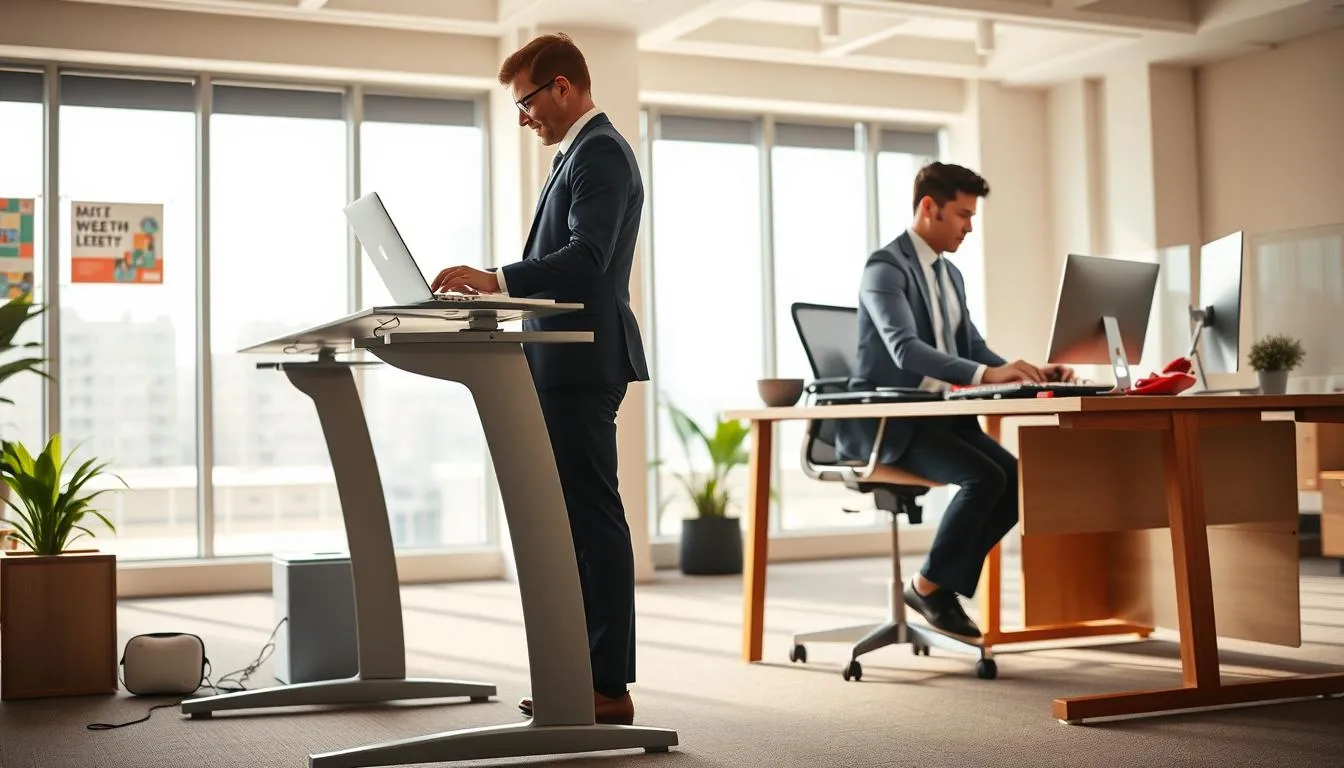
Choosing between standing desks vs traditional setups affects more than comfort. Employees and managers need clear, practical information on health risks tied to long periods of sitting or standing. This short section summarizes guidance from major bodies and highlights practical mitigations employers should consider.
OSHA ergonomics and WHO sedentary recommendations
OSHA ergonomics guidance flags awkward and static postures as risk factors for work-related musculoskeletal disorders. The World Health Organization issued WHO sedentary recommendations that urge limiting total sitting time and breaking up long bouts of sitting with movement. Both sets of guidance support using adjustable workstations and regular position changes rather than fixed postures.
Risks of static sitting: musculoskeletal disorders and absenteeism
Prolonged sitting promotes lumbar strain, neck discomfort, and muscle fatigue. These problems raise the chance of chronic pain and increased absenteeism. Employers who follow sedentary behavior guidance can reduce those risks by encouraging short activity breaks and offering ergonomic seating options.
Risks of prolonged standing and how to mitigate them
Extended standing elevates venous pressure, causes leg fatigue, and contributes to varicose veins and swelling. Unmanaged standing may worsen musculoskeletal discomfort, especially for workers with pre-existing circulatory issues.
Best practice avoids exclusive standing or sitting. Structured alternation, anti-fatigue mats, supportive footwear, and adjustable surface heights lower physiological load. Procurement teams should factor these mitigations into rollouts so sit-stand adoption is gradual and safe for users.
| Hazard | Typical effect | Practical mitigation |
|---|---|---|
| Static sitting | Lumbar strain, neck pain, reduced circulation | Movement prompts, adjustable chairs, sit-stand schedules |
| Prolonged standing | Leg fatigue, venous insufficiency, varicose veins | Anti-fatigue mats, compression hosiery, seated breaks |
| Awkward postures | Work-related musculoskeletal disorders and discomfort | OSHA ergonomics assessment, monitor/keyboard adjustment |
| Poor rollout planning | Low adoption, incomplete hazard control | Incremental deployment, training, footwear guidance |
How adjustable desks mitigate ergonomic risks
Adjustable desks change the way people work. They give choices that reduce long stretches of static posture. Those choices help muscles, joints, and circulation by alternating positions during the day.
Evidence from systematic reviews and Cochrane findings
The Cochrane sit-stand review examined more than 20 studies and over 2,000 workers. It reported reductions in daily sitting time of about 84–116 minutes when sit-stand solutions were used. That body of evidence links adjustable furniture to lower self-reported musculoskeletal discomfort when paired with good setup and behavior change.
Recommended sit-stand rhythms and the Cornell “20-8-2” approach
Cornell Ergonomics promotes the 20-8-2 rhythm: 20 minutes sitting, 8 minutes standing, 2 minutes moving or stretching. Short, regular transitions help redistribute load across muscle groups and reduce static strain. This routine works best when integrated into workflows with timers or software prompts.
Role of anti-fatigue mats, footwear, and movement prompts
Accessories matter. Anti-fatigue mats improve comfort during standing bouts and lower leg fatigue. Supportive footwear complements mats, while monitor arms and keyboard trays preserve neutral posture during adjustments. Software reminders and phone alerts reinforce the habit of switching positions.
When choosing ergonomic desk options, consider both product variants and the accessory budget. Compare standing desks vs traditional setups on adjustability, ease of use, and the cost of essential add-ons like anti-fatigue mats and monitor arms. Procurement that accounts for behavior change tools tends to yield better adoption and sustained benefit.
Productivity, focus, and workplace culture
Short standing intervals can break post-lunch slumps and lift alertness for quick tasks. Employers and remote workers report clearer bursts of focus when they alternate posture. Use these intervals to match task types to furniture choice in any desk comparison guide.
Standing intervals and energy levels during the workday
Timed standing bursts of 10–20 minutes help maintain energy without causing fatigue. Teams that adopt brief stand-up rhythms often see better engagement on tactical tasks. For deep, prolonged concentration, seated periods remain important; match rhythm to task demands.
Indirect benefits: employee satisfaction and talent attraction
Employees tend to rate workplace comfort and wellness higher when sit-stand options exist. A happier staff can translate into stronger employer branding and improved talent retention. Use data on employee satisfaction when weighing standing desks vs traditional choices.
Pilot programs and measurable outcomes from real deployments
Design pilots with clear metrics: discomfort scores, hours standing, workspace satisfaction, and recommendation rates. A three-month pilot at a 150-person tech firm with 40 adjustable stations showed a 50% drop in back and neck complaints and a 75% rise in workspace satisfaction.
When planning, factor vendor warranty terms and replacement logistics to keep rollout windows realistic. Commercial availability and promotions influence pilot sizing and procurement timing. Compare the best desk types and cost against expected gains in productivity and standing desks metrics.
- Measure weekly discomfort and workspace satisfaction.
- Track average standing hours per day and task fit.
- Report recommendation rate to guide full deployment decisions.
Practical ergonomics: setup for standing and traditional desks
A good workstation starts with a few simple measures. Proper setup keeps work comfortable and reduces strain whether you choose ergonomic desk options or a classic fixed surface. Small adjustments to monitor height and keyboard position make a big difference.
Monitor height, keyboard position, and neutral spine alignment
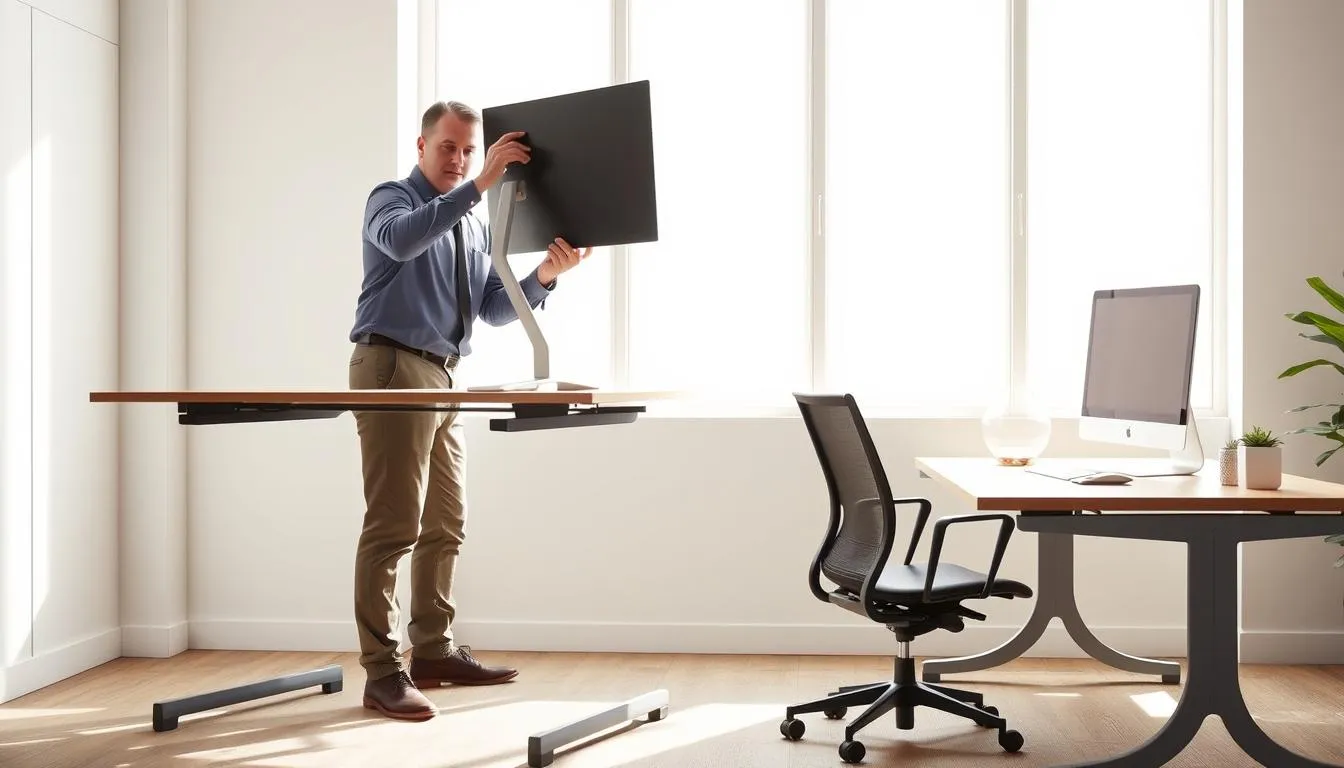
Set the top of the screen at or just below eye level so the neck stays neutral. Sit or stand so your eyes hit the top third of the display. Keep the keyboard close enough that elbows rest near 90 degrees and wrists remain straight.
For dual-mode workstations, save digital memory presets on electric frames from brands like UPLIFT or Fully so the desk returns to verified monitor height and keyboard position for both sitting and standing. Use monitor arms to fine-tune placement without cluttering the desktop.
Chair pairing strategies for each desk type
Traditional desks pair best with an adjustable ergonomic chair featuring lumbar support and seat depth adjustment. Add a footrest when feet don’t sit flat on the floor.
For standing desks, choose an adjustable-height stool or drafting chair to make short seated breaks comfortable. Anti-fatigue mats help reduce leg fatigue during longer standing intervals. If you pick converters as one of the best desk types for flexibility, confirm chair compatibility before procurement.
Accessories that level the ergonomic playing field
Desk accessories matter: keyboard trays, monitor arms, and cable management kits let users achieve neutral posture quickly. Include an accessory bundle with new desks so employees start with correct setup.
Other useful items include external keyboards and mice that support a natural wrist alignment, document holders to avoid neck twisting, and anti-glare screens for visual comfort. Thoughtful accessory choices help bridge standing desks vs traditional setups and make multiple ergonomic desk options practical across a team.
Procurement criteria for corporate deployments
Choosing procurement standing desks for a workplace rollout starts with clear, measurable specs. Focus on commercial-grade sit-stand desks that meet the ergonomic needs of the 5th to 95th percentile of users. Aim for a height adjustment range near the BIFMA G1-2013 guideline of roughly 22” to 48”.
Commercial-grade specs: height range, lifting capacity, and motors
Specify a minimum lifting capacity of about 250 lbs (113 kg). Confirm motor type and count; dual motors provide smoother, quieter lifts and higher reliability in dense deployments. Look for digital memory controls for shared workstations so users can restore preferred heights fast.
For pilot testing and vendor selection consult a thorough desk comparison guide to check stated ranges against real-world measurements and weight ratings.
Safety and certification: anti-collision, UL, and BIFMA considerations
Require UL certification for electrical safety and prefer desks tested to BIFMA standards where available. Anti-collision systems protect staff and equipment; gyroscope-based sensors offer finer sensitivity and fewer false stops in busy offices.
Warranty terms matter. Ask manufacturers for service plans, spare controllers, and guaranteed component availability for at least three years.
Cable management, CPU mobility, and lifecycle planning
Plan cable trays, channels, and CPU mobility solutions before purchase. Use under-desk mobile carts or CPU hangers to avoid cable strain as desks move. Integrated cable routes reduce trip hazards and maintenance calls.
Build an asset lifecycle plan: annual motor checks, inventory of spare parts, and a 6–8 week pilot to refine deployment and training. Pilot data from real firms shows measurable gains in comfort and satisfaction when procurement and rollout are aligned with ergonomics and operations.
| Criterion | Recommended Minimum | Rationale |
|---|---|---|
| Height Adjustment Range | ~22”–48” | Accommodates 5th–95th percentile per BIFMA guidance for sit-stand use |
| Lifting Capacity | 250 lbs (113 kg) | Supports heavy monitors, dual displays, and accessories without strain on motors |
| Motor Type | Dual motor | Smoother, quieter adjustments; better longevity in commercial settings |
| Anti-Collision | Gyroscope-based sensing | Higher sensitivity and fewer interruptions in open-plan offices |
| Electrical Safety | UL certification | Meets US electrical safety standards for office equipment |
| Certifications/Standards | BIFMA compliance where applicable | Validated ergonomic and structural performance for commercial use |
| Cable & CPU Management | Integrated trays + mobile CPU options | Prevents cable strain and reduces downtime during height changes |
| Warranty & Spares | 3+ year warranty; spare parts availability | Minimizes downtime and total cost of ownership |
Read a balanced review on standing desks vs traditional options for procurement context at standing desks vs traditional to align vendor claims with real-world needs.
Common procurement mistakes and how to avoid them
Buying ergonomic desk options means more than picking a popular model. Procurement errors can create long-term costs, damaged equipment, and unhappy users. Use this short checklist to spot risks early and keep rollouts smooth.
Underspecified height ranges and excluded user percentiles
One frequent error is selecting desks with a narrow height range that leaves out shorter or taller staff. Failing to account for the 5th and 95th percentiles forces makeshift fixes like monitor risers or blocks. That undermines ergonomic desk options and hurts inclusivity.
Mitigate this by gathering user anthropometrics before purchase. Include minimum and maximum heights in procurement specs. For shared workstations, prefer electric dual-motor systems with a wide range to cover most employees.
Ignoring total desktop weight and motor capacity
Purchasers often underestimate how desktop materials and accessories affect lifting capacity. Heavy tops—stone, thick solid wood, or full monitor arms with multiple screens—can strain motors and shorten their life.
Match motor capacity to the total load, not just the empty tabletop. Require vendors to state rated lifting capacity with typical accessory loads. Add BIFMA or UL certification to your buying guide to ensure tested performance under real-world conditions.
Poor planning for cabling and equipment movement
Many rollouts ignore cable management and CPU mobility. Rigid cabling or fixed towers cause controller damage and blocked ports when desks move. That creates downtime and extra service calls.
Specify cable channels, drag chains, and mobile CPU carts in your bill of materials. Trial a pilot with multi-monitor setups to validate usable depth and stack height, especially when comparing standing desks vs traditional options or using converters.
Quick procurement checklist
- Confirm usable height range covers all user percentiles.
- Calculate total desktop weight including monitors and accessories.
- Require motor specs with safety certifications and anti-collision features.
- Include cable management, CPU mobility, and warranty terms in procurement documents.
- Run a pilot and gather feedback for the desk comparison guide before large orders.
Use this buying guide to avoid common procurement mistakes standing desks projects face. Thoughtful specs cut service costs and improve user adoption when comparing standing desks vs traditional setups.
Types of standing desks and converters explained
Choosing between standing desks vs traditional setups depends on needs, space, and budget. This section outlines common types of standing desks and desk converters so you can match ergonomic desk options to real-world use cases.
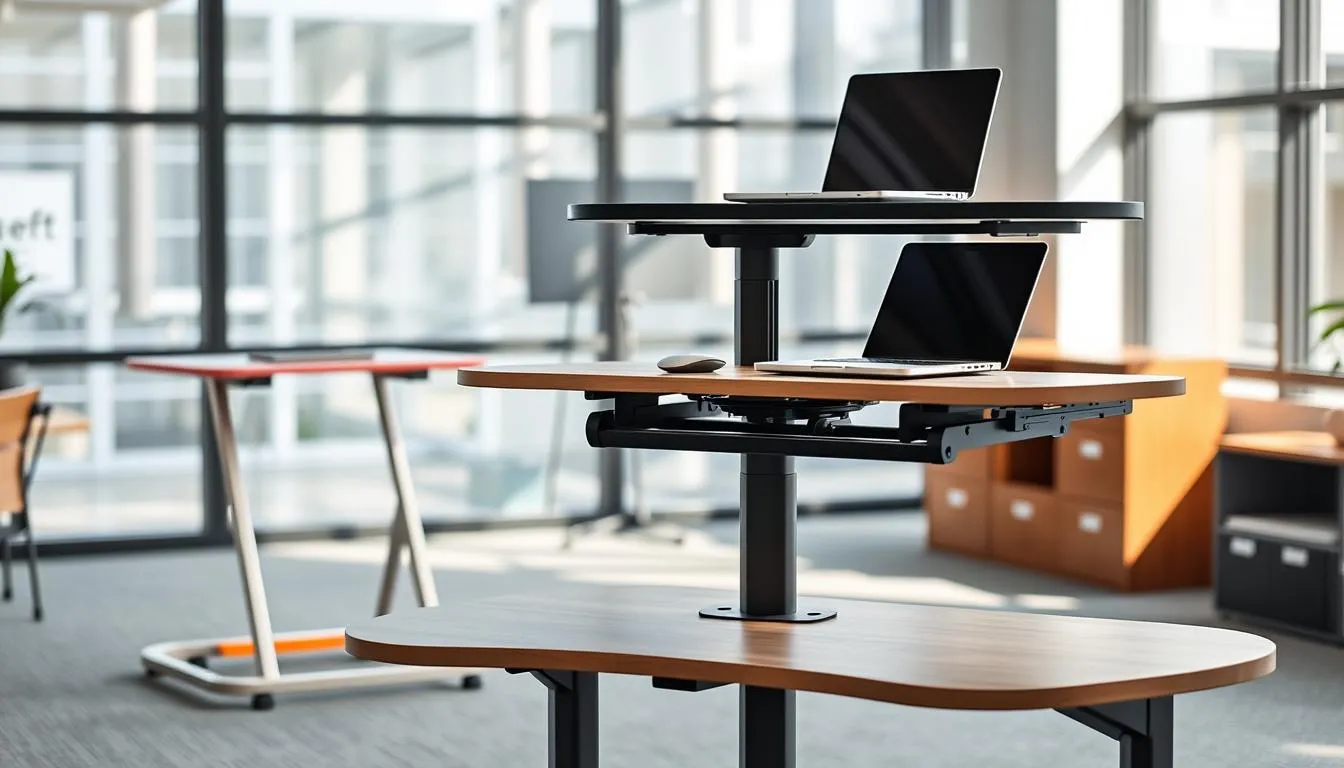
Electric dual-motor desks are the premium pick for busy offices and power users. They are quieter and smoother during adjustment, typically producing under 50 dB. These models handle heavier desktops and multi-monitor arrays. Digital presets save time for shared workstations. Material choices and robust warranties often justify higher prices for purchasers who prioritize longevity.
Electric dual-motor desks: pros, cons, and use cases
Pros include high lifting capacity, steady travel, and convenience from presets. Pros also include fewer service calls when brands like Uplift or Fully offer professional warranties. Cons are higher upfront cost and heavier weight at delivery. Recommended use cases are engineering desks, design studios, and multi-monitor trader stations where stability matters.
Manual crank desks and budget trade-offs
Manual crank desks appeal to budget buyers who need reliability without electronics. They work well in classrooms, secondary offices, and home setups where infrequent adjustments are acceptable. Trade-offs include slower position changes and generally lower load ratings. These desks keep procurement costs down while still offering ergonomic desk options for sit-stand rotation.
Desk converters: compact hybrid option for small spaces
Desk converters sit on an existing desktop and convert a fixed table into a sit-stand station. They are widely available and popular with renters and temporary workspaces. Converters save money and avoid replacing furniture, but they reduce usable depth and add stack height that can affect monitor distance. Best desk types for compact rooms often include low-profile converters designed for laptops or single monitors.
For corporate procurement, marketplace data favors electric dual-motor desks with anti-collision sensors and professional warranties. For smaller offices and remote workers, desk converters offer a low-cost path to ergonomic desk options without a full furniture refresh.
Traditional desks: strengths, materials, and use cases
Traditional desks remain a reliable choice when stability and storage matter most. These fixed-height workstations give a solid surface that supports printers, multiple monitors, and stacks of paperwork without wobble. For roles that center on filing, detailed paperwork, or long seated sessions, a traditional desk paired with an ergonomic chair and a monitor arm can deliver strong results that rival more complex setups.
Integrated storage and the benefits for paperwork-heavy roles
Built-in drawers and pedestals reduce the need for extra furniture. That keeps small offices tidy and frees up floor space in compact apartments. Stability from a fixed frame helps with fine-motor tasks like signing documents or writing by hand. In executive suites, integrated storage supports a polished presentation while keeping essential files within reach.
Material choices: solid wood, veneer, and laminate trade-offs
Solid wood offers longevity and visual presence, but it adds cost and weight. Veneer mimics a hardwood finish while cutting price and weight. Laminate is the most budget-friendly option, resisting stains and everyday wear. Choose material choices for desks with an eye on expected use, maintenance, and room layout. Footprint and drawer placement influence legroom and storage balance more than buyers often expect.
When a fixed-height desk is the best functional choice
Fixed-height desks are ideal for document-heavy workflows and positions that rely on heavy hardware. They work well where a stable desktop beats adjustability, such as legal offices, accounting teams, and reception desks. Use this desk type in spaces that prioritize a cohesive, static workstation layout and built-in storage.
For a practical comparison that contrasts stability, storage, and material trade-offs in more detail, consult this desk comparison guide for home and small office setups: standing desks vs traditional.
Short check: if your priority is stable surface area, integrated storage, and minimal mechanical complexity, traditional desks rank among the best desk types for focused, seated work. When deciding between standing desks vs traditional models, weigh storage needs and equipment weight against the desire for postural variety.
Cost comparison and return on investment (ROI)
Choosing between standing desks and fixed models begins with clear numbers. Upfront costs differ, ongoing value varies by workplace, and a practical desk comparison guide helps decision-makers weigh short-term spending against long-term gains.
Upfront costs versus long-term value for standing desks
Electric sit-stand models and commercial-grade frames carry higher purchase prices than many traditional desks. Buying dual-motor units from brands like Herman Miller or Fully often raises initial spend, yet those ergonomic desk options can last longer and need fewer replacements.
When comparing standing desks vs traditional, include warranty, delivery, installation, and expected service life. Durable components trim lifecycle cost, shifting the cost comparison toward a favorable standing desks ROI over time.
Savings from reduced absenteeism, healthcare costs, and turnover
Companies report lower absenteeism after ergonomic upgrades. Fewer musculoskeletal claims and reduced workers’ compensation costs translate to measurable savings.
Indirect benefits appear in productivity gains and improved retention. These factors matter when you model total return, because lower turnover avoids recruiting and training expenses for roles at firms such as Deloitte or Microsoft that track workforce metrics closely.
Simple ROI template and example calculation for decision-makers
Use a basic template: total investment, annual health and absentee savings, productivity uplift, and soft savings from reduced turnover.
| Item | Value | Notes |
|---|---|---|
| Employees | 100 | Sample cohort for calculation |
| Cost per standing desk | $600 | Commercial-grade electric model estimate |
| Total investment | $60,000 | 100 × $600 |
| Average daily employee cost | $300 | Revenue or labor cost proxy |
| Reduction in sick days | 0.5 days per employee/year | Conservative estimate from trials |
| Annual absenteeism savings | $15,000 | 100 × 0.5 × $300 |
| Estimated productivity gain | $10,000/year | Modest net output increase |
| Turnover-related savings | $5,000/year | Lower recruiting and ramp costs |
| Total annual savings | $30,000 | Absenteeism + productivity + turnover |
| Payback period | ~2 years | Total investment ÷ annual savings |
For procurement teams, factor in shipping, installation, and a small maintenance reserve. These line items refine the standing desks ROI and produce a realistic cost comparison across ergonomic desk options and fixed-height alternatives.
Space planning and footprint considerations
Good space planning keeps people productive and rooms functional. Think about clearance, vertical travel and the actual desk footprint before buying. These decisions affect circulation, safety and which best desk types fit each role.
Clearance and vertical space needs for sit-stand setups
Sit-stand setups need extra headroom. BIFMA-style height ranges for adjustable desks often require an added 6–12 inches above the highest platform to allow safe travel and anti-collision clearance.
Open-plan offices must reserve user travel paths. Leave clear aisles so employees can change postures without bumping screens or lighting fixtures. Desktop materials and size change the weight and motor spec for electric systems, so check lifting capacity when planning vertical space.
Depth and width guidelines for single- and multi-monitor stations
Allow at least 800mm (about 31.5”) depth for a comfortable monitor-to-keyboard distance on single-monitor stations. This depth supports proper focal distance and reduces neck strain.
Follow multi-monitor desk guidelines when planning dual or triple displays: a width between 1,200 and 1,400mm (47–55”) gives enough breathing room for screens, mounts and peripherals. Desk converters shorten usable depth, so factor converter depth into the desk footprint calculations.
Storage footprint trade-offs for traditional desks
Traditional desks with built-in storage remove the need for separate filing cabinets, yet they increase surface depth. Drawers and pedestal units typically add several inches to the required desk footprint.
Procurement should consider CPU mobility, cable channels and how storage choices influence space planning standing desks. When comparing standing desks vs traditional models, weigh the trade-off between integrated storage and extra circulation space for staff.
| Workstation Type | Recommended Depth | Recommended Width | Footprint Notes |
|---|---|---|---|
| Single-monitor sit-stand | 800mm (31.5”) | 1000mm (39”) | Standard depth for monitor, keyboard and small accessories |
| Multi-monitor sit-stand | 900–1000mm (35–39”) | 1200–1400mm (47–55”) | Follow multi-monitor desk guidelines for mounts and cable runs |
| Desk with integrated storage | 850–950mm (33–37”) | 1200mm+ (47”+) | Extra depth for drawers, reduces need for separate cabinets |
| Converter on existing desk | Depends on converter, add 50–150mm (2–6”) | Varies with existing desk | Reduces usable depth; verify monitor arm compatibility |
User adoption, training, and sustainable usage
Adoption of sit-stand solutions needs clear processes and short, supportive pilots. Teams that run 6–12 week trials gather useful feedback and let habits form. A well-structured pilot program desks rollout shows people how to use height presets, set a neutral posture, and avoid common mistakes.
Findings from qualitative studies on adoption barriers
Interviews in Australia and the UK reveal common themes: personal comfort, perceived effort, and lack of clear guidance. Many users expect instant health wins and stop using standing options once benefits are not obvious. Misunderstandings about standing alone solving health problems are frequent.
Importance of onboarding, training, and movement programs
Onboarding sit-stand should include hands-on setup, height presets, and short training sessions. Teach employees about alternation rhythms and anti-fatigue mats. Movement prompts and brief group sessions boost confidence and steady usage.
Pilot program design: duration, metrics, and feedback loops
Design pilots to run 6–12 weeks. Track self-reported discomfort, hours spent standing, employee satisfaction, and absenteeism. Use simple weekly surveys and a shared dashboard to collect data. Regular feedback meetings let teams refine guidance and accessory choices.
Use a desk comparison guide when evaluating outcomes. Compare standing desks vs traditional setups by noting usage patterns, comfort changes, and maintenance needs. Clear comparisons help leaders decide whether to scale a pilot program desks initiative.
Mitigations and best practices to avoid negative outcomes
Choosing between standing desks vs traditional setups should not force an all-or-nothing decision. Use a mix of positions, ergonomic desk options, and simple routines to protect comfort and productivity. Small changes lower risk without disrupting workflow.
Combining posture alternation with ergonomic accessories
Pair a sit-stand desk with anti-fatigue mats, supportive footwear, and a height-adjustable monitor arm. Good accessories improve posture and make standing periods sustainable. Ergonomic chairs remain important for seated intervals.
Pick the best desk types for each role. Electric dual-motor frames suit multi-user settings. Fixed-height desks work for paperwork-heavy roles that need storage and stability.
Timed breaks, movement prompts, and progressive standing schedules
Start with short standing blocks and build up gradually. A practical ramp is 15–30 minutes standing per hour at first, then increase as comfort grows.
Use movement prompts and calendar reminders to change stance and walk briefly every 30 minutes. Software nudges and wearable alerts reduce sedentary time and improve workplace ergonomics.
Follow a balanced rhythm like the Cornell “20-8-2” approach to alternate sitting, standing, and moving. This reduces leg fatigue and spreads muscle engagement across the day.
Special considerations for employees with pre-existing conditions
Employees with circulatory or musculoskeletal issues should consult a clinician or a certified ergonomist before major changes. Offer accommodations such as shorter standing intervals or specialized anti-fatigue solutions.
Provide alternatives and clear guidance during rollouts. Accessible choices increase adoption and protect vulnerable staff while preserving benefits from sit-stand practices.
For practical guidance on combining standing and sitting and evidence-based rhythms, review this helpful resource: is it better to work standing or.
| Risk | Mitigation | Recommended accessory |
|---|---|---|
| Leg fatigue and swelling | Alternate posture, take short walks, use movement prompts | Anti-fatigue mat |
| Back discomfort | Set proper monitor height and keyboard position, blend sitting/standing | Monitor arm and ergonomic chair |
| Varicose veins or circulatory strain | Limit prolonged standing, elevate feet during breaks, consult clinician | Seated alternative and compression support if advised |
| Poor adoption and misuse | Train users, run pilots, deploy progressive standing schedules | Onboarding materials and software movement prompts |
| Wrong desk choice for task | Match work type to desk; choose among best desk types | Electric sit-stand, fixed-height, or converter based on role |
Choosing between standing desks vs traditional setups is a strategic decision that centers on health, productivity, and cost. For large deployments, prioritize commercial-grade standing desks, pair purchases with pilot programs and training, and plan for warranties and lifecycle costs. This balanced approach helps turn ergonomic desk options into measurable gains in workplace wellbeing.
For home offices, match the desk type to tasks, available space, and budget. Electric sit-stand desks and converters offer flexible hybrid solutions, while classic fixed desks still serve paperwork-heavy or equipment-heavy roles when combined with an ergonomic chair and monitor arm. Use this desk comparison guide to weigh the trade-offs and select the best desk types for each use case.
Finally, practical factors—UL and BIFMA certifications, supplier availability in the United States, accessory budgets, and clear ROI metrics—should guide the final buy. Evidence from OSHA, WHO, and Cochrane reviews shows adjustable desks reduce sedentary risk, and the real value appears in lower absenteeism and improved culture. Aim for choices that balance ergonomics, productivity, space, and cost to create a resilient, health-focused workspace.
FAQ
How do standing desks compare to traditional desks for workplace health and costs?
Standing desks offer height adjustability that reduces static postures and can lower risk factors for work-related musculoskeletal disorders (MSDs). They usually cost more up front but provide long-term adaptability and can reduce absenteeism and healthcare claims. Traditional desks deliver a stable surface and integrated storage at lower initial cost but often need accessory investments (ergonomic chairs, monitor arms) to reach ergonomic parity. For organizations, pilots (6–8 weeks recommended), training, and lifecycle planning help capture measurable ROI and total cost of ownership.
Which desk type is best for home-office buyers?
Match the desk to dominant tasks and space. Standing or sit‑stand desks suit users who benefit from micro‑movements and short active tasks, improving circulation and alertness. Traditional fixed-height desks are better for paperwork-heavy roles, heavy equipment, or where integrated storage is important. Converters are a compact hybrid for renters or tight spaces but reduce usable depth and add stack height. Consider ergonomics, footprint, budget, and accessory needs.
What does evidence say about sit‑stand desks reducing sitting time?
Systematic reviews (including a Cochrane review) show sit‑stand desks reduce daily sitting by roughly 84–116 minutes. Evidence also reports reduced self‑reported musculoskeletal discomfort and modest energy improvements when alternation is structured and combined with good setup and accessories.
Can prolonged standing be harmful?
Yes. Prolonged standing can increase venous pressure, leg fatigue, and risk of varicose veins and discomfort, especially for those with circulatory issues. Best practice is not exclusive standing but structured alternation, anti‑fatigue mats, supportive footwear, and progressive standing schedules to mitigate risks.
What sit‑stand rhythm should users follow?
A practical guideline is Cornell’s “20‑8‑2”: within each half hour block, aim for 20 minutes sitting, 8 minutes standing, and 2 minutes moving/stretching. Progressive ramps starting with short standing intervals and using software prompts or timers help adoption and reduce leg strain.
What ergonomic setup rules apply to both standing and traditional desks?
Key parameters: monitor top at or slightly below eye height, elbows roughly 90 degrees, neutral spine alignment, and feet supported. Standing desks must be set to preserve these positions in both sitting and standing. Accessories like monitor arms, keyboard trays, adjustable chairs, and anti‑fatigue mats help achieve proper posture.
What commercial‑grade specs should procurement require for standing desks?
For corporate deployments specify height ranges that cover 5th–95th percentiles (roughly 22”–48” per BIFMA G1 guidance), minimum lifting capacity around 250 lbs (113 kg), dual motors for stability, UL electrical safety, anti‑collision systems, and warranty/service terms. Include accessory bundles and spare controller/motor planning for lifecycle support.
How do electric, manual, and converter options differ?
Electric dual‑motor desks are quieter, smoother, support heavier loads, and often include memory presets—best for multi‑monitor or shared environments. Manual crank desks are lower cost but less convenient and usually have lower load ratings. Converters sit on existing desks for a budget or temporary hybrid but reduce usable depth and add stack height, which can affect ergonomics.
What accessories are essential for sit‑stand deployments?
Anti‑fatigue mats, monitor arms, ergonomic chairs or adjustable stools, keyboard trays, cable management, and CPU mobility solutions are critical. These reduce risks of prolonged standing or sitting and enable correct posture immediately after setup.
What common procurement mistakes should I avoid?
Avoid underspecified height ranges that exclude short/tall users, selecting motors with insufficient lifting capacity for heavy desktops, and ignoring safety certifications. Don’t overlook cable and CPU mobility—failure to plan for moving hardware causes damage. Validate load ratings, require BIFMA/UL certifications, and include cable/CPU mobility in the bill of materials.
How should organizations run a pilot program for sit‑stand desks?
Run a 6–12 week pilot with 6–8 week minimums for behavior change. Track metrics such as self‑reported discomfort, standing hours, workspace satisfaction, and absenteeism. Provide onboarding, training on presets and neutral posture, accessories, and feedback loops. Use vendor warranty terms and procurement timelines to size pilot purchases and reduce deployment friction.
What space and footprint planning guidelines apply to sit‑stand and traditional desks?
Allow vertical clearance for full height travel and anti‑collision safety. For workstations, target at least 31.5” (800mm) depth and 47–55” (1,200–1,400mm) width for comfortable single or multi‑monitor setups. Traditional desks with integrated storage need extra depth and storage footprint planning. Factor in travel paths and overhead clearance in open plans.
How should I calculate ROI for standing desk investments?
Consider upfront costs, reduced absenteeism, lower healthcare/workers’ comp claims, productivity gains, and retention benefits. A simple example: 100 employees × $600 desk = $60,000; if reduced sick days yield $15,000 annual savings, payback is ~4 years. Include productivity and turnover effects to shorten payback in many cases.
What special considerations apply for employees with pre‑existing conditions?
Consult healthcare professionals or certified ergonomists before major changes. Provide accommodations such as shorter standing intervals, specialized anti‑fatigue solutions, adjustable chairs or stools, and alternative work arrangements. Tailor schedules and accessory choices to individual medical needs.
Are converters a good first step for small offices or remote workers?
Converters can be a practical and affordable entry point, especially when budgets or rental constraints limit full standing desk purchases. They enable sit‑stand alternation quickly but reduce usable depth and add stack height, so check screen distance and keyboard ergonomics before buying.
What ongoing maintenance and lifecycle planning is recommended?
Plan for annual motor and controller checks, keep spare controllers and components on hand, and maintain accessory inventories (mats, monitor arms). Track warranties and replacement logistics with vendors to minimize downtime and ensure sustained ergonomic performance.