
How to Choose the Best Ergonomic Chair for Your Home Office
Find the comfort and support you need with our guide on how to choose an ergonomic chair for a productive home office setup.

39 min read
Nearly 60% of people working from home report new or worsened back pain within a year — a reminder that your chair is not a style choice but a health tool. Choosing the right ergonomic home office chair can reduce strain, improve focus, and protect your spine over years of use.
Start by thinking about seat pan fit: the seat should support about three-quarters of your thigh, leave roughly a 0.5-inch gap behind the knees, and use a waterfall front to avoid thigh compression. Pneumatic seat-height adjustment is ideal so you can set knees level or slightly below hips while keeping feet flat on the floor. Look for a five-pedestal base for stability and swivel for easy reach without twisting your torso.
Lumbar support matters. Adjustable lumbar height and firmness suit multi-user setups, while a well-placed fixed lumbar can work for a single user. Prefer chairs with dynamic recline or synchro-tilt so the backrest moves with you; locking a chair upright all day increases spinal load. Pay attention to materials too: mesh breathes, leather looks sleek but retains heat, and fabric varies in cleanability and allergen risk.
This ergonomic chair guide will walk you through the core measurements and features to compare, from seat depth and armrest adjustability to tilt mechanisms and long-term cushioning. Use these home office chair tips to sort budget from value and to decide which of the best ergonomic chairs fits your daily routine.
Key Takeaways
- Verify seat pan depth and a 0.5-inch clearance behind the knees for proper leg circulation.
- Choose pneumatic height adjustment and a five-caster base for comfort and stability.
- Prefer adjustable lumbar support and dynamic recline to maintain spinal alignment.
- Match materials to your needs: mesh for airflow, leather for durability, fabric for variety.
- Test chairs where possible and compare return policies and warranties before buying.
For detailed model comparisons and tester notes on popular options like Steelcase, Herman Miller, and budget picks, check a practical roundup at best ergonomic office chairs.
how to choose ergonomic chair
Start by naming what you need the chair to do for you. Do you need relief from lower-back pain, better posture during long workdays, or a chair that supports quick shifts between sitting and standing? Clear goals guide choices and narrow options among the best ergonomic chairs.
Define your primary goals for an ergonomic chair
List priorities such as lumbar support, seat depth, armrest adjustability, and breathability. If lower-back comfort tops the list, prioritize adjustable lumbar and backrest recline. If allergy concerns matter, favor easy-to-clean or hypoallergenic upholstery.
Identify common problems you want the chair to solve
Match problems to features: back pain favors adjustable lumbar and dynamic recline. Poor posture benefits from a seat pan that supports three-quarters of the thigh and a waterfall front to avoid pressure behind the knees. Long hours need breathable materials, durable foam, and a chair that lets you shift posture without locking the backrest.
Set a realistic budget and timeline for testing or returning
Decide how much you will spend based on daily hours seated and whether multiple people will use the chair. Budget models under $300 often cut adjustability and warranty. Mid- to high-end chairs above $300 usually add pneumatic height, more lumbar options, and durable materials.
Plan to test a chair for 60–120 minutes in-store or during a home trial. Watch how foam holds up after an hour and whether adjustable features are reachable while seated. Confirm trial periods and return policies before buying. For extra guidance, consult an ergonomic chair guide that outlines fit checks and testing steps.
| Goal | Key Feature | Quick Test |
|---|---|---|
| Lower-back support | Adjustable lumbar height/firmness | Lean back and feel lumbar contact at your lower spine |
| Long hours comfort | High-density foam, contoured seat pan, breathable cover | Sit 60–120 minutes to check cushioning and heat build-up |
| Posture and movement | Recline with dynamic tilt and easy controls | Test recline at 100–110 degrees and ensure smooth return |
| Multi-user fit | Pneumatic height, adjustable armrest width/height | Adjust while seated to confirm controls are reachable |
| Allergy or cleaning needs | Vinyl or treated fabrics | Check manufacturer care instructions for stains and allergens |
Key ergonomic features to look for in a home office chair
Picking a chair for long hours at a desk means checking specific functions, not just how it looks. This short guide walks through the key ergonomic features that make the best ergonomic chairs truly supportive. Use these home office chair tips to narrow choices when you shop or read reviews.
Start with seat height. Pneumatic seat-height adjustment lets you change height while seated. Aim for a range that lets the front of your knees sit level with, or slightly below, your hips while your feet rest flat. Controls should be easy to reach. Manual spinning posts work, but they are less convenient for quick tweaks.
Next, test lumbar support. Adjustable lumbar that moves in height, forward/back, or firmness is best for shared workspaces. Fixed lumbar can work when a single user fits it well. Sit and lean into the backrest to confirm the support aligns with the curve of your lower spine.
Check the seat pan shape and depth. Contoured pans distribute weight evenly. A waterfall front reduces pressure behind the knees. Adjustable seat depth helps tall or short users find the right thigh support. Pay attention to padding density; low-density foam can lose shape after long use, so sit for extended periods when testing.
Backrest recline and dynamic support promote healthy spine movement. Look for chairs that allow a slight recline around 100–110 degrees. Synchronized tilt and adjustable tilt tension help the backrest move with you and keep micro-movements comfortable over the day.
Practical usability matters as much as specs. Features like hard-to-reach levers, protruding lumbar elements, or awkward footrests can reduce comfort even on models praised as the best ergonomic chairs. Use this ergonomic chair guide to compare real-world adjustability and comfort before you buy.
| Feature | Why it matters | What to test |
|---|---|---|
| Seat height (pneumatic) | Allows quick in-seat adjustments for posture and circulation | Adjust while seated; feet flat, knees level or slightly lower than hips |
| Lumbar support (adjustable vs fixed) | Supports the lumbar curve; adjustable fits more users | Lean into backrest; feel for support at lower spine curve |
| Seat pan shape & depth | Even weight distribution; prevents thigh pressure | Check contouring, waterfall front, and adjustable depth |
| Padding density | Determines long-term cushioning and shape retention | Sit for 60–120 minutes; note firmness and rebound |
| Backrest recline & tilt | Encourages dynamic sitting and spinal protection | Test recline range (100–110°), tension control, synchronized tilt |
| Control placement | Ease of adjustments affects day-to-day usability | Reach and operate levers while seated without strain |
| Real-world features | Extra components can help or hinder comfort | Evaluate footrests, protruding elements, and assembly complexity |
Proper seat pan dimensions change how long you stay comfortable and how well your chair supports posture. Before you choose, think about seat depth, width, and the cushion type. These three elements decide whether a chair helps or hinders your workday.
Measuring seat depth and the 0.5-inch clearance guideline behind knees
Measure seat depth by sitting with your back against the backrest and checking how far the seat reaches along your thigh. Aim for the seat to support roughly three-quarters of the thigh while leaving about a 0.5-inch gap behind the knees.
Adjustable seat depths help when multiple people use the same chair. Models from Steelcase and Herman Miller often offer this feature on higher-end designs among the best ergonomic chairs.
Seat width and ensuring at least one inch of clearance on each side
Seat width should let your hips and thighs sit comfortably without squeezing. Add at least one inch on each side of your hips so you don’t feel pushed forward.
Big-and-tall models from brands such as HON or IKEA provide larger pan widths for broader users. Use this tip when you evaluate options while learning how to choose ergonomic chair features that match your body.
Long-term cushioning: foam density and how it performs after 60–120 minutes
Foam density affects support over long sits. Low-density foam compresses quickly and can feel flat after 60–120 minutes. Test a chair by sitting for an hour or two to judge how the cushion holds up.
Reviews have flagged some common models for seats that become too soft or fail to recover. Use home office chair tips to identify cushioning that stays consistent across work sessions and avoids hotspots or pressure points.
| Dimension | What to Measure | Practical Guideline | Why It Matters |
|---|---|---|---|
| Seat depth | Distance from backrest to front edge | Support ~75% of thigh; 0.5-inch clearance behind knees | Prevents knee pressure; supports thigh weight distribution |
| Seat width | Distance across seating surface | At least 1 inch clearance each side of hips | Ensures hip room; prevents forward shift and discomfort |
| Front edge shape | Waterfall or straight front design | Waterfall front preferred to avoid catching behind knees | Reduces thigh compression and improves circulation |
| Foam density | Firmness and recovery under load | Choose medium-high density for lasting support over 60–120 minutes | Maintains posture, reduces hotspot formation during long sessions |
| Adjustability | Depth and tilt adjustments available | Prefer adjustable pans for shared setups | Makes chair usable for multiple body types and tasks |
Good lumbar support keeps the natural inward curve of your lower spine while you sit. That reduces strain on discs and muscles during long work sessions. An adjustable lumbar support makes it easier to match the chair to your body and to shared users in a multi-person workspace.
Types of lumbar adjustment
Height adjustment moves the lumbar pad up or down so it fits your lower back. Forward and backward adjustment changes how much the pad pushes into your lumbar curve. Some chairs add firmness control to vary the pressure of the support. These functions are common on higher-end models among the best ergonomic chairs and stand out in any ergonomic chair guide.
When fixed lumbar support can be acceptable
A fixed lumbar support can work if a single primary user tests the chair and finds the placement and depth comfortable. Fixed options lack the fine-tune needed for different body shapes. That makes them less suitable in shared environments or for users who shift between reclining and upright postures.
Testing lumbar support by sitting and leaning into the backrest
Sit back fully and lean into the backrest. The lumbar pad should align with your lower back and never push you forward. Try reclining and returning upright to confirm the support tracks with your movement. A well-built lumbar support chair stays in place without sliding or needing manual fixes.
| Adjustment Type | What to check | Why it matters |
|---|---|---|
| Height | Can the pad reach from the sacrum to the lower ribcage? | Matches the inward curve for users of different torso lengths. |
| Forward/Back | Does the pad provide subtle forward contour without forcing posture? | Supports the spine without pushing the pelvis forward. |
| Firmness | Is pressure adjustable for comfort over long sessions? | Lets users choose gentle support or firmer reinforcement. |
| Locking and stability | Does the mechanism hold position during movement? | Prevents drift that undermines support and comfort. |
| Shared-use suitability | Is adjustment quick and intuitive for multiple users? | Improves usability in homes or offices with several people. |
Armrests: when you need them and which adjustments matter
Armrests can cut shoulder and neck strain when set up right. This short guide covers which armrest adjustments matter most, when you might prefer removable options, and how placement changes muscle load during typing. Use these home office chair tips to fine-tune support and reduce fatigue.
Height, width, and angle adjustments for arm support while typing
Height is the first setting to check. Set armrests so your shoulders stay relaxed and your elbows bend near 90 degrees. When wrists stay level with the keyboard, forearm and neck strain drops.
Width lets you bring your arms closer to the torso or give space for broader tasks. Angle or pivot lets the pad follow your forearm angle during mousing or typing. Chairs with solid, easy-to-use controls make quick changes during a workday painless.
Removable or fold-away armrests for keyboard and mouse tasks
Many compact desks or sit-stand setups need armrests that move out of the way. Removable or fold-away armrests clear under-desk storage and let you slide closer to the keyboard. Aim for broad, contoured pads with modest cushioning to avoid pressure points when you do use them.
Test whether the mechanism locks securely. Some designs, including a few from smaller brands, can shift unexpectedly and demand constant readjustment. Choose models with dependable mechanisms among the best ergonomic chairs you consider.
How armrest placement affects shoulder and neck tension
Too-high armrests force the shoulder to lift. Too-low armrests let the shoulder slump. Both positions raise tension through the trapezius and neck muscles. Fine-tune placement so your upper arms rest lightly and your wrists remain neutral.
When you shop, use this ergonomic chair guide checklist: adjust height, test width clearance, try pivoting the pad, and simulate keyboard and mouse tasks. These checks help you pick a model that keeps shoulders calm during long sessions.
Follow the home office chair tips above while trying chairs in person or during a trial. Good armrest adjustments can make a major difference in comfort and performance at your desk.
Backrest size and shape: matching mid- and upper-back support
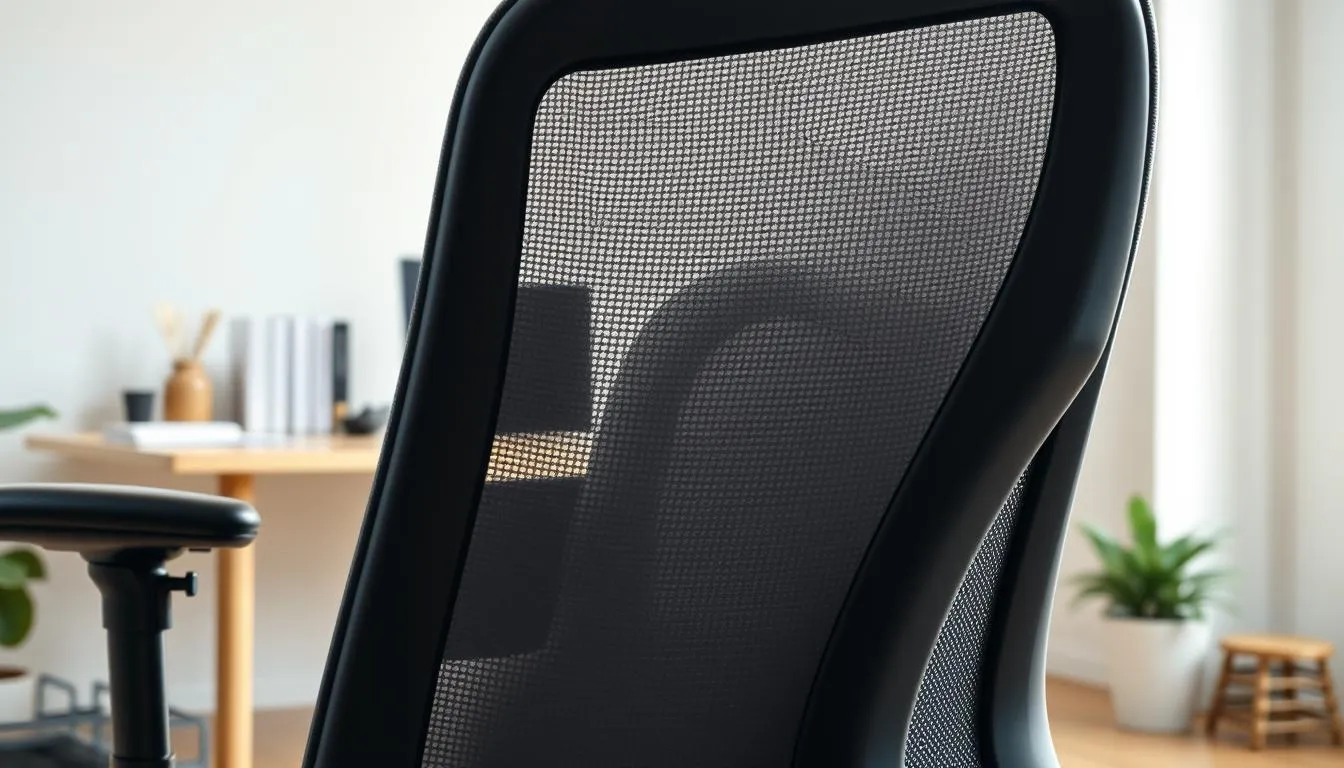
Choosing the right backrest size matters more than you might think. Aim for a backrest that supports the mid-back up to the shoulder-blade level without forcing your shoulders forward. Match backrest height to your torso length so the lumbar curve lines up with your lower back while the upper section reaches the mid-to-upper spine.
High-back vs mid-back: pros and cons for home office use
High-back chairs give extra upper-back and neck support, which helps taller users and those who recline frequently. Some testers praised models like the Haworth Fern for this reason, while petite users can find high backs oversized and limiting, as seen with the IKEA Markus. Mid-back options tend to be less bulky and fit smaller rooms better.
Ensuring the backrest doesn’t restrict elbow movement behind the torso
Confirm the backrest contour does not push you forward or block your arms from moving behind the torso. Sit and move your elbows back toward the chair to test clearance. A well-shaped backrest will track with your spine during recline, keeping support while allowing full arm rotation for natural reach.
Headrests: when they help and when they add unnecessary bulk
Headrests reduce neck and shoulder strain for people who read or lean back away from the screen. They can be beneficial in long sessions and for taller profiles. Headrests add size and can restrict mobility if you rarely tilt your head or if your workspace is compact.
For further detail on matching backrest height to body type and real-world tester notes, see this ergonomic chair guide from Urbanica for practical fits and backrest options like fixed, adjustable, and dynamic lumbar support: ergonomic chair guide.
When comparing the best ergonomic chairs focus on backrest size, adjustability, and how the shape works with your posture. Balance support with clearance so your shoulders and elbows stay free while the spine stays supported.
Seat height range and multi-user households
Picking the right chair for a shared workspace starts with seat height. A correct seat height keeps thighs level with hips or slightly lower and lets feet rest flat on the floor. That alignment supports circulation and keeps wrists near keyboard height for typing comfort.
How to set seat height for thigh-to-hip alignment and foot placement
Sit with your hips at the back of the seat. Use the pneumatic lever to lower or raise the seat until thighs are parallel to the floor or tilt down slightly. Make sure your feet sit flat and your knees form about a 90-degree angle or just greater.
Minimum and maximum heights to accommodate different users
Check manufacturer specs for the minimum and maximum seat heights. A wide seat height range helps a multi-user chair fit petite and tall people without constant workarounds. Budget models sometimes start too high, so validate the minimum height against the shortest user in the household.
Using footrests only when truly necessary and proper footrest selection
Footrests are useful when a chair’s minimum height still leaves feet unsupported. Choose a freestanding footrest that keeps feet forward and flat. Avoid resting feet on the chair pedestal for long periods since that can reduce knee angle and hamper circulation.
| Item | Why it matters | Practical tip |
|---|---|---|
| Seat height range | Determines fit for different body heights and reduces need for footrests | Compare min/max specs and test while seated; prefer pneumatic adjustment |
| Multi-user chair features | Ease of adjustment and memory-friendly controls speed transitions | Look for smooth lever placement reachable when sitting |
| Footrest type | Supports shorter users without altering knee angle or posture | Choose a freestanding, height-adjustable footrest with anti-slip surface |
| Common pitfall | Too-high minimum seat height on some budget chairs | Validate specs against a petite user before buying |
Chair tilt, recline, and dynamic sitting benefits
Slight reclining keeps the spine in a safer posture. Research and office ergonomists favor a 100–110 degree angle because it reduces compressive load on the discs and eases pressure on the lower back. This position supports long work sessions without forcing a rigid, upright pose.
Look for synchronized mechanisms that move the seat and back together. A good synchronized tilt with adjustable tilt tension lets the chair match your weight and support shifts in posture. Controls should be reachable while seated so you can fine-tune recline without standing up.
Test how smoothly the tilt operates before you buy. Some models, like Herman Miller and Steelcase lines, offer easy, intuitive tilt. Testers often flag chairs with fiddly or stiff mechanisms as frustrating, even when other features are strong.
Keep movement in your day by avoiding a locked backrest. Chairs that track your motion and allow micro-movements promote dynamic sitting and reduce fatigue. Locking the backrest in one fixed position removes that benefit and can increase stiffness over hours.
When comparing options, weigh chair tilt benefits alongside other features. Use this ergonomic chair guide to check synchronized tilt, tilt tension, and ease of controls. The best ergonomic chairs balance stable support with fluid movement so you remain active while seated.
Base, casters, and mobility: five-pedestal base importance
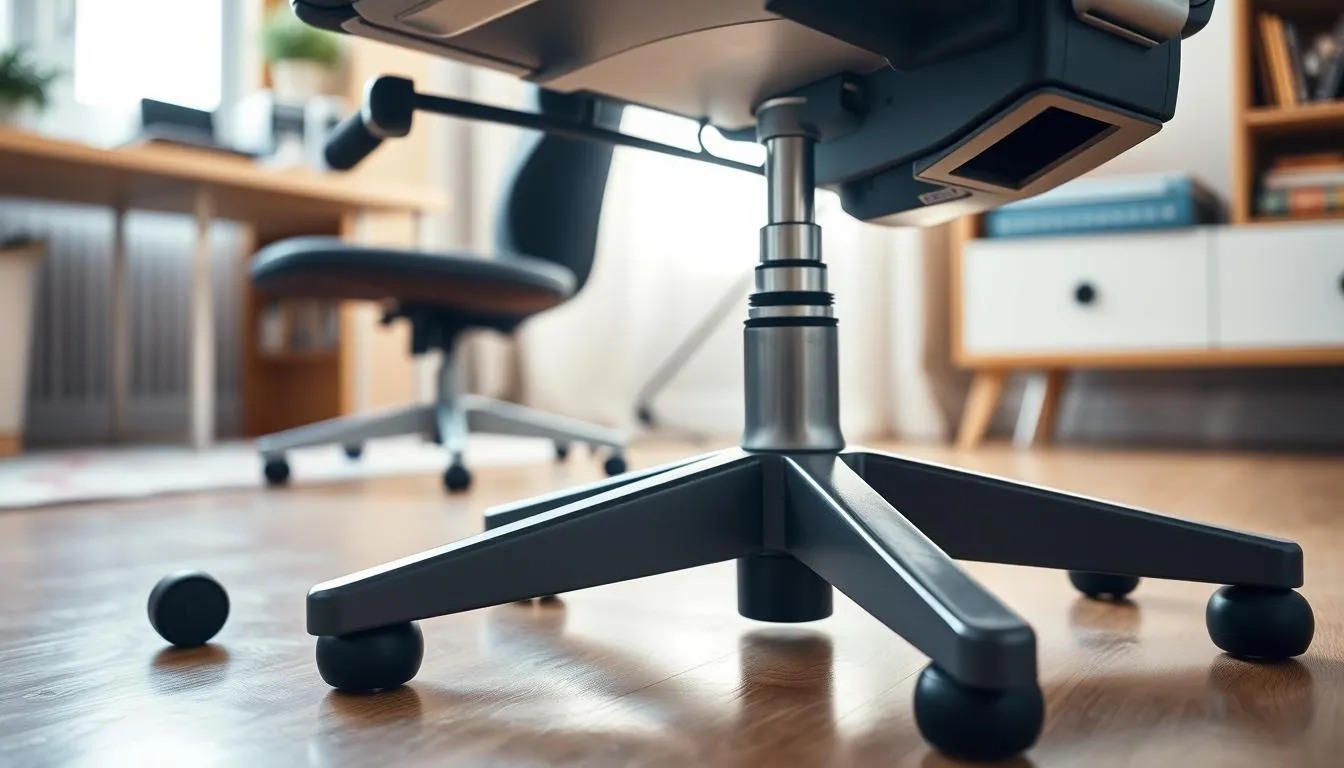
Choose a stable foundation for your desk chair to keep daily movement safe and predictable. A five-pedestal base spreads load, resists tipping, and supports tall or heavy users better than four-legged designs. This detail matters when you look at the best ergonomic chairs for long hours of work.
Five-caster base for stability and safer mobility
A five-caster base gives a wider footprint and more even stress distribution. That lowers the chance of wobble when you reach or twist at your desk. Inspect the base and socket for cracks before replacing casters; base damage can mean the whole unit needs replacement.
Choosing casters for your floor type
Match casters to your flooring to protect surfaces and improve roll. Soft polyurethane casters glide quietly on hardwood and tile, while hard nylon wheels work best on low-pile carpet. High-pile carpet benefits from larger-diameter or dual-wheel designs to avoid a “stuck” feeling.
For more technical guidance on stem sizes, wheel durometer, and floor-specific choices consult a detailed caster guide here.
Consider locking casters or glides if rolling is undesirable
If your workspace needs stability over mobility, opt for locking casters or fixed glides. Locks keep the chair stationary during focused tasks. Use a chair mat on carpet to balance protection and ease of movement when you prefer rolling.
| Floor Type | Recommended Caster Material | Wheel Diameter | Key Benefit |
|---|---|---|---|
| Hardwood / Tile | Soft polyurethane (60A–70A) | 65–75 mm | Quiet glide and floor protection |
| Low-pile Carpet | Hard nylon / polypropylene (90A+) | 65–75 mm | Lower rolling resistance |
| High-pile Carpet / Rugs | Dual-wheel or large-diameter, hard material | 75 mm+ | Prevents sinking and reduces starting torque |
| Industrial / Concrete | Solid rubber (70A–80A) | 65–75 mm | Durability and shock absorption |
- Prefer larger wheels (65 mm+) for lower rolling resistance and smoother movement.
- Include mobility checks in your trial; unpredictable rolling can harm workflow and comfort.
Use these home office chair tips when assessing mobility features. Proper caster choice and a solid five-pedestal base are small investments that raise daily comfort and extend the life of the best ergonomic chairs.
Materials and upholstery: breathability, maintenance, and allergies
Choosing the right chair materials affects comfort, care, and indoor air. This part of the ergonomic chair guide helps you weigh breathability, cleaning needs, and allergy risks so you can match a chair to daily use and household sensitivities.
Mesh backs provide the best ventilation. They keep heat from building up during long sessions. Mesh can reduce sweat and help maintain posture because the panel flexes with your back.
Leather and faux leather give a polished look and wipe clean easily. They trap heat more than mesh, which may be uncomfortable in warm rooms. For people who prefer a sleek finish, test for breathability before buying.
Cloth upholstery sits between mesh and leather on breathability. It can feel warmer than mesh and harder to clean after spills. Treated fabrics resist stains better than plain cloth, but they may still require deeper cleaning over time.
Cleaning and allergies matter when foam and fabric meet. Dust mites hide in porous upholstery and foam. Regular vacuuming and using covers that can be washed reduce allergens and prolong cushion life.
Vinyl and treated faux leathers are highly spill-resistant. They handle routine wipe-downs well. These surfaces can still trap heat, so balance ease of cleaning against comfort for long workdays.
Durability trade-offs depend on material quality. Thin fabric over soft foam can sag within months, while engineered mesh and higher-density foam last longer. Brands such as Herman Miller and Steelcase use advanced mesh or premium textiles to improve longevity.
When allergies are a concern, pick materials and care routines that cut dust and moisture. Use encasements for cushions, choose wipeable surfaces for heavy-use areas, and schedule regular deep cleaning.
| Material | Breathability | Cleaning & Spill Resistance | Allergy Risk | Durability Notes |
|---|---|---|---|---|
| Mesh | High — excellent airflow | Spot clean; dries fast | Low — less dust trapping | Long-lasting when woven tightly; resists sagging |
| Cloth | Moderate — warmer than mesh | Requires shampooing or steam cleaning | Higher — can harbor dust mites | Varies by fabric; thin covers wear quickly |
| Leather / Faux Leather | Low — can trap heat | Wipes clean; resists spills | Low — less porous for allergens | Durable finish; may crack if low-quality |
| Vinyl / Treated Fabrics | Low to Moderate | Very easy to wipe and sanitize | Low — less hospitable to dust mites | Good for heavy use; may feel less breathable |
Comparing price tiers: what to expect under $300 and above $300
Deciding between chairs under $300 and chairs over $300 comes down to trade-offs in adjustability, materials, and warranty. This short guide helps you weigh common limits in budget models against the added value of mid- and high-end options.
Budget realities
Chairs under $300 can meet basic ergonomic criteria like height adjustment and tilt. Expect fixed armrests, limited seat-depth adjustment, firmer padding, and shorter warranties. AmazonBasics models often show these traits with one-year coverage and fewer fine-tune options.
What more money buys
Chairs over $300 typically add true seat-depth adjustment, adjustable lumbar support, and multi-angle arm adjustments. Brands such as Branch, Steelcase, Herman Miller, and Humanscale offer more durable materials and longer warranty periods. Those features support longer comfort and a longer expected lifespan.
Tester notes and model comparisons
Reviewers often name Aeron, Leap, Gesture, and Embody among the best ergonomic chairs. Testers point out Aeron’s strong tilt feel, Steelcase models’ wide adjustability, and Embody’s high foam and fabric quality. Some high-end chairs still draw mixed marks, such as Freedom scoring average for certain long-sit tests.
Value considerations
Think about warranty length, trial periods, and foam density when comparing price tiers. Higher initial cost can be justified by better ergonomic adjustments, longer-lasting cushioning, and fewer replacements over time. Use this ergonomic chair guide to balance your budget and long-term needs.
| Price Tier | Typical Features | Common Limits | Representative Models |
|---|---|---|---|
| Under $300 | Height adjustment, basic tilt, budget upholstery | Fixed armrests, limited seat-depth, firm cushions, 1–2 year warranty | AmazonBasics, Value task chairs |
| $300–$600 | Seat-depth adjustment, adjustable lumbar, better foam, 3–5 year warranty | Fewer material finish options, limited premium tilt mechanisms | Branch Ergonomic Chair ( |
| Above $600 | Advanced ergonomics, premium upholstery, long warranties, trial periods | Higher upfront cost, some models tuned for specific body types | Herman Miller Aeron, Embody, Steelcase Leap, Gesture, Humanscale Freedom |
The right chair depends on how you work, your body, and where you sit. Match chair types to tasks, time spent seated, and your desk height. Small choices in fit beat flashy features when comfort matters most.
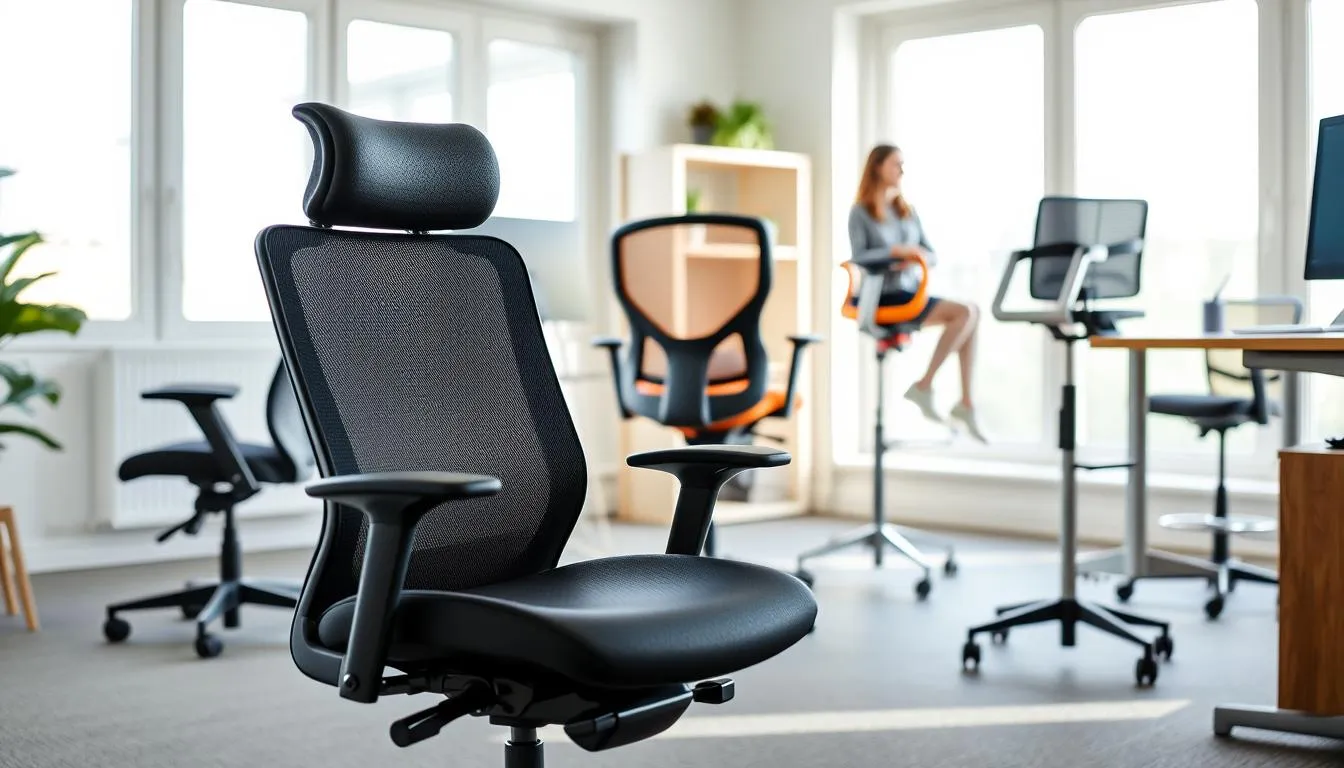
Task chairs are the classic office option. They slide under a desk, have casters and mid-to-high backs, and suit general computer work. Pick a task chair when you need a tidy footprint and basic adjustability for eight-hour shifts.
Ergonomic office chairs focus on adjustability: lumbar, seat depth, recline, and arm geometry. These models aim to reduce strain during long sessions. Weigh task vs ergonomic chairs by how much adjustability you need for posture and pain prevention.
Drafting chairs lift the seat for taller work surfaces. Look for a foot ring and a sturdy gas lift. Big-and-tall chairs expand seat width, strengthen the lift, and use wider bases. Measure seat pan width and weight capacity before you buy.
Gaming chairs can work as office chairs. Many include adjustable lumbar and headrests, but some prioritize style over support for long days. Accent and reception chairs are best for guests and short-term use, not daily all-day work.
Accessories can save a good chair. A quality external lumbar cushion, a dense seat pad, or a footrest can fix small fit problems quickly. Use these home office chair tips when the chair frame and adjustability are already suitable.
When core fit is wrong, an accessory will not help. If seat depth, height range, or structural support fail to match your body, plan to replace the chair. Tester notes show some budget hybrids underperform; investing in one of the best ergonomic chairs is often the smarter long-term move.
Use this checklist to decide:
- How many hours per day you sit.
- Whether desk height needs a drafting chair.
- Required seat width and weight capacity for big-and-tall comfort.
- If accessories can correct small misfits or if replacement is necessary.
Picking among chair types is about fit not fashion. Prioritize adjustability that matches your body, test for sustained comfort, and apply practical home office chair tips before buying.
How to test an ergonomic chair before buying (in-store and at home)
Trying a chair in the store differs from living with it at your desk. Start with a short checklist to guide in-person tests and online purchases. Keep your body measurements and typical work tasks handy so you can compare specs and real comfort.
Practical tests matter most. Sit for 60–120 minutes to assess cushioning, contouring, and dynamic comfort. While seated, type and mouse to simulate real work. Check whether pneumatic height adjustment is smooth and if tilt tension and recline match your spine when you lean back.
Adjust armrests so wrists stay level with the keyboard. Test swivel and caster mobility to ensure the base feels stable during reach and turn. Confirm minimum and maximum seat height specs against your measurements before committing.
Ask staff targeted questions about common issues reported by testers. Inquire whether lumbar supports slip, if controls are easy to use, and how seat firmness performs after extended use. Find out if replacement parts and service are readily available for the model you plan to buy.
Confirm return and warranty policies before purchase. Verify what the warranty covers—lift cylinder, casters, frame, upholstery—and the warranty length for structural components. For higher-end chairs seek at least a multi-year warranty on the frame.
Look for generous chair trial period options when buying online. Several manufacturers offer 30–90 day trials that let you live with the chair and test long-term comfort. Ask about shipping costs, assembly complexity, and whether white-glove setup is available for premium models.
If possible, arrange a multi-day or extended at-home trial to evaluate how cushioning and support hold up. Use the trial to confirm adjustability, ease of controls, and whether the chair remains comfortable through typical work sessions.
Common adjustment mistakes and how to set your chair correctly
Small tweaks make a big difference when you set chair correctly for long hours at a desk. This short guide focuses on the most common errors and clear fixes so you can follow an ergonomic chair guide that actually works in your home office.
Seat height: lower the seat so feet sit flat and thighs are level with hips or slightly below. Aim for knees at about 90°–100°. If your desk forces a higher seat, add a free-standing footrest or raise the work surface. These home office chair tips stop pressure behind the knee and protect circulation.
Backrest angle: avoid locking the backrest at 90°. Set a slight recline of 100°–110° and tune tilt tension so leaning back needs gentle effort. This promotes small postural shifts, reduces intradiscal pressure, and keeps the spine nourished.
Lumbar support: place lumbar support in the small of the back, just above the beltline. Check it stays in contact when you move. Proper lumbar alignment prevents slouching and reduces ligament strain.
Armrests: adjust height and width so shoulders relax and elbows sit at 90°–110° while typing. Forearms should rest lightly and wrists remain level with the keyboard. For broader users, 3D/4D armrests offer better fit and prevent trapezius tension.
Seat depth: use the clenched-fist rule. Sit back with lumbar supported and slide a clenched fist between the seat edge and the back of the knee. About 2–3 inches of gap protects circulation and gives even thigh support.
Dynamic sitting: avoid static postures. Shift your weight, change recline, stand briefly every 20–30 minutes, or follow a 20-8-2 rhythm to boost metabolism and focus. Micro-movements keep discs healthy and reduce fatigue.
Pairing chair and desk: match chair settings with desk and monitor height. Top of the monitor should sit at or slightly below eye level and be about an arm’s length away. If elbows are above the keyboard, raise the desk or lower the chair and use a footrest to maintain proper knee angle.
Use this checklist for a quick morning check: feet flat, knee gap about two inches, lumbar in the small of the back, shoulders relaxed over the keyboard, and monitor at the right height. For more detailed examples and adjustment errors to avoid, consult this ergonomic resource for practical fixes and model references: ergonomic chair guide.
Accessories that enhance an ergonomic chair setup
Small upgrades can make a major comfort difference. Choosing the right chair accessories helps your chair perform like one of the best ergonomic chairs in a busy home office.
Seat cushions and memory-foam vs firm support options
Seat cushions can reduce pressure on the sit bones and promote better spine alignment. Memory-foam pads conform to your shape over time. Firmer support pads keep their form and prevent you from sliding forward off lumbar support.
Pick a seat cushion that balances contouring with stable thickness. Test for durability and whether the cushion keeps you seated in the correct position when you shift.
External lumbar supports and backrest cushions
An external lumbar cushion lets you add or fine-tune lower-back support when the chair’s built-in lumbar is not enough. Options include adjustable foam or mesh supports. Choose a lumbar cushion that offers height and firmness settings to match your lower-back curve.
Use the external support to fill the gap between your lumbar spine and the chair. Attachments that secure to the backrest stay put during recline and movement.
Chair mats and footrests to improve mobility and posture
A chair mat protects floors and makes rolling easier, especially on carpet. Pick a mat rated for the type of flooring you have to prevent splitting or chair drift. A good chair mat keeps casters rolling smoothly, helping maintain neutral posture when you reach.
Footrests help users who cannot place feet flat on the floor. Choose an adjustable, free-standing footrest that supports tilting and height changes. Avoid using the chair base as a footrest; that reduces stability and can strain hips.
Below is a compact comparison to help select common accessories based on need and expected benefit.
| Accessory | Main Benefit | Best For | Notes |
|---|---|---|---|
| Seat cushion (memory foam) | Pressure relief and contouring | Prolonged sitting, softer feel | Conforms over hours; check recovery and edge support |
| Seat cushion (firm pad) | Stable seating and posture | Users who need forward support | Maintains shape; less sinking than memory foam |
| External lumbar cushion | Custom lower-back support | Chairs with weak or fixed lumbar | Pick adjustable height and firmness to match curve |
| Chair mat | Floor protection and smoother rolling | Carpeted or mixed-floor home offices | Choose material rated for your floor to avoid damage |
| Free-standing footrest | Corrects leg position and reduces pressure | Shorter users or those using high desks | Adjustable tilt and height improve circulation |
Conclusion
Choosing how to choose ergonomic chair comes down to matching measurements, adjustability, and materials to your body and work habits. Focus on seat pan dimensions, pneumatic height adjustment, adjustable lumbar support, armrest range, and a stable five-pedestal base. These priorities help narrow down the best ergonomic chairs that actually solve back pain, posture issues, and long-hour discomfort.
Budget matters: chairs under $300 can work short-term but often lack seat-depth adjustment, dense cushioning, and long warranties. Higher-priced models from brands like Herman Miller and Steelcase tend to offer richer adjustability and durability, though fit still varies by user. This ergonomic chair guide encourages testing models and comparing features against your needs, not just price or brand.
Always test a chair for 60–120 minutes when possible and confirm return and warranty policies before purchase. Add accessories—lumbar cushions, seat pads, footrests, and chair mats—if a full replacement isn’t practical. Combine a well-fitted chair with desk and monitor adjustments for the healthiest setup.
The final takeaway: measure, test, and prioritize the features that address your specific problems. With proper fitting, a reasonable trial period, and a solid warranty, investing in a quality home office chair will boost comfort, productivity, and long-term health. For more home office chair tips, use this guide to compare options and choose with confidence.
FAQ
How do I choose the best ergonomic chair for my home office?
Start by defining your primary goals—relieve back pain, improve posture, or support long hours. Measure your body (hip width, thigh length, and seated leg length) and match those to seat width, seat depth, and height range. Prioritize pneumatic height adjustment, adjustable lumbar support, a five-pedestal base, and armrests that move out of the way for typing. Test chairs for at least 60–120 minutes if possible and confirm trial and warranty policies before buying.
What specific problems should an ergonomic chair solve?
A proper ergonomic chair should support your lower back to prevent slouching, keep thighs roughly level with hips, avoid pressure behind the knees, allow slight recline (about 100–110 degrees), and position armrests so wrists stay level with the keyboard. It should also provide dynamic support so you can move and change posture throughout the day.
How should I set a realistic budget and testing timeline?
Decide how many hours per day you sit and whether multiple people will use the chair. Budget chairs under $300 can work short-term but often lack seat-depth adjustment and durable cushioning. Mid- to high-end chairs ($300+) typically offer more adjustments and longer warranties. Test a chair for at least one to two hours in one sitting and, if possible, over a couple of days or use a retailer trial period to check long-term cushioning and dynamic support.
Why is pneumatic seat-height adjustment recommended?
Pneumatic height adjustment lets you change seat height while seated quickly and easily, which is essential for multi-user setups or frequent micro-adjustments. The height range should allow your knees to be level with or slightly below your hips with feet flat on the floor so you usually won’t need a footrest.
What’s the difference between adjustable and fixed lumbar support?
Adjustable lumbar lets you move the support up/down and sometimes forward/back or change firmness—critical for multi-user chairs and precise fit. Fixed lumbar can be fine if a single user tries it and it matches their lower-back curve, but it lacks customization and may fail to support dynamic recline.
How do I test lumbar support correctly?
Sit back and lean into the backrest. The lumbar pad should align with the natural inward curve of your lower back without pushing you forward. Recline and confirm the chair tracks your back so lumbar support remains effective across positions.
What seat pan shape and depth should I look for?
The seat should support roughly three-quarters of your thigh and leave about a 0.5-inch gap between the front edge and the back of your knees to avoid pressure. Look for a contoured pan with a waterfall front to reduce compression and even weight distribution. Adjustable seat depth is valuable for different leg lengths or shared chairs.
How important is seat cushioning density and how do I evaluate it?
Foam density affects long-term durability—low-density foam can permanently deform after continuous use (60–120 minutes and over days). Sit in the chair for extended periods to judge whether the cushion maintains support and shape. Prefer firmer, high-density foams for daily long sessions to avoid early sagging.
What backrest recline and tilt features matter for spine health?
Synchronized tilt and adjustable tilt tension promote dynamic sitting by letting the seat and back move in harmony. A slightly reclined posture (100–110 degrees) reduces spinal load. Avoid chairs that lock in one fixed position; instead choose a mechanism that supports movement and lets you change posture easily.
How do seat width and clearance affect comfort?
Seat width should be at least one inch wider than your hips or thighs on each side so you’re not forced forward or cramped. Proper width supports natural sitting and helps maintain correct thigh-to-hip alignment, especially for longer sessions.
What armrest adjustments should I prioritize?
Adjustable height, width (or slide), and angle (pivot) help keep your forearms parallel to the keyboard and shoulders relaxed. Armrests should be broad, cushioned, and movable or removable so they don’t interfere with keyboard and mouse tasks. If armrests obstruct movement, choose fold-away or detachable styles.
When should I choose a high-back versus a mid-back chair?
High-back chairs better support upper back and neck and often include headrests—useful for taller users or those who recline frequently. Mid-back chairs are less bulky and suit smaller spaces or shorter users. Match backrest height to your torso length and ensure it doesn’t block elbow movement behind the torso.
How do I set seat height correctly for multi-user households?
Set height so thighs are level with hips or slightly lower and feet sit flat on the floor. Check manufacturer min/max seat heights against each user’s measurements. If a chair’s minimum height is too tall for shorter users, a free-standing footrest may be needed, but ideally choose a chair with the proper height range.
Do I need a footrest?
Footrests are only necessary if your feet don’t reach the floor with the correct seat height. Use an adjustable, free-standing footrest to support feet comfortably. Avoid resting feet on the chair pedestal, which can restrict circulation and alter knee angle.
Why is a five-pedestal base recommended?
A five-caster pedestal offers the best stability and reduces tipping risk. Chairs with fewer casters tip more easily. Also match casters to your floor type—soft rubber or hardwood-safe casters for wood floors and harder casters for carpet; consider a chair mat for smoother rolling and floor protection.
Which upholstery is best: mesh, cloth, or leather-like?
Mesh backs provide breathability and ventilation during long sessions. Cloth is common but harder to clean and can trap moisture and dust-mite allergens. Leather or faux leather looks polished and wipes clean but is less breathable and can trap heat. Choose based on comfort, cleaning needs, allergy concerns, and climate.
What trade-offs should I expect between budget and premium chairs?
Under-$300 chairs often have fixed armrests, limited seat-depth adjustment, firmer or lower-quality cushioning, and shorter warranties. Chairs above $300 typically offer more ergonomic adjustments (seat depth, lumbar, arm width/angle), better materials, and longer warranties. Still, fit varies by body type—testing remains essential.
Which chair types suit different work styles?
Task chairs suit general desk work and tuck under desks. Ergonomic office chairs focus on adjustability for long sessions. Drafting chairs raise height and add foot rings for tall surfaces. Big-and-tall models provide larger pans and stronger lifts. Gaming chairs can work but sometimes emphasize style over sustained ergonomic support. Use accessories if the core frame fits but minor support is missing.
How should I test a chair in-store or at home?
Simulate real tasks: type and mouse for 60–120 minutes, adjust height, armrests, lumbar, and tilt. Check that controls are reachable while seated and that lumbar support tracks during recline. Ask about trial periods, warranty length, return policies, and common failure points. For online purchases, prefer generous trial windows so you can test multi-day comfort.
What common adjustment mistakes should I avoid?
Don’t set seat height so knees are too high or feet dangle. Avoid armrests set too high or too low—keep shoulders relaxed and elbows near 90 degrees. Don’t lock the backrest in a single position; encourage micro-movements and short breaks. Pair chair settings with desk and monitor ergonomics for best results.
When are accessories a good solution instead of replacing the chair?
Accessories like external lumbar supports, seat cushions, footrests, or chair mats can improve comfort when the chair frame, height range, and seat dimensions are fundamentally correct. If seat pan depth or minimum height is wrong, accessories are a temporary fix and replacing the chair is usually the better long-term solution.
What warranty and trial policies should I look for?
Look for multi-year warranties on structural components (frame, gas lift, casters) and clear coverage terms for upholstery and mechanisms. Prefer retailers or manufacturers offering 30–90 day trials so you can evaluate long-term cushioning and fit. Ask about replacement parts and service availability for common issues like slipping lumbar or faulty tilt mechanisms.