
Maximizing Comfort and Focus: The Benefits of Workspace Ergonomics
Enhance your productivity with workspace ergonomics benefits—discover how a tailored environment boosts comfort and focus.

31 min read
Surprisingly, employees who use properly adjusted ergonomic chairs and sit-stand desks report up to a 30% drop in pain and discomfort within weeks a simple change that can reshape daily performance and wellbeing.
Workspace ergonomics benefits go beyond chairs and desks. Thoughtful design reduces poor posture, repetitive strain, and long static positions so people can concentrate longer and feel better at the end of the day.
Investing in a healthier workspace setup from height-adjustable desks to correctly placed monitors and ergonomic keyboards cuts absenteeism and medical costs while boosting morale and productivity. Research and practical guides, such as the advice found at ergonomics designing for optimal employee health, show how small changes deliver measurable ergonomic work benefits.
Workspace ergonomics also affects mood and creativity. When posture and circulation improve, cognitive energy follows, helping teams focus on meaningful work instead of fending off aches and distractions.
This article will explain how to improve focus and comfort through simple setups, assessment tips, and how organizations can measure the return on ergonomic investments.
Key Takeaways
- Ergonomic work benefits reduce physical pain and boost productivity.
- A healthier workspace setup lowers absenteeism and medical costs.
- Proper monitor, chair, and desk adjustments improve focus and comfort.
- Small investments in ergonomics yield measurable returns for teams.
- Design that supports posture and movement fosters better mood and creativity.
The cost of poor workplace design on health and productivity
Poor workplace design drives clear, measurable harm to people and to business results. Small daily strains add up into chronic pain, fatigue, and lost time. These effects show how workspace ergonomics benefits reach beyond comfort to protect long-term health and output.
Prevalence of work-related musculoskeletal disorders
Work-related musculoskeletal disorders are common where posture and equipment do not match job demands. Repetitive tasks, awkward reaches, and hours spent in static positions create strain. Many remote and office workers report aches that limit their day, matching studies that link non-ergonomic setups to high WMSD rates.
When employees must cope with ongoing discomfort, their capacity to perform declines. Musculoskeletal issues often lead to more sick days and a heavier load of medical and compensation claims. Employers who track incidents find MSDs account for roughly 30% of workers compensation costs.
Economic impact of reduced productivity
Losses from poor ergonomics show up as wasted hours and weakened performance. A small daily dip in productivity can amount to thousands of dollars per employee each year. For larger teams those losses compound into millions, while national estimates put pain-related productivity decline in the billions.
Investing in ergonomic fixes delivers measurable returns. Companies that adopt better setups report fewer injury claims, lower absenteeism, and higher day-to-day output. Read more about the economic case for ergonomics at good ergonomics is good economics.
Poor posture and restricted movement reduce oxygen flow and energy. Those physical limits lower mood, creativity, and decision quality. Simple ergonomic work benefits such as adjusted chair height or monitor placement can improve focus and comfort, helping teams think clearer and deliver better work.
What workplace ergonomics means for modern offices
Ergonomics shapes how people interact with their tasks, tools, and surroundings. At its core the workplace ergonomics definition centers on fitting the job to the person to lower strain and injury. This approach covers furniture choices, workstation layout, and workflow design.
Core principles include promoting neutral posture, reducing repetitive motion, enabling adjustability, and matching task demands to physical capability. Adjustable chairs, monitor arms, and keyboard trays are practical examples that deliver ergonomic work benefits when used properly.
Training pairs with equipment to unlock full value. Workers need guidance on adjustments, micro-breaks, and movement habits. Without that education, even high-quality gear may not create a healthier workspace setup.
Ergonomics applies across environments. In corporate offices, sit-stand desks and monitor height adjustments reduce static loading. For remote work, simple fixes such as laptop stands, external keyboards, and footrests make a big difference.
Industrial settings require a different focus: tool design, station layout, anti-fatigue mats, and lifting aids cut physical risk. These measures improve worker safety and deliver ergonomic work benefits that go beyond comfort.
Well-designed ergonomics can improve focus and comfort by reducing pain and distraction. Better posture and fewer interruptions from discomfort free cognitive resources and support clearer thinking during the workday.
How ergonomics improves focus and comfort
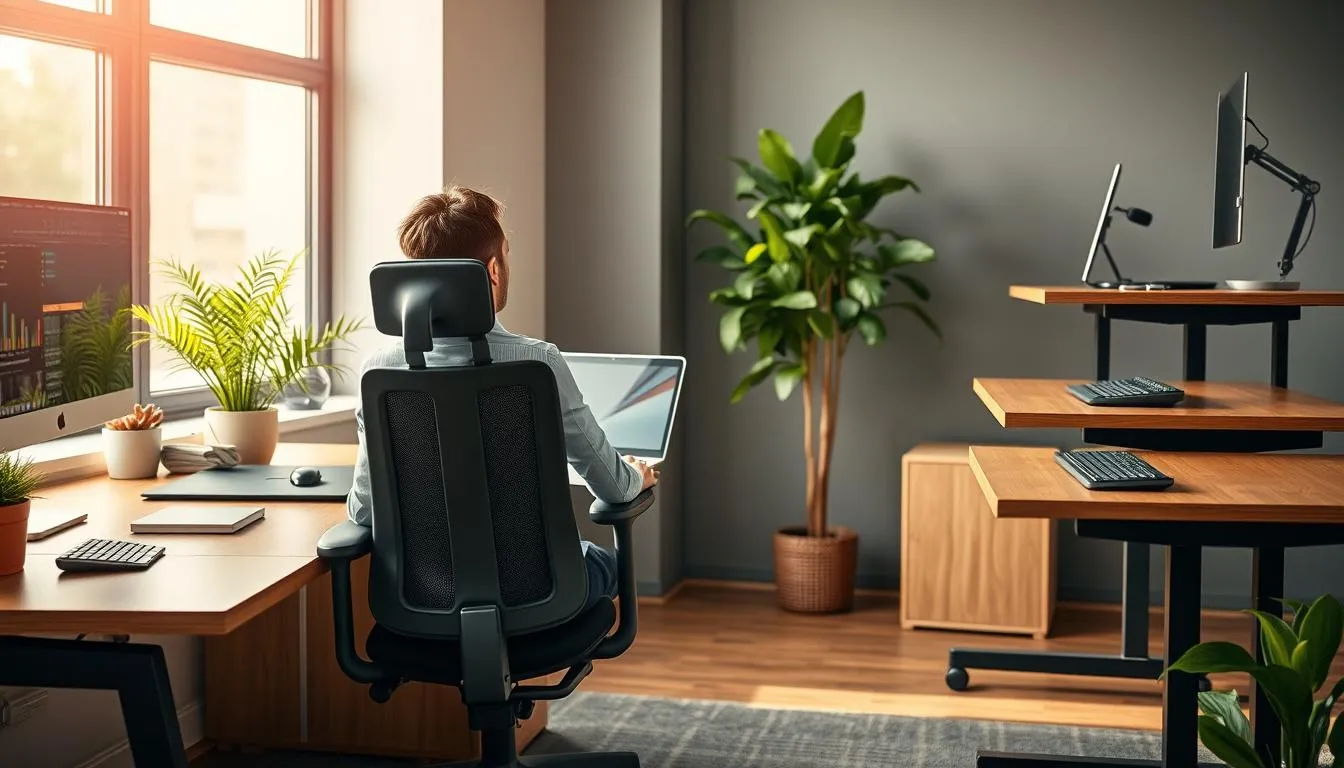
Small changes to a desk or chair can shift how people feel and perform. A healthier workspace setup stops aches before they start and keeps attention on the task. That shift brings clear workspace ergonomics benefits for both individuals and teams.
Reducing physical distractions to free cognitive resources
When repetitive motions and poor posture are addressed, the body uses less energy on pain and tension. Less effort spent on fidgeting or adjusting means more capacity for problem solving and detail work. Ergonomic keyboards, adjustable monitors, and well-placed input devices lower error rates and make work feel smoother.
Comfortable equipment reduces neck strain, eye fatigue, and wrist pain. Those reductions help workers stay in flow and maintain steady accuracy through long tasks. Employers see ergonomic work benefits as fewer mistakes and steadier output.
Mood, posture, and mental clarity
Posture affects breathing and blood flow. Sitting with open posture allows better oxygenation, which supports clear thinking and faster decision-making. Correct alignment and lumbar support ease back pain and improve alertness during meetings and focused work.
Feeling cared for at work lifts morale and cuts mental drift. A thoughtful setup signals respect, which can lower disengagement and boost sustained productivity. Together, workspace ergonomics benefits and a healthier workspace setup create calm, focused days where creative thinking and good choices come easier.
Ergonomic workstation setup essentials
Setting up a workstation with intention pays off in comfort and focus. A well-planned ergonomic workstation setup reduces strain, supports long hours of work, and helps improve focus and comfort for daily tasks. Small adjustments can deliver measurable ergonomic work benefits across teams and home offices.
Chair selection and lumbar support
Choose an adjustable chair with reliable lumbar support and a seat that lets your spine keep a natural S-curve. Set seat height so your knees sit at about 90 degrees and your feet rest flat on the floor or a footrest. Leave a two- to four-finger gap between the seat edge and the back of your knees to preserve circulation.
Monitor height and distance
Place the monitor about an arms length away with the top of the screen at or slightly below eye level. Use a monitor arm or adjustable stand for fine tuning. This setup cuts neck strain and supports visual comfort, which helps workplace ergonomics benefits by reducing frequent posture shifts.
Keyboard, mouse, and input positioning
Keep the keyboard at elbow height so your wrists stay straight while typing. Position the mouse within easy reach and at the same level as the keyboard. Consider ergonomic keyboards or vertical mice to ease wrist loading. An adjustable keyboard tray can help match your natural arm angle.
Use a footrest when feet do not rest flat. Add wrist supports and a document holder to minimize awkward reaching and repeated neck rotation. Adjust each component iteratively to your body and tasks, since no single configuration fits everyone.
When assembled thoughtfully, this ergonomic workstation setup yields clear ergonomic work benefits. Teams see fewer complaints about discomfort and an uptick in productivity. Individuals notice workspace ergonomics benefits that help improve focus and comfort during long work sessions.
Benefits of sit-stand desks and movement-friendly setups
Introducing regular movement and height-adjustable furniture can change how people work. A sit-stand desk benefits users by cutting stiffness and boosting alertness. Small changes create a healthier workspace setup that supports daily energy and reduces strain.
Alternating posture during the day can improve focus and comfort. Studies show users of height-adjustable desks report higher productivity compared with seated-only workers. Standing briefly engages leg muscles and fights the lethargy that follows long sitting periods.
Micro-breaks and simple stretches keep muscles active and lower the risk of aches. A five- to ten-minute walk or desk stretch every 3060 minutes helps maintain concentration. Dynamic sitting and chairs that permit small movements stop static load and reduce fatigue.
Below is a compact comparison to help managers and remote workers pick practical options for a healthier workspace setup and to realize workspace ergonomics benefits.
| Setup | Main advantage | Recommended routine |
|---|---|---|
| --- | --- | --- |
| Sit-stand desk | Reduces sedentary time; raises energy and productivity | Alternate every 3060 minutes; begin with short standing periods |
| Dynamic chair | Promotes micro-movements; lowers spinal load | Shift posture often; combine with seated stretches |
| Movement schedule | Prevents stiffness; sustains cognitive performance | Set reminders for 510 minute breaks; include walking or stretching |
| Anti-fatigue mat | Improves comfort when standing; reduces leg fatigue | Use during longer standing intervals; pair with light movement |
Lighting, glare control, and visual ergonomics
Good lighting shapes how we work. Natural light lifts mood and helps visual ergonomics when positioned correctly. Task lamps with adjustable arms fill gaps on overcast days or during late shifts. Small changes to light and glare control can reduce eye strain and improve focus and comfort across the day.

Importance of natural light and proper task lighting
Natural daylight supports circadian rhythms and boosts alertness in offices and home workspaces. A desk placed near a north-facing window keeps glare low and delivers steady light. When daylight is limited, use a warm LED task lamp that can dim to match ambient conditions. This combination helps reduce eye strain and contributes to workspace ergonomics benefits for long shifts.
Minimizing screen glare and optimizing contrast
Glare from windows and overhead lights forces the eyes to work harder. Tilt or move monitors so screens sit perpendicular to bright windows. Use blinds or diffusers to soften incoming light. Anti-glare screen protectors and monitor hoods cut reflections without changing display color.
Adjust screen brightness and contrast to align with room light levels. A larger monitor or higher resolution reduces squinting and supports better posture. These tweaks lower visual fatigue and help improve focus and comfort during demanding tasks.
| Issue | Simple Fix | Expected Benefit |
|---|---|---|
| --- | --- | --- |
| Window glare on screen | Reposition monitor perpendicular to window; add blinds | Fewer reflections, reduced eye strain, better task accuracy |
| Insufficient task light | Use adjustable LED desk lamp with dimmer | Clearer detail, lower visual fatigue, improved focus |
| Overly bright overhead lighting | Install diffusers or switch to lower-lumen fixtures | Balanced ambient light, calmer environment, longer comfort |
| Small text and icons | Increase font size; use higher-resolution or larger monitor | Reduced squinting, easier reading, enhanced productivity |
| High contrast mismatch | Calibrate display brightness and contrast to room light | Stops visual fatigue, aids sustained attention |
Small accessories can change how your body feels during long workdays. Thoughtful choices like monitor arms and footrests make it easier to set a neutral posture. These simple shifts reduce neck and back strain and help improve focus and comfort at the desk.
Footrests, monitor arms, and laptop stands
Use a monitor arm to place the top of the screen at eye level. A laptop stand paired with an external keyboard removes the need to hunch over a screen. Footrests support the legs and hips so your spine stays aligned, which is one of the key workspace ergonomics benefits.
Monitor arms and adjustable laptop stands let people of different heights work comfortably. That flexibility is a core ergonomic work benefit for teams that share hot desks or hybrid setups.
Wrist rests, document holders, and anti-fatigue mats
Wrist rests reduce pressure on tendons while typing. Document holders positioned beside the screen cut repeated neck rotation. Anti-fatigue mats relieve strain for people who stand at sit-stand desks, helping them sustain energy and improve focus and comfort.
Ergonomic keyboards and supportive wrist pads lower repetitive strain risks. Choose an anti-fatigue mat with firm support for long periods of standing. These accessories deliver direct ergonomic work benefits and can reduce time lost to discomfort.
Practical steps make a big difference. Place a document holder next to your monitor to keep lines of sight aligned. Pick a monitor arm that allows tilt, swivel, and height adjustments. Swap a cheap floor mat for an anti-fatigue mat when you use a standing desk for more than 20 minutes at a time.
For research and product ideas see this summary of office gear that supports posture and comfort: workspace accessory benefits.
| Accessory | Primary benefit | Quick setup tip |
|---|---|---|
| --- | --- | --- |
| Monitor arm | Correct screen height, less neck strain | Top of screen at eye level; 2028 inches from eyes |
| Laptop stand | Neutral wrist and neck position | Use with external keyboard and mouse |
| Footrest | Improved hip and lower back support | Feet flat, knees at 90 when seated |
| Wrist rest | Reduced tendon pressure while typing | Keep wrists straight, not resting on pad while typing |
| Document holder | Less neck rotation and eye strain | Place next to monitor at same height |
| Anti-fatigue mat | Reduced leg and foot discomfort when standing | Stand with weight shifted and move every 1530 minutes |
An ergonomic assessment helps teams spot risks and plan fixes that improve comfort and output. A focused review looks at posture, movement, equipment use, lighting, and noise to create a healthier workspace setup. Combining formal checks with employee feedback builds trust and points to high-impact changes that show clear ergonomic work benefits.
Core components of an effective review include workstation layout, tool and equipment fit, task flow, and environmental factors. Assessors measure monitor height, chair support, keyboard position, and repetitive motions. They log hazards like improper equipment height and repeated reaches, then recommend specific gear such as adjustable chairs or monitor arms to capture workplace ergonomics benefits.
Assessments also cover training needs and break patterns. Simple workflow tweaks and scheduled micro-breaks can cut strain and boost focus. These practical fixes support a healthier workspace setup that employees can maintain day to day.
Who performs evaluations matters. Certified ergonomists, occupational health professionals, and safety consultants bring technical skill and proven methods. HR teams and facility managers add operational context. Regular spot checks from supervisors and self-assessments by employees keep improvements current.
Frequency should match change and risk. Carry out full ergonomic assessment at hire, after major equipment updates, and at least once a year. Prompt assessments whenever staff report discomfort ensure faster interventions and clearer tracking of ergonomic work benefits.
| Assessment Element | What is Checked | Typical Recommendation | Expected Benefit |
|---|---|---|---|
| --- | --- | --- | --- |
| Workstation layout | Monitor height, desk height, chair fit | Adjust monitor arms, height-adjustable desks, lumbar support chairs | Reduced neck and back strain; improved focus |
| Input devices | Keyboard and mouse position, wrist angle | Ergonomic keyboards, vertical mice, wrist rests | Lower wrist pain and fewer repetitive strain injuries |
| Task flow | Frequency of reaches, lifting, repetitive motions | Reorganize tools, rotate tasks, schedule micro-breaks | Less fatigue and higher sustained productivity |
| Environment | Lighting, glare, noise levels | Adjust lighting, add task lamps, install acoustic panels | Better visual comfort and concentration |
| Training and behavior | Posture, movement habits, break routines | Provide coaching, quick-reference guides, training sessions | Faster adoption of improvements and long-term workplace ergonomics benefits |

Start with a clear program that teaches correct chair adjustments, keyboard and mouse placement, and monitor positioning. Short, regular sessions make it easier for staff to learn and keep good habits. Practical ergonomics training helps employees improve focus and comfort while reducing repetitive strain.
Offer a mix of formats: brief workshops, one-on-one coaching, and quick reference guides posted near common workstations. Include micro-break routines and simple stretching drills that fit into a typical day. These steps highlight workspace ergonomics benefits in a way workers can apply immediately.
Employee training on posture, micro-breaks, and safe movements
Cover safe movements, basic lifting techniques, and posture checks during onboarding. Demonstrations on how to set up a desk and adjust a chair reduce guesswork. Make follow-up coaching available after assessments so ergonomic work benefits become routine.
Use short quizzes and hands-on practice to reinforce learning. Schedule periodic refreshers when new equipment arrives or when job tasks change. Trainers can track common problems and tailor future sessions to real needs.
Encouraging employee feedback and involvement
Create channels for staff to report discomfort and suggest fixes, such as anonymous forms, brief surveys, or regular safety meetings. Listening to employees builds trust and generates practical solutions that management might miss.
Invite workers to join evaluations or pilot new tools. External assessors, like physiotherapists or certified ergonomists, can offer detailed reports and follow-up recommendations. Linking assessments to training ensures that identified risks translate into actionable learning.
For an implementation guide and practical tools, see this office ergonomics resource that outlines assessment approaches and staff engagement tips.
- Workshops: hands-on setup and posture clinics.
- Coaching: one-on-one adjustments and feedback.
- Materials: checklists, posters, and short videos.
Keep evaluations focused and timed to need rather than on a fixed schedule. Targeted training after assessments delivers the best return on investment and reinforces the long-term workspace ergonomics benefits for both people and business.
Ergonomics for remote workers and work-from-home setups
Many people shifted to remote work without a proper home office. Makeshift desks, laptops on laps, and dining chairs lead to aches and lost focus. Simple changes can convert a corner of the house into a healthier workspace setup that helps sustain energy and task attention.
Start with quick, low-cost fixes that target common risks. Raise screens to eye level with a laptop stand or an external monitor. Set keyboard and mouse height so elbows rest near 90 degrees. Use a footrest when feet dont reach the floor. These adjustments help reduce strain and improve focus and comfort during long workdays.
Adding a supportive chair or lumbar cushion cuts pressure on the lower back. Swap hard surfaces for an anti-fatigue pad if you stand. Small accessories such as wrist rests and document holders reduce awkward reaches and neck bending. Together these measures highlight workspace ergonomics benefits for daily wellbeing.
Employers can support WFH ergonomics through clear policies and practical resources. Offer stipends for chairs and monitors. Schedule virtual ergonomic assessments with a certified practitioner. Share short training on posture, micro-breaks, and safe movements. These steps show investment in a healthier workspace setup and help lower injury risk.
Promote movement and variety to sustain productivity. Encourage sit-stand routines and short walking breaks. Recommend lighting tweaks to reduce glare and improve visual comfort. A culture that supports movement, access to equipment, and guidance will boost workspace ergonomics benefits and help remote teams improve focus and comfort.
| Common WFH Risk | Quick Fix | Employer Support |
|---|---|---|
| --- | --- | --- |
| Screen too low causing neck strain | Use laptop stand or external monitor at eye level | Stipend for monitors or docking stations |
| Keyboard and mouse too high or low | Adjust desk/chair height; use external keyboard at elbow level | Virtual setup consultations and how-to guides |
| Feet dangling or poor posture | Introduce a footrest; add lumbar support | Allowance for chairs or ergonomic cushions |
| Long static sitting periods | Alternate sitting and standing; set timers for micro-breaks | Promote sit-stand desks and movement policies |
| Poor lighting and screen glare | Reposition desk, add task lamp, use anti-glare filters | Guidance on lighting and small accessory deliveries |
Work that requires heavy lifting, long standing, or repetitive motion benefits from targeted changes. Small redesigns in tool shape and station layout cut force and awkward grips. These practical fixes lower error rates, reduce waste, and improve on-site safety.
Start with tool design that fits the hand and task. Rounded grips, balanced weight, and trigger placement reduce pinch force. Tools from Bosch and DeWalt show how better design cuts fatigue. These ergonomic solutions raise quality and speed while limiting strain.
Place work items within easy reach to avoid twisting and overextension. Adjustable-height benches and modular fixtures let shops tailor each station for a worker. Task rotation and quick-access storage help lower repetitive exposure. These steps reflect core industrial ergonomics principles that yield measurable gains.
Standing work benefits from anti-fatigue mats and supportive footwear. Mats reduce leg and lower-back strain over long shifts. When paired with scheduled micro-breaks, they deliver clear ergonomic work benefits and higher comfort.
Lifting aids and mechanical assists are vital for heavy loads. Hoists, conveyors, and vacuum lifters remove the need for risky manual handling. Training on safe body mechanics ensures employees use these devices correctly. Together, the tools and training show the workspace ergonomics benefits employers and workers notice quickly.
Implement adjustability, task rotation, and proper lifting equipment to see improvements in safety and output. These ergonomic solutions lower injury risk, cut downtime, and support consistent product quality in demanding environments.
Health outcomes and injury prevention from ergonomic investment
Investing in ergonomics often delivers measurable health gains for employees and employers. Companies that adopt a healthier workspace setup report fewer pain-related complaints, less fatigue, and steadier day-to-day functioning. Small changes to posture and equipment can reduce MSDs and help people stay at work without chronic discomfort.
Ergonomic programs drive clear workers’ comp reduction by cutting both direct claim costs and the larger indirect expenses tied to lost time and lowered productivity. Estimates show ergonomic fixes can lower workers compensation costs dramatically when risk factors are addressed early. Tracking annual claim trends helps prove returns on investment and supports ongoing improvements.
The link between fewer injuries and better morale is strong. When employers prioritize workspace ergonomics benefits, staff report less pain and greater job satisfaction. Lower absenteeism follows, since fewer MSD-related sick days are taken and recovery times shorten.
Risk reduction techniques are simple and effective. Job rotation, targeted training, ergonomic tool selection, and participatory programs lower exposures to force, awkward postures, and repetitive tasks. For a concise review of practical advantages and cost impacts, consult this resource on ergonomics and workplace outcomes: ergonomic advantages.
Long-term well-being improves when ergonomics addresses both bodily and mental strain. Reduced pain supports better sleep, less stress, and clearer focus at work. These gains add up as lower turnover, steadier productivity, and a workplace culture that values health.
Measuring ROI of ergonomic programs
Start with a clear baseline. Record current rates for workers compensation claims, medical costs, absenteeism, and average days lost. Pair those numbers with productivity metrics such as output per hour, error rates, and employee satisfaction scores. These inputs let you calculate the ergonomic ROI and justify investment decisions.
Track direct cost savings by monitoring claim frequency, medical expense trends, and paid leave. OSHA estimates large annual savings when prevention programs reduce injuries. Use those estimates to project reductions in compensation costs and days lost after ergonomic interventions are installed.
Capture indirect savings that feed into long-term value. Measure changes in productivity after equipment upgrades or training. For example, sit-stand solutions have been linked to productivity gains. Increased engagement and lower turnover reduce hiring and onboarding costs, which boost overall workspace ergonomics benefits.
Use mixed methods to measure ergonomics savings. Combine quantitative datainjury reports, absenteeism, and output measureswith qualitative input from employee surveys. Repeat assessments at set intervals to show trends and validate program effectiveness.
Compare investments against outcomes with practical examples. List equipment and training costs and then contrast them with reductions in MSD claims and sick days. Case comparisons make it easier to see where ergonomic work benefits create payback within months or years.
Follow a simple measurement framework:
- Establish baseline metrics and costs.
- Implement targeted interventions and training.
- Collect injury, absence, and productivity data at 3, 6, and 12 months.
- Calculate savings, then divide by program costs to get ergonomic ROI.
For deeper reading on program-level impacts and national estimates, consult this analysis on the ROI of workplace ergonomics and injury prevention: ROI of workplace ergonomic and injury prevention.
| Metric | Baseline | Post-Intervention | Net Change | Notes |
|---|---|---|---|---|
| --- | --- | --- | --- | --- |
| Workers comp claims (annual) | 120 | 72 | -48 (40% reduction) | Includes fewer back and overexertion claims |
| Medical costs ($) | 1,200,000 | 840,000 | -360,000 | Lower imaging and surgery rates |
| Average sick days per employee | 6.5 | 4.2 | -2.3 days | Productivity and attendance improved |
| Productivity (output/hr) | 100 units | 145 units | +45% | Attributed to ergonomic work benefits like sit-stand desks |
| Program cost ($) | 350,000 | Equipment, training, and software | ||
| Estimated annual savings ($) | 620,000 | Direct plus indirect savings combined | ||
| Estimated ergonomic ROI | 177% | Savings divided by program cost |
Good ergonomics make work less tiring and reduce common aches. Small, practical changes create a healthier workspace setup that helps people feel better through the day.
Comprehensive list of benefits for individuals
Reduced back, neck, and shoulder pain is one of the clearest ergonomic work benefits. A properly adjusted chair and monitor cut strain on the spine and neck, lowering the risk of chronic issues.
Fewer headaches and less eye strain come from correct monitor distance and lighting. Placing the screen about an arms length away and at the right height makes it easier to maintain good posture.
Better posture and spinal health follow from a supportive chair and correct desk height. Keeping feet flat and elbows close to the body supports natural alignment and reduces fatigue.
Increased energy and reduced fatigue appear when movement is built in. Sit-stand options and regular micro-breaks help people stay alert and improve focus and comfort over long shifts.
Improved mood, confidence, and creativity occur when comfort rises. People who feel physically well report clearer thinking and more productive work sessions.
Fewer errors and better task accuracy come with ergonomic arrangements that keep hands, keyboard, and mouse aligned. Lighter mouse sensitivity and wrist supports reduce repetitive strain.
Benefits for organizations
Organizations see higher productivity and efficiency when employees enjoy ergonomic work benefits. Studies on sit-stand desks show gains in output and reduced fatigue during long tasks.
Lower workers compensation and healthcare costs follow reduced injury rates. Employers can see striking drops in claims when they invest in a healthier workspace setup.
Reduced absenteeism and presenteeism happen as pain and discomfort fall. Staff take fewer sick days and perform better while at work.
Improved engagement and retention arise when companies show they care about comfort. Ergonomic investments boost morale and help attract talent to a positive work culture.
Fewer errors and higher product quality come from employees who can sustain focus. A workplace that supports comfort tends to deliver more consistent, accurate results.
Office ergonomics guidance offers clear, practical tips to apply many of these benefits at home or in the office.
| Beneficiary | Primary gains | Typical actions |
|---|---|---|
| --- | --- | --- |
| Individual | Less pain, more energy, clearer thinking | Adjust chair height, monitor distance, use external keyboard |
| Team | Higher productivity, fewer errors | Introduce sit-stand desks, encourage micro-breaks, provide accessories |
| Organization | Lower costs, better retention, stronger brand | Ergonomic assessments, training, targeted investments |
| Remote workers | Improved comfort and reduced WFH risks | Offer stipends for stands, chairs, and monitor arms |
Investing in ergonomic furniture and simple practices pays off. Small changes like adjusting a chair, setting monitor height, and positioning the keyboard reduce fatigue and aches. These steps help improve focus and comfort and deliver clear ergonomic work benefits over time.
Ergonomics is both a safety and productivity strategy. Regular assessments, adjustable equipment, and staff training create a healthier workspace setup. Involving employees keeps improvements practical and lasting.
Beyond physical gains, a better setup lifts mood, sparks creativity, and sharpens cognitive performance. Track resultsinjury rates, absenteeism, and productivityto measure workspace ergonomics benefits and justify further investment in sit-stand desks and targeted accessories.
FAQ
What are the main benefits of investing in workspace ergonomics?
Ergonomic workspaces reduce back, neck, and shoulder pain, lower eye strain and headaches, and cut repetitive strain injuries. They boost comfort and focus, improve mood and creativity, and raise task accuracy. For organizations, ergonomics lowers absenteeism and workers compensation costs, reduces errors, and increases productivity and employee retention.
How common are work-related musculoskeletal disorders (WMSDs) and what causes them?
WMSDs are widespread and often result from poor posture, prolonged static positions, repetitive motions, and improvised home workstations. Many remote workers report symptoms when working from non-ergonomic setups. Repetitive tasks, awkward reaches, and sustained leaning or slouching drive these conditions.
What is workplace ergonomics and what are its core principles?
Workplace ergonomics is the science of designing work environments, tools, and tasks to fit peoples capabilities. Core principles include fitting the job to the person, promoting neutral posture, reducing repetitive motion and excessive force, and providing adjustability so individuals can fine-tune their setups.
Where does ergonomics applyoffices, home, industrial settings?
Ergonomics applies across offices, remote/home offices, and industrial roles. Office solutions focus on chairs, monitors, keyboards, and sitstand desks. Home-office fixes use laptop stands, external keyboards, and simple adjustments. Industrial ergonomics covers tool design, workstation layout, anti-fatigue mats, and lifting aids.
How does ergonomics improve focus and cognitive performance?
By reducing physical discomfort and fatigue, ergonomics frees cognitive resources for task work. Better posture increases blood flow and oxygen to the brain, improving clarity, decision-making, and creativity. Less pain and fewer distractions lead to deeper concentration and sustained focus.
What should I look for when choosing an ergonomic chair?
Choose an adjustable chair with good lumbar support, seat height and depth adjustments, and adjustable armrests. Aim to maintain the spines natural S-curve, keep knees about 90 with feet flat or on a footrest, and leave a 24 finger gap between the seat edge and the back of the knees.
Where should my monitor be positioned for optimal comfort?
Place the monitor about an arms length away with the top of the screen at or slightly below eye level to avoid neck tilt. Use monitor arms or adjustable stands to achieve correct height and angle. Position screens perpendicular to windows when possible to reduce glare.
How should I position my keyboard and mouse?
Keep the keyboard at elbow height so wrists remain straight and relaxed. Place the mouse within easy reach, ideally at the same level as the keyboard. Consider ergonomic keyboards or vertical mice and use wrist rests or adjustable trays if needed to reduce wrist strain.
Do sit-stand desks really help productivity and comfort?
Yes. Height-adjustable sit-stand desks support alternating postures, reduce stiffness, and engage leg muscles, which boosts energy. Studies have shown sit-stand users can be significantly more productive. Alternating between sitting and standing also reduces fatigue and lowers the risk of MSDs.
How often should I take micro-breaks and what should they include?
Take short micro-breaks every 3060 minutes. Five to ten minutes of standing, walking, or simple stretching helps reduce strain and reset focus. Dynamic sitting, brief stretches, and changing posture regularly prevent static muscle load and improve long-term comfort.
What role does lighting play in visual ergonomics?
Proper lighting reduces eye strain and headaches. Natural light is ideal; when its insufficient, use adjustable task lighting. Minimize glare by positioning screens away from direct window reflections, use blinds or diffusers, and match screen brightness and contrast to ambient light.
Which accessories deliver the biggest ergonomic impact?
High-impact accessories include monitor arms, laptop stands, footrests, anti-fatigue mats for standing roles, wrist rests, and document holders. These small tools help set correct monitor height, maintain neutral wrist positions, support feet, and reduce neck rotation.
What does an ergonomic assessment evaluate?
Assessments review workstation layout, posture and movement patterns, tool and equipment use, and environmental factors like lighting and noise. They identify repetitive-motion hazards, improper equipment heights, and training needs, then recommend equipment changes, workflow tweaks, and break schedules.
Who should perform ergonomic assessments and how often?
Trained ergonomists, occupational health professionals, or safety consultants should perform formal assessments. Do them regularlyannually or whenever tasks, equipment, or complaints change. Combine formal evaluations with employee self-reports and spot checks.
What training should employees receive to sustain ergonomic improvements?
Training should cover proper chair setup, monitor and input positioning, safe movement and lifting techniques, and the value of micro-breaks and stretching. Offer workshops, quick-reference guides, one-on-one coaching, and an easy way for employees to request equipment or assessments.
How can employers support remote workers ergonomics?
Employers can offer equipment stipends, virtual ergonomic assessments, guidance on home workstation setup, and training on posture and micro-breaks. Encourage use of laptop stands, external keyboards, and footrests, and promote sitstand options and proper lighting at home.
What ergonomic measures help in physically demanding jobs?
Focus on tool design to minimize force and awkward grips, adjust station heights to avoid overreaching, provide anti-fatigue mats, and use lifting aids like hoists or conveyors. Rotate tasks to reduce repetitive exposure and train workers in safe body mechanics.
How much can ergonomics reduce injuries and workers compensation costs?
Ergonomic interventions can substantially lower MSD incidence and related claims. Estimates suggest significant reductions in workers compensation costspotentially large percentages depending on the programand fewer lost workdays from musculoskeletal conditions.
What metrics should organizations track to measure ergonomic ROI?
Track direct savings such as reductions in workers compensation claims, medical expenses, and absenteeism. Also measure indirect gains: productivity changes, error and defect rates, employee satisfaction, and retention. Use baseline assessments and ongoing surveys for comparison.
What quick fixes can individuals make right away to improve their workstation?
Adjust chair height and lumbar support; raise monitors to eye level with a stand; position keyboard and mouse at elbow height; use a footrest if feet dont reach the floor; reduce screen glare and tweak lighting; and stand or stretch every 3060 minutes.
How does ergonomics affect mood, creativity, and long-term well-being?
Better posture and reduced pain increase blood flow and energy, which supports clearer thinking, confidence, and creative flow. Less physical distraction and discomfort lower stress, boost morale, and contribute to long-term mental and physical health.
Are ergonomic benefits immediate or long-term?
Some benefits are immediatereduced discomfort, better posture, and easier focus after adjustments. Long-term gains include fewer injuries, lower healthcare and compensation costs, sustained productivity improvements, and better employee engagement.
How should organizations start an ergonomic program?
Begin with simple, high-impact changes: chair adjustments, monitor height corrections, and keyboard placement. Perform assessments, offer training, and provide adjustable equipment like monitor arms and sitstand desks. Track outcomes and expand investments based on measured ROI.